
PDF4me API
PDF4me API gives developers REST endpoints and SDKs for document conversion, OCR, signing and parsing, alongside browser tools for converting, merging, compr…
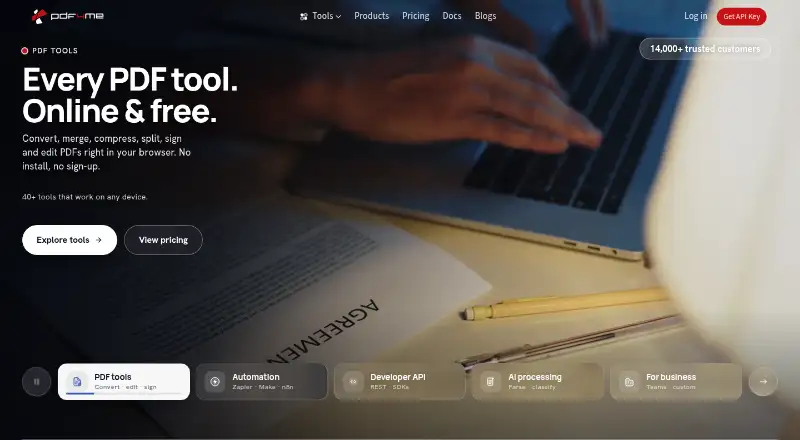
What PDF4me API is
PDF4me API gives developers REST endpoints and SDKs for document conversion, OCR, signing and parsing, alongside browser tools for converting, merging, compressing, splitting, signing and editing PDFs. Its AI processing can parse invoices, classify files and return structured data as JSON. SDKs are available for C#, Java, Python, JavaScript (Node.js) and Salesforce Apex. Integrations listed include Power Automate, Make, Zapier, n8n, RapidAPI, Microsoft Teams and Google Workspace; no-code automation is also offered for workflow builders. The cloud service has a free plan and trial. Listed one-time call packs include 500 calls for no cost, 1,000 for no cost, 2,500 for no cost, 5,000 for no cost, 10,000 for no cost and 25,000 for no cost. A custom sales option is listed for more than 25,000 calls, with no price stated. Most endpoints use one call per document; high-quality conversions, OCR and AI use one call per page. API documents are processed in EU or US regions according to account setup, deleted within minutes and not retained for training, according to the service. Absolute data security is not guaranteed.
Good
- Browser tools cover common PDF operations.
- AI extracts structured invoice data as JSON.
- SDKs cover five listed languages.
- Integrations include Power Automate and Zapier.
- Free plan and trial are available.
Watch out
- High-quality conversion and OCR use one call per page.
- Data may be processed in EU or US regions.
- Absolute data security is not guaranteed.
Who it suits
It suits developers integrating document automation through an API or SDK, and workflow builders seeking no-code automation. Users who need PDF editing in a browser can also use its web tools.
Verdict
PDF4me API combines browser PDF tools with developer-focused document processing and automation options. Check its per-document and per-page call rules, and its account-dependent processing regions, against your workflow needs.
Plans and prices
From PDF4me API's own pricing page, checked 30 Sep 2026.
| Plan | Price | What it gives you |
|---|---|---|
| Pack 2,500 | Free | 2,500 API calls included · ~$0.038 per call · Calls never expire while account is active · $0 one-time |
| Pack 1,000 | Free | 1,000 API calls included · ~$0.045 per call · Calls never expire while account is active · $0 one-time |
| Pack 10,000 | Free | 10,000 API calls included · ~$0.033 per call · Calls never expire while account is active · $0 one-time |
| Pack 5,000 | Free | 5,000 API calls included · ~$0.036 per call · Calls never expire while account is active · $0 one-time |
| Pack 25,000 | Free | 25,000 API calls included · ~$0.026 per call · Calls never expire while account is active · $0 one-time |
| Pack 500 | Free | 500 API calls included · ~$0.050 per call · Calls never expire while account is active · $0 one-time |
| 25,000+ API calls | Priced on request | Volume discounts available · Dedicated account support · Flexible billing terms · Custom contact sales |
The facts
Each one read from PDF4me API's own pages, with the date it was checked.
What it does
- AI features
- Its AI processing can parse invoices, classify files, and extract structured data as JSON.checked 30 Sep 2026
- API
- The developer API provides REST endpoints and SDKs for document conversion, OCR, signing, and parsing.checked 30 Sep 2026
- Call limits
- Most endpoints use one API call per document, while high-quality conversions, OCR, and AI features use one call per page.checked 30 Sep 2026
- Data handling
- API pricing information says documents are processed in EU or US regions depending on account setup, deleted within minutes after completion, and not retained for training.checked 30 Sep 2026
- Integrations
- The site lists integrations with Power Automate, Make, Zapier, n8n, RapidAPI, Microsoft Teams, and Google Workspace.checked 30 Sep 2026
- PDF processing
- PDF4me offers browser tools for converting, merging, compressing, splitting, signing, and editing PDFs.checked 30 Sep 2026
- Pricing model
- API subscriptions are monthly recurring and cumulative; prepaid calls are one-time purchases that stay available while the account is active.checked 30 Sep 2026
- Privacy and security
- The privacy policy says personal data may be transferred to and processed by its cloud provider in Europe, and that absolute data security cannot be guaranteed.checked 30 Sep 2026
- Support
- The maker invites users to contact its support team and lists dedicated account support for custom enterprise volume plans.checked 30 Sep 2026
- Who it is for
- The maker presents the API and SDKs for developers integrating document automation into their applications and offers no-code automation for workflow builders.checked 30 Sep 2026
Where it runs
- Browser extension
- The Chrome extension uses cloud-based processing and is documented to work on Windows, macOS, and Linux.checked 30 Sep 2026
The company
- Company
- PDF4me says it is developed by Ynoox GmbH in Hedingen, Switzerland.checked 30 Sep 2026
- Headquarters
- Hedingen, Zurich, Switzerlandchecked 28 Sep 2026
The full review of PDF4me API
PDF4me API combines browser PDF tools with developer-focused document processing and automation options. It suits developers building document workflows and teams connecting no-code automations. Its broad processing and integration range is appealing, but call-per-page features can consume quotas faster than the headline call count suggests.
Overview
PDF4me pairs browser tools for common PDF tasks with REST endpoints and SDKs for integrating document processing into applications. Its cloud service covers conversion, OCR, signing, parsing, and AI extraction, while workflow builders can connect it to automation platforms. The main trade-off is usage accounting: most endpoints charge one call per document, but high-quality conversions, OCR, and AI processing use one call per page.
Key features
PDF tools and developer API
Browser tools handle converting, merging, compressing, splitting, signing, and editing PDFs. The API adds document conversion, OCR, signing, and parsing through REST endpoints and SDKs for C#, Java, Python, JavaScript (Node.js), and Salesforce Apex. That breadth suits teams embedding document operations in software; it is less compelling for users who only need occasional browser-based edits.
AI and workflow connections
AI processing can parse invoices, classify files, and return structured data as JSON, useful when document intake needs to feed downstream systems. Integrations include Power Automate, Make, Zapier, n8n, RapidAPI, Microsoft Teams, and Google Workspace. The Chrome extension uses cloud processing and is documented for Windows, macOS, and Linux.
Processing and privacy
Documents are processed in EU or US regions depending on account setup, deleted within minutes after completion, and not retained for training. The privacy policy also says personal data may be transferred to and processed by its cloud provider in Europe, and that absolute data security cannot be guaranteed. Organizations with strict residency or security requirements should confirm that account configuration fits their policies.
Pricing
PDF4me is freemium, with a free plan and a free trial; its pricing note says paid plans start from $25. The API packs below are shown at no cost, billed $0 one-time. Calls never expire while the account is active:
- Pack 500: 500 API calls, approximately $0.050 per call.
- Pack 1,000: 1,000 API calls, approximately $0.045 per call.
- Pack 2,500: 2,500 API calls, approximately $0.038 per call.
- Pack 5,000: 5,000 API calls, approximately $0.036 per call.
- Pack 10,000: 10,000 API calls, approximately $0.033 per call.
- Pack 25,000: 25,000 API calls, approximately $0.026 per call.
Larger packs lower the stated per-call rate, so they suit workloads that can use more calls while the account remains active. Keep page-based billing in mind: OCR, AI, and high-quality conversions consume one call per page, making multi-page documents draw down a balance faster than one-call-per-document endpoints. For 25,000+ API calls, pricing is custom, with volume discounts, dedicated account support, and flexible billing terms; this is the fit for higher-volume needs that warrant a sales conversation.
Platforms
PDF4me lists Android, iOS, Linux, macOS, Windows, web, API, and extension support. The API is cloud deployed, and the Chrome extension's documented operating-system support covers Windows, macOS, and Linux.
Who it's for
Developers who need document automation inside their applications will get the most from the REST API, SDKs, and broad processing range. Workflow builders can use its listed no-code integrations without building an application around the API. It is a weaker fit for buyers who need predictable per-document costs across page-heavy OCR or AI workloads, or who need certainty about processing region before account setup.
Pros and cons
- Pro: Conversion, OCR, signing, parsing, and AI extraction cover a wide range of document automation needs.
- Pro: SDKs across five languages and integrations with major automation tools give developers and workflow builders multiple routes to connect it.
- Pro: API-pack calls do not expire while the account is active, and larger packs carry lower stated per-call rates.
- Con: OCR, AI, and high-quality conversions bill per page rather than per document, which can make multi-page workloads use calls quickly.
- Con: Processing region depends on account setup, and the privacy policy does not guarantee absolute data security.
Alternatives
For a broader comparison, see the PDF API Software directory. Choose easyPDF Cloud API if its free tier's 2 free OCR pages, 2 workflows, and REST API trial access better match a small evaluation. OCR.space is worth considering for a free OCR-focused tier with 25,000 requests per month, subject to its 1 MB file-size and 3-page PDF limits. Choose DocRaptor if you need HTML-to-document generation and its Free plan's 5 documents per month suits your volume. Aspose.PDF Cloud is another paid API option with a free plan and free trial. CraftMyPDF fits template-based generation, with a free tier of 50 PDFs or images per month and connections including Zapier and Make.com. iLoveAPI offers 2,500 free monthly credits, excluding digital signatures. PDFMonkey is an alternative for document generation with a free tier of 20 documents per month and a one-day retention period. pdfRest API Toolkit Cloud offers a free Starter plan with 100 API calls per month, watermarked output, and no overage calls.
Verdict
PDF4me API is a strong choice for developers and workflow builders who need a broad set of PDF operations, AI extraction, and automation connections in one cloud service. Its pack structure and multi-language SDKs support varied integration needs, but per-page charging for OCR, AI, and high-quality conversions deserves close attention. Look elsewhere if page-heavy processing makes that usage model hard to budget, or if your organization needs a fixed processing region.
Getting started
- Visit https://pdf4me.com/.
- Choose browser tools, the REST API, or no-code automation.
- Select a listed one-time call pack or contact sales for more than 25,000 calls.
- Use an SDK for C#, Java, Python, JavaScript (Node.js), or Salesforce Apex if integrating in an application.
- Choose an integration such as Power Automate, Make, Zapier, n8n, RapidAPI, Microsoft Teams, or Google Workspace.
Limits worth knowing
The listed free packs provide 500, 1,000, 2,500, 5,000, 10,000, or 25,000 calls; those calls remain available while the account is active. Most endpoints use one call per document, while high-quality conversions, OCR, and AI features use one call per page. The custom plan for more than 25,000 calls has no listed price.
Questions
Is there a free plan?
Yes. Free one-time packs are listed from 500 through 25,000 calls, each at no cost. The plans list approximate per-call rates, and calls do not expire while the account is active.
What does PDF4me API cost?
The pricing note says paid plans start at $25. Listed one-time packs range from free for 500 calls to free for 25,000 calls; the custom option for more than 25,000 calls has no listed price.
Which platforms does it support?
Listed platforms are Android, API, extension, iOS, Linux, macOS, web, and Windows. The Chrome extension is documented to work on Windows, macOS, and Linux.
Which programming languages have SDKs?
SDKs are listed for C#, Java, Python, JavaScript (Node.js), and Salesforce Apex.
What integrations are available?
PDF4me lists Power Automate, Make, Zapier, n8n, RapidAPI, Microsoft Teams, and Google Workspace.
How are API documents handled?
PDF4me says documents are processed in EU or US regions depending on account setup, deleted within minutes after completion, and not retained for training. Its privacy policy says personal data may be transferred to and processed by its cloud provider in Europe, and absolute data security cannot be guaranteed.
Alternatives to PDF4me API
- 1
Zamzar API
Free planAndroidiOSWebAPI8.2From $25 a month - 2
OCR.space
Free planAndroidiOSWebAPI8.1From $30 a month - 3
easyPDF Cloud API
Free planAndroidiOSWebAPI8.0From $3.99 a month - 4
 7.6From €5 a month
 - 5
 7.5From $29 a month
 - 6
HTML2PDF Rocket
Free planAndroidWebAPILinux7.5From $5 a month