PDF Mage
PDF Mage is a browser extension and web service for converting web pages into downloadable PDF files.
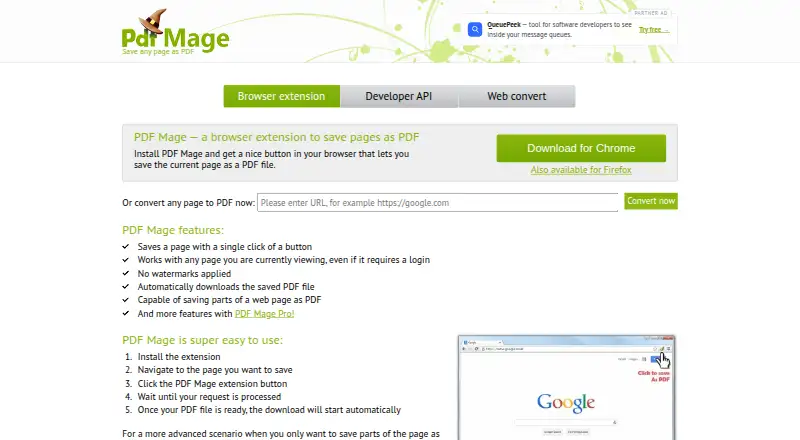
What PDF Mage is
PDF Mage is a browser extension and web service for converting web pages into downloadable PDF files. Its extension works through Chrome and Firefox, captures pages that require a login, and can save a selected section of a page. After conversion, it downloads the PDF automatically and applies no watermark. The extension does not support pages containing frames or Flash animation, or pages saved on your local computer. PDF Mage also provides a REST API that accepts HTML markup or a URL in POST requests using form or JSON parameters. API settings cover page orientation and size, margins, image and link handling, compression, password protection, and permissions for printing, copying, and editing. API access uses an X-Api-Key header, and a test method returns a sample PDF download URL. The free plan is free and restricts printing. PDF Mage Pro has no listed price and removes printing restrictions and the conversions-per-minute limit, while adding custom page size and password protection.
Good
- Captures login-protected pages
- Saves selected page sections
- Automatically downloads PDFs without watermarks
- API offers detailed PDF controls
- Free plan available
Watch out
- Frames and Flash pages unsupported
- Local computer files unsupported
- API limited to one request every five seconds
- Free plan restricts printing
Who it suits
It suits people who need to save online pages as PDFs and developers converting HTML or URLs through an API. Chrome and Firefox users can use the extension, while web-based API workflows can automate conversion.
Verdict
PDF Mage combines browser capture with API-based HTML and URL conversion. Check its page limitations, server processing, and free-plan printing restriction before choosing it.
Plans and prices
From PDF Mage's own pricing page, checked 11 Oct 2026.
| Plan | Price | What it gives you |
|---|---|---|
| Free | Free | Printing restriction or “free version” footer note |
| PDF Mage Pro | — | No printing restrictions · No conversions-per-minute limit · Custom page size · PDF password protection |
The facts
Each one read from PDF Mage's own pages, with the date it was checked.
What it does
- API
- The API converts HTML markup or a URL to PDF through a REST interface that accepts POST requests with form or JSON parameters.checked 11 Oct 2026
- Connection security
- The maker says data is transmitted over HTTPS and each generated document has a unique download link that cannot be guessed.checked 11 Oct 2026
- Data handling
- The maker says the extension sends the viewed page's entire content to its servers for conversion and that generated PDFs are deleted after 10 minutes.checked 11 Oct 2026
- Integrations
- The maker documents API access using an X-Api-Key HTTP header and provides a test method that returns a sample PDF download URL.checked 11 Oct 2026
- Page capture
- The extension can save pages that require a login and can save part of a web page.checked 11 Oct 2026
- PDF controls
- API options include page orientation and size, margins, image and link handling, compression, password protection, and printing, copying, and editing permissions.checked 11 Oct 2026
- PDF output
- The extension automatically downloads the PDF after conversion, and the maker says it applies no watermarks.checked 11 Oct 2026
- Purpose
- PDF Mage is a browser addon that saves a web page as a PDF file and downloads it to your device.checked 11 Oct 2026
- Rate limit
- API requests from a single IP address are limited to one every five seconds; more frequent requests return HTTP 409.checked 11 Oct 2026
- Support and refund
- The maker offers support through a feedback form and states a 100% money-back guarantee for Pro purchases within 30 days.checked 11 Oct 2026
- Unsupported pages
- The extension does not support pages containing frames, Flash animation, or pages saved on the user's local computer.checked 11 Oct 2026
Where it runs
- Browser extensions
- The maker links to Chrome and Firefox browser extensions.checked 11 Oct 2026
The company
- Headquarters
- London, England, United Kingdomchecked 28 Sep 2026