PaizaCloud Cloud IDE
PaizaCloud Cloud IDE is a browser-based development environment with an editor, web server, database server, and terminal in a cloud workspace.
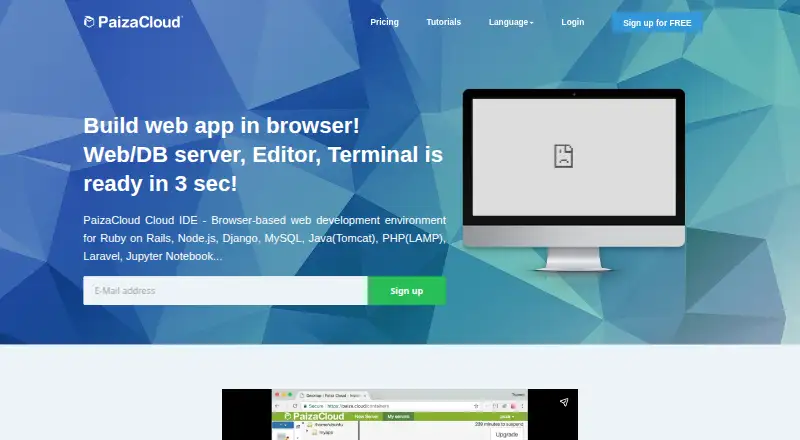
What PaizaCloud Cloud IDE is
PaizaCloud Cloud IDE is a browser-based development environment with an editor, web server, database server, and terminal in a cloud workspace. The maker says a new Linux development server starts in about three seconds. The browser interface includes file management, an editor, a terminal, and an in-browser browser; users can install or create additional apps. Listed environments include LAMP, PHP, Ruby on Rails, JSP, Django, Node.js, Laravel, Go, Express, MEAN stack, Jupyter Notebook, and Git. Users can share their server workspace and connect by SSH. The cloud development environment runs Linux (Ubuntu 18.04), while recommended client systems include Windows, Mac, iOS, and Android. PaizaCloud is described for beginners, educators, schools, bootcamps, and people who want to code without setting up an environment. Its free plan includes one server, a maximum 24-hour lifetime, and up to four continuous running hours while the browser is open.
Good
- Browser workspace includes editor, servers, and terminal.
- Lists environments across several languages and stacks.
- Supports workspace sharing and SSH connections.
- Free plan is available.
Watch out
- Free server lifetime is limited to 24 hours.
- FREE and LITE plans do not allow application publishing.
- BASIC costs $19.80 per month.
Who it suits
PaizaCloud may suit programming beginners, educators, schools, and bootcamps, or anyone who wants a coding environment without local setup. It also supports people who want to share a workspace or connect over SSH.
Verdict
PaizaCloud puts development tools and listed language environments in a browser workspace. Check the plan limits carefully, especially if public application publishing is needed.
Plans and prices
From PaizaCloud Cloud IDE's own pricing page, checked 3 Oct 2026.
| Plan | Price | What it gives you |
|---|---|---|
| FREE | Free | 24-hour server lifetime · online while browser is open, max 4 hours · 1 server · service publishing unavailable · 2 CPU cores · 2 GB memory · 1 GB disk |
| LITE | $9.80 a month | Unlimited server lifetime · online while browser is open, max 4 hours · 3 servers · service publishing unavailable · 2 CPU cores · 2 GB memory · 2 GB disk · $9.80/month - ($10.78/month- incl. tax) |
| BASIC | $19.80 a month | Unlimited server lifetime · always-on · service publishing available · 1 always-on server plus 3 limited-running servers · each additional always-on server +1,980 yen/month · 2 CPU cores · 2 GB memory · 4 GB disk · $19.80/month - ($21.78/month- incl. tax) |
The facts
Each one read from PaizaCloud Cloud IDE's own pages, with the date it was checked.
Where it runs
- Browser tools
- The browser UI includes file management, a file editor, terminal, and an in-browser browser; users can install or create additional apps.checked 3 Oct 2026
The company
- Founded
- 2012checked 28 Sep 2026
- Headquarters
- Minato, Tokyo, Japanchecked 28 Sep 2026
Money
- Free plan
- Nochecked 20 Sep 2026
What it does
- Intended users
- The maker describes the service for programming beginners, teachers, instructors, schools, bootcamps, and people who want to code without setting up an environment.checked 3 Oct 2026
- Languages and stacks
- Listed environments include LAMP, PHP, Ruby on Rails, JSP, Django, Node.js, Laravel, Go, Express, MEAN stack, and tools such as Jupyter Notebook and Git.checked 3 Oct 2026
- Operating system
- The specifications list Linux (Ubuntu 18.04) for the cloud development environment.checked 3 Oct 2026
- Paid from
- 9.8checked 20 Sep 2026
- Product
- PaizaCloud is a browser-based cloud development environment with an editor, web server, database server, and terminal.checked 3 Oct 2026
- Provider
- The maker identifies paiza株式会社 (Paiza, Inc.) as the operator of PaizaCloud.checked 3 Oct 2026
- Publishing limit
- Public web application publishing is available on BASIC; FREE and LITE list publishing as unavailable.checked 3 Oct 2026
- Security certification
- Paiza Inc.’s company information page displays an ISMS/ISO 27001 certification registration mark.checked 3 Oct 2026
- Server launch
- The maker says a new Linux development server starts in about three seconds.checked 3 Oct 2026
- SSH
- The product supports SSH connections to its server.checked 3 Oct 2026
- Support contact
- The PaizaCloud page lists [email protected] for inquiries and volume licensing requests.checked 3 Oct 2026
- Supported client systems
- Recommended client operating systems include Windows 8.1 or later, Mac OS X 10.13 or later, iOS 12 or later, and Android 8 or later.checked 3 Oct 2026
- Workspace sharing
- Users can share their server workspace environment with others.checked 3 Oct 2026
The full review of PaizaCloud Cloud IDE
Overview
PaizaCloud Cloud IDE is a browser-based development workspace built around Linux servers, with tools for editing code and running web projects. It suits learners, educators and developers who want a ready-to-use environment without configuring one on their own computer. Its free tier is useful for short sessions, but publishing a public application requires the more expensive BASIC plan.
Key features
The workspace brings together file management, a code editor, terminal, web server and database server in a browser interface. An in-browser browser lets users view web applications from the same workspace, while the ability to install or create additional apps offers room to adapt it to a project. PaizaCloud says a new Linux development server starts in about three seconds, a practical advantage when getting a lesson or coding session underway.
Listed environments cover LAMP, PHP, Ruby on Rails, JSP, Django, Node.js, Laravel, Go, Express and MEAN stack, alongside tools such as Jupyter Notebook and Git. This breadth makes the service relevant to varied web-development curricula and projects, though the environment itself is specified as Linux (Ubuntu 18.04). Users can share a server workspace with others and connect to it over SSH, useful for collaboration and command-line access.
Pricing
FREE costs nothing and provides one server, up to 24 hours of server lifetime, up to four hours of continuous running while the browser is open, and 1 GB of disk. Application publishing is unavailable. The caps make it a sensible way to learn or try a short-lived project, not a persistent workspace.
LITE costs $9.80 a month, billed monthly. It raises the allowance to three servers, unlimited server lifetime and 2 GB of disk, but still limits continuous running to four hours while the browser is open and does not allow application publishing. It fits users who need longer-lived development servers but can work within those session and publishing limits.
BASIC costs $19.80 a month, billed monthly. It includes one always-on server plus three limited-running servers, unlimited server lifetime, 4 GB of disk and public web application publishing. Additional always-on servers cost $19.80 per month each. This is the clear choice for a project that must remain online publicly; the single included always-on server may be restrictive for users who need several.
Platforms
PaizaCloud runs in a browser and supports client systems including Windows 8.1 or later, Mac OS X 10.13 or later, iOS 12 or later and Android 8 or later. The service also lists Linux, macOS, Windows, Android and iOS among its supported platforms. Its cloud development environment runs Linux (Ubuntu 18.04), separating the server environment from the client device.
Who it's for
Beginners can use PaizaCloud to start coding without setting up a local development environment, while teachers, instructors, schools and bootcamps can use shared workspaces for instruction. Developers who want browser access to a Linux server and common web stacks may also find it a good fit. It is less suitable for anyone who needs public application publishing on a free or lower-cost plan, or who needs continuous browser-open sessions longer than four hours.
Pros and cons
- Pro: Editor, terminal, web server and database server share one browser workspace, reducing the setup needed to begin a web project.
- Pro: A broad selection of listed stacks and tools, plus SSH and workspace sharing, serves both individual learning and collaborative instruction.
- Con: FREE and LITE do not support public application publishing, so publishing requires a $19.80-per-month BASIC subscription.
- Con: FREE and LITE cap continuous running at four hours while the browser is open; BASIC includes only one always-on server before paid add-ons.
- Con: Disk space ranges from 1 GB on FREE to 4 GB on BASIC, which may constrain larger projects.
Alternatives
For a PHP-focused comparison, browse PHP IDEs; for other hosted workspaces, see Cloud Development Environments or Coding Playgrounds.
ICEcoder is a free browser-based code editor with an MIT-licensed IDE framework, making it worth considering for readers who want an editor rather than PaizaCloud's server-and-services workspace. Visual Studio Code is a free alternative for readers looking at a different editor. Zed offers a free Personal plan with 2,000 accepted edit predictions and external-agent or API-key support, for readers seeking those editor capabilities.
OpenIDE is another freemium alternative. Apache NetBeans is free for commercial and non-commercial use under Apache License 2.0. Eclipse PHP Development Tools is a free, open-source PHP IDE framework for Eclipse. IntelliJ IDEA has a free core plan for Java and Kotlin, while Geany is a free alternative.
Verdict
PaizaCloud is a strong fit for learners and educators who want a browser-accessible Linux workspace with web-development services ready to use. Its integrated tools, stack selection and workspace sharing are the main reasons to choose it. Look elsewhere if you need public publishing without BASIC, more than one included always-on server, or a free local editor rather than a hosted development environment.
Getting started
- Visit https://paiza.cloud/en/.
- Choose FREE, LITE, or BASIC; paid plans start at $9.80/mo.
- Launch a Linux development server in the browser.
- Use the editor, file management, terminal, and listed development environments.
- Share the workspace or connect to the server through SSH if needed.
- Choose BASIC for public web application publishing.
Limits worth knowing
FREE includes one server with a lifetime of up to 24 hours, up to four continuous running hours while the browser is open, and 1 GB of disk. Application publishing is unavailable on FREE and LITE; BASIC includes publishing and 4 GB of disk.
Questions
Is there a free plan?
Yes. FREE includes one server, 1 GB of disk, up to 24 hours of server lifetime, and up to four continuous running hours while the browser is open.
How much do paid plans cost?
LITE costs $9.80 per month. BASIC costs $19.80 per month.
Which plan allows public application publishing?
BASIC allows application publishing. Publishing is unavailable on FREE and LITE.
What systems does PaizaCloud support?
The cloud development environment runs Linux (Ubuntu 18.04). Recommended client systems include Windows 8.1 or later, Mac OS X 10.13 or later, iOS 12 or later, and Android 8 or later.
Can I share a workspace or connect over SSH?
Yes. Users can share their server workspace with others, and the product supports SSH connections to its server.
Who operates PaizaCloud?
The maker identifies Paiza, Inc. as the operator of PaizaCloud.
Alternatives to PaizaCloud Cloud IDE
- 1

IntelliJ IDEA
Free planAPIExtensionLinuxmacOS7.8Free plan - 2

Zed
Free planLinuxmacOSWindows7.6From $10 a month - 3
Geany
Free planOpen sourceLinuxmacOSWindows7.4Free plan - 4

Visual Studio Code
Free planWebLinuxmacOSWindows7.4Free plan - 5
ICEcoder
Free planAndroidWebAPILinux7.1Free plan - 6
Scriptcase
WebAPILinuxmacOS6.9From $399.20 a year