
Outwrite
Outwrite is an AI writing assistant that suggests stylistic and structural improvements alongside spelling and grammar corrections.
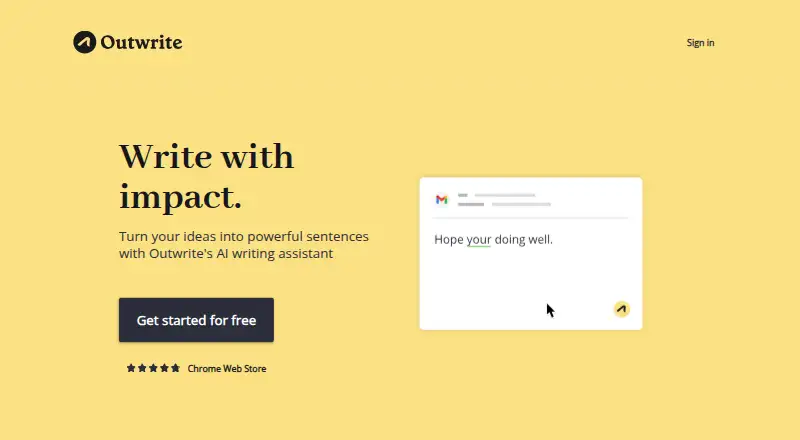
What Outwrite is
Outwrite is an AI writing assistant that suggests stylistic and structural improvements alongside spelling and grammar corrections. Its Rewrite feature proposes alternate sentence phrasing, and real-time statistics show readability and grade level. It supports English variants for the US, UK, Australia, New Zealand, and South Africa, as well as French and Spanish. Online integrations include Google Docs, Microsoft Word, Outlook, Gmail, LinkedIn, and WordPress. Outwrite is available as a web app and browser extension; it has no desktop or mobile app. The Word add-in supports Word 2016 or later on Windows, Word on Mac, Microsoft 365 on Windows, and Word on the web. Pro and Teams users receive 50 monthly plagiarism checks against publicly available internet text. Teams accounts are available to groups of three or more. The free plan includes spelling and grammar, a thesaurus, Google Docs, Microsoft Word, browser extensions, and the web app. Pro costs $9.95 per month, while Teams costs $7.95 per user per month. Outwrite says users can request data deletion, but its systems continue to retain text snippets used by its AI platform.
Good
- Offers sentence rewriting and structural suggestions.
- Provides readability and grade-level statistics.
- Supports seven language variants and languages.
- Pro and Teams include 50 monthly plagiarism checks.
Watch out
- No desktop app is listed.
- No mobile app is listed.
- AI text snippets continue to be retained.
Who it suits
Outwrite suits students, professionals, casual writers, and teams seeking help with grammar, style, and sentence structure. Teams accounts are available for groups of three or more.
Verdict
Outwrite combines proofreading, rewriting, writing statistics, and integrations across a free plan and paid tiers. Consider its lack of desktop and mobile apps, and its stated retention of AI text snippets, when deciding whether it fits your workflow.
Plans and prices
From Outwrite's own pricing page, checked 28 Sep 2026.
| Plan | Price | What it gives you |
|---|---|---|
| Free | Free | Spelling & Grammar · Thesaurus · Google Docs · Microsoft Word · Browser extensions · Web App |
| Pro | $9.95 a month | Style improvements · Structural suggestions · Sentence rewriting · 50 plagiarism checks/month · Priority email support · US$9.95/month |
| Teams | $7.95 a month | 50 plagiarism checks/month · Group discount · Manage team access · Consolidated billing · Google Docs · Microsoft Word · Browser extensions · Web App · US$7.95/user/month |
The facts
Each one read from Outwrite's own pages, with the date it was checked.
What it does
- API security
- The Outwrite API requires an API key in every request and works only over HTTPS.checked 28 Sep 2026
- Audience
- Outwrite says it is used by students, professionals, casual writers and teams.checked 28 Sep 2026
- Core editing
- Its spelling and grammar feature looks for misspellings and grammatically incorrect phrases.checked 28 Sep 2026
- Data retention
- Users can request deletion of User Data, but Outwrite says its systems continue to retain text snippets used by its AI platform.checked 28 Sep 2026
- Data security
- Outwrite says it uses industry-standard encryption for data in transit and security safeguards including firewalls, password access and secure servers.checked 28 Sep 2026
- Integrations
- The homepage lists Google Docs, Microsoft Word, Outlook, Gmail, LinkedIn and WordPress as places it works online.checked 28 Sep 2026
- Languages
- Outwrite supports English in US, UK, Australian, New Zealand and South African variants, plus French and Spanish.checked 28 Sep 2026
- Languages supported
- 7checked 20 Sep 2026
- Paid from
- 7.95checked 20 Sep 2026
- Paraphrasing
- Its Rewrite feature offers different ways to rewrite a sentence for fluency and variety.checked 28 Sep 2026
- Plagiarism
- Pro and Teams users receive 50 plagiarism checks per month that compare documents with publicly available internet text.checked 28 Sep 2026
- Product
- Outwrite is an AI writing assistant that suggests stylistic and structural improvements beyond grammar checking.checked 28 Sep 2026
- Style suggestions
- Yeschecked 20 Sep 2026
- Support
- General enquiries can be sent to [email protected] and press or partnership enquiries to [email protected].checked 28 Sep 2026
- Tone detection
- Yeschecked 20 Sep 2026
- Word support
- The Word add-in supports Word 2016 or later on Windows, Word on Mac and Windows Microsoft 365, and Word on the web.checked 28 Sep 2026
Where it runs
- Browser extension
- Yeschecked 20 Sep 2026
- Desktop app
- Nochecked 20 Sep 2026
- Mobile app
- Nochecked 20 Sep 2026
- Platforms
- Outwrite is available through Google Docs, Microsoft Word, Google Chrome, Microsoft Edge and its web app.checked 28 Sep 2026
The company
- Founded
- 2015checked 28 Sep 2026
- Headquarters
- Sydney, Australiachecked 28 Sep 2026
- Team eligibility
- Outwrite offers a Teams account for groups of three or more people.checked 28 Sep 2026
Money
- Free plan
- Yeschecked 20 Sep 2026
The full review of Outwrite
Outwrite is a writing assistant for people who want help improving sentences and structure as well as correcting errors. It is best suited to writers working in supported browsers and online documents who value style suggestions and readability feedback. Its free plan handles core proofreading, while rewriting and structural guidance require a paid tier.
Overview
Outwrite combines spelling and grammar correction with sentence rewrites, style and structural suggestions, and real-time readability and grade-level statistics. That makes it a stronger fit for revising prose than for writers who only need basic error checks. Pro and Teams add 50 monthly plagiarism checks against publicly available internet text, a useful but finite allowance for work that needs originality screening.
The free plan includes a thesaurus and access through the web app, browser extensions, Google Docs, and Microsoft Word. It leaves out the paid plans’ style improvements, structural suggestions, and sentence rewriting, so the central reason to upgrade is editorial guidance rather than basic correction.
Key features
- Spelling and grammar: Flags misspellings and grammatically incorrect phrases. This covers routine proofreading, though it does not provide the deeper editing options reserved for paid plans.
- Sentence rewriting: Rewrite proposes alternative wording for fluency and variety. It is useful when a sentence needs reshaping, but access starts with Pro.
- Style and structure: Paid plans offer style improvements and structural suggestions, extending the tool beyond correction into revision.
- Writing statistics: Real-time readability and grade-level measures give writers a way to assess how accessible their text is while editing.
- Plagiarism checks: Pro and Teams include 50 checks per month against publicly available internet text. That may suit regular but moderate screening needs; heavier use would exceed the stated monthly quota.
- Language coverage: English is supported in US, UK, Australian, New Zealand, and South African variants, plus French and Spanish. Seven language options give multilingual writers some flexibility, but do not amount to broad language coverage.
- Integrations: Outwrite works online with Google Docs, Microsoft Word, Outlook, Gmail, LinkedIn, and WordPress. Its Word add-in supports Word 2016 or later on Windows, Word on Mac and Windows Microsoft 365, and Word on the web.
Pricing
Outwrite uses a freemium model, with a free plan and a free trial. The published entry price is US$7.95/user/month, though the individual Pro plan costs more.
| Plan | Price | What it includes | Best fit |
|---|---|---|---|
| Free | free | Spelling and grammar, thesaurus, Google Docs, Microsoft Word, browser extensions, and web app. | Writers who need basic corrections and supported document access without paid revision features. |
| Pro | $9.95 a month (billed US$9.95/month) | Style improvements, structural suggestions, sentence rewriting, 50 plagiarism checks per month, and priority email support. | Individuals who want Outwrite’s full editing toolkit and regular plagiarism screening. |
| Teams | $7.95 a month (billed US$7.95/user/month) | 50 plagiarism checks per month, group discount, team access management, consolidated billing, Google Docs, Microsoft Word, browser extensions, and web app. | Groups of three or more who need shared administration and per-user billing. |
Free is the economical choice for correction, but it gives up the style, structure, and rewriting tools. Pro costs US$9.95/month and bundles those features with priority email support. Teams lowers the per-user rate to US$7.95/user/month and adds group management and consolidated billing; it is only offered to groups of at least three. Both paid tiers cap plagiarism checks at 50 per month.
Platforms
Outwrite is available through a web app, browser extension, API, and macOS and Windows listings. It does not offer a desktop app or mobile app, so the platform labels should not be mistaken for dedicated installed apps. Writers can work through supported online services and the Word add-in, but those seeking a standalone mobile editor should look elsewhere.
The API requires an API key on every request and operates only over HTTPS. Outwrite says it uses industry-standard encryption in transit and safeguards including firewalls, password access, and secure servers. Users may request deletion of User Data, but text snippets used by its AI platform continue to be retained; that matters to writers handling sensitive material.
Who it's for
Outwrite suits students, professionals, casual writers, and teams who want to move from proofreading into sentence-level revision without leaving supported online writing tools. The free plan is sensible for occasional correction, while Pro is the better match for individuals who will use rewriting and structure suggestions. Teams is aimed at groups of three or more that need account management and consolidated billing. It is a weaker fit for people who need a mobile app, a desktop app, or a service that does not retain AI text snippets.
Pros and cons
- Pro: Rewriting, style and structural suggestions, and readability statistics cover revision needs beyond spelling and grammar correction.
- Pro: Google Docs, Word, browser extensions, and other named online integrations let users work in several common writing environments.
- Pro: Teams combines per-user pricing with access management and consolidated billing for groups of three or more.
- Con: The free plan omits the style, structure, and rewriting capabilities that distinguish Outwrite from a basic proofreader.
- Con: The 50 monthly plagiarism checks on either paid plan may constrain users who screen many documents.
- Con: No dedicated desktop or mobile app limits its appeal for writers who prefer installed software.
- Con: AI text snippets remain in Outwrite’s systems even when users request deletion of User Data, a meaningful caveat for confidential writing.
Alternatives
For a wider comparison, browse AI Grammar Checkers or Grammar checkers.
- LanguageTool is worth considering if its free 2,000-character text fields or Premium 150,000-character fields suit your document lengths better.
- Trinka is an alternative for writers who want a service available through API, extension, desktop platforms, web, or self-hosting; it has a free plan but no free trial.
- Wordvice AI may fit writers who prefer a defined free monthly allowance: Basic includes 5,000 words per month, 500 words per submission, two proofreading modes, and 15,000 AI Detector characters per month.
- Linguix is a better platform match for writers seeking Android or iOS access; its free plan includes grammar and spelling checks, basic AI suggestions, limited paraphrasing, typing shortcuts, and a browser extension.
- GrammarCheck.ai is an option for writers who want a free plan with 5,000 credits and a 650-word submission cap, or a Lite tier at $4 a month.
- Grammarly is an alternative with Android and iOS platforms; its Free plan is for individuals and includes 100 AI prompts per month.
- Sapling is another freemium option with API, extension, self-hosted, web, and Windows availability.
- Ginger may suit writers seeking iOS or Android support, with a freemium model and a Premium Monthly plan at $13 a month.
Verdict
Choose Outwrite if you want proofreading plus sentence rewriting, structural guidance, and readability feedback in the online tools where you write. Its free tier is useful for correction, and Pro or Teams brings the more distinctive revision features, but the 50-check monthly cap, lack of dedicated desktop and mobile apps, and retention of AI text snippets make it a poor fit for intensive screening, app-first workflows, or sensitive text.
Alternatives to Outwrite
- 1
Cordial
Free planAndroidiOSWebExtension8.7Free plan - 2
Grammarly
Free planAndroidiOS8.6From $12 a month - 3

GrammarCheck.ai
Free planAndroidiOSWebAPI8.6From $2.50 a month - 4

Wordvice AI
Free planWebExtensionmacOSWindows8.5Free plan - 5

Harper
Free planOpen sourceAndroidiOSWebAPI8.5Free plan - 6

Duden-Mentor
Free planWebAPIExtensionmacOS8.4From €2.99 a month