Ormolu
Ormolu formats Haskell source code using GHC’s parser.
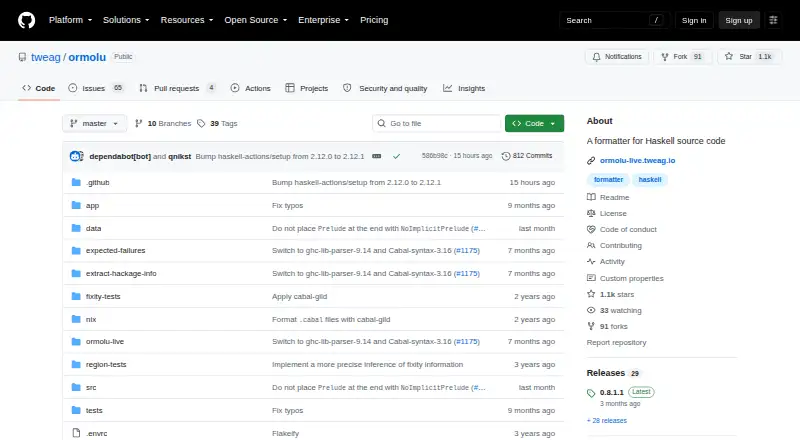
What Ormolu is
Ormolu formats Haskell source code using GHC’s parser. It applies one consistent style intended to produce minimal diffs, and that style cannot be configured. The project aims for idempotence: code already formatted to its rules should remain unchanged when formatted again. Ormolu provides release binaries for Linux, macOS, and Windows, and it can also be installed with cabal or stack. Ormolu Live offers a browser version. Listed editor integrations cover Emacs, VS Code, and Vim through neoformat or vim-ormolu; Haskell Language Server also has built-in support for using Ormolu. For continuous integration, the project recommends the run-ormolu GitHub Action. Ormolu finds the matching Cabal file for default language extensions and dependencies, and .ormolu files can provide fixity overrides and module re-export instructions. CPP support is experimental and limited to simple cases where conditionals surround top-level declarations. The project is open source and listed as free.
Good
- Uses GHC’s parser
- Provides binaries for Linux, macOS, and Windows
- Lists integrations for several editors
- Includes Haskell Language Server support
- Supports Cabal defaults and .ormolu instructions
Watch out
- Formatting style cannot be configured
- CPP support is experimental and limited
Who it suits
Ormolu suits Haskell developers who want a single shared formatting style across editors or CI. It also offers a browser version for trying the formatter without installing the desktop binaries.
Verdict
Ormolu offers a consistent Haskell formatter with editor, language-server, and CI options. Its fixed style is a constraint for teams that need configurable formatting, and CPP handling is limited.
Plans and prices
From Ormolu's own pricing page, checked 9 Oct 2026.
| Plan | Price | What it gives you |
|---|---|---|
| Ormolu | Free | Open-source Haskell formatter |
The facts
Each one read from Ormolu's own pages, with the date it was checked.
Where it runs
- Browser version
- Ormolu can be tried in a browser through Ormolu Live.checked 9 Oct 2026
What it does
- CI integration
- The project recommends the run-ormolu GitHub Action to keep a project formatted.checked 9 Oct 2026
- Editor integrations
- The README lists integrations for Emacs, VS Code, and Vim through neoformat or vim-ormolu.checked 9 Oct 2026
- Formatting style
- It implements one consistent formatting style that does not admit configuration and aims to produce minimal diffs.checked 9 Oct 2026
- Idempotence
- The project aims to ensure formatting already formatted code does not change it.checked 9 Oct 2026
- Installation
- The release page provides binaries for Linux, macOS, and Windows, and the project can also be installed with cabal or stack.checked 9 Oct 2026
- Language server
- Haskell Language Server has built-in support for using Ormolu as a formatter.checked 9 Oct 2026
- License
- The project’s license permits redistribution and use in source and binary forms subject to stated conditions and provides the software “as is.”checked 9 Oct 2026
- Limitations
- CPP support is experimental and works only in simple cases where CPP conditionals surround top-level declarations.checked 9 Oct 2026
- Maintainer history
- The README credits Mark Karpov as author and main maintainer during his employment at Tweag from 2019 to 2026.checked 9 Oct 2026
- Parser
- It uses GHC’s parser to avoid parsing problems caused by haskell-src-exts.checked 9 Oct 2026
- Project configuration
- Ormolu finds the matching Cabal file to read default language extensions and dependencies, and supports fixity overrides and module re-export instructions in .ormolu files.checked 9 Oct 2026
- Purpose
- Ormolu is a formatter for Haskell source code.checked 9 Oct 2026
The company
- Maker
- Tweag describes itself as a software innovation lab and lists Ormolu among its Haskell ecosystem tools.checked 9 Oct 2026
The full review of Ormolu
Ormolu is a free formatter for Haskell source code, built for developers who want one dependable style across local editors and automated checks. It is strongest for teams standardising a Cabal-based codebase; projects that require selectable layout rules or extensive CPP support should look elsewhere.
Overview
Ormolu uses GHC’s parser rather than haskell-src-exts, reducing a class of parsing problems that can interrupt formatting. Its design deliberately favours a single, consistent style and minimal diffs. The project also aims for idempotence: once code is formatted, running Ormolu again should not keep changing it. That makes pull-request diffs easier to read and helps a team enforce a stable baseline, but the same policy removes the ability to accommodate competing house styles.
Key features
Installation is flexible. Release binaries cover Linux, macOS, and Windows, while cabal and stack provide installation routes familiar to Haskell developers. Ormolu Live supplies a browser version for trying the formatter or checking an isolated snippet before committing to local setup. It is a useful low-friction demonstration, although serious projects will still need a repeatable local or CI installation.
Editor integration reaches Emacs, VS Code, and Vim through neoformat or vim-ormolu. Haskell Language Server has built-in support for selecting Ormolu as its formatter, so formatting can happen alongside normal language tooling rather than through a separate manual command. For repositories, the recommended run-ormolu GitHub Action applies the same rule set in CI, giving maintainers an automated way to catch unformatted changes.
Ormolu adds project context without turning its style into a preference system. It can locate the matching Cabal file and read default language extensions and dependencies. An .ormolu file can provide fixity overrides and module re-export instructions. Those controls help the formatter understand a project’s declarations and imports, while the core arrangement remains fixed. CPP support is the notable boundary: it is experimental and works only in simple cases where conditionals surround top-level declarations. Codebases with more involved preprocessor structure should not make Ormolu their sole formatting safeguard.
Pricing
Ormolu costs nothing under its open-source plan. The plan is the formatter itself, with Haskell support, editor integration, a library API, and Linux, macOS, Windows, and web availability. There are no paid tiers, seat charges, usage quotas, trial deadlines, or renewal terms to manage. That makes it suitable for individual developers, open-source maintainers, and companies that want to standardise formatting without procurement overhead. The trade-off is that support and service guarantees are not presented as a commercial subscription benefit.
Platforms
Supported platforms are Linux, macOS, Windows, and the web. Native release binaries cover the three desktop operating systems, cabal and stack offer package-based installation, and Ormolu Live handles browser use. The tool is Haskell-specific, so its platform breadth does not translate into multi-language formatting.
Who it's for
Ormolu is a good fit for Haskell teams that value identical output in editors, Haskell Language Server, and CI, especially when their project already has a Cabal file whose extensions and dependencies should inform formatting. Its minimal-diff goal is helpful where review noise matters, and the free open-source model works for both personal and organisational use.
Choose another formatter when contributors need configurable indentation or layout rules, or when the code relies heavily on CPP beyond top-level declaration guards. Ormolu’s fixed style is a deliberate constraint, not a setting to be tuned per repository.
Pros and cons
Pros
- GHC-based parsing: uses the compiler’s parser to avoid haskell-src-exts-related parsing issues.
- Stable, small diffs: a single style and an idempotence goal reduce churn in reviews.
- Broad workflow coverage: binaries, package installation, editor integrations, Haskell Language Server, browser access, and a recommended GitHub Action cover common development paths.
- Project-aware context: Cabal discovery plus .ormolu fixity and re-export instructions can improve results for real modules.
- No software charge: the open-source plan is free with no stated seat or quota limits.
Cons
- No style configuration: teams cannot adapt the formatter’s layout rules to local preferences.
- Limited CPP handling: experimental support is restricted to simple top-level conditional cases.
- Haskell only: it cannot serve as a shared formatter for polyglot repositories.
Alternatives
For another Haskell formatter with a free open-source plan, compare Fourmolu. Choose Black for Python, Fantomas for F#, or rustfmt for Rust. Zig fmt is the formatter included with the Zig toolchain, while goimports is a free open-source command-line option for Go. Prettier is the broader choice for projects spanning its supported web and programming-language ecosystems. Accessibility Test Framework for Android is a free Android-focused alternative for a different testing purpose. Browse Code Formatting Tools for the wider category.
Verdict
Choose Ormolu when your Haskell project needs one free, repeatable formatter that can run in editors, Haskell Language Server, and CI with minimal diff noise. Its strongest reason to leave is equally clear: teams needing configurable style or robust formatting around complex CPP should choose a more adaptable tool.
Alternatives to Ormolu
- 1

Prettier
Free planOpen sourceWebAPIExtensionLinux7.5Free plan - 2
Avidemux
Free planOpen sourceWebLinuxmacOSWindows7.3Free plan - 3
Fourmolu
Free planWebLinuxWindows6.7Free plan - 4
rustfmt
Free planLinuxmacOSWindows6.6Free plan - 5
Black
Free planLinuxmacOSSelf-hostedWindows6.5Free plan - 6

Ruff
Free planWebLinuxmacOSSelf-hosted6.5Free plan