
Fantomas
Fantomas is an opinionated formatter for F# source code that applies formatting based on configuration.
What Fantomas is
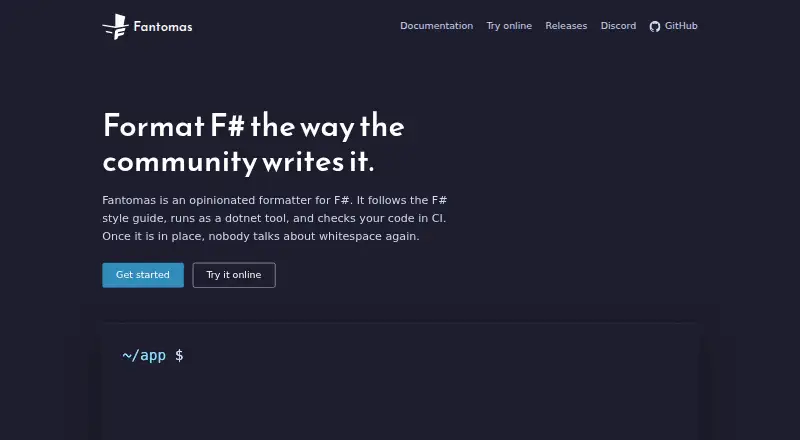
Fantomas is an opinionated formatter for F# source code that applies formatting based on configuration. Its default style follows Microsoft's F# style guide, and settings are available for G-Research conventions. Fantomas runs as a .NET tool, with local installation recommended when a repository needs a fixed version. It accepts folders or files ending in `.fs`, `.fsi`, `.fsx`, `.ml`, or `.mli`; source files are expected to parse with the F# compiler before formatting. A limited set of options can be stored in `.editorconfig` and read by the command-line tool. The `dotnet fantomas check` command reports formatting drift and exits with a failure code when files need formatting. Setup guides cover JetBrains Rider, Visual Studio Code, and Visual Studio, and the official site links to an online tool for trying Fantomas and its settings. The tool and library are available under the Apache 2.0 license. Fantomas is an fsprojects incubation project.
Good
- Defaults follow Microsoft's F# style guide.
- Supports `.editorconfig` formatting options.
- Check command reports formatting drift.
- Setup guides cover three editors.
- Apache 2.0 licensed and free.
Watch out
- Source files must parse with the F# compiler.
- Only a limited set of options can be configured.
Who it suits
Fantomas suits F# developers who want consistent formatting in repositories or automated checks. It also fits teams using the listed editor integrations or `.editorconfig` settings.
Verdict
Fantomas provides configurable F# formatting through a .NET tool, with editor setup guides and a check command for formatting drift. Repositories that need consistent tool versions can use the recommended local installation.
Plans and prices
From Fantomas's own pricing page, checked 9 Oct 2026.
| Plan | Price | What it gives you |
|---|---|---|
| Fantomas | Free | F# source code formatting · .NET tool · Apache 2.0 license |
The facts
Each one read from Fantomas's own pages, with the date it was checked.
What it does
- Bug reporting
- The package page directs users to an online bug reporting tool that opens an issue with reproduction details.checked 9 Oct 2026
- CI checks
- The `dotnet fantomas check` command reports formatting drift and exits with a failure code when files need formatting.checked 9 Oct 2026
- Configuration
- A limited set of formatting options can be stored in `.editorconfig` and read automatically by the command line tool.checked 9 Oct 2026
- Editor integrations
- The maker provides setup guides for JetBrains Rider, Visual Studio Code, and Visual Studio.checked 9 Oct 2026
- Input requirement
- The documentation says source files are assumed to be parsable by the F# compiler before formatting.checked 9 Oct 2026
- Install
- Fantomas is installed as a .NET tool, with local installation recommended so a repository can use a fixed version.checked 9 Oct 2026
- Library and license
- The library and tool are available under the Apache 2.0 license.checked 9 Oct 2026
- Maintainer project
- The official site describes Fantomas as an fsprojects incubation project.checked 9 Oct 2026
- Online tool
- The official site links to an online tool for trying Fantomas and its settings.checked 9 Oct 2026
- Purpose
- Fantomas is an opinionated formatter for F# source code that formats files based on configuration.checked 9 Oct 2026
- Release
- The GitHub releases page lists version 8.0.7, released October 5, 2026.checked 9 Oct 2026
- Style guides
- Its defaults follow Microsoft's F# style guide, with settings available for G-Research conventions.checked 9 Oct 2026
- Supported file types
- The command line accepts folders or files ending in `.fs`, `.fsi`, `.fsx`, `.ml`, or `.mli`.checked 9 Oct 2026
The full review of Fantomas
Fantomas is a free formatter for F# code, aimed at developers who want one shared style across editors and repositories. Its .NET tooling and CI check suit teams that already work in the F# toolchain; projects that need formatting for several languages will need another tool.
Overview
Fantomas applies configured formatting to F# source, using Microsoft’s F# style guide as its default and offering settings for G-Research conventions. This gives teams a clear baseline without requiring them to invent a style. An online tool linked from the official site lets developers try the formatter and its settings before adding it to a project.
It runs as a .NET tool, and a local installation is recommended so a repository can pin the version used by contributors and automation. The command line accepts folders and files ending in .fs, .fsi, .fsx, .ml or .mli. Source is expected to parse with the F# compiler before formatting, so Fantomas will not fix syntax errors. The project is an fsprojects incubation project, with releases published on GitHub.
Key features
- Style and configuration: Microsoft-aligned defaults and settings for G-Research conventions cover common team choices. Only a limited set of options can be stored in .editorconfig and read automatically by the command line tool, so teams seeking extensive per-project style control may find the configuration too narrow.
- Formatting checks: dotnet fantomas check reports formatting drift and exits with a failure code when files need formatting. That makes it useful in CI, where a repository can enforce consistent output without relying on reviewers to spot style differences.
- Editor setup: The project provides setup guides for JetBrains Rider, Visual Studio Code and Visual Studio. These help bring formatting into familiar editing workflows, although the guides are setup support rather than a promise of identical behavior across every editor.
- Library and reporting: The tool and library are available under the Apache 2.0 license, and the package page links to a bug-reporting tool that opens an issue with reproduction details. The library API also gives projects a way to use Fantomas programmatically.
Pricing
Fantomas is free and open source. Its sole plan costs nothing and includes F# source code formatting, the .NET tool and the Apache 2.0 license. There is no paid tier or trial to weigh, making it a straightforward choice for individual developers and teams that can manage the tool within their existing development workflow.
Platforms
Fantomas is listed for Linux, macOS, Windows and the web. The core formatter is a .NET tool, while the official site links to an online tool for trying formatting and settings. It also supports self-hosted use, which suits teams that want formatting within their own repository and build environment.
Who it's for
Fantomas is best suited to F# developers and teams who want consistent formatting in local editing and CI, especially when pinning a tool version per repository matters. It is less suitable for teams that need a formatter spanning multiple programming languages, need extensive configuration through .editorconfig, or expect formatting to work on code that currently fails to parse.
Pros and cons
- Pro: Microsoft-style defaults give F# projects a ready-made baseline, with additional settings for G-Research conventions.
- Pro: A repository can pin the locally installed .NET tool version, while the check command makes formatting drift fail CI.
- Pro: Editor setup guides, an online trial tool and a library API support use beyond a single command-line workflow.
- Con: The tool is focused on F# and accepts only its supported extensions, so it cannot serve as a repository-wide formatter for unrelated languages.
- Con: Input must already parse with the F# compiler, and only a limited set of settings can be read from .editorconfig.
Alternatives
For other language ecosystems, Black is a free Python formatter, while Fourmolu and Ormolu are free Haskell formatters. rustfmt is a free choice for Rust, and Zig fmt comes with the Zig toolchain. goimports is a free open-source command-line tool for Go. These are better fits when the repository’s language matches their focus; Fantomas remains the relevant option for F#.
Prettier supports a broader set of platforms, including API and extension use, and offers enterprise support and maintenance through Tidelift Subscription, making it a candidate for teams whose tooling needs match that broader offering. Accessibility Test Framework for Android is another free alternative.
Browse more options in Code Formatting Tools.
Verdict
F# developers who want a shared, enforceable style should choose Fantomas for its opinionated Microsoft-based defaults, repository-pinnable .NET tool and CI check, all at no cost. Look elsewhere if you need one formatter for multiple languages, broad configuration, or support for source that does not yet parse.
Getting started
- Open the Fantomas website
- Install Fantomas as a .NET tool
- Use local installation when the repository needs a fixed version
- Configure an editor using the Rider, Visual Studio Code, or Visual Studio guide
- Try Fantomas and its settings through the linked online tool
Limits worth knowing
The formatter expects input source files to be parsable by the F# compiler before formatting. Only a limited set of formatting options can be stored in `.editorconfig`.
Questions
How much does Fantomas cost?
The listed Fantomas plan costs nothing. It is open source and available under the Apache 2.0 license.
Which platforms support Fantomas?
Fantomas is listed for Linux, macOS, Windows, and the web.
How is Fantomas installed?
It is installed as a .NET tool, with local installation recommended when a repository needs a fixed version.
Does Fantomas integrate with editors?
Yes. The maker provides setup guides for JetBrains Rider, Visual Studio Code, and Visual Studio.
Can Fantomas run formatting checks in CI?
Yes. `dotnet fantomas check` reports formatting drift and exits with a failure code when files need formatting.
What file types can the command line accept?
It accepts folders or files ending in `.fs`, `.fsi`, `.fsx`, `.ml`, or `.mli`.
Alternatives to Fantomas
- 1

Prettier
Free planOpen sourceWebAPIExtensionLinux7.5Free plan - 2
Avidemux
Free planOpen sourceWebLinuxmacOSWindows7.3Free plan - 3
Fourmolu
Free planWebLinuxWindows6.7Free plan - 4
rustfmt
Free planLinuxmacOSWindows6.6Free plan - 5
Black
Free planLinuxmacOSSelf-hostedWindows6.5Free plan - 6

Ruff
Free planWebLinuxmacOSSelf-hosted6.5Free plan