Orchestra Master Scheduler
Orchestra Master Scheduler is a browser-based, cloud-hosted tool for K-12 schools creating and managing master schedules.
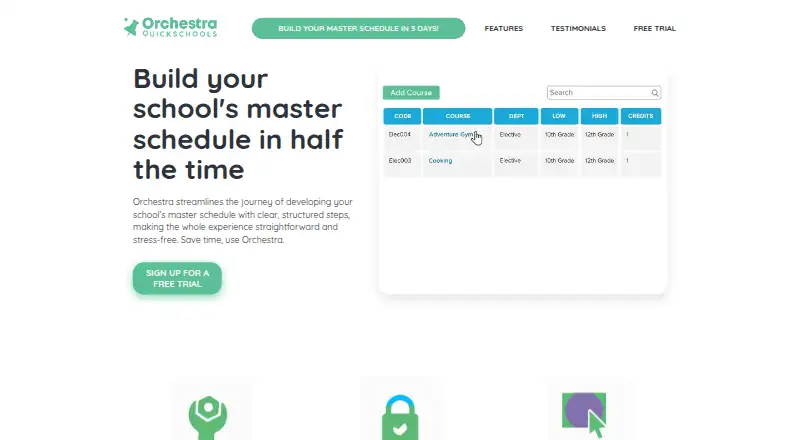
What Orchestra Master Scheduler is
Orchestra Master Scheduler is a browser-based, cloud-hosted tool for K-12 schools creating and managing master schedules. It supports traditional, 4x4 block, A/B block, multiperiod flex block, and rotating block formats. Schools can define constraints, generate schedules, then edit them with drag and drop. Specific courses can be locked while other scheduling work is automated, with conflict detection and student group scheduling included. The setup workflow covers courses and teachers, course requests, constraints, schedule generation, and loading students. Students can submit requests online, while schools can use prior-year, faculty, and student input when refining courses. Teachers, courses, and request templates can be imported from earlier schedules. Orchestra is described as a stand-alone scheduler compatible with any existing SIS. It runs without a software download, and the maker says data is backed up daily using current security and encryption protocols. There is no schedule-count limit, but only one active enrollment period and one next enrollment period can be designated at a time. Pricing is on request, and a free trial is available.
Good
- Supports five schedule formats
- Allows constraint-based schedule generation
- Includes drag-and-drop editing
- Compatible with any existing SIS
- Offers a free trial
Watch out
- Pricing is available on request
- No free plan
- Only one active and one next enrollment period
Who it suits
It is intended for K-12 schools managing complex master schedules and course requests. Schools needing browser access, SIS compatibility, automated generation, and drag-and-drop editing may suit it.
Verdict
Orchestra Master Scheduler combines multiple timetable formats, automated generation, constraints, course requests, and manual editing for K-12 scheduling. Schools should confirm package needs and enrollment-period limits before choosing it.
The facts
Each one read from Orchestra Master Scheduler's own pages, with the date it was checked.
What it does
- Audience
- The product is presented as a master scheduler for K-12 schools.checked 10 Oct 2026
- Backups and security
- The product page says data is backed up and describes the cloud system as using current security and encryption protocols.checked 10 Oct 2026
- Cloud and access
- Orchestra is browser-based and cloud-hosted, with no software download or extra equipment required.checked 10 Oct 2026
- Cloud and backups
- Orchestra runs in a browser without a software download, and the maker says it backs up data daily.checked 9 Oct 2026
- Constraints
- Users can define scheduling constraints that the scheduler takes into account when generating a schedule.checked 9 Oct 2026
- Course requests
- Students can submit course requests online, and completed schedules can be shared with parents.checked 10 Oct 2026
- Custom packages
- Schools needing more than the master scheduler can contact the maker about a custom package.checked 9 Oct 2026
- Editing
- Users can edit schedules with drag and drop and lock specific courses while automating the rest.checked 9 Oct 2026
- Imports
- Schools can import teachers, courses, and course request templates from previous schedules.checked 9 Oct 2026
- Purpose
- Orchestra helps schools create and manage their master schedule.checked 10 Oct 2026
- Schedule editing
- Users can edit schedules with drag and drop and automate scheduling tasks.checked 10 Oct 2026
- Schedule formats
- Schedule templates include traditional, 4x4 block, A/B block, multiperiod flex block, and rotating block formats.checked 10 Oct 2026
- Schedule limit
- There is no limit on the number of schedules, but only one can be marked as the active enrollment period and one as the next enrollment period at a time.checked 9 Oct 2026
- Schedule limits
- The FAQ says there is no limit to the number of schedules, but only one can be marked as the Active enrollment period and one as the Next Enrollment Period at a time.checked 10 Oct 2026
- Schedule setup
- The setup process covers courses and teachers, course requests, constraints, schedule generation, and loading students.checked 10 Oct 2026
- Scheduling
- It supports traditional, 4x4 block, A/B block, multiperiod flex block, and rotating block schedules.checked 9 Oct 2026
- Security
- The maker says its cloud system uses current security and encryption protocols, but the opened page does not name a certification or standard.checked 9 Oct 2026
- SIS compatibility
- Orchestra is stand-alone software described as compatible with any existing SIS.checked 10 Oct 2026
- Support
- The FAQ says live agents are available 24/7, with tutorials and support blogs also available.checked 10 Oct 2026
The company
- Company address
- QuickSchools lists its address as 2010 El Camino Real # 1307, Santa Clara, CA 95050.checked 9 Oct 2026
- Headquarters
- Santa Clara, California, United Stateschecked 28 Sep 2026
- Maker
- Orchestra is by QuickSchools, Inc.; its About page lists Aris Samad-Yahaya, Maisie Chui, and Azreen Latiff as company founders.checked 10 Oct 2026
- Maker headquarters
- QuickSchools states that it is headquartered in the United States.checked 10 Oct 2026
Money
- Trial
- The site invites schools to sign up for a free trial and book a demo; it does not state the trial duration on the Orchestra pages opened.checked 10 Oct 2026
Alternatives to Orchestra Master Scheduler
- 1
Prime Timetable
Free planAndroidiOSWebAPI8.0From $299 a year - 2
Peñalara GHC
Free planAndroidiOSWebWindows7.9From $8,300 a year - 3

UniTime
Free planOpen sourceWebAPILinuxmacOS7.7Free plan - 4

TimetableMaster
AndroidiOSWebAPI6.9 - 5
aSc Timetables
AndroidiOSWebLinux6.5 - 6

SchoolGrid
Free planWeb6.5From $99 a year