Opus
Opus WorkFlow is Windows software from Image Access for creating and managing digitized assets in libraries, museums, and archives.
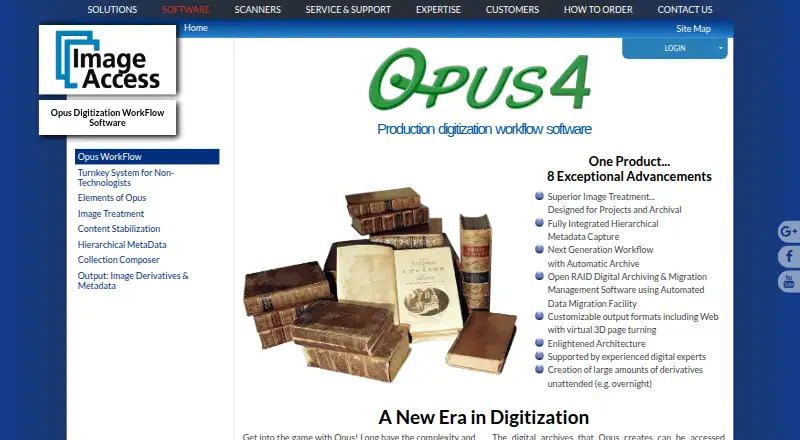
What Opus is
Opus WorkFlow is Windows software from Image Access for creating and managing digitized assets in libraries, museums, and archives. Its workflow manager follows objects through digitization stages, monitors projects, and schedules workers across multiple workstations and simultaneous users. Automatic image treatment can separate two-up scans and correct book curve, fan, gutter, skew, and backgrounds, with manual review available. Opus stores raw scans, treated images, and captured metadata, supports Open RAID storage and migration, and captures hierarchical metadata through configurable templates. It creates image and metadata derivatives such as TIFF, JPEG, PDF, PDF/A, PNG, GIF, rich text, ASCII, Unicode, audio, XML, METS, MODS, and Dublin Core, plus web-ready collections. Listed repository support includes DSpace, CONTENTdm, Fedora, Re:Discovery, OAI-PMH, and OAI-ORE. Third-party image editors and Scan2Net or many TWAIN scanners are supported. Pricing is on request.
Good
- Tracks digitization stages and worker schedules
- Automatic correction with manual review
- Archives scans and captured metadata
- Supports many derivative formats
- Works with listed repository systems
Watch out
- Windows platform only
- Pricing requires contacting Image Access
- Designed for larger digitization projects
- Self-hosted security controls are not described
Who it suits
It suits libraries, museums, archives, and larger digitization projects needing structured workflows, metadata, and repository outputs. Multiple workstations and simultaneous workers support team-based operations.
Verdict
Opus WorkFlow brings project management, image treatment, metadata capture, archiving, and repository-oriented exports together for institutional digitization. Confirm scanner, workstation, and repository compatibility before requesting pricing.
Plans and prices
From Opus's own pricing page, checked 8 Oct 2026.
| Plan | Price | What it gives you |
|---|---|---|
| Opus WorkFlow | Priced on request | Multiple workflow workstations · Multiple simultaneous workers · Designed for larger digitization projects · Contact Image Access for pricing. |
The facts
Each one read from Opus's own pages, with the date it was checked.
What it does
- Archiving
- Opus archives raw scanned images, treated images, and captured metadata, and supports Open RAID storage and data migration.checked 8 Oct 2026
- Image treatment
- Automatic image treatment can separate two-up images and correct book curve, fan, gutter, skew, and backgrounds, with manual review and adjustment available.checked 8 Oct 2026
- Integrations
- The maker lists output and metadata support for DSpace, CONTENTdm, Fedora, Re:Discovery, OAI-PMH, and OAI-ORE repositories.checked 8 Oct 2026
- Metadata
- It captures hierarchical metadata using templates with configurable required, optional, repeatable, and single-value fields.checked 8 Oct 2026
- Notable limit
- Opus WorkFlow has structured project management and automatic archiving; the maker says its related FreeFlow application does not provide those functions.checked 8 Oct 2026
- Outputs
- Opus creates image and metadata derivatives in formats including TIFF, JPEG, PDF, PDF/A, and PNG, and can produce web-ready digital collections.checked 8 Oct 2026
- Purpose
- Opus WorkFlow creates and manages digitized assets for preservation, archives, and digital collections, including for libraries, museums, and archives.checked 8 Oct 2026
- Scanner support
- The maker says Opus supports all Scan2Net scanners and many TWAIN scanners.checked 8 Oct 2026
- Security and compliance
- Image Access states that its quality management system is certified to ISO 9001:2015; the page does not describe Opus-specific security controls.checked 8 Oct 2026
- Support and training
- Image Access says installation and training staff can set up a system in as little as one day and provide follow-up web training.checked 8 Oct 2026
- Third-party software
- Opus supports third-party image editing software, and its workflow manager allows third-party software to be used where desired.checked 8 Oct 2026
- Users
- The maker describes Opus WorkFlow as designed for libraries, museums, and archives, with support for multiple workstations and simultaneous workers.checked 8 Oct 2026
- Workflow management
- The workflow manager tracks objects through digitization stages and supports project monitoring and worker scheduling.checked 8 Oct 2026
The company
- Headquarters
- Boca Raton, Florida, United Stateschecked 28 Sep 2026
Alternatives to Opus
- 1

Google Photos
Free planAndroidiOSWebAPI8.3Free plan - 2
FilmBox by Photomyne
Free planAndroidiOSWebmacOS8.0From $39.99 a year - 3

FilmLab
Free planAndroidiOSLinuxmacOS8.0From $59.99 a year - 4
Brother iPrint&Scan
Free planAndroidiOSmacOSWindows7.4Free plan - 5

NAPS2
Free planOpen sourceAPILinuxmacOSWindows7.4Free plan - 6

Nostalgia
Free planAndroidiOSWebmacOS7.4From $79.99 a year