optimizerDuck
optimizerDuck is a free, GPL-3.0 open-source Windows optimizer focused on performance, privacy, and simplicity.
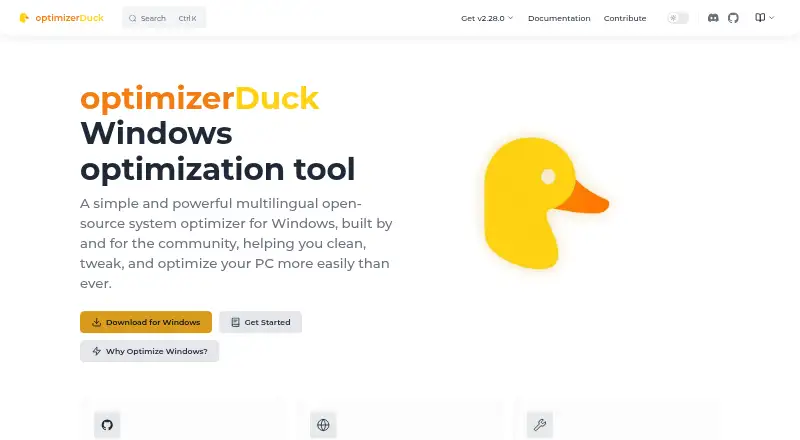
What optimizerDuck is
optimizerDuck is a free, GPL-3.0 open-source Windows optimizer focused on performance, privacy, and simplicity. It groups tweaks for performance, privacy, GPU, power, services, user experience, and Windows AI features, showing descriptions and risk ratings. Its Customize area controls desktop icons, taskbar layout, File Explorer preferences, and gaming settings. Built-in utilities include a system dashboard, startup manager, scheduled task manager, disk cleanup, and bloatware remover. The portable executable runs without installation, keeps configuration on the device, and works locally. Core functionality does not need internet access, although some optimizations use online resources. The privacy policy says normal operation does not collect or transmit personal information, telemetry, analytics, crash reports, usage statistics, hardware IDs, or IP addresses. Documentation says changes can be reverted. It supports Windows 10 and 11, 64-bit x64, needs administrator privileges for optimizations, and lists 100 MB of free system-drive space.
Good
- Free and open-source under GPL-3.0
- Includes startup and scheduled-task managers
- Changes can be reverted
- Portable executable needs no installation
- Normal operation collects no listed telemetry
Watch out
- Windows 10 or 11 only
- Administrator privileges required for optimizations
- Some optimizations need online resources
- At least 100 MB free system-drive space
Who it suits
It suits Windows users who want categorized system tweaks, maintenance tools, and local operation. It is also useful for people who want reversible changes and many community-translated languages.
Verdict
optimizerDuck offers a portable collection of Windows adjustments and maintenance tools with stated local privacy behavior. Its Windows-only scope and administrator requirement should be checked before use.
Plans and prices
From optimizerDuck's own pricing page, checked 5 Oct 2026.
| Plan | Price | What it gives you |
|---|---|---|
| Free | Free | Windows 10 or Windows 11 (64-bit) · x64 only · Administrator privileges required for optimizations · 100% free and open-source |
The facts
Each one read from optimizerDuck's own pages, with the date it was checked.
What it does
- Built-in tools
- Built-in tools include a system dashboard, startup manager, scheduled task manager, disk cleanup, and bloatware remover.checked 5 Oct 2026
- Compatibility
- The download page lists Windows 10 or Windows 11 (64-bit), x64 architecture, administrator privileges for optimizations, and at least 100 MB of free system-drive space as requirements.checked 5 Oct 2026
- Customization
- Its Customize section provides controls for desktop icons, taskbar layout, File Explorer preferences, and gaming settings.checked 5 Oct 2026
- Developer
- The developer identifies himself as fatDuck and says the project is maintained by a solo developer.checked 5 Oct 2026
- Languages
- The application supports multiple community-translated languages, including English, Vietnamese, Chinese, Russian, French, German, Hebrew, Korean, Spanish, Japanese, Polish, Portuguese, Turkish, Arabic, Indonesian, and Italian.checked 5 Oct 2026
- License
- The project site identifies optimizerDuck as GPL-3.0 licensed.checked 5 Oct 2026
- Local operation
- The application runs locally on Windows, stores configuration on the device, and does not require internet for core functionality, though some optimizations need online resources.checked 5 Oct 2026
- Optimizations
- It groups system tweaks for performance, privacy, GPU, power, services, user experience, and Windows AI features, with descriptions and risk ratings.checked 5 Oct 2026
- Privacy
- The privacy policy says the application does not collect, store, or transmit personal information, telemetry, analytics, crash reports, usage statistics, hardware IDs, or IP addresses during normal operation.checked 5 Oct 2026
- Purpose
- optimizerDuck is a free, open-source Windows system optimizer focused on performance, privacy, and simplicity.checked 5 Oct 2026
- Reversible changes
- The documentation says applied optimizations can be reverted to restore the system state from before the change.checked 5 Oct 2026
- Support
- Users can seek help and share feedback through the project’s Discord community or report bugs and contribute on GitHub.checked 5 Oct 2026
Where it runs
- Portable app
- optimizerDuck is distributed as a portable application that runs from a downloaded executable without installation.checked 5 Oct 2026
Alternatives to optimizerDuck
- 1
ARC Raiders Config Tuner
Free planOpen sourceLinuxSelf-hostedWindows7.9Free plan - 2
Razer Game Clips
Free planAndroidiOSAPIWindows7.6Free plan - 3
Smart Game Booster
Free planWindows7.5From $17.99 a year - 4
Gaming Optimizer
Free planWindows7.4Free plan - 5

NVIDIA ShadowPlay
Free planWindows7.4Free plan - 6

TargetFPS
Free planWeb7.4Free plan