OpenDeck
OpenDeck is a free player for self-contained presentations saved in the `.deck` format.
What OpenDeck is
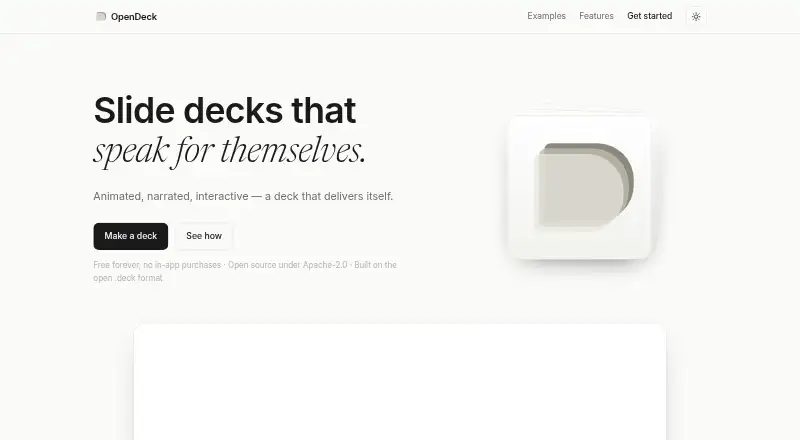
OpenDeck is a free player for self-contained presentations saved in the `.deck` format. An AI agent can assemble a deck from a talk description, document, or spreadsheet, including its structure, slides, motion, and voice narration. Presentations can also include toggles, drag-to-reorder controls, and tap-to-reveal interactions. Users can export a `.deck` file for OpenDeck apps or a standalone HTML page. Since a `.deck` file contains what it needs for playback, it can run offline without a server. The app is listed for browser, Mac, iPhone and iPad, and Windows; Android is described as coming soon. Exported HTML decks open in modern browsers on any device. The site offers setup options for Claude Code, Claude web, Claude desktop, Antigravity CLI, OpenCode, and Codex. The privacy policy says the app collects no personal data or makes network requests, and imported decks stay on the device. OpenDeck is free forever with no in-app purchases. Its app is Apache-2.0 licensed, its authoring kit MIT, and the `.deck` format CC0 public domain.
Good
- Deck files can play offline without a server.
- Exports include standalone HTML and `.deck` formats.
- Decks can include narration and interactive elements.
- Free forever with no in-app purchases.
Watch out
- Android is listed as coming soon.
- The app collects no personal data or makes network requests.
Who it suits
OpenDeck suits people who want to create, share, or play interactive presentations, including offline. It may also suit users who prefer imported decks to remain on their device.
Verdict
OpenDeck combines self-contained playback with narrated and interactive presentation options. Its listed apps cover browser, Mac, iPhone and iPad, and Windows, while Android is still forthcoming.
Plans and prices
From OpenDeck's own pricing page, checked 15 Oct 2026.
| Plan | Price | What it gives you |
|---|---|---|
| Free | Free | No paid tiers · no in-app purchases · no account required · Free forever |
The facts
Each one read from OpenDeck's own pages, with the date it was checked.
What it does
- Agent integrations
- The kit supports Claude Code, OpenCode, Codex, Antigravity CLI, and other agents that use SKILL.md.checked 15 Oct 2026
- AI agent integrations
- The site offers setup options for Claude Code, Claude web, Claude desktop, Antigravity CLI, OpenCode, and Codex.checked 7 Oct 2026
- AI authoring
- An AI agent can build a complete deck from a talk description, document, or spreadsheet.checked 15 Oct 2026
- AI limitation
- AI-assisted authoring depends on a third-party model supplied by the user, and generated content is not guaranteed accurate.checked 15 Oct 2026
- Alternative players
- Anyone may implement a .deck player or library in any language without permission or royalties.checked 15 Oct 2026
- Animated reveals
- Slides can reveal ideas progressively with built-in pacing and animation.checked 15 Oct 2026
- Authoring-kit licence
- The deck-authoring skill kit is licensed under the MIT License.checked 15 Oct 2026
- Deck creation
- An AI agent can build a deck from a talk description, document, or spreadsheet, including its structure, slides, motion, and voice.checked 7 Oct 2026
- Deck format
- A .deck file is a ZIP containing a deck.json manifest and self-contained index.html.checked 15 Oct 2026
- Developer requirements
- Native builds require Xcode for iOS or Android Studio plus a JDK for Android.checked 15 Oct 2026
- Export
- Users can export a standalone HTML page or a `.deck` file for OpenDeck apps.checked 7 Oct 2026
- Format licence
- The .deck specification is dedicated to the public domain under CC0.checked 15 Oct 2026
- HTML export
- Authors can export a standalone HTML page that opens in a browser without OpenDeck.checked 15 Oct 2026
- Interactive controls
- Decks support toggles, drag-to-reorder interactions, and tap-to-reveal behavior.checked 15 Oct 2026
- Interactivity
- Decks can include toggles, drag-to-reorder, and tap-to-reveal interactions.checked 7 Oct 2026
- Kit repository status
- The authoring-kit repository is public, MIT licensed, and documents portable installation across several coding agents.checked 15 Oct 2026
- Licensing
- The app is Apache-2.0, the authoring kit is MIT, and the `.deck` format is CC0 public domain.checked 7 Oct 2026
Where it runs
- Apple availability
- The App Store listing is free, supports iPhone, iPad, and Mac, and requires iOS/iPadOS 15 or macOS 12.checked 15 Oct 2026
- Apple seller
- Apple identifies Sinisha Djukic as the developer and seller.checked 15 Oct 2026
- App repository status
- The app repository is public, Apache-2.0 licensed, and describes iOS, Android, macOS, and web builds.checked 15 Oct 2026
- Limit: Android maturity
- The repository reports Android support as a debug APK build with an on-device verification checklist still remaining.checked 15 Oct 2026
- Limit: Windows native app
- The app repository says Windows is intentionally out of scope because desktop browsers already open local HTML.checked 15 Oct 2026
The company
- Company location
- The OpenDeck GitHub organization lists Bulgaria as its location and shows no public members.checked 15 Oct 2026
- Headquarters
- Bulgariachecked 28 Sep 2026
The full review of OpenDeck
OpenDeck is a free player and authoring ecosystem for self-contained presentations in the .deck format. It suits educators, product teams and presenters who need narrated, interactive decks that can be shared as files and played offline. Its strongest case is independence from a presentation server; its main trade-off is that the workflow centers on AI-agent integrations rather than a documented traditional slide editor.
Overview
OpenDeck turns a talk description, document or spreadsheet into a presentation through an AI agent. The resulting deck can contain its own structure, slides, motion graphics and natural voice narration, then travel as a single .deck file or a standalone HTML page.
That file-first approach matters when a presentation must work without an account, network connection or hosting service. A .deck package is self-contained for offline playback, while HTML export gives recipients a browser-based option without installing OpenDeck. The project is open source: the app uses Apache-2.0, the authoring kit uses MIT, and the .deck format is CC0 public domain.
Key features
AI-assisted creation
The agent can build the presentation's structure and slides from existing source material, while also handling motion and voice. This is valuable for quickly turning prepared content into a guided presentation, although the supplied workflow emphasizes integrations with Claude Code, Claude web, Claude desktop, Antigravity CLI, OpenCode and Codex rather than a conventional manual slide-editing experience.
Narration and interaction
Natural voice narration is embedded in the deck, so playback can explain content without a live presenter. Toggles, drag-to-reorder controls and tap-to-reveal elements support audience participation and branching exploration. Those capabilities are meaningful for tutorials, demonstrations and self-guided learning; they add little to a simple sequence of static slides.
Portable export
Export either a standalone HTML page or a .deck file for OpenDeck applications. The HTML version opens in modern browsers on any device, while the .deck version keeps playback self-contained and offline. Privacy-conscious users also get a clear boundary: the policy says the app makes no network requests, collects no personal data and keeps imported decks on the device.
Pricing
OpenDeck's Free plan costs nothing, is free forever and has no in-app purchases. There is no trial period because the complete offering is free. That removes subscription and renewal concerns, making it suitable for occasional presenters, classrooms and teams that can work within the project's available authoring workflow. The plan does not publish seat, export, storage or usage quotas, so organizations needing contractual limits or managed billing should look elsewhere.
Platforms
OpenDeck runs on the web, macOS, iPhone, iPad and Windows. The homepage lists Android as coming soon, so Android-first users must rely on exported HTML in a modern browser until a native app arrives. HTML decks can reach any device with a compatible browser; .deck playback is intended for OpenDeck apps.
Who it's for
Choose OpenDeck when offline playback, file portability and privacy matter more than a hosted collaboration suite. It is particularly well suited to narrated lessons, interactive explainers, demos and presentations assembled from documents or spreadsheets. It is less suitable for teams that require a mature manual editor, published Android app or documented enterprise administration and quota controls.
Pros and cons
Pros
- Self-contained offline playback: .deck files do not depend on a server during presentation.
- Two practical delivery formats: export an app-ready .deck file or browser-ready standalone HTML.
- Richer audience engagement: narration, motion, toggles, reordering and tap-to-reveal interactions go beyond static slides.
- Privacy and permissive licensing: no personal-data collection or network requests, with Apache-2.0, MIT and CC0 components.
- No-cost ownership: the free-forever plan has no in-app purchases.
Cons
- Android is not yet a native platform: Android users are limited to browser playback for now.
- AI-agent-centered workflow: people wanting a familiar, fully manual slide editor may find the described creation path a poor fit.
- No published service quotas or team terms: larger organizations cannot plan around stated seats, storage or usage allowances.
Alternatives
For a broader catalog of animated tools, see Animated Presentation Software.
- Powtoon is the better choice for template-led animated videos and screen recordings, with a free tier limited to 720p, three minutes and a watermark, plus a $15 a month Lite plan.
- Animaker fits users seeking a freemium animation platform with limited premium assets on its free plan and a Basic tier with 1,500 AI video credits.
- Focusky is preferable for zooming presentations with desktop apps and cloud-oriented limits such as 10G storage and 50 uploads per month on its free tier.
- HeyGen is aimed at AI video creation, with its free plan allowing up to three one-minute videos monthly.
- Decks.Studio suits users who want browser-based AI deck generation with three decks per month, five daily refinements and watermarked PDF export on free.
- Sozi is a free, open-source option for zooming presentation editing and playback.
- Emaze is a web-only presentation service with project and quiz limits that vary by plan.
- OpenSlides is a free, open-source desktop app with no subscription, aimed at a different presentation workflow.
Verdict
OpenDeck is a strong recommendation for presenters who want private, portable decks with built-in narration, motion and interaction at no cost. Choose it when offline files and browser export are central requirements; look elsewhere if you need a polished manual editor, native Android support today or clearly defined team and usage limits.
Alternatives to OpenDeck
- 1

HeyGen
Free planAndroidiOSWebAPI8.3From $24 a month - 2

Powtoon
Free planAndroidiOSWebExtension7.9From $8 a month - 3
Wideo
Free planAndroidWebAPI7.9Free plan - 4
Animaker
Free planAndroidiOSWebAPI7.8From $15 a month - 5
Focusky
Free planAndroidiOSmacOSWindows7.6From $99 a year - 6

Decks.Studio
Free planAndroidiOSWeb7.5From $24 a month