OpenSlides
OpenSlides is a free, open-source desktop app for making animated presentations about code.
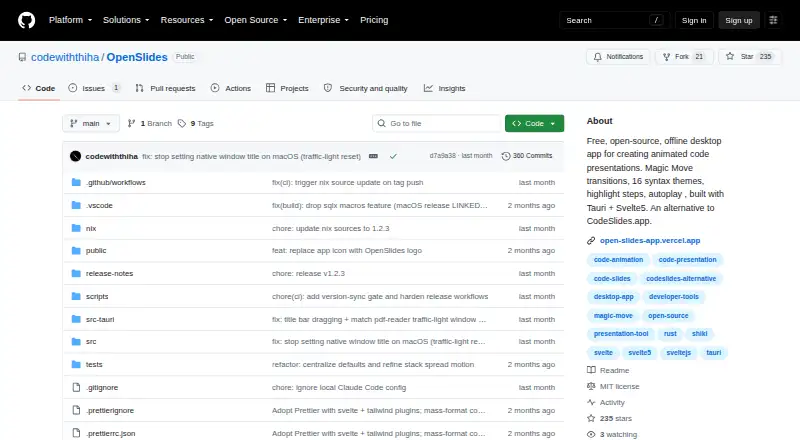
What OpenSlides is
OpenSlides is a free, open-source desktop app for making animated presentations about code. Magic Move transitions show changes between code states, while line-by-line reveals let presenters control dimming, enlargement, and transition timing. Presentations can use light or dark themes and 16 syntax themes, and run full-screen with keyboard navigation, optional autoplay, and per-slide timing. Project tools let users create, organize, rename, duplicate, import, and export slide projects, then arrange slides in stacks. Search, thumbnails, and hover previews help navigate slides. The maker says projects remain on the user's computer and the app works without an internet connection. It is aimed at content creators, educators, and developers preparing tutorials, classes, live builds, conference talks, and technical demos. OpenSlides is listed for Linux, macOS, Windows, and self-hosted use. Its repository identifies an MIT license. The maker notes that macOS builds are ad-hoc signed; full notarization requires a paid Apple Developer certificate.
Good
- Magic Move transitions animate code changes.
- Line-by-line reveals have adjustable timing and emphasis.
- Supports light, dark, and 16 syntax themes.
- Projects can be organized, duplicated, imported, and exported.
- Works offline, according to the maker.
Watch out
- macOS builds are ad-hoc signed.
- Full macOS notarization requires a paid Apple Developer certificate.
Who it suits
OpenSlides suits developers, educators, and content creators who present code in tutorials, classes, live builds, talks, or demos. It also fits users who want presentations stored locally and usable offline.
Verdict
OpenSlides combines code-focused animation, presentation controls, and project organization in a free desktop app. The macOS signing limitation is worth noting for users on that platform.
Plans and prices
From OpenSlides's own pricing page, checked 4 Oct 2026.
| Plan | Price | What it gives you |
|---|---|---|
| Free | Free | Free, open-source desktop app · no subscription |
The facts
Each one read from OpenSlides's own pages, with the date it was checked.
What it does
- Audience
- The maker describes it for content creators, educators, and developers, including tutorials, classes, live builds, conference talks, and technical demos.checked 4 Oct 2026
- Highlight steps
- Users can reveal code line by line and adjust dim amount, size-up scale, and transition timing.checked 4 Oct 2026
- License
- The repository identifies the license as MIT.checked 4 Oct 2026
- Presentation
- Presentations support full-screen mode, keyboard navigation, optional autoplay, and per-slide timing.checked 4 Oct 2026
- Privacy and offline use
- The maker says projects stay on the user's computer and the app can be used without an internet connection.checked 4 Oct 2026
- Project management
- Users can create, organize, rename, duplicate, import, and export slide projects, and arrange slides in stacks.checked 4 Oct 2026
- Purpose
- OpenSlides is a free, open-source desktop app for creating animated code presentations.checked 4 Oct 2026
- Search
- The app supports search across slides, thumbnails, hover previews, and keyboard navigation.checked 4 Oct 2026
- Security configuration
- A release note says the production bundle removed the permissive asset protocol scope and unused commands for a tighter bundle.checked 4 Oct 2026
- Themes
- The app offers light and dark presentation themes and 16 syntax themes.checked 4 Oct 2026
- Transitions
- Magic Move transitions animate changes between code states.checked 4 Oct 2026
Where it runs
- Platform limits
- macOS builds are ad-hoc signed, and the maker says full notarization requires a paid Apple Developer certificate.checked 4 Oct 2026
- Platforms
- Prebuilt installers are available for macOS, Windows, and Linux; the repository also documents a Nix flake package for Linux and macOS.checked 4 Oct 2026
Alternatives to OpenSlides
- 1

HeyGen
Free planAndroidiOSWebAPI8.3From $24 a month - 2

Powtoon
Free planAndroidiOSWebExtension7.9From $8 a month - 3
Wideo
Free planAndroidWebAPI7.9Free plan - 4
Animaker
Free planAndroidiOSWebAPI7.8From $15 a month - 5
OpenDeck
Free planOpen sourceAndroidiOSWebmacOS7.7Free plan - 6
Focusky
Free planAndroidiOSmacOSWindows7.6From $99 a year