
OnStage
OnStage is a service planning platform for churches, bringing event preparation, people, songs, and team communication into one workspace.
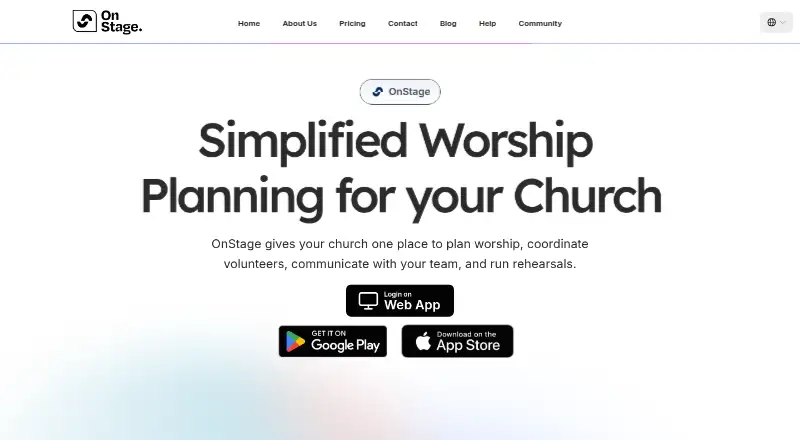
What OnStage is
OnStage is a service planning platform for churches, bringing event preparation, people, songs, and team communication into one workspace. Teams can set up events and rehearsals, create setlists, assign people to roles, and reuse event templates. Its song library supports chords, lyrics, song structures, PDF imports, annotations, key changes, and capo settings. Team and event chats include attachments, polls, replies, and read receipts. Events, rehearsals, and blockouts can sync to Google Calendar; calendar sync is available on iPhone, iPad, and Android. The app supports offline access for rehearsals and services and runs on Android, iOS, macOS, and web. The free Starter plan does not expire or require card details, but allows up to five members, 200MB of storage, and five events per month. Paid plans are available monthly or yearly and vary by member and storage limits. The entry-level paid plan is $10 a month for 20 members, while larger listed tiers extend to 1,000 members and unlimited events.
Good
- Combines event planning, setlists, and role assignments.
- Song library supports annotations and PDF imports.
- Team chats include polls, attachments, and read receipts.
- Offline access is available for rehearsals and services.
- Google Calendar sync is supported on iPhone, iPad, and Android.
Watch out
- Starter is limited to 5 members.
- Starter includes 200MB of storage.
- Starter allows 5 events per month.
- The entry paid tier costs $10 a month.
Who it suits
OnStage suits church teams coordinating services, rehearsals, volunteers, songs, and event communication. Its free tier may fit smaller groups, while paid tiers offer higher member, storage, and event limits.
Verdict
OnStage brings scheduling, song preparation, and team communication together for church services. The free plan has clear member, storage, and event caps; paid tiers raise those limits.
Plans and prices
From OnStage's own pricing page, checked 15 Oct 2026.
| Plan | Price | What it gives you |
|---|---|---|
| Starter | Free | 5 members · 100MB storage · 5 events/month · reminders · chat · annotations · PDF song import |
| 20 Members | $10 a month | 20 members · 2GB storage · 25 events/month · reminders · chat · annotations · PDF song import · monthly |
| 50 Members | $26 a month | 50 members · 4GB storage · 100 events/month · reminders · chat · annotations · PDF song import · monthly |
| 85 Members | $50 a month | 85 members · 8GB storage · 150 events/month · reminders · chat · annotations · PDF song import · monthly |
| 150 Members | $60 a month | 150 members · 11GB storage · 200 events/month · reminders · chat · annotations · PDF song import · monthly |
| 400 Members | $100 a month | 400 members · 32GB storage · 400 events/month · reminders · chat · annotations · PDF song import · monthly |
| 1000 Members | $135 a month | 1000 members · 64GB storage · unlimited events · reminders · chat · annotations · PDF song import · monthly |
The facts
Each one read from OnStage's own pages, with the date it was checked.
What it does
- AI PDF import
- The mobile app says its AI converts imported PDF charts into editable OnStage songs for transposition and annotation.checked 15 Oct 2026
- Chat
- Each event has its own conversation and teams can communicate inside the planning app.checked 15 Oct 2026
- Developer docs
- The official Help center lists end-user guides but no API or SDK section is presented.checked 15 Oct 2026
- Documentation
- The Help center contains more than 100 articles covering onboarding, songs, scheduling, chat, settings, billing and troubleshooting.checked 15 Oct 2026
- Google Calendar
- OnStage can sync events, rehearsals, and blockouts to Google Calendar; calendar sync is available on iPhone, iPad, and Android.checked 29 Sep 2026
- Google Calendar integration
- Google Calendar sync can include events, rehearsals and blockouts, normally updating within one to two minutes, and is available on iPhone, iPad and Android.checked 15 Oct 2026
- Licence
- The official pages opened do not state an open-source licence or provide a source repository.checked 15 Oct 2026
- Limit: metronome
- A G2 reviewer says the metronome needs improvement and asks for a live metronome accessible to everyone.checked 15 Oct 2026
- Limit: setlist information
- A G2 reviewer requests a setlist grid showing leader, key, BPM and duration.checked 15 Oct 2026
- Limit: song importing and columns
- An Apple reviewer asks for online-song importing such as Ultimate Guitar and a different two-column reading direction.checked 15 Oct 2026
- Limit: song structure editing
- A Google Play reviewer reported being unable to change song structure; the developer replied that the issue had been fixed.checked 15 Oct 2026
- Limit: web access
- A G2 review summary identifies lack of a web platform as a limitation mentioned by users.checked 15 Oct 2026
- Live Sync
- Version 1.9.0 added a mode in which one leader controls the song position shown on other team members' screens.checked 15 Oct 2026
- Notable news
- A Romanian Christian resources article dated 11 September 2025 described OnStage's worship-service planning, volunteer coordination, song search and AI suggestions.checked 15 Oct 2026
The company
- Company founding
- LinkedIn lists the company as founded in 2024.checked 15 Oct 2026
- Company headquarters
- LinkedIn lists OnStage's headquarters as Oradea, Romania.checked 15 Oct 2026
- Company history
- The maker says OnStage was conceived in 2023 and its initial version was released in February 2025.checked 29 Sep 2026
- Company legal name
- The app stores identify the developer or seller as ONSTAGE S.R.L.checked 15 Oct 2026
- Company size
- LinkedIn lists the company size as 2–10 employees.checked 15 Oct 2026
- Company team
- The About page identifies Antonio Vinter as CEO and Co-Founder and names three other co-founders: Emima Vinter, Emanuel Farcău, and Beniamin Szilagyi.checked 29 Sep 2026
- Headquarters
- Santandrei, Romaniachecked 23 Sep 2026
Money
- Event planning
- Teams can create events and rehearsals, build setlists, schedule people into positions, and use event templates.checked 29 Sep 2026
- Free plan limits
- Starter does not expire or require card details, and is limited to 5 members, 200MB of storage, and 5 events per month.checked 29 Sep 2026
- Free trial
- The help center describes a 30-day free trial of a paid plan; the pricing page says a free trial is available with any plan.checked 29 Sep 2026
The full review of OnStage
OnStage is a church service-planning platform that brings event schedules, volunteer assignments, song materials, and team conversations into one workflow. It suits worship teams coordinating services and rehearsals together. Its no-expiry free plan is a low-risk start, but tight event and storage caps can make a paid tier necessary as a church grows.
Overview
OnStage combines service preparation with the people and communication work around it. That joined-up approach is useful for teams that want setlists, assignments, and conversations tied to their events; churches that need only a presentation tool may find the broader workflow unnecessary. Offline access for rehearsals and services also helps when a team cannot rely on a live connection.
The product was conceived in 2023 and its initial version was released in February 2025. OnStage is headquartered in Santandrei, Romania; Antonio Vinter is CEO and Co-Founder, alongside co-founders Emima Vinter, Emanuel Farcău, and Beniamin Szilagyi.
Key features
Events and people
Teams can create events and rehearsals, assemble setlists, assign people to positions, and reuse event templates. Volunteer scheduling, a service calendar, reminders, and team notifications cover the coordination around each service. Templates should help teams avoid rebuilding recurring plans, though the value is greatest when the same group manages both schedules and assignments.
Song preparation and communication
The song library accommodates chords, lyrics, song structures, and PDF imports, with annotations, key changes, and capo settings for performance preparation. These tools give worship teams more than a place to store song names: they can keep practical musical notes alongside planning. Team and event chats add messages, attachments, polls, replies, and read receipts, making OnStage a possible home for service-related discussion rather than just a calendar.
Calendar and support
OnStage can sync events, rehearsals, and blockouts to Google Calendar, with sync available on iPhone, iPad, and Android. That is useful for participants who rely on their existing calendars, though the sync platform limitation matters for teams using other devices. Task-based help guides and a route to contact support are available when a team needs assistance.
Pricing
Starter is free, does not expire, and requires no card details. It allows up to 5 members, 200MB of storage, and 5 events per month, with reminders, chat, annotations, and PDF song imports. That is a credible way for a small team to try the core workflow, but five monthly events and 200MB leave little headroom for a busy church or a growing song library.
Paid sizes share the same features and differ in member, storage, and event allowances. Monthly prices are:
| Plan | Price | Limits |
|---|---|---|
| 20 Members | $10 a month | 20 members, 2GB storage, 25 events per month |
| 50 Members | $26 a month | 50 members, 4GB storage, 100 events per month |
| 85 Members | $50 a month | 85 members, 8GB storage, 150 events per month |
| 150 Members | $60 a month | 150 members, 11GB storage, 200 events per month |
| 400 Members | $100 a month | 400 members, 32GB storage, 400 events per month |
| 1000 Members | $135 a month | 1000 members, 64GB storage, unlimited events |
The 20-member tier is the entry point for teams that have outgrown Starter; larger teams can choose more room without changing feature sets. Yearly billing is available at 15% off the monthly-billing price.
Platforms
OnStage is available on Android, iOS, macOS, and the web. Google Calendar sync is available on iPhone, iPad, and Android, so teams should not assume that sync coverage extends equally across every platform.
Who it's for
OnStage is a strong fit for worship teams that need to coordinate rehearsals, service plans, volunteer positions, and song materials in one place. The free tier suits a small group with modest event volume; churches with more people, recurring events, or substantial stored materials should compare paid limits against their actual needs. Teams seeking only presentation software or a general-purpose church management system may prefer a narrower or broader alternative.
Pros and cons
Pros
- Event planning, people assignments, song preparation, and chat share one workflow, reducing the need to separate service coordination into different tools.
- Starter has no expiry or card requirement, so a small team can keep using it without a trial deadline.
- Paid sizes range up to 1000 members, and the largest tier removes the monthly event cap.
- Offline access supports rehearsals and services where connectivity is unreliable.
Cons
- Starter's 5-member, 200MB, and 5-events-per-month limits are restrictive for an active church.
- Google Calendar sync is limited to iPhone, iPad, and Android, which may leave some platform mixes without that convenience.
- The product's initial release was in February 2025, so churches seeking a long-established platform may want to weigh that history in their choice.
Alternatives
WorshipTools Presenter is worth considering when the priority is presentation: its free plan allows 10 users, 500 MB of cloud storage, and unlimited services and songs, but caps services at 15 items each. OnStage is the broader choice for event scheduling, assignments, and team communication.
ChMeetings may suit churches looking for a broader church-management option, with a free plan for 50 people and 50 donations per month; OnStage is more directly centered on service preparation and worship-team coordination.
TheFaithApp is an alternative for teams focused on digital ministry features such as prayer rooms.
ChurchBuddy offers a forever-free plan without premium tiers or add-ons.
connectDaily is an option for organizations seeking calendar software, with a free plan for one calendar and one user.
Planning Center may be a better fit for churches wanting separate free tools for calendars, people, and services; its free Services plan supports 5 team members.
ChurchSoftware.com Groups offers a free-forever plan for eligible 501(c)(3) organizations.
ChurchTrac may suit churches that prefer a paid church-management product with a free trial; its listed 75-person plan costs $29 a month.
For category comparisons, browse Church Scheduling Software or Worship Planning Software.
Verdict
Choose OnStage if your worship team wants event planning, volunteer assignments, song preparation, and service-focused communication together, with offline access as a practical bonus. Its permanent free tier makes a modest start straightforward, but the 5-event monthly cap and low storage allowance are the main reasons to look elsewhere or budget for a paid size.
Getting started
- Visit https://www.getonstage.app/.
- Choose the free Starter plan or a paid member tier.
- Use the app on Android, iOS, macOS, or web.
- Create an event or rehearsal, then build a setlist and assign people to positions.
- Connect Google Calendar on iPhone, iPad, or Android to sync events, rehearsals, and blockouts.
Limits worth knowing
Starter is free, does not expire, and requires no card details, but is capped at five members, 200MB of storage, and five events per month. Paid plans start at $10 a month for 20 members, with 2GB of storage and 25 events per month.
Questions
Is OnStage free?
Yes. Starter costs nothing and does not expire or require card details.
What does the free Starter plan include?
It allows up to five members, 200MB of storage, and five events per month. It includes reminders, chat, annotations, and PDF song imports.
What does OnStage cost?
Yearly billing is available at 15% off.
Which platforms does OnStage support?
OnStage is available on Android, iOS, macOS, and web. Google Calendar sync is available on iPhone, iPad, and Android.
Can OnStage be used offline?
Yes. The app supports offline access for rehearsals and services.
Alternatives to OnStage
- 1

Planning Center
Free planAndroidiOSWebAPI8.4From $15 a month - 2

AssemblyFlow
Free planAndroidiOSWebWindows8.0From $200 a year - 3
Avidemux
Free planOpen sourceWebLinuxmacOSWindows7.3Free plan - 4

Ministry Order
AndroidiOSWeb6.9From $20 a month - 5

Planning
AndroidiOSWeb6.9From $15 a month - 6

WorshipMetrics
Free planWebWindows6.9From $49 a month