onbalance
onbalance is a free cash flow planning and finance tracking app for solopreneurs and small businesses, available on Android and iOS.
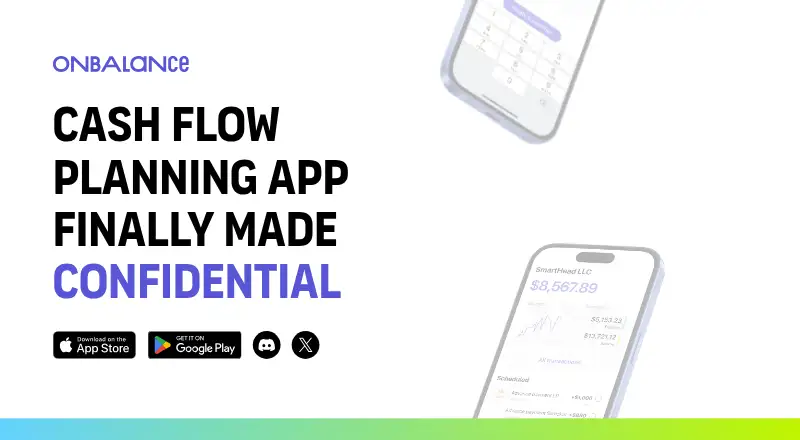
What onbalance is
onbalance is a free cash flow planning and finance tracking app for solopreneurs and small businesses, available on Android and iOS. It shows future balances to help identify cash flow gaps. Users can create multiple projects, accounts, and categories, or begin tracking without setting them up; the app can also track several businesses in one place. It supports fiat and crypto accounts and transactions, including conversions and transfers using near real-time exchange rates. The product describes confidential collaboration with business partners and teammates. It works offline and synchronizes between devices in the background when connected. The maker’s whitepaper says organization data is encrypted on the device with AES-256-GCM, while the server stores encrypted data and key containers. It also says master passwords, private keys, and recovery phrases are never transmitted to the server. Users receive a 12-word recovery phrase for restoring access without third-party involvement, and can export their data at any time. The maker says onbalance has no external connections or integrations.
Good
- Shows future balances to help spot cash flow gaps.
- Tracks multiple businesses in one place.
- Supports fiat and crypto transactions.
- Works offline with background synchronization.
- Offers full data export at any time.
Watch out
- Bank synchronization is not available.
- No external integrations are offered.
- Available only on Android and iOS.
Who it suits
onbalance suits freelancers and small businesses that want to plan cash flow and track more than one venture. Its listed audiences include creators, service teams, event producers, and marketplace sellers.
Verdict
onbalance combines cash flow forecasting with tracking for multiple businesses, accounts, and currencies. Its lack of bank synchronization and external integrations may matter to users who want connected financial data.
Plans and prices
From onbalance's own pricing page, checked 9 Oct 2026.
| Plan | Price | What it gives you |
|---|---|---|
| onbalance | Free | Homepage describes the app as free; no paid tiers or plan limits are stated |
The facts
Each one read from onbalance's own pages, with the date it was checked.
What it does
- Audience
- The maker lists freelancers, marketplace sellers, photographers, real estate agents, and repair and construction teams among its intended users.checked 9 Oct 2026
- Collaboration
- The product describes confidential collaboration with business partners and teammates.checked 8 Oct 2026
- Currencies
- It supports tracking fiat and crypto transactions, conversions, and transfers with near real-time exchange rates.checked 9 Oct 2026
- Data export
- The maker says users can get a full export of their data anytime.checked 8 Oct 2026
- Encryption
- The security whitepaper says organization data is encrypted locally with a key that never leaves the device in plaintext.checked 9 Oct 2026
- Export
- The homepage says users can get a full export of their data at any time.checked 9 Oct 2026
- Forecasting
- It shows future balances and cash flow gaps to help users plan ahead.checked 9 Oct 2026
- Integrations
- The maker says the product has no external connections; it does not list integrations on the homepage.checked 9 Oct 2026
- Multiple ventures
- The app supports tracking multiple businesses in one place.checked 8 Oct 2026
- Offline use
- The app performs data operations locally and remains functional without an internet connection.checked 9 Oct 2026
- Organization
- Users can create multiple projects, accounts, and categories, or start tracking without setup.checked 9 Oct 2026
- Purpose
- OnBalance is a cash flow planning app for solopreneurs and family businesses.checked 9 Oct 2026
- Recovery
- The whitepaper says users receive a 12-word recovery phrase that can be used to restore access.checked 9 Oct 2026
- Server data
- The whitepaper says the server stores encrypted data and key containers, while the master password, private keys, and recovery phrases are never transmitted to it.checked 9 Oct 2026
- Support
- The homepage lists [email protected] for contact and links to a Discord community.checked 9 Oct 2026
The company
- Company
- The site identifies the maker as SmartHead LLC in San Francisco, USA.checked 9 Oct 2026
- Headquarters
- San Francisco, USAchecked 28 Sep 2026
The full review of onbalance
OnBalance is a cash-flow planning and finance-tracking app for solopreneurs and small businesses. It is best suited to owners who need to keep several ventures, accounts, or currencies organized without connecting bank feeds. Its forecasting and offline access are useful strengths, but manual data management will not suit everyone.
Overview
OnBalance brings cash-flow forecasts and transaction tracking together, with support for multiple businesses in one place. Users can start recording finances without setting up a detailed structure, or create projects, accounts, and categories to organize them. That flexibility can help a solo operator get started quickly while leaving room for more complex bookkeeping habits.
The app supports fiat and crypto accounts, transactions, conversions, and transfers, using near-real-time exchange rates. It also describes confidential collaboration with business partners and teammates. However, OnBalance has no bank synchronization and no external integrations. Users must maintain their own financial records rather than rely on connected data, a meaningful trade-off for anyone managing frequent transactions.
Key features
Forecasting and organization
OnBalance shows future balances and helps identify cash-flow gaps. That makes it more useful for planning near-term obligations than a tracker focused only on past transactions. Multiple projects, accounts, and categories can help separate business activity, while multi-entity support lets owners track multiple businesses from one place.
Offline access and data protection
The app says it works offline and synchronizes between devices in the background when connectivity returns. That can keep tracking available away from a reliable connection, though synchronization depends on reconnecting later.
According to the maker’s whitepaper, organization data is encrypted on the device with AES-256-GCM, and the server stores encrypted data and key containers. The master password, private keys, and recovery phrase are not transmitted to the server. Users receive a 12-word recovery phrase for restoring access without a third party. This approach gives users an important role in protecting and recovering their data, so the recovery phrase should be kept safe.
Users can export their data at any time. That is a useful safeguard for owners who want a copy of their records outside the app, especially given the absence of external integrations.
Pricing
OnBalance is free. Its onbalance plan costs nothing. The app is a straightforward fit for users who want cash-flow tracking without a subscription; there are no paid tiers to weigh against the free option. No seat or usage caps are stated, so the practical fit rests on whether its feature set and manual recordkeeping meet your needs.
Platforms
OnBalance is available on Android and iOS. It supports offline work with background synchronization between devices once connected again.
Who it's for
OnBalance targets solopreneurs and small businesses, including freelancers, content producers, real estate agents, repair and construction teams, handmade creators, event producers, florists, decorators, photographers, and marketplace sellers. It is particularly suited to owners who handle several ventures or currencies and want to monitor expected balances without bank connections.
It is a weaker fit for businesses that need transactions to flow in automatically from bank accounts or other software. With no external connections, users need to enter and maintain their financial information themselves.
Pros and cons
- Pros: Forecasts future balances and helps flag cash-flow gaps, supporting forward planning rather than recordkeeping alone.
- Pros: Tracks multiple businesses, accounts, projects, and currencies in one app, including crypto accounts and transfers.
- Pros: Free access and offline use lower the barriers to getting started and recording finances away from a connection.
- Pros: Encrypted organization data, a 12-word recovery phrase, and full data export give users defined safeguards and a way to retain a copy.
- Cons: No bank synchronization means account activity must be maintained manually.
- Cons: No external integrations limit connected workflows with other financial tools.
- Cons: Recovery relies on the user’s 12-word phrase, which must be preserved to restore access independently.
Alternatives
For a broader comparison, see Cash Flow Management Software.
Choose Caflou if you want a free plan alongside a freemium offering and need web or API access in addition to Android and iOS. Cash Pocket is another free option, with Android, iOS, and web platforms.
Bankflow may suit users who prefer a credit-based plan: its free option provides 50 credits as a one-time purchase, while Starter costs $14.99 a month for 300 credits monthly. Trezy offers web access, a free trial, and a free plan that includes one bank account, cash-flow tracking, transaction history, AI categorization, and email support; its Starter plan is $12.50 a month.
Bokeping is worth considering for a defined free allowance: one user, 20 sales and purchase records per month, CSV bank import, financial statements, and accountant access. BankSummary offers a free web plan capped at two accounts, while Cashvue is free to use during its public beta. Statement is a paid web alternative.
Verdict
OnBalance is a sensible choice for a solopreneur or small-business owner who wants a free way to forecast cash flow and track multiple ventures, accounts, and currencies—including offline. Its main limitation is equally clear: without bank synchronization or other integrations, keeping the numbers current is a manual responsibility. Choose it for flexible, self-managed tracking; look elsewhere if connected financial data is essential.
Getting started
- Visit https://onbalance.app/.
- Choose the free plan.
- Install the app on Android or iOS.
- Start tracking immediately or create projects, accounts, and categories.
Questions
How much does onbalance cost?
The app is free, with a listed plan price of no cost.
Which platforms does it support?
onbalance is available on Android and iOS.
Can I track multiple businesses?
Yes. The app supports tracking multiple businesses in one place.
Does onbalance connect to banks or other services?
Bank synchronization is unavailable, and the maker says the product has no external integrations or connections.
Can I export my data?
Yes. The maker says users can get a full data export at any time.
Who makes onbalance?
The site identifies SmartHead LLC in San Francisco, USA, as the maker.
Alternatives to onbalance
- 1

Bankflow
Free planAndroidiOSWebAPI8.0From $14.99 a month - 2
Cash Pocket
Free planAndroidiOSWeb7.3Free plan - 3

Bokeping
Free planWebAPI7.2From $29 a month - 4
Caflou
Free planAndroidiOSWebAPI7.0Free plan - 5

BankSummary
Free planWebAPI6.7Free plan - 6

Agicap
AndroidiOSWebAPI6.6