Caflou
Caflou is an online business management system for coordinating projects, teams, finances, customer relationships, and company activities.
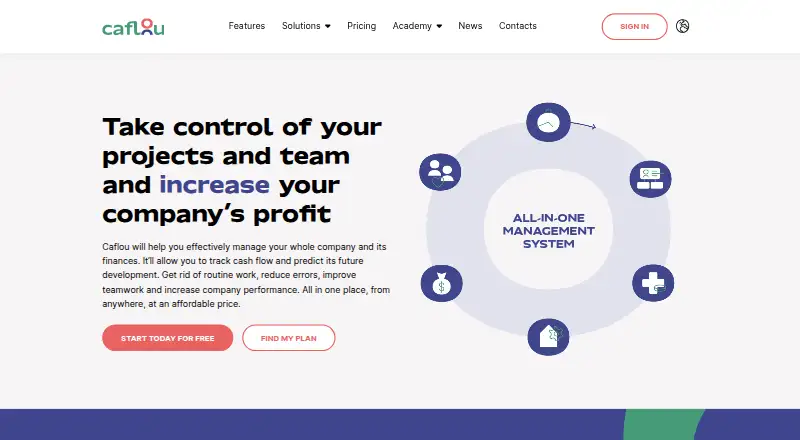
What Caflou is
Caflou is an online business management system for coordinating projects, teams, finances, customer relationships, and company activities. Its project tools include work breakdown structures, Gantt charts, Kanban boards, project budgets, and project income and expense tracking. Finance functions cover invoicing, cash-flow planning, bank payment imports, financial reports, bank synchronization, cash position views, and inflow and outflow tracking.
Users can create rule-based automations without programming, while Caflou AI can extract data from received invoices. Listed integrations include Gmail, Outlook, Google Calendar, Google Drive, OneDrive, Dropbox, PayPal, Stripe, and Make. Accounting connections include QuickBooks, Xero, Zoho Books, and FreshBooks; WooCommerce is marked import only. Caflou also publishes API v1 documentation with bearer-token authentication and endpoints for account data and objects.
The service is aimed at small businesses and companies with 1–100 people, with web, Android, and iOS access. Caflou says it uses HTTPS, encrypts passwords, offers optional two-step authentication, and makes backups at least daily. Its privacy statement places user and account data in the European Union or the United States. Online support is available by email and chat. Caflou has a free plan, named Turtle at no cost.
Good
- Project views include WBS, Gantt charts, and Kanban boards.
- Finance tools cover invoicing and cash-flow planning.
- Rule-based automations can be created without programming.
- AI can extract data from received invoices.
- Web, Android, and iOS platforms are listed.
- A free Turtle plan is available at no cost.
Watch out
- The email inbox feature requires Dolphin or Shark tariffs or higher.
- WooCommerce is listed as import only.
- User and account data are stored in the EU or the United States.
Who it suits
Caflou suits small businesses and companies with 1–100 people that want project coordination and financial tools in one system. It may also fit teams that need rule-based automation, invoice data extraction, or connections to listed services and accounting products.
Verdict
Choose Caflou if your small business wants project, team, and finance management alongside automations and invoice data extraction. Look elsewhere if email inbox access is essential on the free Turtle plan, since Caflou places that feature on Dolphin and Shark tariffs or higher.
Plans and prices
From Caflou's own pricing page, checked 7 Oct 2026.
| Plan | Price | What it gives you |
|---|---|---|
| Turtle | Free | — |
The facts
Each one read from Caflou's own pages, with the date it was checked.
What it does
- Accounting connections
- The connector lists QuickBooks, Xero, Zoho Books, FreshBooks, and WooCommerce, with WooCommerce marked import only.checked 7 Oct 2026
- API
- Caflou publishes API v1 documentation with bearer-token authentication and endpoints for account data and objects.checked 7 Oct 2026
- Automation and AI
- Users can create automated processes without programming and use AI for tasks such as invoice data extraction and cash-flow predictions.checked 7 Oct 2026
- Data location
- Caflou’s privacy statement says user and account data are stored in the European Union or the United States.checked 5 Oct 2026
- Finance
- Caflou supports invoicing, cash-flow planning, income and expense tracking, and payment matching with European banks.checked 7 Oct 2026
- Integrations
- Listed integrations include Gmail or Outlook, Google Calendar, Google Drive, OneDrive, Dropbox, PayPal, Stripe, and Make.checked 7 Oct 2026
- Intended audience
- Caflou describes itself as suitable for small businesses and says it is ideal for businesses with up to 100 employees.checked 7 Oct 2026
- Intended users
- The homepage describes Caflou as a system for companies with 1–100 people.checked 5 Oct 2026
- Mobile access
- Caflou describes the service as available on PC and smartphone, and its mobile-version article mentions Android-specific audio-message uploads.checked 5 Oct 2026
- Notable limit
- Caflou says the email inbox feature is available on the Dolphin and Shark tariffs or higher.checked 7 Oct 2026
- Pricing details
- The pricing page opened during research showed a heading but no plan names or prices.checked 5 Oct 2026
- Product
- Caflou is an online business management system for managing projects, teams, finances, customer relations, and cash flow.checked 7 Oct 2026
- Project management
- Project planning includes WBS, Gantt charts, Kanban boards, budgets, and project profitability management.checked 7 Oct 2026
- Security
- Caflou says it uses HTTPS, stores passwords in encrypted form, offers optional two-step authentication, and makes backups at least daily that are deleted after 14 days.checked 7 Oct 2026
- Security assessment
- The security page says Caflou is CASA Tier 2 verified and links to a validation report for 2026–2027.checked 5 Oct 2026
- Security verification
- The security page states that Caflou is CASA Tier 2 verified and lists a 2026–2027 validation report.checked 7 Oct 2026
- Support
- Caflou offers online chat and email support at [email protected], along with an education centre.checked 7 Oct 2026
The company
- Headquarters
- Prague, Czech Republicchecked 28 Sep 2026
The full review of Caflou
Caflou combines project, team, finance, customer, and company-activity management for small businesses. It suits firms that want those operations connected, especially when project budgets and cash flow need to be viewed together. The free Turtle plan gives businesses a way to start, but teams that need the email inbox must choose Dolphin or Shark, or a higher tariff.
Overview
Caflou is built for companies with 1–100 people, making its broad remit a better match for small businesses than for buyers seeking a single-purpose finance app. It brings project planning, financial tracking, customer relations, and company activities into one online system. That breadth can help keep operational work connected; it is less compelling if all you need is a focused cash-flow tool.
Rule-based automations can be created without programming, while Caflou AI extracts data from received invoices. Those capabilities target routine business processes rather than offering a general-purpose AI assistant. The email inbox is a more consequential plan distinction: it is available on Dolphin and Shark tariffs or higher, so teams that rely on inbox access should not assume the free plan covers them.
Key features
Projects and financial tracking
Project tools include WBS, Gantt charts, Kanban boards, budgets, and income and expense tracking. This range gives teams options for structuring work and following its financial performance, rather than treating project planning and costs as separate jobs. Caflou also supports invoicing, cash-flow planning, bank payment imports, bank synchronization, cash-position views, inflow and outflow tracking, and financial reports. That combination is useful for businesses wanting project and cash information in the same system.
Automation, connections, and access
Integrations include Gmail, Outlook, Google Calendar, Google Drive, OneDrive, Dropbox, PayPal, Stripe, and Make. Accounting connections include QuickBooks, Xero, Zoho Books, and FreshBooks; WooCommerce is supported for imports only. Caflou publishes API v1 documentation using bearer-token authentication, with endpoints for account data and objects, which may suit businesses connecting their own systems.
Caflou offers Android, iOS, web, and API access, and describes the service as available on PC and smartphone. Its mobile-version article specifically mentions Android audio-message uploads. Security measures include HTTPS, encrypted password storage, optional two-step authentication, and backups at least daily. Caflou says it is CASA Tier 2 verified and links to a 2026–2027 validation report; its privacy statement places user and account data in the European Union or the United States. Online support is offered by email and chat.
Pricing
Caflou uses a freemium model. The Turtle plan costs free; bank synchronization, a cash-position view, and inflow/outflow tracking are included. The free entry point makes it possible to explore core financial visibility without a subscription, but the email inbox is not included: that feature requires Dolphin or Shark, or a higher tariff.
Custom pricing applies to plans without a published price. Because the higher tariffs are the route to inbox access, teams should confirm the applicable tariff and terms before choosing Caflou for shared email workflows. The published plan details establish no further seat or quota limits, so the choice between plans should not be based on assumed caps.
Platforms
Caflou is available on Android, iOS, and the web, and also offers an API. That spread accommodates mobile access and browser-based work, while the documented API gives businesses a route to connect account data and objects with other systems.
Who it's for
Caflou is a strong fit for small businesses that want project structure, financial tracking, invoicing, and customer or company management under one roof. It is particularly relevant where teams need to relate project budgets and income or expenses to broader cash-flow planning. A buyer looking only for a narrow cash-management app may find its wider business scope unnecessary. It is also not the right plan fit for teams that require email inbox access but intend to stay on Turtle.
Pros and cons
- Pro: Project planning spans WBS, Gantt, and Kanban, with budgets and income/expense tracking to connect delivery work to its finances.
- Pro: The free Turtle plan includes bank synchronization, cash-position viewing, and inflow/outflow tracking, giving small businesses useful financial visibility at no subscription cost.
- Pro: Rule-based automations need no programming, and invoice-data extraction can reduce manual handling of received invoices.
- Con: Email inbox access is restricted to Dolphin and Shark tariffs or higher, limiting the free plan for inbox-dependent teams.
- Con: Caflou covers many business functions, which may be unnecessary overhead for buyers who only need a dedicated cash-flow tool.
Alternatives
For a narrower category search, browse Cash Flow Management Software. The alternatives below offer different scopes and access choices:
- onbalance is a free Android and iOS option for readers seeking a mobile app rather than Caflou's broader business-management system.
- Cash Pocket is free on Android, iOS, and web, an alternative for readers who want a free cross-platform option.
- Bankflow offers a one-time $14.99 a month Starter plan billed for 300 credits a month, alongside a free option billed as 50 credits one-time; consider it when its credit-based plans suit the task.
- Trezy has a free web plan with one bank account, cash-flow tracking, transaction history, AI categorization, and email support; its Starter plan is $12.50 a month, billed $150/year.
- Bokeping offers a free plan for one user with 20 sales and 20 purchase records per month, CSV bank import, financial statements, and accountant access; it may fit readers prioritizing those functions within its stated limits.
- BankSummary offers a free web plan for up to two accounts, an option for readers whose needs fit that account cap.
- Cashvue is free to use while it is in public beta.
- Statement is another alternative to consider.
Verdict
Choose Caflou if your small business wants project, team, and finance management alongside automations and invoice data extraction. Its strongest case is the connection between project work and financial operations, with a free Turtle plan that already includes several useful cash-management features. Look elsewhere if email inbox access is essential on the free plan, since Caflou places that feature on Dolphin and Shark tariffs or higher; a focused cash-flow app may also be a better fit when you do not need its wider business-management scope.
Getting started
- Visit https://www.caflou.com/.
- Choose the free Turtle plan at no cost.
- Access Caflou on the web, Android, or iOS.
Limits worth knowing
The email inbox feature is available on Dolphin and Shark tariffs or higher, so it is not included at the free Turtle level. The free plan is named Turtle and listed as free.
Questions
Is Caflou free?
Yes. Caflou offers a free plan named Turtle, listed as free.
Which platforms does Caflou support?
Its listed platforms are web, Android, iOS, and API. Caflou also describes access on PC and smartphone.
Does Caflou connect to accounting products?
Listed accounting connections include QuickBooks, Xero, Zoho Books, and FreshBooks. WooCommerce is also listed, but as import only.
What integrations are listed?
They include Gmail, Outlook, Google Calendar, Google Drive, OneDrive, Dropbox, PayPal, Stripe, and Make.
Who is Caflou intended for?
Caflou describes itself as suitable for small businesses and companies with 1–100 people.
Is the email inbox feature available on the free plan?
Caflou says the email inbox feature is available on Dolphin and Shark tariffs or higher.
Alternatives to Caflou
- 1

Bankflow
Free planAndroidiOSWebAPI8.0From $14.99 a month - 2
Cash Pocket
Free planAndroidiOSWeb7.3Free plan - 3

Bokeping
Free planWebAPI7.2From $29 a month - 4
onbalance
Free planAndroidiOS6.8Free plan - 5

BankSummary
Free planWebAPI6.7Free plan - 6

Agicap
AndroidiOSWebAPI6.6