Obstor
Obstor is an open-source, Apache 2.0-licensed S3-compatible object storage server with built-in SFTP support.
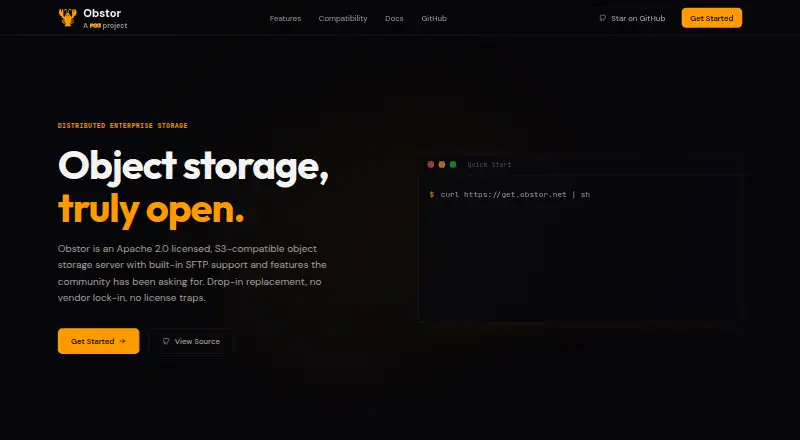
What Obstor is
Obstor is an open-source, Apache 2.0-licensed S3-compatible object storage server with built-in SFTP support. It works with S3 SDKs, command-line tools, and applications without code changes. In distributed deployments, it shards objects and replicates them across connected nodes, keeping each object in at least two global locations. Its native SFTP server stores uploaded files as S3 objects. Data features include SSE-C and SSE-S3 server-side encryption with KMS integration, configurable erasure coding for drive and node failures, and object versioning with lifecycle policies. IAM controls use users, groups, policies, and service accounts with S3 and AWS IAM policy syntax. Event notifications can go to Kafka, NATS, AMQP, Redis, PostgreSQL, Elasticsearch, and webhooks. Deployment options include a single binary, Docker, Kubernetes Helm chart, or building from source. Standalone instructions cover macOS, GNU/Linux, and 64-bit Windows, but standalone servers are intended for development and evaluation; versioning, object locking, and bucket replication require distributed deployment with erasure coding.
Good
- S3-compatible without application code changes.
- Built-in SFTP stores uploads as S3 objects.
- Supports configurable erasure coding and versioning.
- Offers binary, Docker, Helm, and source installation.
Watch out
- Standalone servers are intended for development and evaluation.
- Versioning requires distributed deployment with erasure coding.
- Object locking and bucket replication also require distributed deployment.
Who it suits
Obstor suits teams seeking self-hosted S3-compatible storage for machine learning, analytics, or application data workloads. Its standalone mode is intended for development and evaluation, while some storage features require distributed deployment.
Verdict
Obstor combines S3-compatible object storage with SFTP and multiple deployment options. Consider the standalone limitations if you need versioning, object locking, or bucket replication.
Plans and prices
From Obstor's own pricing page, checked 30 Sep 2026.
| Plan | Price | What it gives you |
|---|---|---|
| Open source | Free | Apache 2.0 license · self-hosted |
The facts
Each one read from Obstor's own pages, with the date it was checked.
What it does
- Access control
- Obstor provides IAM with users, groups, policies, and service accounts using S3 and AWS IAM policy syntax.checked 30 Sep 2026
- Compose limit
- The Docker Compose example creates four distributed instances and supports up to 16 Obstor services.checked 30 Sep 2026
- Deployment
- Installation options include a single binary, Docker, Kubernetes Helm chart, or building from source.checked 30 Sep 2026
- Distributed storage
- Objects are automatically sharded and replicated across connected nodes, with each object stored in at least two global locations.checked 30 Sep 2026
- Encryption
- Obstor supports SSE-C and SSE-S3 server-side encryption, including KMS integration.checked 30 Sep 2026
- Encryption primitives
- Obstor uses HMAC-SHA-256 for key derivation and AES-256-GCM or ChaCha20-Poly1305 for authenticated encryption.checked 30 Sep 2026
- Erasure coding
- Erasure coding protects data against drive and node failures with configurable parity.checked 30 Sep 2026
- Notifications
- Event notifications can be pushed to Kafka, NATS, AMQP, Redis, PostgreSQL, Elasticsearch, and webhooks.checked 30 Sep 2026
- Product
- Obstor is an Apache 2.0 licensed, S3-compatible object storage server with built-in SFTP support.checked 30 Sep 2026
- S3 compatibility
- Obstor works with S3 SDKs, CLI tools, and applications without code changes.checked 30 Sep 2026
- SFTP
- Obstor includes a native SFTP server, and SFTP-uploaded files are stored as S3 objects.checked 30 Sep 2026
- Standalone limitations
- Standalone servers are intended for development and evaluation; versioning, object locking, and bucket replication require distributed deployment with erasure coding.checked 30 Sep 2026
- Supported systems
- Official documentation provides standalone instructions for macOS, GNU/Linux, and 64-bit Windows.checked 30 Sep 2026
- Use cases
- The project describes Obstor as suitable for machine learning, analytics, and application data workloads.checked 30 Sep 2026
- Versioning
- Obstor provides object versioning with lifecycle policies for history, recovery, and retention requirements.checked 30 Sep 2026
The full review of Obstor
Obstor is an open-source object storage server for teams that want S3-compatible storage they can operate themselves, with SFTP as another way to move files in. It is most compelling when you can run a distributed deployment; its standalone mode is intended for development and evaluation.
Its S3 compatibility and multi-site replication make it a flexible self-hosted option, but versioning, object locking, and bucket replication depend on distributed deployment with erasure coding. That is an important architectural commitment, not a minor configuration detail.
Overview
Obstor works with S3 SDKs, CLI tools, and applications without code changes, so teams can keep existing S3-oriented workflows while running the storage server on their own infrastructure. Native SFTP uploads are stored as S3 objects, bringing file transfers into the same object store rather than creating a separate storage path.
In distributed deployments, objects are automatically sharded and replicated across connected nodes, with each object stored in at least two global locations. Continuous replication and failover orchestration support multi-site operation, while erasure coding with configurable parity helps protect against drive and node failures. These are meaningful strengths for teams building resilient storage, but they make deployment design central to getting the capabilities that matter.
Key features
Access, protection, and management
Obstor supports SSE-C and SSE-S3 server-side encryption, including KMS integration. Its authenticated encryption uses AES-256-GCM or ChaCha20-Poly1305, with HMAC-SHA-256 for key derivation. IAM users, groups, policies, and service accounts use S3 and AWS IAM policy syntax, which suits administrators who already work with those access-control conventions.
Versioning and lifecycle policies support object history, recovery, and retention requirements, while event notifications can be sent to Kafka, NATS, AMQP, Redis, PostgreSQL, Elasticsearch, or webhooks. The key caveat is topology: standalone servers are for development and evaluation, and versioning, object locking, and bucket replication require a distributed deployment with erasure coding. Teams that need these safeguards should plan for a distributed configuration from the start.
Deployment choices
Obstor can be installed as a single binary, through Docker, with a Kubernetes Helm chart, or from source. Official standalone instructions cover macOS, GNU/Linux, and 64-bit Windows. The Docker Compose example creates four distributed instances and supports up to 16 Obstor services, giving operators a defined route to a multi-instance setup. Those options offer flexibility, but the standalone instructions should not be mistaken for a production-ready substitute for distributed deployment.
Pricing
Open source — free. The plan is self-hosted and licensed under Apache 2.0, making it a fit for teams able to supply and operate their own infrastructure. There is no paid tier or hosted service described in this plan; the trade-off is that deployment and operations remain with the user. The standalone limitations also matter: teams needing versioning, object locking, or bucket replication must use distributed deployment with erasure coding.
Platforms
Obstor supports API, Linux, macOS, self-hosted, web, and Windows platforms. Official standalone instructions are available for macOS, GNU/Linux, and 64-bit Windows; deployment options also include Docker and a Kubernetes Helm chart. This range fits infrastructure teams deploying across common operating systems, containers, or Kubernetes, rather than readers looking for a conventional end-user app.
Who it's for
Obstor is best for operators and development teams that want an S3-compatible object store under their control, need SFTP access alongside S3 workflows, and can manage distributed infrastructure. The project describes machine learning, analytics, and application data as suitable workloads, and its replication, access-control, encryption, and notification features support those use cases.
It is a weaker fit for anyone who needs a simple standalone production store with versioning or bucket replication, or who does not want to run storage infrastructure. Those needs either require the distributed deployment or point toward a different operating model.
Pros and cons
- Pro: S3 SDKs, CLI tools, and applications can connect without code changes, easing adoption in existing workflows.
- Pro: Native SFTP stores uploads as S3 objects, so file transfer and object access converge on one store.
- Pro: Distributed sharding, replication across at least two global locations, and configurable erasure coding address multi-site placement and infrastructure failures.
- Pro: Apache 2.0 licensing and multiple deployment routes give self-hosting teams flexibility without a software fee.
- Con: Standalone mode is intended for development and evaluation, not as the route to the full production feature set.
- Con: Versioning, object locking, and bucket replication require distributed deployment with erasure coding, increasing operational commitment for teams that need them.
- Con: The free plan is self-hosted, so infrastructure and operations are the user's responsibility.
Alternatives
For a broader category comparison, browse Storage Replication Software.
- Synology Photos is a free alternative for photo-focused use when you have a Synology NAS; it supports mobile, desktop, web, and browser-extension platforms rather than serving as an S3-compatible object store.
- SeaweedFS is another self-hosted option across API, Linux, macOS, and Windows, with a free community-support plan and an available free trial; choose it for a different open-source storage project.
- LINBIT DRBD offers a free open-source community version for Linux and self-hosted environments, with a paid LINBIT Starter plan at $1,000 a year; consider it when evaluating a separate storage replication option.
- XtreemFS is a free, BSD-licensed open-source alternative for Linux, macOS, and Windows self-hosting.
- OpenEBS is a free, open-source Kubernetes storage option for teams whose focus is Kubernetes storage.
- Amazon S3 is a hosted, paid alternative with usage-based billing and no minimum charge; consider it if you want a managed service rather than operating a self-hosted server.
- Longhorn is free, open-source distributed block storage for Kubernetes, rather than an S3-compatible object store.
- Resilio Active Everywhere is a paid alternative with a free trial and pricing based on devices or endpoints rather than data volume or transfer usage.
Verdict
Choose Obstor if you want self-hosted S3 compatibility with native SFTP and can operate a distributed deployment. Its combination of familiar access methods and replication features is the central reason to choose it. Look elsewhere if you need a standalone production setup with versioning, object locking, or bucket replication, or if you prefer not to manage storage infrastructure yourself.
Getting started
- Choose an installation route: single binary, Docker, Kubernetes Helm chart, or build from source.
- For a standalone setup, follow the instructions for macOS, GNU/Linux, or 64-bit Windows.
- Use distributed deployment with erasure coding for versioning, object locking, or bucket replication.
- Connect compatible S3 SDKs, CLI tools, or applications without code changes.
- Configure SFTP uploads or connect event notifications to a supported service.
Limits worth knowing
Standalone servers are intended for development and evaluation. Versioning, object locking, and bucket replication require distributed deployment with erasure coding.
Questions
How much does Obstor cost?
The Open source plan is free under the Apache 2.0 license, and Obstor is self-hosted.
Which platforms does Obstor support?
The listed platforms are API, Linux, macOS, self-hosted, web, and Windows. Official standalone instructions cover macOS, GNU/Linux, and 64-bit Windows.
Is Obstor compatible with S3?
Yes. It works with S3 SDKs, CLI tools, and applications without code changes.
Can I upload files over SFTP?
Yes. Obstor includes a native SFTP server, and SFTP-uploaded files are stored as S3 objects.
What features require distributed deployment?
Versioning, object locking, and bucket replication require distributed deployment with erasure coding.
Alternatives to Obstor
- 1
Resilio Active Everywhere
Free planAndroidWebAPILinux8.2From $25,000 a month - 2

Synology Photos
Free planAndroidiOSWebExtension7.7Free plan - 3

Amazon S3
Free planAndroidiOSWebAPI7.6Free plan - 4

Cristie CloneManager
WebAPILinuxSelf-hosted7.2From $500 a year - 5

SeaweedFS
Free planAPILinuxmacOSSelf-hosted7.0From $20 a year - 6

JetStream DR
WebAPILinuxSelf-hosted6.7