
nTop
nTop is an engineering design platform for generating parametric geometry and exploring design variations.
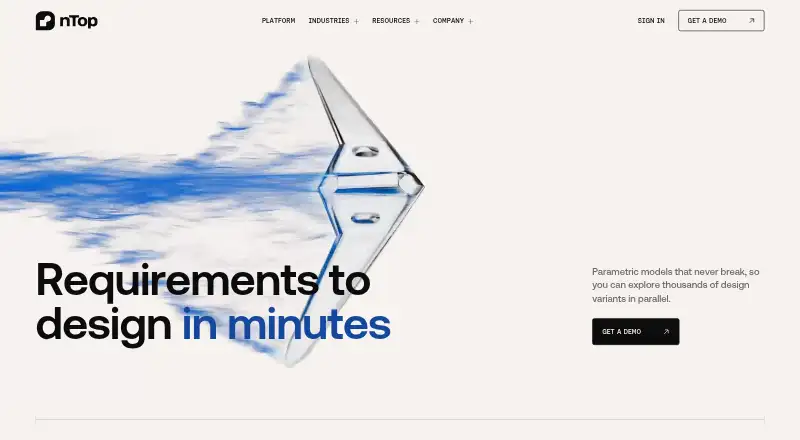
What nTop is
nTop is an engineering design platform for generating parametric geometry and exploring design variations. Its implicit modeling represents geometry mathematically, allowing models to remain stable through large parameter changes. Users can automate design logic across thousands of variants, running work on a desktop or distributed cloud compute. The platform describes GPU compute and machine learning as tools for shortening simulation feedback cycles from hours to minutes. It supports assembly and surface modeling, and imports CAD, mesh, CAE, and other file types; listed exports include STEP, Parasolid, STL, and 3MF. The desktop application supports 64-bit Windows 11 Enterprise, Professional, and Education editions; nTop Automate also supports Red Hat Enterprise Linux 8.9. The system requirements specify at least 64 GB RAM and an NVIDIA GPU with Volta architecture or newer and 8 GB VRAM. Commercial pricing is available on request, with named-user, cloud floating, and FlexNet floating licensing. Students, educators, and academic researchers can apply for a free non-commercial version. nTop was founded in 2015 and is headquartered in New York City.
Good
- Automates exploration across thousands of design variants.
- Supports assembly and surface modeling.
- Imports CAD, mesh, and CAE file formats.
- Free non-commercial education version is available by application.
Watch out
- Commercial pricing is available only on request.
- Requires at least 64 GB RAM.
- Requires an NVIDIA GPU with 8 GB VRAM.
- Interactive application supports Windows 11 editions only.
Who it suits
nTop may suit engineering teams that need parametric geometry, design variant exploration, and simulation workflows. Students, educators, and academic researchers can apply for its free non-commercial education version.
Verdict
nTop is aimed at engineering design work that depends on parametric geometry and broad variant exploration. Prospective commercial users need to request pricing and check the specified Windows and hardware requirements.
Plans and prices
From nTop's own pricing page, checked 8 Oct 2026.
| Plan | Price | What it gives you |
|---|---|---|
| nTop Education | Free | Free non-commercial version for students, educators, and academic researchers |
| Commercial nTop license | Priced on request | Price not stated; named-user, cloud floating, or FlexNet floating license |
The facts
Each one read from nTop's own pages, with the date it was checked.
What it does
- Assembly design
- Yeschecked 19 Sep 2026
- Design exploration
- The platform supports automatically running design logic across thousands of variants, from desktop to distributed cloud compute.checked 8 Oct 2026
- Desktop and cloud connections
- nTop is a desktop application that connects to cloud services for license authentication and software updates, and may send usage data according to user preference.checked 8 Oct 2026
- Education access
- Students, educators, and researchers can apply for a free non-commercial version, learning resources, and community access.checked 8 Oct 2026
- File formats
- The platform page says nTop imports standard CAD and mesh formats and exports STEP, Parasolid, STL, and 3MF.checked 8 Oct 2026
- File import and export
- CAD: STEP, Parasolid, CATIA V5, Creo, Inventor, Siemens NX, SolidWorks, ACIS; mesh: STL, OBJ, PLY, 3MF, OFF; CAE: Abaqus, ANSYS, LS-DYNA, Nastran, Patran, CGNS, UNV; other: implicit, LTXC, CSV, VDB, PNG, CLI and manufacturing slice formatschecked 19 Sep 2026
- Hardware requirements
- The system requirements guide specifies at least 64 GB RAM and an NVIDIA GPU with Volta architecture or newer and 8 GB VRAM.checked 8 Oct 2026
- Implicit modeling
- Its implicit modeling approach represents geometry mathematically so models can remain stable through large parameter changes.checked 8 Oct 2026
- Integrations
- The integrations page lists nTop Automate, a PLM connector, and MDO integrations including ModeFrontier, ModelCenter, and ProcesComposer.checked 8 Oct 2026
- Licensing
- The maker lists named-user, cloud floating, and FlexNet floating licensing models.checked 8 Oct 2026
- Modeling method
- parametricchecked 19 Sep 2026
- Purpose
- nTop is an engineering design platform for generating parametric geometry and exploring many design variants.checked 8 Oct 2026
- Simulation
- nTop describes GPU compute and machine learning as ways to shorten simulation feedback cycles from hours to minutes.checked 8 Oct 2026
- Support
- nTop Support offers guides, troubleshooting, a knowledge base, and support requests, including a request path for ITAR support.checked 8 Oct 2026
- Supported systems
- The interactive nTop application supports 64-bit Windows 11 Enterprise, Professional, and Education editions; nTop Automate also supports RHEL 8.9.checked 8 Oct 2026
- Surface modeling
- Yeschecked 19 Sep 2026
The company
- Company
- nTop says it was founded in 2015 and is headquartered in New York City.checked 8 Oct 2026
- Founded
- 2015checked 23 Sep 2026
- Headquarters
- New York City, United Stateschecked 23 Sep 2026
Where it runs
- Supported platforms
- Windows 11; Red Hat Enterprise Linux 8.9 for nTop Automatechecked 19 Sep 2026
The full review of nTop
Overview
nTop is a parametric engineering design platform built around generating geometry and exploring alternatives. It is most compelling for engineering workflows where designs need to change substantially and many variants must be evaluated. Its specialized approach and broad format support are balanced by demanding hardware requirements and custom pricing for commercial use.
Key features
Implicit parametric modeling: Geometry is represented mathematically, an approach intended to keep models stable as parameters change. That matters when a team needs to produce families of shapes rather than revise a single fixed design. Assembly and surface modeling are supported too, although teams doing only conventional, fixed-geometry CAD may not benefit enough from this added flexibility.
Design exploration and simulation: nTop can run design logic across thousands of variants, from a desktop to distributed cloud compute. GPU compute and machine learning are intended to reduce simulation feedback cycles from hours to minutes, which suits optimization-heavy work where faster iteration has practical value. The stated desktop minimum of 64 GB RAM and an NVIDIA GPU with Volta architecture or later and 8 GB VRAM makes this a substantial workstation commitment.
File compatibility and integrations: Imports span CAD formats including STEP, Parasolid, CATIA V5, Creo, Inventor, Siemens NX, SolidWorks, and ACIS; mesh formats including STL, OBJ, PLY, and 3MF; and CAE formats such as Abaqus, ANSYS, LS-DYNA, Nastran, Patran, CGNS, and UNV. Other supported inputs include implicit, LTXC, CSV, VDB, PNG, CLI, and manufacturing slice formats. Exports include STEP, Parasolid, STL, and 3MF. This range can help teams bring existing engineering assets into exploration workflows, though the export set is narrower than the import set. Listed integrations include nTop Automate, a PLM connector, and MDO tools ModeFrontier, ModelCenter, and ProcesComposer.
Pricing
nTop Education: free. Students, educators, and academic researchers can apply for a non-commercial version with learning resources and community access. It offers a no-cost route to learning the platform, but its non-commercial restriction rules it out for professional production work.
Commercial nTop license: custom pricing. Commercial licensing is available as named-user, cloud floating, or FlexNet floating, so organizations can choose among individual and floating license models. There is no published commercial price to compare against alternatives; teams should request a quote and weigh it against the hardware and workflow requirements.
Platforms
The interactive application supports 64-bit Windows 11 Enterprise, Professional, and Education editions. nTop Automate also supports Red Hat Enterprise Linux 8.9, but that does not make the interactive desktop application a Linux option. The desktop app connects to cloud services for license authentication and updates, and may transmit usage data depending on user preference.
Who it's for
nTop is a strong fit for engineering teams that rely on parametric geometry, broad design-space exploration, and simulation feedback, particularly when they need to work with varied CAD, mesh, or CAE data. Students and educators can use the education edition for non-commercial learning. It is a weaker fit for users who need an interactive Linux application, lack the specified workstation hardware, or want a commercial price before engaging with a vendor. Support includes guides, troubleshooting, a knowledge base, support requests, and an ITAR support request path.
Pros and cons
- Pro: Mathematical implicit modeling is designed to remain stable through large parameter changes, supporting broad geometry variation.
- Pro: Automated exploration can process thousands of variants and connect desktop work with distributed cloud compute.
- Pro: Import support spans CAD, mesh, and CAE formats, with STEP, Parasolid, STL, and 3MF export.
- Con: Commercial pricing is custom, making upfront budget comparisons difficult.
- Con: The interactive application requires Windows 11 and at least 64 GB RAM plus a qualifying NVIDIA GPU, limiting deployment options.
- Con: The free education edition is non-commercial, so it cannot serve as a free production license.
Alternatives
For a broader directory of options, see Generative Design Software and 3D CAD Software.
- TopOpt is the better fit for readers seeking free MATLAB code for minimum compliance and buckling optimization.
- Avocado is a free early-development option for users seeking software in that category, with compatibility varying and a PlayStation BIOS required.
- Dakota suits readers looking for free open-source software under the GNU LGPL.
- OpenLSTO is an option for free, open-source 2D compliance minimization under a volume constraint.
- ICEM Surf offers a free learning edition for personal learning; commercial use requires a commercial license.
- NETVIBES is an alternative for readers considering an enterprise data-science platform.
- Plato offers an open-source version with a limited set of objectives and constraints.
- OpenMDAO is a free, open-source framework under the Apache 2.0 license.
Verdict
Choose nTop if your engineering work depends on flexible parametric geometry and evaluating large numbers of variants; implicit modeling and automated exploration are its clearest reasons to commit. Look elsewhere if you need an interactive Linux app, cannot meet its workstation requirements, or need a transparent commercial price before starting a licensing conversation.