
Nix
Nix is a package manager and system configuration tool for creating reproducible, declarative environments.
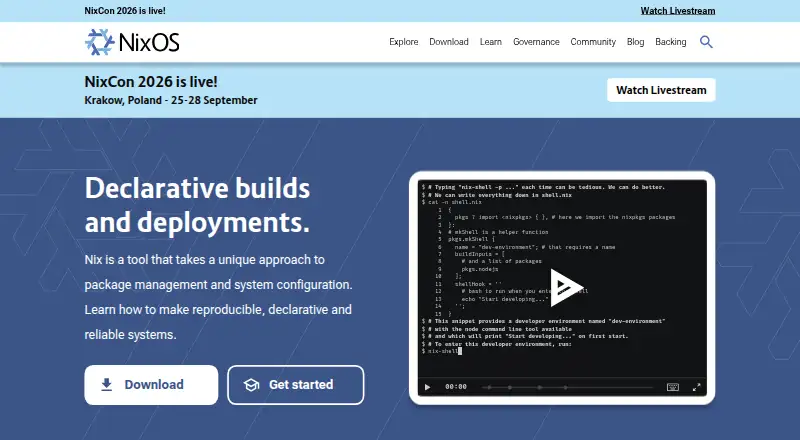
What Nix is
Nix is a package manager and system configuration tool for creating reproducible, declarative environments. It builds packages in isolation to avoid undeclared dependencies, helping builds behave consistently across machines. Users can define and share development and build environments across projects and programming languages, install software from URLs or source code, and use virtual machines for integration testing. Its package collection offers over 140,000 packages. The wider ecosystem supports remote builds and deployments, binary caches, cross compilation, atomic upgrades, and rollbacks to earlier package versions. Nix supports dependency resolution, lockfiles, workspaces, and offline installation; its package formats include Nix expressions, derivations, and flakes. It runs on Linux and macOS, and on Windows through WSL2. Multi-user installation on Windows requires WSL systemd support. The free plan is free, with no paid plan listed. Nix is intended for people comfortable with command-line interfaces and plain-text editors.
Good
- Builds packages in isolation for reproducibility
- Supports lockfiles, workspaces, and offline installation
- Allows rollbacks to earlier package versions
- Package collection offers over 140,000 packages
Watch out
- Windows use requires WSL2
- Windows multi-user installation requires WSL systemd support
- Multi-user setup requires root for the daemon
Who it suits
Nix suits developers, test engineers, DevOps engineers, system administrators, data scientists, students, and open-source enthusiasts who are familiar with command-line tools and plain-text editors.
Verdict
Nix provides package management and system configuration with reproducible builds, shared environments, and rollback support. Its command-line orientation and Windows requirements are worth considering before choosing it.
Plans and prices
From Nix's own pricing page, checked 4 Oct 2026.
| Plan | Price | What it gives you |
|---|---|---|
| Nix | Free | Open source package manager; no paid plan listed |
The facts
Each one read from Nix's own pages, with the date it was checked.
What it does
- Build and deployment features
- The Nix ecosystem supports remote builds and deployments, binary caches, cross compilation, atomic upgrades, and rollbacks.checked 4 Oct 2026
- Declarative environments
- Nix lets users share development and build environments across projects and programming languages.checked 4 Oct 2026
- Dependency resolution
- Yeschecked 22 Sep 2026
- Development uses
- Nix supports reproducible development environments, software installation from URLs or source code, and integration testing with virtual machines.checked 4 Oct 2026
- Integrations
- The official documentation includes guides for GitHub Actions, Docker images, Terraform deployment, SSH provisioning, and distributed builds.checked 4 Oct 2026
- Intended users
- The documentation identifies developers, test engineers, DevOps engineers, system administrators, data scientists, students, and open source enthusiasts as likely users.checked 4 Oct 2026
- Lockfile support
- Yeschecked 22 Sep 2026
- Notable requirements
- The documentation says Nix is aimed at people familiar with command line interfaces and plain text editors.checked 4 Oct 2026
- Offline installation
- Yeschecked 22 Sep 2026
- Package collection
- The Nix Packages collection offers over 140,000 packages.checked 4 Oct 2026
- Package formats
- Nix expressions,derivations,flakeschecked 22 Sep 2026
- Purpose
- Nix is a tool for package management and system configuration that supports reproducible, declarative, and reliable systems.checked 4 Oct 2026
- Reproducible builds
- Nix builds packages in isolation to avoid undeclared dependencies and make builds reproducible across machines.checked 4 Oct 2026
- Rollbacks
- Nix allows users to roll back to previous package versions and avoids inconsistent package states during upgrades.checked 4 Oct 2026
- Security
- The NixOS community has a security team and provides private vulnerability reporting and security information channels.checked 4 Oct 2026
- Security tradeoff
- The download page says multi-user installation provides better build isolation and security, but requires root for the daemon and is harder to uninstall.checked 4 Oct 2026
- Support
- The project provides community help through its official forum and Matrix space, and lists consulting companies for professional support.checked 4 Oct 2026
- Workspace support
- Yeschecked 22 Sep 2026
Money
- Free plan
- Yeschecked 22 Sep 2026
The company
- Headquarters
- Utrecht, Netherlandschecked 28 Sep 2026
Where it runs
- Supported platforms
- The Nix reference manual lists Linux on i686, x86_64, and aarch64, and macOS on x86_64 and aarch64.checked 4 Oct 2026
- Windows availability
- The download instructions cover Windows through WSL2, with multi-user installation requiring WSL systemd support.checked 4 Oct 2026
The full review of Nix
Nix is a free package manager and system-configuration tool for people who want to define and recreate development environments rather than assemble them machine by machine. It is strongest for command-line-comfortable developers and operations teams who value reproducible builds and controlled upgrades; its technical workflow and Windows setup narrow its appeal.
Overview
Nix uses declarative configuration to describe packages and environments, then builds packages in isolation to avoid undeclared dependencies. In practice, that approach can make development and build environments more consistent across machines, especially when a project spans several languages. Nix is not aimed at users who want to manage software primarily through a graphical interface: its documentation expects familiarity with command-line tools and plain-text editors.
Its package collection has more than 140,000 packages. Nix also supports installing software from URLs or source code, and integration testing with virtual machines, giving technical teams options beyond installing packages from a central collection.
Key features
- Reproducible builds: Isolated builds avoid relying on undeclared dependencies. This is useful for teams that need a project to build consistently across developer machines and other build environments.
- Declarative, shared environments: Environments can be shared across projects and programming languages. That makes Nix relevant to teams that want a repeatable setup rather than a separate, manually assembled environment for each contributor.
- Dependency and workspace support: Nix supports dependency resolution, lockfiles, and workspaces, along with Nix expressions, derivations, and flakes. These capabilities suit structured project setups, though the command-line orientation remains a learning hurdle for users new to the approach.
- Rollbacks and atomic upgrades: Nix can return to previous package versions and avoid inconsistent package states during upgrades. This is valuable when an upgrade causes problems and a known earlier state is preferable to piecemeal fixes.
- Broader build workflows: The ecosystem supports remote builds and deployments, binary caches, cross compilation, and distributed builds. Documentation also covers GitHub Actions, Docker images, Terraform deployment, and SSH provisioning, making Nix applicable to automation as well as local development.
- Offline installation: Offline installation is supported, which can help when a machine needs to be set up without relying on a live connection at install time.
- Security and support: The NixOS community has a security team and private vulnerability-reporting channels. Community help is available through an official forum and Matrix space, while consulting companies offer a route to professional support. Multi-user installation provides better build isolation and security, but needs root access for its daemon and is harder to uninstall.
Pricing
Nix is free: the Nix plan costs nothing and is an open-source package manager. There is no paid plan listed, so there is no paid tier to unlock additional features. The tradeoff is that support is community-based unless users engage a consulting company; no free-trial decision or renewal commitment applies.
Platforms
Nix supports Linux and macOS, and Windows through WSL2. On Windows, multi-user installation requires WSL systemd support, so Windows users need to account for that setup requirement rather than expect a native Windows installation. Self-hosted use is also supported. Offline installation is available, but the build, configuration, and installation workflows remain oriented around technical users.
Who it's for
Nix suits developers, test engineers, DevOps engineers, system administrators, data scientists, students, and open-source enthusiasts who want reproducible environments or controlled package upgrades. It is particularly compelling for teams coordinating development and build setups across machines, or for operations work involving automated builds and deployments. Users who are uncomfortable with command-line interfaces and plain-text editors, or who need a straightforward graphical software manager, should look elsewhere.
Pros and cons
- Pro — Reproducibility across machines: Isolated builds and shared declarative environments help limit differences caused by undeclared dependencies.
- Pro — Broad package choice: More than 140,000 packages make Nix useful for varied development and system workflows.
- Pro — Safer recovery from upgrades: Rollbacks and atomic upgrades help avoid being stranded in an inconsistent package state.
- Pro — Free and capable in automation: Remote builds, deployment support, caches, and integrations extend its use beyond local package installation without a paid plan.
- Con — Requires a technical workflow: Command-line and plain-text-editor familiarity are expected, which makes Nix a poor match for users seeking a graphical manager.
- Con — Windows has an extra dependency: Windows use runs through WSL2, and multi-user installation additionally needs WSL systemd support.
- Con — Multi-user installation adds system-level tradeoffs: Better isolation and security require a root-run daemon and make uninstalling harder.
Alternatives
For a simpler way to manage project environments on top of Nix, consider devenv: it is free, requires Nix, and works on Linux, macOS, and WSL. For public projects where a hosted platform is a better fit, ActiveState Platform has a free organization plan, while its paid enterprise plan uses custom pricing.
For other focused or free tools, compare FVM, asdf, Vagrant, Devbox, nvm, and tenv. The facts available for these alternatives do not establish enough distinctions to recommend one over Nix for a particular workflow.
Browse the Development Environment Managers, Development Environment Management Tools, Package Managers, IT Configuration Management Software, and Operating Systems categories for more options.
Verdict
Choose Nix if reproducible builds, shared environments, a large package collection, and rollback support matter more than a graphical workflow. It is an unusually broad free option for technically confident developers and operations teams, but Windows users must accept WSL2 and newcomers should expect a command-line-centered way of working. If that tradeoff does not fit, compare a tool built around a narrower project or environment-management need.
Getting started
- Visit https://nixos.org/ for the project and download instructions.
- Choose the supported platform: Linux, macOS, or Windows through WSL2.
- On Windows, enable WSL systemd support if using multi-user installation.
- Install Nix using the instructions for your platform.
Questions
How much does Nix cost?
Nix is free. Its listed plan is free, and no paid plan is listed.
Is there a free plan or trial?
The free plan is available. There is no free trial.
Which platforms does Nix support?
Nix supports Linux and macOS, and Windows through WSL2. Windows multi-user installation requires WSL systemd support.
Is Nix open source?
The listed plan describes Nix as an open source package manager.
What package formats does Nix use?
Its package formats include Nix expressions, derivations, and flakes.
What integrations are covered in the documentation?
The official documentation includes guides for GitHub Actions, Docker images, Terraform deployment, SSH provisioning, and distributed builds.
Alternatives to Nix
- 1
AlmaLinux OS
Free planOpen sourceAPILinuxSelf-hostedWindows7.1Free plan - 2
Ubuntu Server
Free planLinuxSelf-hosted6.6From $25 a year - 3
OmniOS
Free planLinuxSelf-hosted6.5From $500 a year - 4
FreeBSD gpart
Free planSelf-hosted6.4Free plan - 5
Rocky Linux
Free planLinuxSelf-hostedWindows6.1Free plan - 6
Amazon Linux
Free planLinuxSelf-hosted6.0Free plan