
Napkin AI
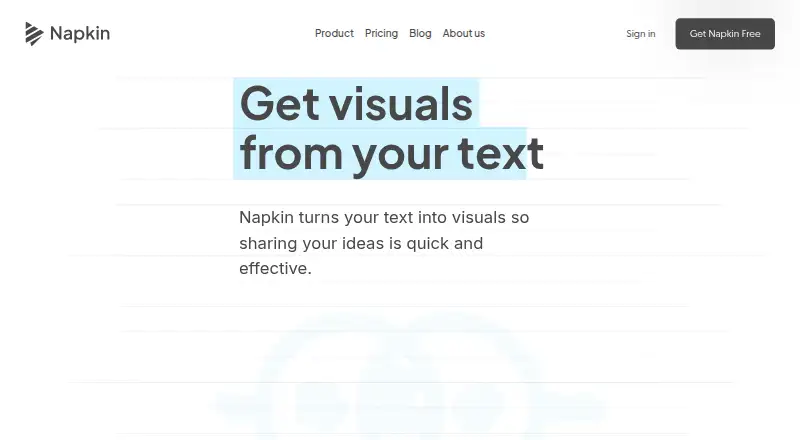
Napkin AI turns text and ideas into visuals and presentations, including diagrams, flowcharts, mind maps, infographics, and data charts.
What Napkin AI is
Napkin AI turns text and ideas into visuals and presentations, including diagrams, flowcharts, mind maps, infographics, and data charts. It can work from written, pasted, or imported text, and users can adjust colors, fonts, layouts, icons, or individual elements. Visuals export as PPT, PDF, PNG, or SVG files. Napkin Slides creates editable presentation decks and is available on Free, Plus, and Pro while in beta.
Napkin presents its visuals for use with tools such as PowerPoint, Google Slides, Canva, Keynote, Google Docs, Word, Notion, and Confluence. Creation supports more than 60 languages, while the interface is available in English, French, Spanish, Italian, Korean, and Portuguese. On mobile, users can view existing work and create or edit presentations, but visual generation is unavailable. The API generates visuals from text using account-plan credits and limits; it does not accept PDFs or documents as input. Free includes 500 AI credits per week and Napkin branding. Plus costs $9 a month, and Pro costs $22 a month.
Good
- Creates diagrams, charts, mind maps, and presentations from text.
- Visuals can be customized and exported in four formats.
- Creation supports more than 60 languages.
- Free plan includes 500 AI credits per week.
Watch out
- Mobile visual generation is not available yet.
- API input does not accept PDFs or documents.
- Free visuals carry Napkin branding.
Who it suits
Napkin AI may suit people who want to turn text into editable visuals or presentation decks. Its API is an option for text-based visual generation, while mobile users can work with presentations but not generate visuals.
Verdict
Napkin AI combines text-to-visual creation with editing and export options, with a free plan and paid tiers. Check mobile and API input limits if those are central to your workflow.
Plans and prices
From Napkin AI's own pricing page, checked 7 Oct 2026.
| Plan | Price | What it gives you |
|---|---|---|
| Free | Free | 500 AI credits per week · Unlimited editing and file import · Unlimited PNG and PDF export · Napkin branding on visuals · Forever |
| Plus | $9 a month | 10,000 AI credits per month · Unlimited PPT and SVG export · 3 Brand Styles · Remove Napkin branding · Team management and billing · Monthly; annual billing saves 25% |
| Pro | $22 a month | 30,000 AI credits per month · Exclusive designs · Unlimited custom branding · Upload fonts · Optional credit top ups · Monthly; annual billing saves 25% |
The facts
Each one read from Napkin AI's own pages, with the date it was checked.
What it does
- AI subprocessors
- Napkin says information used to provide the service is shared with AI subprocessors under contractual terms prohibiting them from training on customer data.checked 7 Oct 2026
- API
- Napkin provides an API for generating visuals programmatically, and API use draws on the credits and limits of the account’s plan.checked 7 Oct 2026
- API limitation
- The API accepts text content and does not accept PDFs or documents as input.checked 7 Oct 2026
- Data protection
- Napkin says data is encrypted and private, and it will not use data to train its models if users opt out of data sharing.checked 7 Oct 2026
- Editing
- Generated visuals can be customized by changing colors, fonts, layouts, and icons, or reshaping individual elements.checked 7 Oct 2026
- Exports
- Visuals can be exported as PPT, PDF, PNG, or SVG files.checked 7 Oct 2026
- Integrations
- The site presents Napkin visuals for use with PowerPoint, Google Slides, Canva, Keynote, Google Docs, Word, Notion, and Confluence.checked 7 Oct 2026
- Languages
- Napkin supports creating visuals and presentations in 60+ languages, and its interface is available in English, French, Spanish, Italian, Korean, and Portuguese.checked 7 Oct 2026
- Mobile
- On mobile, users can view existing work and create or edit presentations, but visual generation is not available yet.checked 7 Oct 2026
- Slides
- Napkin Slides creates editable, ready-to-present decks and is available on Free, Plus, and Pro plans while in beta.checked 7 Oct 2026
- Support
- The site directs users with questions to contact Napkin through its help link, and API documentation issues can be reported to [email protected].checked 7 Oct 2026
- Visual generation
- Napkin generates diagrams, flowcharts, mind maps, infographics, and data charts from written, pasted, or imported text.checked 7 Oct 2026
- What it does
- Napkin is a visual communication platform that turns text and ideas into visuals and presentations.checked 7 Oct 2026
The company
- Headquarters
- Los Altos, California, USAchecked 28 Sep 2026
The full review of Napkin AI
Napkin AI turns written ideas into editable diagrams, charts, infographics and presentations. It is best for individuals and teams that need polished visuals for documents or decks without designing every element from scratch. The strongest case is text-to-visual creation followed by meaningful editing; mobile users and document-driven API workflows face clear limits.
Overview
Napkin converts written, pasted or imported text into flowcharts, mind maps, infographics, data charts and other diagrams. Rather than stopping at an automatically generated image, it lets you change colors, fonts, layouts and icons, and reshape individual elements. That makes it practical when a visual must follow a particular message or brand, though it still requires judgment and editing to produce a communication-ready result.
Outputs can be exported as PPT, PDF, PNG or SVG. Napkin positions those visuals for use with PowerPoint, Google Slides, Canva, Keynote, Google Docs, Word, Notion and Confluence. Napkin Slides creates editable, ready-to-present decks on the Free, Plus and Pro plans, but it is in beta. It is therefore useful for producing presentation drafts, while organizations that need a settled deck-production process should treat the beta status as a qualification.
Key features
Generation and refinement
Text-based generation shortens the route from an outline or idea to a visual explanation. Editing controls over individual objects, styling and layout are more valuable than a one-click result for reports, planning documents and presentations that need a precise emphasis or visual identity.
Exports, slides and integrations
PNG and PDF cover straightforward sharing and document insertion. Paid users add unlimited PPT and SVG export, which matters when a deck must remain editable or a graphic needs scalable artwork. The broad set of named destinations makes Napkin a reasonable companion to an existing office, design or knowledge-management workflow rather than a replacement for all of them.
API and language support
An API can generate visuals programmatically, using the credits and limits of the account's plan. It accepts text but not PDFs or other documents, so automated pipelines must extract or transform source material before sending it. Napkin supports visual and presentation creation in more than 60 languages; the interface is available in English, French, Spanish, Italian, Korean and Portuguese.
Privacy and collaboration
Napkin says data is encrypted and private, and says it will not use data to train its models when users opt out of data sharing. It also says service-related information is shared with AI subprocessors under contracts that prohibit training on customer data. Team management and billing arrive on Plus, while team collaboration and brand controls make the paid tiers more suitable for shared production.
Pricing
Free
The Free plan costs nothing, billed Forever. It includes 500 AI credits per week, unlimited editing and file import, and unlimited PNG and PDF export. Napkin branding remains on visuals. This is a credible way to learn the workflow or create occasional static assets, but the weekly generation allowance and branding make it a poor fit for heavy production or client-facing work that needs editable exports.
Plus
Plus costs $9 a month, billed Monthly; annual billing saves 25%. It raises the allowance to 10,000 AI credits per month, adds unlimited PPT and SVG export, three Brand Styles, removes Napkin branding, and includes team management and billing. It is the sensible tier for regular individual use or a small team that needs editable deliverables and consistent presentation styling without Pro's higher quota.
Pro
Pro costs $22 a month, billed Monthly; annual billing saves 25%. Its 30,000 AI credits per month, exclusive designs, unlimited custom branding, font uploads and optional credit top-ups target organizations with sustained or brand-sensitive output. Choose it when Plus's three brand styles or monthly quota are constraints; otherwise Plus retains the clearer cost advantage.
API calls consume the selected plan's credits and limits, so programmatic generation is not a separate unlimited allowance. The free tier's weekly cap is especially important for automated or high-volume use.
Platforms
Napkin is available on web, Android and iOS, with an API for programmatic generation. Mobile apps can display existing work and create or edit presentations, but they cannot generate visuals yet. Users who need creation on a phone or tablet should plan around the web experience instead.
Who it's for
Napkin suits analysts, educators, consultants, product teams and marketers who start with prose and need diagrams, charts or decks. Plus fits recurring professional work requiring PPT/SVG export and basic team administration; Pro fits larger quotas, custom branding and uploaded fonts. Free is appropriate for learning, occasional visuals and PNG/PDF sharing. It is less suitable for mobile-first visual generation or APIs that must ingest PDFs and documents directly.
Pros and cons
- Pro: Converts text into several useful visual formats, giving teams a faster starting point than manual diagram construction.
- Pro: Element-level editing, brand styles and custom branding allow generated work to be adapted rather than accepted as-is.
- Pro: PPT, PDF, PNG and SVG exports cover both editable presentations and finished graphics.
- Con: Mobile apps cannot generate visuals, limiting users who work away from a desktop browser.
- Con: The API accepts text only, excluding direct PDF and document input.
- Con: Free exports carry Napkin branding, and its 500-credit weekly allowance can restrict frequent generation.
- Con: Napkin Slides is still in beta, so it is not the safest sole presentation standard for teams needing a mature process.
Alternatives
For a wider directory of choices, browse Infographic Makers and Infographic Software.
Choose Animaker instead when animated content is the priority: its free plan includes basic animation tools but limits premium assets and adds watermarked exports.
Drawtify is an alternative for desktop-oriented design across macOS, Windows and the web, with a free plan limited to 40 MB uploads, SD exports and a restricted template and element selection.
Pick Visme when presentation and visual-content work needs a web, Windows, macOS or iOS application and the Basic plan's 500MB storage and 50-slide/page project allowance are sufficient.
Infogram is the alternative to consider for interactive charts, with its Basic plan offering 35+ chart types, up to 10 projects and online publishing.
Choose Piktochart when a web-based infographic workflow with team sizing and downloads is a better fit; its Free plan includes 1–4 team members, two downloads, 1GB storage and 60 AI credits.
Infografix is a free Android, iOS and web option.
Jeda.ai is a web alternative with a free White Belt plan limited to 10 AI processing actions per day and three boards.
GetInfographic offers a free starting tier with credits and instant generation, plus a Creator plan at $9 a month billed Monthly.
Verdict
Choose Napkin AI if you regularly turn prose into editable diagrams or presentation visuals and value control over styling, exports and branding. Plus is the practical default for professional users, while Pro earns its price for high-volume, heavily branded work. Look elsewhere if mobile visual generation, direct document input through an API or a non-beta presentation workflow is central to your operation.
Alternatives to Napkin AI
- 1

Visme
Free planAndroidiOSWebAPI8.4From $12.25 a month - 2

Infogram
Free planAndroidiOSWebAPI8.1From $19 a month - 3
Animaker
Free planAndroidiOSWebAPI7.8From $15 a month - 4
Drawtify
Free planWebAPImacOSWindows7.8From $99.99 a year - 5

Piktochart
Free planWeb7.5From $39 a year - 6
GetInfographic
Free planWebAPIExtension7.4From $9 a month