
NannyML
NannyML monitors deployed machine-learning models and estimates their performance when ground-truth labels are delayed or unavailable.
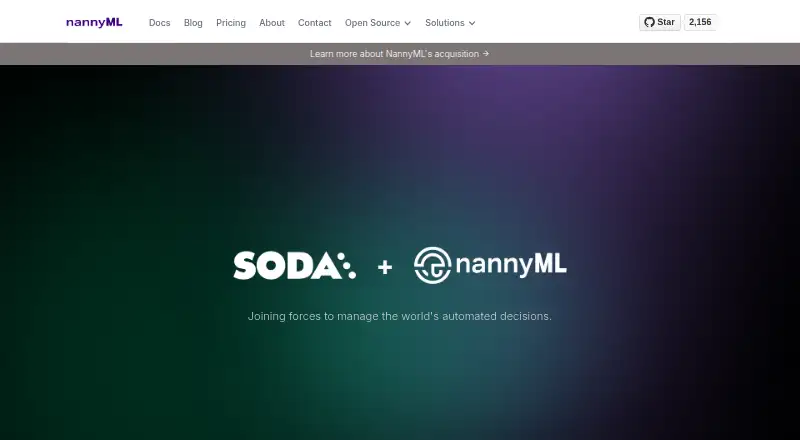
What NannyML is
NannyML monitors deployed machine-learning models and estimates their performance when ground-truth labels are delayed or unavailable. It detects concept drift and both multivariate and univariate data drift, then links alerts to changes in model performance. Data-quality checks and ranked drift alerts can help teams investigate which features may be associated with performance issues. Users can relate model performance to monetary or other business outcomes. NannyML Cloud provides webhooks for retraining actions and an SDK for automating monitoring-data ingestion, and is available through Azure and AWS marketplaces as SaaS or a managed application. In the managed-application option, the application and infrastructure are provisioned in the customer's cloud subscription. The Azure managed-application documentation describes encrypted traffic and disks, but automated backups were still being implemented; customers are advised to protect model inputs and outputs elsewhere. The open-source library installs with pip or conda. Direct local uploads through the Cloud UI require files smaller than 100 MB.
Good
- Estimates performance without immediate ground-truth labels.
- Detects concept, multivariate, and univariate drift.
- Links drift alerts to performance changes.
- Supports webhook-triggered retraining actions.
- Open-source library installs with pip or conda.
Watch out
- Cloud UI local uploads must be smaller than 100 MB.
- Azure managed-application automated backups were still being implemented.
- Starter plan lists a two-model limit.
- Starter plan costs $399 a month.
Who it suits
NannyML suits teams that need to monitor deployed models when ground truth is delayed or absent, and connect model performance with business outcomes. It can also suit teams looking for self-managed open-source installation or Cloud deployment.
Verdict
NannyML combines drift monitoring, performance estimation, and data-quality checks for deployed models. Check the plan limits and Azure backup caveat against your deployment needs.
Plans and prices
From NannyML's own pricing page, checked 15 Oct 2026.
| Plan | Price | What it gives you |
|---|---|---|
| Open Source | Free | self-managed · core monitoring algorithms |
| Starter (beta) | $99 a month | 2 models · 1 submodel · unlimited users · 10 million rows · 200 features · 6-month retention · $99/additional model · $99/month |
| Starter | $399 a month | 2 models · 10 M predictions · email support · 30-day free trial · $399/month |
| Scale | $999 a month | 6 models · private Slack · 30-day free trial · $999/month |
| Pro (beta) | $3,800 a month | 10 models · 1 submodel · unlimited users · unlimited rows · unlimited features · 6-month retention · $99/additional model · deployed in your cloud · $3800/month |
| Enterprise | Priced on request | unlimited models · unlimited predictions · 24/7 support · 30-day free trial · Contact us |
| Enterprise (beta) | Priced on request | custom models, submodels, users and retention · unlimited rows and features · Get a Quote |
The facts
Each one read from NannyML's own pages, with the date it was checked.
What it does
- Alert ranking
- NannyML ranks drift alerts by linking them to observed performance changes and affected features.checked 15 Oct 2026
- API and SDK
- The Python Cloud SDK can create monitoring models, ingest inference data, add delayed targets and trigger analyses using an API token.checked 15 Oct 2026
- Automation
- NannyML Cloud supports webhooks to trigger retraining actions and an SDK to automate monitoring data ingestion.checked 29 Sep 2026
- Azure authentication
- Azure managed deployments support basic authentication, Azure Entra integration or no authentication.checked 15 Oct 2026
- Business impact
- Users can connect model performance to monetary or other business outcomes through business-value calculations.checked 15 Oct 2026
- Cloud marketplaces
- NannyML Cloud is available through the Azure and AWS marketplaces, with SaaS and managed-application deployment options.checked 29 Sep 2026
- Concept drift
- NannyML measures whether concept drift is affecting model performance and uses this as a retraining signal.checked 15 Oct 2026
- Data locality
- For the managed-application deployment, NannyML says the application and required infrastructure are provisioned within the customer's Azure or AWS subscription.checked 29 Sep 2026
- Data quality
- The product performs continuous data-quality checks on model inputs and outputs.checked 15 Oct 2026
- Deployment choices
- The cloud product can run as a managed application inside a customer Azure or AWS subscription or as vendor-hosted SaaS.checked 15 Oct 2026
- Documentation depth
- Documentation includes tutorials for tabular, text and computer-vision models, custom metrics, reporting, deployment, SDK usage and API reference.checked 15 Oct 2026
- Drift monitoring
- NannyML detects concept drift and multivariate and univariate data drift, and relates drift alerts to changes in model performance.checked 29 Sep 2026
- Funding
- An October 2024 European Innovation Council list names NannyML NV's EU-AURA project for blended finance funding consideration.checked 15 Oct 2026
- Input limits
- The Cloud UI accepts direct local dataset uploads only when the file is smaller than 100 MB.checked 29 Sep 2026
- Installation
- The open-source library can be installed with pip, Conda, Docker or directly from the Git repository.checked 15 Oct 2026
- Integrations
- NannyML Cloud is offered through both Azure Marketplace and AWS Marketplace.checked 15 Oct 2026
- Limit: limited independent validation
- CheckThat reports no presence on G2, Capterra or TrustRadius and no publicly named customer case studies.checked 15 Oct 2026
- Limit: pricing complexity
- The official pricing page simultaneously presents $399/$999 plans and a separate beta table with $99 and $3,800 tiers.checked 15 Oct 2026
- Multivariate drift
- Multivariate drift detection is intended to reveal data-structure changes that univariate tests may miss.checked 15 Oct 2026
The company
- Company headquarters
- NannyML is headquartered in Leuven, Vlaams-Brabant, Belgium.checked 15 Oct 2026
- Company legal name
- Crunchbase lists the legal name as NannyML NV and operating status as closed under Soda.checked 15 Oct 2026
- Company mission
- NannyML describes its work as building a post-deployment data-science toolkit for monitoring what matters after model deployment.checked 29 Sep 2026
- Company size
- LinkedIn lists the company size as 2–10 employees and shows Leuven as headquarters.checked 15 Oct 2026
- Founded
- Belgian company records state that NannyML was established on 19 March 2020.checked 15 Oct 2026
The full review of NannyML
NannyML monitors machine-learning models after deployment, especially for teams that need to assess performance before labels arrive. Its strongest case is connecting drift signals to estimated performance and business impact; its managed-cloud terms and plan limits deserve a close look before committing.
Overview
Production models can change before ground truth is available to confirm whether outcomes have worsened. NannyML estimates performance during that gap and relates drift alerts to performance changes, giving model owners more context than a drift signal alone. Business-oriented or monetary measures can also help frame model changes in terms stakeholders can act on.
The package combines monitoring with data-quality checks and ranked alerts that help identify features associated with performance issues. These capabilities support investigation, but teams still need to interpret the signals and decide what to do.
Key features
- Performance estimation and drift: NannyML estimates model performance when ground truth is delayed or absent, and detects concept drift plus multivariate and univariate data drift. Connecting alerts to performance changes is useful when teams need to prioritize which shifts warrant attention.
- Business impact: Users can tie model performance to monetary or other business-oriented outcomes. That is useful for communicating operational consequences, rather than treating every detected change as equally important.
- Investigation and data quality: Data-quality checks and ranked drift alerts help point toward features associated with performance issues. They narrow the investigation, rather than supplying a complete root-cause answer.
- Automation and deployment: NannyML Cloud offers webhooks for triggering retraining actions and an SDK for automating monitoring-data ingestion. Cloud marketplace options include SaaS and managed applications; in the managed-application option, the application and required infrastructure are provisioned inside the customer's Azure or AWS subscription.
- Security and backup caveat: For its Azure managed application, NannyML documents TLS-encrypted traffic, Azure-managed disks encrypted by default, and support-team access only after customer approval. Automated backups were still being implemented, so customers should safeguard model inputs and outputs elsewhere.
- Data and installation: Cloud UI uploads from a local dataset require files smaller than 100 MB. The open-source library installs with pip or conda, which suits teams that want a self-managed route.
Pricing
NannyML uses a freemium model, with a free self-managed Open Source plan and paid Cloud plans. The pricing note gives a starting price of $99/mo, while the named Starter plan is billed at $399/month; compare the applicable offer and limits before choosing a paid tier.
| Plan | Price and terms | What it suits |
|---|---|---|
| Open Source | free; self-managed. | A fit for teams prepared to install and manage the library themselves. It avoids a plan fee, but does not include the named Cloud-plan quotas and support terms. |
| Starter | $399/month; 2 models, 10 M predictions, email support, and a 30-day free trial. | A contained starting point for a small deployment within those model and prediction limits. The two-model cap makes it a poor fit for a larger portfolio. |
| Scale | $999/month; 6 models, monitor in your cloud, private Slack, and a 30-day free trial. | Better suited to teams needing monitoring in their own cloud and private Slack support, with room for more models than Starter. It remains capped at six models. |
| Enterprise | Custom pricing; unlimited models, unlimited predictions, 24/7 support, and a 30-day free trial. | The fit for deployments that exceed Scale's model allowance or need round-the-clock support; contact NannyML for pricing. |
Email support starts with Starter, private Slack with Scale, and 24/7 support with Enterprise. The 30-day trial applies to the named paid plans; the self-managed free plan is the no-fee option. The Cloud UI's local-upload limit is separate from plan quotas: uploaded files must be under 100 MB.
Platforms
NannyML supports API, Linux, self-hosted, and web use. The open-source library is installable with pip or conda, while Cloud is offered through Azure and AWS marketplaces as SaaS or a managed application. The managed application keeps its application and required infrastructure within the customer's cloud subscription; the Azure backup caveat matters for teams relying on that deployment.
Who it's for
NannyML is best for teams operating deployed ML models whose labels arrive late or are absent, and that need to connect drift with estimated performance and business impact. It is also a credible fit for organizations able to investigate ranked alerts and manage model inputs and outputs carefully. It is less compelling for teams seeking only a simple drift signal, or for Azure managed-application customers who require automated backups as part of the service.
Pros and cons
- Pros
- Estimates performance without immediate ground truth, helping teams monitor during delayed-label periods.
- Relates multiple kinds of drift to performance changes and business-oriented outcomes, supporting prioritization beyond raw alerts.
- Offers self-managed installation as well as Cloud deployment options, including deployment within a customer's Azure or AWS subscription.
- Starter and Scale state model and prediction limits, while Enterprise offers unlimited models and predictions.
- Cons
- Starter is limited to 2 models and 10 M predictions, and Scale to 6 models, so growing deployments may need Enterprise's custom pricing.
- Local dataset uploads through the Cloud UI must be smaller than 100 MB.
- Automated backups for the Azure managed application were still being implemented, requiring customers to protect inputs and outputs elsewhere.
- The free Open Source plan is self-managed, so teams seeking a managed service should weigh the paid-plan costs and limits.
Alternatives
Evidently AI is a reasonable alternative for teams that prefer a fully open-source Apache 2.0 framework, with API, Linux, macOS, self-hosted, web, and Windows platforms. Deepchecks may suit teams whose needs fit its free Basic allowance of up to 3 seats, 1 AI application, 5K DPUs per month, 3 months of data retention, and unlimited prompt-based metrics.
Opik is worth considering for teams seeking an open-source core observability and evaluation feature set they can download and run locally. Amazon SageMaker Autopilot is an option for buyers preferring pay-as-you-go pricing with no minimum fees or upfront commitments.
Arthur has a free plan with stated caps including 4 use cases, 1 organization, 1 workspace, 2 projects, 7-day data retention, and 5k jobs. Galileo may fit teams seeking its Pro plan at $100 a month billed yearly, with 50,000 traces per month, standard RBAC, advanced analytics and insights, and dedicated Slack support.
Arize AX offers a free SaaS tier with 10 issues per month, 25k trace spans per month, 1 GB ingestion per month, 15-day retention, and unlimited users and evals. Fiddler AI is another freemium alternative.
For broader comparisons, browse Machine Learning Model Monitoring Software or Model Monitoring Software.
Verdict
Choose NannyML if your team needs to monitor deployed models through delayed labels and wants drift interpreted alongside estimated performance and business impact. Its self-managed library and cloud deployment choices add flexibility, but the named paid tiers impose clear model limits and the Azure managed-application backup caveat is material. Look elsewhere if those limits, the backup responsibility, or the cost of scaling do not fit your deployment.
Getting started
- Install the open-source library with pip or conda
- Use the self-managed Open Source plan
- Choose NannyML Cloud through the Azure or AWS marketplace
- Select SaaS or managed-application deployment
- Start a 30-day trial of a paid plan
- Use the web interface, API or SDK to provide monitoring data
Limits worth knowing
The Open Source plan is self-managed. Starter is limited to 2 models and 10 M predictions; Scale allows 6 models, while Enterprise lists unlimited models and predictions. Cloud UI local dataset uploads must be smaller than 100 MB.
Questions
Is there a free plan?
Yes. The Open Source plan costs nothing and is self-managed.
What do paid plans cost?
Starter is $399 a month and Scale is $999 a month. Enterprise pricing is listed as Contact us; the pricing note says paid plans start at 99 /mo.
Is a trial available?
Starter, Scale and Enterprise each include a 30-day free trial.
Which platforms are supported?
NannyML lists API, Linux, self-hosted and web platforms.
How can the open-source library be installed?
The library can be installed with pip or conda.
What support is included?
Starter includes email support, Scale includes private Slack, and Enterprise includes 24/7 support.
Alternatives to NannyML
- 1

Opik
Free planOpen sourceWebAPILinuxmacOS8.4From $19 a month - 2

Evidently AI
Free planOpen sourceWebAPILinuxmacOS8.3From $80 a month - 3

Deepchecks
Free planOpen sourceWebAPILinuxmacOS8.1Free plan - 4

SUPERWISE
Free planWebAPIExtensionLinux7.8From $9 a month - 5

Galileo
Free planWebAPISelf-hosted6.9From $100 a month - 6
Arize AX
Free planWebAPISelf-hosted6.8From $50 a month