Mobistro
Mobistro is operations software for food trucks, market stalls, mobile bars, and event catering.
What Mobistro is
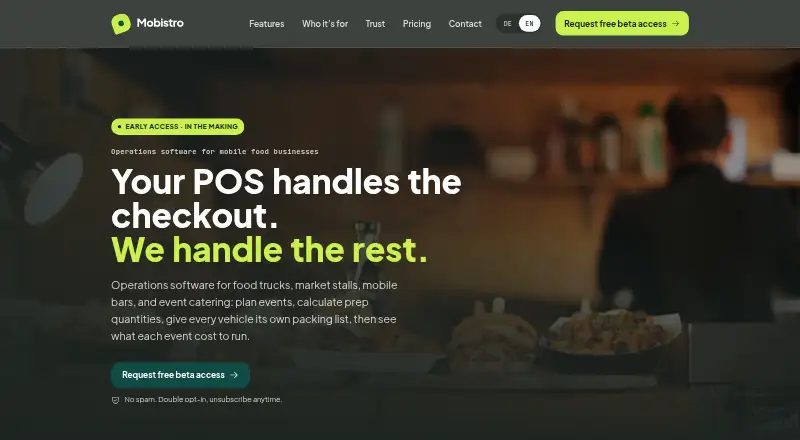
Mobistro is operations software for food trucks, market stalls, mobile bars, and event catering. It organizes events in calendar, list, and map views, with statuses, vehicle and crew assignments, times, and head counts. Operators can use recipes and planned servings to calculate preparation quantities, then transfer those quantities to a vehicle packing list. Inventory tracks consumables and equipment, minimum stock levels, vehicle and storage locations, and mapped CSV imports. Event planning includes revenue and costs, which operators can compare with actual results after wrap-up. Vehicle records include inspection and service dates, damage reports with photos and status, and cleaning dates and types. Mobistro complements an existing POS but does not handle checkout; it is also not accounting software and does not replace POS reporting. The maker says the service is GDPR-compliant and hosted in Frankfurt in the EU region eu-central-1. Selected operators in the US, UK, Switzerland, and Europe can request beta access.
Good
- Events can be organized in calendar, list, or map views.
- Recipes and servings calculate preparation quantities.
- Tracks vehicle service, damage, and cleaning records.
- Free beta does not require a credit card.
Watch out
- Does not handle checkout.
- Does not replace accounting software or POS reporting.
Who it suits
It suits solo operators and small teams running food trucks, drink stands, event catering, or market vending. It is intended to support operations alongside an existing POS, not replace checkout or accounting software.
Verdict
Mobistro brings event planning, preparation, inventory, and vehicle records together for mobile food and event operators. It is a complement to an existing POS, so confirm that arrangement fits your setup.
Plans and prices
From Mobistro's own pricing page, checked 7 Oct 2026.
| Plan | Price | What it gives you |
|---|---|---|
| Beta | Free | Free during beta · no credit card required · no automatic paid conversion |
| Smallest plan (after beta) | $22.99 a month | Starting price · plan scope to be explained before paid plans begin · per business per month |
The facts
Each one read from Mobistro's own pages, with the date it was checked.
What it does
- Audience
- The maker targets solo operators and small teams in food trucks, drink stands, event catering, and market vending.checked 7 Oct 2026
- Beta access
- Selected operators in the US, UK, Switzerland, and Europe can request free beta access.checked 7 Oct 2026
- Fleet management
- Vehicle records include inspection and service dates, damage reports with photos and status, and cleaning dates and types.checked 7 Oct 2026
- Integrations
- The product pages describe CSV inventory import and working alongside an existing POS; they do not name specific POS integrations.checked 7 Oct 2026
- Inventory
- Inventory supports consumables and equipment, minimum stock levels, vehicle and storage locations, and mapped CSV imports.checked 7 Oct 2026
- Limits
- Mobistro is not accounting software and does not replace POS reporting.checked 7 Oct 2026
- On-site use
- An iPad app for offline packing-list checks, leftovers, and photo reports is described as coming with the first release.checked 7 Oct 2026
- Product
- Mobistro is operations software for food trucks, market stalls, mobile bars, and event catering.checked 7 Oct 2026
- Security and hosting
- The maker says Mobistro is GDPR-compliant and hosted in Frankfurt, in the EU region eu-central-1.checked 7 Oct 2026
- Support
- The pricing page says the team usually replies to pricing or beta questions within two business days.checked 7 Oct 2026
Money
- Event costs
- Mobistro lets operators plan event revenue and costs and compare the plan with actual results after wrap-up.checked 7 Oct 2026
- Event planning
- It organizes events in calendar, list, and map views with statuses, vehicle assignments, crew, times, and head counts.checked 7 Oct 2026
- Prep planning
- Recipes and planned servings calculate preparation quantities, which operators can deliberately transfer to a vehicle’s packing list.checked 7 Oct 2026
The company
- Headquarters
- Limburg, Germanychecked 28 Sep 2026
Where it runs
- POS relationship
- Mobistro complements an existing POS and does not handle checkout.checked 7 Oct 2026
The full review of Mobistro
Mobistro is an operations hub for food trucks, market stalls, mobile bars, and event caterers. It fits solo operators and small teams coordinating several events, vehicles, and preparation tasks at once. The main reason to choose it is the connection between event plans, recipes, stock, and packing; businesses seeking checkout or accounting should look elsewhere for those functions.
Overview
Mobistro brings operational work into one web-based workspace. Event records hold dates, times, head counts, statuses, assigned crew, and vehicles, while preparation and inventory tools turn those plans into quantities and loadouts. That focus is practical for mobile businesses whose work changes from event to event and whose equipment and supplies move between storage and vehicles.
It is not a point-of-sale system and does not replace accounting or POS reporting. It is therefore best used beside an existing checkout system, with operators confirming that their current POS can supply any reporting they still need. The maker describes GDPR compliance and hosting in Frankfurt, in the EU region eu-central-1.
Key features
Events, menus, and preparation
Calendar, list, and map views let operators review the same schedule from different operational angles. Statuses, staffing, vehicle assignments, times, and guest counts make the event record useful for coordination rather than just date keeping. Menu and recipe management are included. Entering planned servings lets Mobistro calculate preparation quantities, and operators can intentionally transfer those quantities to a vehicle packing list. That handoff is valuable when a menu must become a precise loadout, while the deliberate transfer still leaves room for a manager to adjust what actually travels.
Stock and event finances
Inventory covers both consumables and equipment, with minimum-stock levels and separate vehicle or storage locations. Mapped CSV imports provide a route for bringing existing stock data into the system. Event revenue and costs can be planned, then compared with actual results after wrap-up. This supports event-level review and purchasing decisions, but it is not a substitute for accounting software.
Fleet and on-site work
Vehicle records include inspection and service dates, cleaning dates and types, and damage reports with photos and status. That makes maintenance and condition tracking part of the event workflow instead of a separate spreadsheet. An iPad app for offline packing-list checks, leftovers, and photo reports is described as coming with the first release, so operators should treat those capabilities as forthcoming rather than core web functionality today. Mobistro works alongside an existing POS; no named POS integrations are provided.
Pricing
The Beta plan is free during beta, costs nothing, requires no credit card, and does not automatically convert to a paid subscription. Selected operators in the US, UK, Switzerland, and Europe can request free beta access, making it the sensible way to assess fit before committing.
After beta, the smallest plan starts at $22.99 per business per month. The scope will be explained before paid plans begin, so this entry price should be read as a starting point rather than a complete feature or seat specification. The pricing page says the team usually answers pricing and beta questions within two business days. Operators needing a defined seat allowance, quotas, or renewal terms should confirm those points before subscribing.
Platforms
Mobistro is available on the web. An iPad app for offline on-site checks, leftovers, and photo reports is planned for the first release.
Who it's for
Choose Mobistro if you run a food truck, drink stand, market stall, or event-catering operation and need one place to coordinate events, recipes, stock, vehicles, and post-event costs. It is particularly relevant to solo operators and small teams that turn planned servings into vehicle-specific preparation lists. It is a poor fit as a standalone checkout, accounting, or POS-reporting replacement.
Pros and cons
Pros
- Event-to-packing workflow: planned servings become calculated preparation quantities and can be moved to a vehicle packing list.
- Mobile-operations coverage: event scheduling, inventory locations, fleet upkeep, and damage photos address the practical work around temporary venues.
- Useful event review: planned revenue and costs can be checked against actual results after an event.
- Low-risk entry: beta access is free, needs no card, and has no automatic paid conversion.
Cons
- No checkout or accounting: an existing POS and separate accounting workflow remain necessary.
- Integration uncertainty: CSV inventory import is described, but no specific POS integrations are named.
- Paid scope still needs confirmation: the 22.99 USD starting plan does not publish its full scope, seats, or quotas.
- Offline iPad work is not yet core: the packing, leftovers, and photo-report app is presented as forthcoming.
Alternatives
Event Catering Software is the broader category guide for comparing event-focused tools.
Eventifood suits teams wanting Android, iOS, desktop, and web access, with a free Pro Max PAYG plan that charges a 3.0% platform fee plus Stripe processing.
BanquetsCRM is the better starting point for CRM-led work such as events, leads, customers, invoices, venues, menus, and team management, with a free Core CRM plan.
Catertoo fits operators prioritizing proposals, e-signatures, and a menu builder; its free plan allows up to three events per month.
CartFlow is preferable when tightly stated free-plan caps for events, sales records, products, recipes, stock, venues, and tasks match your operation.
SendOrder is a stronger match for food costing, preparation conversion, inventory, recipes, orders, and expenses in one starter workflow.
Traqly is aimed at client and proposal management, with an Essentials plan capped at eight clients and four proposals per month.
Caterease is a paid, multi-platform option for businesses needing modular banquet and prospect-management tools.
FoodStorm is worth considering when a business wants order management priced around a demo and its requirements.
Verdict
Mobistro is a strong choice for small mobile-food and event teams that need to connect scheduling with recipes, stock movements, vehicle readiness, and event-cost review. Its operational focus and free beta make it easy to evaluate. Look elsewhere if you need built-in checkout, accounting, established POS integrations, or a fully specified paid plan before purchase.
Alternatives to Mobistro
- 1

Catertoo
Free planAndroidiOSWebAPI8.0From $39 a month - 2
Eventifood
Free planAndroidiOSWebLinux8.0From £30 a month - 3

BanquetsCRM
Free planAndroidiOSWeb7.4From $9.99 a month - 4
CartFlow
Free planAndroidiOSWeb7.3From 39 NZD a month - 5
Better Cater
AndroidiOSWebAPI7.2 - 6
CaterZen
AndroidiOSWeb7.1From $179 a month