
Mindomo
Mindomo is a mind-mapping and diagramming app for arranging ideas, notes, and plans.
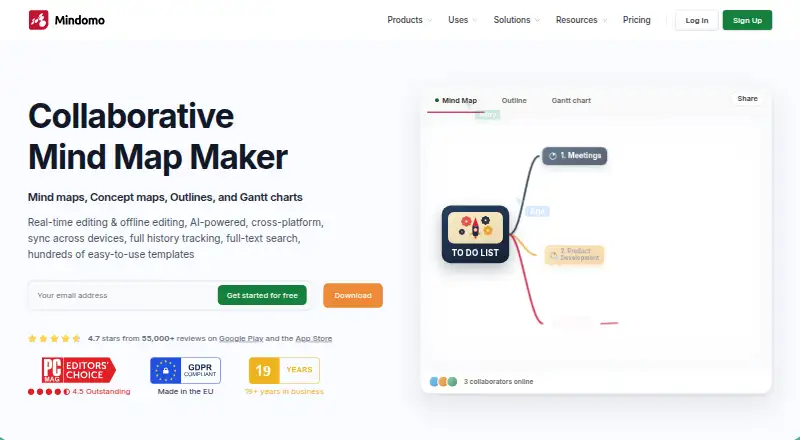
What Mindomo is
Mindomo is a mind-mapping and diagramming app for arranging ideas, notes, and plans. It supports real-time collaboration, presentation mode, and AI assistance across web, Windows, macOS, Linux, iOS, and Android. Work can continue offline, with edits updating after a connection returns; its mobile apps also support capturing and editing notes with automatic synchronization. Sharing controls let users grant view-only access, editing access, or permission to create a separate copy. Integrations include Microsoft Teams, Google Classroom, LTI, Google Calendar, Outlook, Google Drive, OneDrive, and Dropbox. Mindomo offers hundreds of templates, plus video tutorials, a help center, and a forum. The free plan allows three diagrams, unlimited collaborators, and one AI credit for trying Mindomo AI; free mobile syncing is limited to three diagrams. Premium costs €6.00 per user per month and includes unlimited diagrams and 50 AI credits per month. Professional costs €13.50 per month and allows one user plus five guests. A free trial is available.
Good
- Real-time collaboration and presentation mode
- Offline edits update when a connection returns
- Sharing includes view-only, editing, and copy options
- Integrates with Teams, Google Drive, and Dropbox
- Hundreds of templates are available
Watch out
- Free accounts are limited to three diagrams
- Free mobile syncing covers only three diagrams
- The free plan includes one AI credit
Who it suits
Mindomo suits people who want to organize ideas visually, work with collaborators, and present diagrams. Offline editing and mobile note capture may help users who switch between devices or connections.
Verdict
Mindomo combines diagramming, collaboration, offline editing, and mobile apps. The free plan has firm diagram and mobile-sync limits; paid plans add unlimited diagrams and more AI credits.
Plans and prices
From Mindomo's own pricing page, checked 27 Sep 2026.
| Plan | Price | What it gives you |
|---|---|---|
| Free | Free | Includes 3 diagrams, unlimited collaborators, sharing, free templates, trial AI credits, and iOS and Android apps. · 3 diagrams · Shown as USD 0 per free on our read (localised); USD price not displayed to our checker |
| Premium | €6 a month | Includes cloud, mobile, and desktop access, unlimited diagrams, 50 AI credits per month, attachments, printing, 10 export formats, Teams integration, and API access. · 50 AI credits/month · 10 export formats · 14 import formats · billed monthly |
| Professional | €13.50 a month | Includes premium features, guest editing, premium sharing, Gantt Charts, 20 export formats, and business templates. · 1 user · 5 guests · 20 export formats · 14 import formats · 60 AI credits/month · 1 user + 5 guests |
The facts
Each one read from Mindomo's own pages, with the date it was checked.
What it does
- AI assistance
- Yeschecked 20 Sep 2026
- AI language support
- Mindomo AI can generate or translate diagrams in more than 30 or 50 languages, depending on the feature.checked 27 Sep 2026
- Export formats
- Professional includes 20 export formats, including PDF, Word, PowerPoint, Project, Excel, HTML, images, Markdown, and MindManager.checked 27 Sep 2026
- Offline editing
- Mindomo supports editing without a network connection and updates changes when online.checked 27 Sep 2026
- Offline mode
- Yeschecked 20 Sep 2026
- Presentation mode
- Presenter mode turns diagrams into structured slideshow presentations.checked 27 Sep 2026
- Professional guests
- Professional supports 1 user plus 5 guests per month.checked 27 Sep 2026
- Real-time collaboration
- Multiple users can co-edit diagrams simultaneously from any location.checked 27 Sep 2026
- Security controls
- Security features include SAML SSO, audit logs, access controls, guest editing controls, and password-protected diagrams.checked 27 Sep 2026
- Sharing permissions
- Sharing permissions include view only, view and edit, or copy to edit separately.checked 27 Sep 2026
- Supported integrations
- Integrations include Microsoft Teams, Google Classroom, LTI, Google Calendar, Outlook, Google Drive, OneDrive, and Dropbox.checked 27 Sep 2026
- Support resources
- Support resources include video tutorials, a help center, and a forum.checked 27 Sep 2026
- Template library
- Mindomo offers hundreds of templates for different scenarios.checked 27 Sep 2026
The company
- Founded
- 2007checked 23 Sep 2026
- Headquarters
- Timisoara, Romaniachecked 23 Sep 2026
Money
- Free AI credit
- The free plan includes 1 AI credit for testing Mindomo AI.checked 27 Sep 2026
- Free collaborators
- The free plan includes unlimited collaborators.checked 27 Sep 2026
- Free diagram limit
- Free accounts include 3 diagrams.checked 27 Sep 2026
- Free mobile sync
- Free mobile syncing is limited to 3 diagrams for cross-device access.checked 27 Sep 2026
- Free plan
- Yeschecked 20 Sep 2026
Where it runs
- Mobile apps
- Android and iOS apps support capturing and editing notes with automatic synchronization.checked 27 Sep 2026
- Supported platforms
- Mindomo is available on web, desktop, and mobile apps, including Windows, macOS, Linux, Android, and iOS.checked 27 Sep 2026
The full review of Mindomo
Overview
Mindomo is a diagramming workspace for people who want to build and share visual plans across desktop, web, and mobile. It is especially suited to teams and educators who need collaboration alongside offline editing, though free users face a small diagram allowance and restricted mobile sync.
Key features
Mindomo combines mind mapping and diagramming with presentation mode, real-time collaboration, and hundreds of templates. That makes it useful for turning a blank page into a structured map or presenting one to others; the template breadth is a practical starting point, not a substitute for choosing the right plan if you need more than three diagrams.
Sharing controls offer view-only access, editing, or a separate copy for someone to edit independently. Free accounts can include unlimited collaborators, so the diagram cap—not the number of people invited—is the main constraint for a small group trying the service. Professional instead provides one user and five guests per month, including guest editing.
Offline editing lets users continue changing diagrams without a network connection and sync those changes when back online. Android and iOS apps support capturing and editing notes with automatic synchronization, but free mobile syncing is capped at three diagrams for cross-device access. Mindomo also connects with Microsoft Teams, Google Classroom, LTI, Google Calendar, Outlook, Google Drive, OneDrive, and Dropbox. Its export choices include PDF, DOCX, PPTX, PNG, HTML, OPML, and XML among a wider set of formats.
Mindomo AI can generate or translate diagrams in more than 30 or 50 languages, depending on the feature. Free includes one AI credit for testing; Premium includes 50 credits per month and Professional 60, so frequent AI use points toward a paid plan. Security controls include SAML SSO, audit logs, access controls, guest editing controls, and password-protected diagrams.
Pricing
Mindomo is freemium. Free costs €0.00 per free and includes three diagrams, unlimited collaborators, sharing, free templates, trial AI credits, and iOS and Android apps. It is a reasonable way to try the workflow, but the three-diagram ceiling and three-diagram mobile-sync limit make it a poor fit for an expanding personal library.
Premium costs €6.00 per month, billed monthly. It adds unlimited diagrams, cloud, mobile, and desktop access, 50 AI credits per month, attachments, printing, 10 export formats, Teams integration, and API access. This is the clearest step up for an individual who has outgrown the free cap; Professional is not necessary if guest editing, Gantt Charts, and a larger export selection are not priorities.
Professional costs €13.50 per month and covers one user plus five guests per month. It includes Premium features, guest editing, premium sharing, Gantt Charts, 20 export formats, business templates, and 60 AI credits per month. The fixed guest allowance suits a small working group, but teams needing more seats should not assume this plan scales beyond that stated scope.
Platforms
Mindomo supports web, Windows, macOS, Linux, iOS, Android, and API access. The range is broad enough for mixed-device teams, while offline editing and mobile synchronization help keep work moving between connections.
Who it's for
Choose Mindomo if you need diagrams that can be collaboratively edited, presented, and accessed on multiple device types, particularly if offline work or education integrations matter. Free works for a limited set of diagrams and broad collaboration; Premium is better for an individual who needs an ongoing, unlimited diagram collection. Professional makes sense when one owner needs to work with up to five monthly guests and wants Gantt Charts or guest editing.
Look elsewhere if your priority is a generous free archive: Mindomo's three-diagram cap is restrictive for long-term use. Its paid plans also have specific user and guest scopes, so larger groups should compare those terms before committing.
Pros and cons
- Pro: Offline editing syncs changes once a connection returns, supporting work away from reliable internet.
- Pro: Free allows unlimited collaborators, so a small group can work together without a collaborator-count cap.
- Pro: Web, desktop, and mobile coverage plus numerous export formats support varied workflows.
- Con: Free is limited to three diagrams, with mobile sync likewise limited to three diagrams.
- Con: Free AI access is only one testing credit, while ongoing monthly credits require a paid plan.
- Con: Professional's allowance is one user plus five guests per month, not an open-ended team seat pool.
Alternatives
For a different mind-mapping option, compare Mind Mapping Software or AI Mind Map Tools. Xmind is another freemium choice for exploring classic and essential mapping features, with 10 online maps on its free plan. EdrawMind offers a free plan with 100 MB storage and 100 topics, which may suit users weighing those specific limits. GoMind has a free tier with core mapping, rich notes and layouts, and import and export workflows. MindMeister limits its free plan to three mind maps. Ayoa allows 10 mind maps on its free plan and combines mind mapping with task management, AI features, whiteboards, and collaboration on paid plans. MindGenius offers a 14-day free trial with full product capability and no credit card required, alongside a free plan limited to one project. Thortspace is another freemium option with a free license for public spheres. MindOnMap may suit someone looking for a free tier with three mind map files, up to 50 nodes per map, and access on two devices.
Verdict
Mindomo is a strong fit for an individual or small group that needs cross-platform diagramming, offline editing, and collaboration, with Professional adding a defined guest workflow. Its main reason to choose it is the combination of those capabilities; its main reason to look elsewhere is the restrictive free diagram limit or a need for more flexible team capacity.
Getting started
- Open the Mindomo website or install its Android, iOS, Linux, macOS or Windows access
- Create a free account or start the available free trial
- Create up to three diagrams on the Free plan
- Invite collaborators with view, edit or copy-to-edit permissions
- Upgrade to Premium or Professional for additional diagrams, exports and features
Limits worth knowing
The Free plan includes three diagrams, one AI credit for testing, and mobile syncing for three diagrams. Premium costs €6 per user per month with unlimited diagrams and 50 AI credits monthly; Professional costs €13.50 per month for one user plus five guests.
Questions
Does Mindomo have a free plan?
Yes. The Free plan includes three diagrams, unlimited collaborators, sharing, free templates, one AI credit and iOS and Android apps.
How much do paid plans cost?
Premium is €6 per user per month. Professional is €13.50 per month for one user plus five guests.
Which platforms does Mindomo support?
Mindomo supports web, Windows, macOS, Linux, iOS, Android and an API.
Can Mindomo work offline?
Yes. You can edit without a network connection, and changes update when online.
What integrations are available?
Integrations include Microsoft Teams, Google Classroom, LTI, Google Calendar, Outlook, Google Drive, OneDrive and Dropbox.
What security controls does it provide?
Security features include SAML SSO, audit logs, access controls, guest editing controls and password-protected diagrams.
Alternatives to Mindomo
- 1
Mind Elixir App
Free planOpen sourceAndroidiOSWebAPI8.9From $19 a year - 2

Xmind
Free planAndroidiOSWebLinux8.8From $4.92 a month - 3

EdrawMind
Free planAndroidiOSWebLinux8.8Free plan - 4
GoMind
Free planAndroidiOSWebAPI8.7From $19.90 a year - 5

Coggle
Free planiOSWebAPIExtension8.6From $5 a month - 6
Mapify
Free planAndroidiOSWebExtension8.5From $5.99 a month