
Xmind
Xmind is a mind-mapping app with AI assistance, presentation mode, and real-time collaboration.
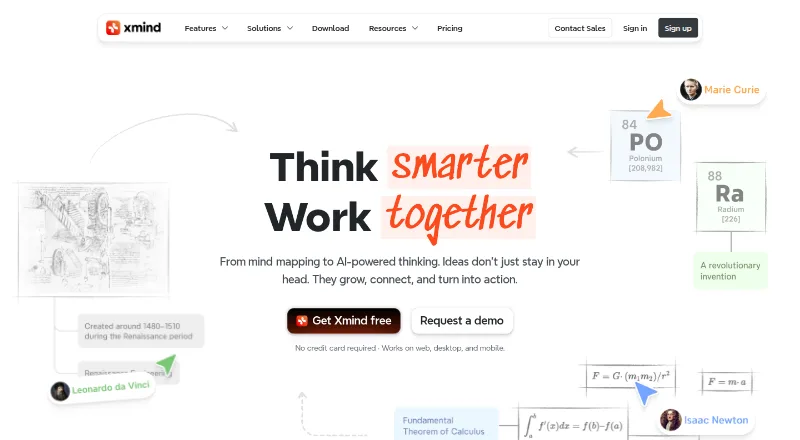
What Xmind is
Xmind is a mind-mapping app with AI assistance, presentation mode, and real-time collaboration. It runs on the web, Windows, macOS, Linux, iOS, and Android, and maps can be exported to formats including PNG, SVG, PDF, Markdown, Word, Excel, PowerPoint, OPML, TextBundle, and Text. The Free plan costs nothing and allows up to 10 manually created online maps, three-day version history, five Pitch slides, and 50 AI credits. Pro costs $4.92 a month and allows up to 50 online maps. Premium costs $8.25 a month and includes unlimited collaborative maps, 30-day history, and 500 AI credits each month; it offers a free trial. Premium users can export tasks to Calendar or Excel. Xmind says files are stored locally and synchronization uses AWS. Maps remain stored and accessible after a subscription expires, but paid features then become unavailable.
Good
- Runs on six listed platform types
- Offers presentation mode and real-time collaboration
- Exports to formats including PDF and OPML
- Free plan includes 50 AI credits
- Maps remain accessible after subscription expiry
Watch out
- Free plan is limited to 10 online maps
- Free version history lasts three days
- Free plan supports up to five Pitch slides
- Paid features become unavailable after subscription expiry
Who it suits
Xmind suits people who want to create and present mind maps across devices, with collaboration or AI assistance available on paid plans. Its export options may suit users who move map content into documents, spreadsheets, or other formats.
Verdict
Xmind offers mind mapping across web and mobile and desktop platforms, with collaboration and broad export options. The Free plan has defined map, history, and Pitch limits; compare those with Pro or Premium if you need more capacity or paid features.
Plans and prices
From Xmind's own pricing page, checked 27 Sep 2026.
| Plan | Price | What it gives you |
|---|---|---|
| Free | Free | For anyone to explore classic and essential mind mapping features. · 10 online maps · 3-day version history · 5 Pitch slides · 50 AI credits · billed monthly |
| Pro | $4.92 a month | For professionals using advanced features to enhance creativity and productivity. · 50 online maps · 50 AI credits · billed monthly |
| Premium | $8.25 a month | For power professionals using AI-powered features and collaboration. · Unlimited collaborative maps · 30-day version history · 500 AI credits per month · billed monthly |
The facts
Each one read from Xmind's own pages, with the date it was checked.
What it does
- After subscription
- Mind maps remain stored and accessible after subscription expiry, but paid features become unavailable.checked 27 Sep 2026
- AI assistance
- Yeschecked 20 Sep 2026
- Export formats
- PNG,SVG,PDF,Markdown,Word,Excel,PowerPoint,OPML,TextBundle,Textchecked 20 Sep 2026
- Local file storage
- Xmind says files are stored locally, while sync uses AWS for security and reliability.checked 27 Sep 2026
- Paid from
- 4.92checked 20 Sep 2026
- Premium AI credits
- Premium includes 500 AI credits every month.checked 27 Sep 2026
- Premium history
- Premium includes 30-day version history.checked 27 Sep 2026
- Premium maps
- Premium supports unlimited collaborative maps.checked 27 Sep 2026
- Presentation mode
- Yeschecked 20 Sep 2026
- Pro export formats
- Pro exports to PNG, SVG, PDF, Markdown, and Office Suite without a watermark.checked 27 Sep 2026
- Pro map limit
- Pro users can manually create up to 50 online maps.checked 27 Sep 2026
- Real-time collaboration
- Premium supports real-time collaboration and following another user's view.checked 27 Sep 2026
- Security certifications
- Xmind states that its infrastructure is ISO/IEC 27001 certified and SOC 2 Type II.checked 27 Sep 2026
- Support contact
- Users can contact support at [email protected].checked 27 Sep 2026
- Task integrations
- Premium users can export tasks to Calendar or Excel.checked 27 Sep 2026
The company
- Company name
- The page identifies the company as SUPERMIND PTE. LIMITED.checked 27 Sep 2026
- Headquarters
- Shenzhen, Guangdong, Chinachecked 23 Sep 2026
- Team features
- Xmind offers team spaces, real-time collaboration, and syncing across devices.checked 27 Sep 2026
Money
- Free AI credits
- Free users receive 50 Xmind AI credits.checked 27 Sep 2026
- Free history
- The Free plan includes 3-day version history.checked 27 Sep 2026
- Free map limit
- Free users can manually create up to 10 online maps.checked 27 Sep 2026
- Free Pitch limit
- The Free plan supports up to 5 Pitch slides.checked 27 Sep 2026
- Free plan
- Yeschecked 20 Sep 2026
Where it runs
- Supported platforms
- Xmind works on web, desktop, and mobile, and Premium supports mobile and desktop.checked 27 Sep 2026
The full review of Xmind
Xmind is a mind-mapping app for people who want to turn ideas, documents, or images into visual maps and work across devices. It suits individual planners and collaborative teams, though map and history caps make the Free plan best for trying the workflow rather than relying on it for a large, ongoing library.
Overview
Xmind combines manual mapping with document-to-map and image-to-map workflows, AI assistance, and presentation mode. Team spaces, real-time collaboration, and syncing across devices make it useful when a map needs to move between solo planning and shared work. Its range of export formats is a practical strength for people who need to take map content into other tools.
Xmind says files are stored locally and syncing uses AWS. It states that its infrastructure is ISO/IEC 27001 certified and SOC 2 Type II. The company is identified as SUPERMIND PTE. LIMITED, headquartered in Shenzhen, Guangdong, China; support is available at [email protected].
Key features
- Mapping from source material: Document-to-map and image-to-map support can help users start from existing material rather than building every map manually.
- Presentation mode: Maps can be presented as Pitch slides. The Free plan allows up to five slides, a modest allowance for users who regularly present larger maps.
- AI assistance: AI credits are included across plans, but the allowance differs substantially: 50 on Free and Pro, and 500 per month on Premium.
- Collaboration and syncing: Team spaces and real-time collaboration support shared work, while cross-device syncing suits people who switch between platforms.
- Exports: Formats include PNG, SVG, PDF, Markdown, Word, Excel, PowerPoint, OPML, TextBundle, and Text. Pro exports PNG, SVG, PDF, Markdown, and Office Suite files without a watermark, making it the clearer choice when clean exports are part of a regular workflow.
Pricing
Xmind is freemium, with a 7-day trial option for Premium. The plans are billed monthly at the stated rates.
- Free — free: Includes 10 manually created online maps, 3-day version history, up to five Pitch slides, and 50 AI credits. This is enough to explore mapping and presentation, but the map cap and short history window constrain ongoing use.
- Pro — $4.92 a month: Raises the manual online-map limit to 50 and includes 50 AI credits. Pro also provides watermark-free exports to PNG, SVG, PDF, Markdown, and Office Suite. It fits professionals who need more room than Free and regular clean exports, but it does not increase the stated AI allowance over Free.
- Premium — $8.25 a month: Includes unlimited collaborative maps, 30-day version history, and 500 AI credits per month. Premium suits power users and teams that need shared maps, longer history, or substantially more AI capacity. Premium users can also export tasks to Calendar or Excel.
After a subscription expires, mind maps remain stored and accessible, but paid features become unavailable. That preserves access to existing work, though users relying on paid capabilities should account for losing them at expiry.
Platforms
Xmind supports Android, iOS, Linux, macOS, Windows, and the web. This breadth is useful for households or teams with mixed devices and for users who move between desktop and mobile.
Who it's for
Xmind is a strong fit for people who organize complex ideas visually, convert source material into maps, or present map content. Pro is the practical step up for professionals who outgrow the 10-map Free cap or need watermark-free exports. Premium is better suited to shared work and heavier AI use. Users who need neither collaboration nor more capacity can stay on Free, provided the history and Pitch limits are acceptable.
Pros and cons
- Pros: Broad platform support makes it workable across mobile, desktop, and web; multiple export formats help maps travel into documents and presentations; Premium combines unlimited collaborative maps with 30-day history and 500 monthly AI credits.
- Cons: Free is capped at 10 online maps and three days of history, so it is restrictive for a growing archive; Free Pitch is limited to five slides; Pro keeps the same 50-credit AI allowance as Free, so AI-heavy users need Premium.
Alternatives
For a different mind-mapping option, consider EdrawMind, which has a free plan and a listed Individual plan at $4.90 a month billed annually. Mindomo is another freemium alternative with support across web, desktop, and mobile platforms.
If AI-specific mapping is the priority, Mapify offers a free tier with one-time AI credits and document and YouTube-to-map quotas. MindMap AI has a free tier with unlimited projects, manual edits, and file storage, plus 50 AI credits per month.
SpawnGraph is a freemium option for Linux, web, and Windows users. AmyMind offers a web and Apple-platform option with a paid Pro plan at $45 a year. Ayoa combines mind mapping with task management, AI features, whiteboards, and collaboration. MindMap Chat is a free option with no paid tier.
For more choices, browse AI Mind Map Tools or Mind Mapping Software.
Verdict
Choose Xmind if you want a cross-platform mapper with document and image conversion, wide export support, and a path from solo work to team collaboration. Its main drawback is the divide between a tightly capped Free plan and the paid features that unlock greater map capacity, longer history, and heavier AI use. If those limits fit, Free is a sensible start; teams and AI-heavy users should look to Premium, while users who need only more maps and clean exports can favor Pro.
Getting started
- Visit xmind.com.
- Use Xmind on the web or choose a listed platform: Windows, macOS, Linux, iOS, or Android.
- Start with the Free plan, or choose Pro or Premium.
- Use the Premium free-trial option if you want to try that plan.
Limits worth knowing
The Free plan allows up to 10 manually created online maps, three-day version history, five Pitch slides, and 50 AI credits. Pro allows up to 50 online maps; Premium provides unlimited collaborative maps, 30-day history, and 500 monthly AI credits.
Questions
Is Xmind free?
Yes. The Free plan costs nothing and includes up to 10 online maps, three-day version history, five Pitch slides, and 50 AI credits.
What do the paid plans cost?
Pro costs $4.92 a month. Premium costs $8.25 a month.
Is there a free trial?
The Premium plan offers a free trial option.
Which platforms does Xmind support?
Xmind is listed for web, Windows, macOS, Linux, iOS, and Android.
What can maps be exported as?
Formats include PNG, SVG, PDF, Markdown, Word, Excel, PowerPoint, OPML, TextBundle, and Text.
What happens to maps after a subscription expires?
Mind maps remain stored and accessible, but paid features become unavailable.
Alternatives to Xmind
- 1
Mind Elixir App
Free planOpen sourceAndroidiOSWebAPI8.9From $19 a year - 2

EdrawMind
Free planAndroidiOSWebLinux8.8Free plan - 3

Mindomo
Free planAndroidiOSWebLinux8.7From €6 a month - 4
GoMind
Free planAndroidiOSWebAPI8.7From $19.90 a year - 5

Coggle
Free planiOSWebAPIExtension8.6From $5 a month - 6
Mapify
Free planAndroidiOSWebExtension8.5From $5.99 a month