
Microsoft Authenticator
Microsoft Authenticator is a free smartphone app for iOS and Android that helps verify sign-ins.
What Microsoft Authenticator is
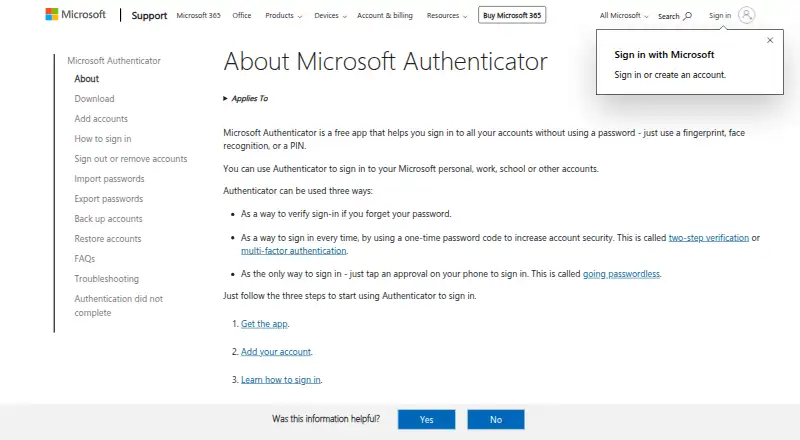
Microsoft Authenticator is a free smartphone app for iOS and Android that helps verify sign-ins. It can provide one-time password codes or let users approve sign-ins on their phone, and Microsoft Entra users can use device-bound passkeys for passwordless, phishing-resistant sign-in. The app supports Microsoft personal, work and school accounts, as well as other accounts. Push notifications work for Microsoft personal and work or school accounts, but not third-party accounts such as Google or Facebook. Verification codes work without an internet or data connection; sign-in notifications and responses require internet access. Passkeys use Apple Secure Enclave on iOS or hardware-backed storage on Android where supported. Microsoft documents FIPS 140-compliant cryptography for Microsoft Entra authentications on supported devices and app versions. When location is used for access policy, the country name may be stored and reported to an IT admin, while Microsoft says actual coordinates are not saved on its servers. The app is not available for PC or Mac. Authenticator autofill was discontinued in mid-August 2025.
Good
- Free app for iOS and Android
- Verification codes work without internet access
- Supports personal, work, school and other accounts
- Entra users can use device-bound passkeys
Watch out
- No PC or Mac version
- Third-party accounts do not get push notifications
- Sign-in notifications and responses need internet
- Authenticator autofill was discontinued
Who it suits
It suits people who want phone-based sign-in approvals or verification codes, including users of Microsoft personal, work or school accounts. It is not suited to someone looking for a PC or Mac app or continued Authenticator autofill.
Verdict
Microsoft Authenticator combines verification codes, phone approvals and Entra passkeys in a free mobile app. Account notification support varies, and the app is limited to smartphones.
Plans and prices
From Microsoft Authenticator's own pricing page, checked 11 Oct 2026.
| Plan | Price | What it gives you |
|---|---|---|
| Microsoft Authenticator | Free | Mobile app · iOS and Android |
The facts
Each one read from Microsoft Authenticator's own pages, with the date it was checked.
What it does
- Account types
- Authenticator supports Microsoft personal, work, school, and other accounts.checked 11 Oct 2026
- Autofill retirement
- Authenticator autofill was discontinued in mid-August 2025, and the Microsoft Autofill Chrome extension was retired on December 14, 2024.checked 11 Oct 2026
- Code type
- totpchecked 21 Sep 2026
- Desktop availability
- Microsoft says Authenticator is not available for PC or Mac and is designed for smartphones.checked 11 Oct 2026
- FIPS support
- Microsoft documents FIPS 140-compliant cryptography for Microsoft Entra authentications on supported iOS and Android devices and app versions.checked 11 Oct 2026
- Location information
- When location is used for access policy, the country name may be stored and reported to an IT admin, while Microsoft says actual coordinates are not saved on its servers.checked 11 Oct 2026
- Offline codes
- Verification codes do not require an internet or data connection, while sign-in notifications and responses do require an internet connection.checked 11 Oct 2026
- Passkeys
- Microsoft Entra users can use device-bound passkeys in Authenticator for passwordless, phishing-resistant sign-in.checked 11 Oct 2026
- Passwordless sign-in
- The app can verify sign-ins, provide one-time password codes, or let users approve sign-ins on their phone.checked 11 Oct 2026
- Security storage
- Authenticator passkeys are device-bound and use Apple Secure Enclave on iOS or Android hardware-backed storage where supported.checked 11 Oct 2026
- Support
- Microsoft's FAQ directs users whose questions are unanswered to the Microsoft Authenticator community forum.checked 11 Oct 2026
- Third-party notifications
- Push notifications work for Microsoft personal and work or school accounts, but not third-party accounts such as Google or Facebook.checked 11 Oct 2026
Money
- Free plan
- Yeschecked 21 Sep 2026
Where it runs
- Multi-device sync
- Nochecked 21 Sep 2026
- Push approvals
- Yeschecked 21 Sep 2026
- Supported platforms
- iOS,Androidchecked 21 Sep 2026
Alternatives to Microsoft Authenticator
- 1

Bitwarden
Free planOpen sourceAndroidiOSWebAPI9.3From $1.65 a month - 2

Duo Mobile
Free planAndroidiOS8.5From $3 a month - 3
SAASPASS Authenticator
Free planAndroidiOSWebExtension8.4From $1 a year - 4

LastPass
Free planAndroidiOSWebExtension8.4Free plan - 5
Yubico Authenticator
Free planAndroidiOSLinuxmacOS8.1Free plan - 6
HYPR Authenticate
AndroidiOSWebAPI8.1From $3 a month