MFAuth
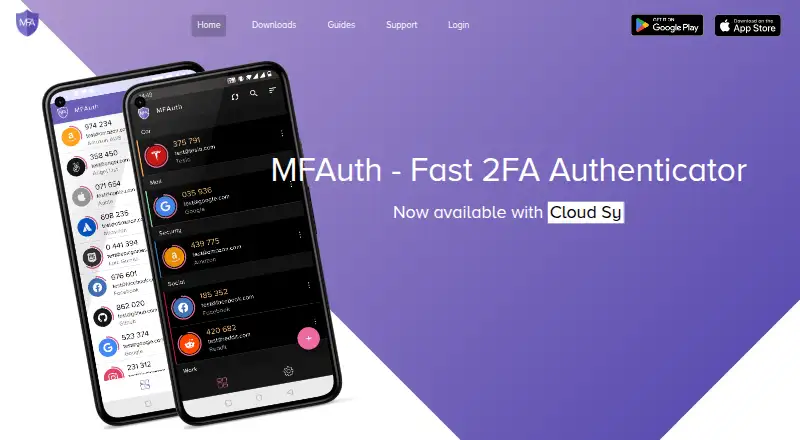
The facts below are what the maker publishes about MFAuth, checked and dated. Our editors have not written about it yet.
Plans and prices
From MFAuth's own pricing page, checked 11 Oct 2026.
| Plan | Price | What it gives you |
|---|---|---|
| Free plan | Free | Core authenticator is free; offline codes |
| Premium features | Priced on request | Cloud Sync and MFAuth Web are described as premium; exact price not stated |
The facts
Each one read from MFAuth's own pages, with the date it was checked.
What it does
- Account setup
- Accounts can be added by scanning a QR code, using an image, or entering the secret key manually.checked 11 Oct 2026
- Backup and sync
- MFAuth describes backup and restore to its cloud server, encrypted with a password chosen by the user, and cross-device synchronization.checked 11 Oct 2026
- Chrome extension
- The Chrome extension retrieves OTPs from an MFAuth Cloud account and is described as a supplement to the mobile app.checked 11 Oct 2026
- Code type
- totp and hotpchecked 22 Sep 2026
- Data safety
- Google Play reports that the app may share app information and performance data, may collect personal, financial, and app activity data, and encrypts data in transit.checked 11 Oct 2026
- Encrypted backup
- Yeschecked 22 Sep 2026
- Languages
- The app listing states that MFAuth supports eight languages.checked 11 Oct 2026
- Offline codes
- The app generates TOTP codes on the user’s device without an internet connection.checked 11 Oct 2026
- Organization tools
- The app provides labels and search to group and find accounts, plus customizable icons and home-screen widgets.checked 11 Oct 2026
- Premium features
- The app listing labels Cloud Sync and the browser version of MFAuth Web as premium features.checked 11 Oct 2026
- Purpose
- MFAuth generates time-based one-time passwords to add a second verification step to online accounts.checked 11 Oct 2026
- Support
- The app listing provides support at [email protected].checked 11 Oct 2026
- Supported algorithms
- The app listing says MFAuth supports HOTP and TOTP and works with services that support Google Authenticator.checked 11 Oct 2026
Where it runs
- Browser access
- The app listing says MFAuth Web works in Chrome, Firefox, Safari, and other major browsers.checked 11 Oct 2026
- Device security
- The app listing describes fingerprint biometrics and an option to block screenshots or other screen capture.checked 11 Oct 2026
- Multi-device sync
- Yeschecked 22 Sep 2026
- Published app update
- Google Play lists August 22, 2023 as the app’s update date.checked 11 Oct 2026
- Supported platforms
- android,web,Chrome extensionchecked 22 Sep 2026
Money
- Free plan
- Yeschecked 22 Sep 2026
The company
- Maker
- Google Play identifies the developer as Swapnil Jindal and lists an address in Rohini, Delhi, India.checked 11 Oct 2026
Alternatives to MFAuth
- 1

Bitwarden
Free planOpen sourceAndroidiOSWebAPI9.3From $1.65 a month - 2

Duo Mobile
Free planAndroidiOS8.5From $3 a month - 3
SAASPASS Authenticator
Free planAndroidiOSWebExtension8.4From $1 a year - 4

LastPass
Free planAndroidiOSWebExtension8.4Free plan - 5
Yubico Authenticator
Free planAndroidiOSLinuxmacOS8.1Free plan - 6
HYPR Authenticate
AndroidiOSWebAPI8.1From $3 a month