
MEmu Play
MEmu Play is free Android emulator software for Windows PCs.
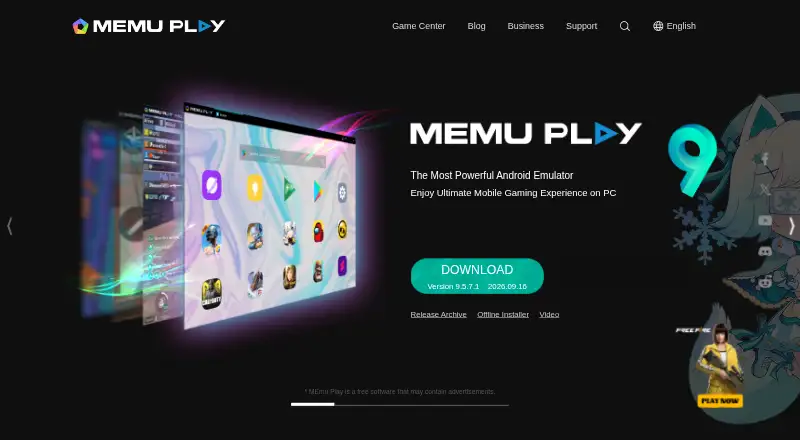
What MEmu Play is
MEmu Play is free Android emulator software for Windows PCs. It simulates Android so users can install, use, and uninstall apps, and find apps through Google Play. Apps and games can be controlled with a keyboard and mouse, with support for external controllers in some cases. Features include smart controls, keyboard mapping, macros, game automation, video recording, GPS simulation, and command-line scripts. Multi-instance mode can run multiple accounts for the same game or separate games in different instances. The maker describes enhanced OpenGL and DirectX 3D rendering for larger screens. MEmu Play requires Windows 7 or later, a 2-core Intel or AMD processor, enabled hardware virtualization, at least 2 GB RAM (4 GB for x64), and 5 GB of free disk space. The maker does not currently offer Mac or Linux versions. Its online installer includes ad plugins that users can reject; the maker describes the offline installer as a cleaner version.
Good
- Find apps through Google Play.
- Supports keyboard mapping and external controllers.
- Multi-instance mode supports multiple accounts or games.
- Includes video recording and GPS simulation.
Watch out
- Runs on Windows; Mac and Linux versions are unavailable.
- Requires hardware virtualization to be enabled.
- Online installer includes rejectable ad plugins.
- Free software may contain advertisements.
Who it suits
MEmu Play suits Windows users who want to run Android apps or games on a PC. Its multi-instance, keyboard, and controller features may be useful to people managing or playing across multiple app sessions.
Verdict
MEmu Play provides Windows users with Android app access and multiple control options. Check the stated hardware and virtualization requirements, and note the installer’s ad-plugin option.
Plans and prices
From MEmu Play's own pricing page, checked 19 Sep 2026.
| Plan | Price | What it gives you |
|---|---|---|
| Free | Free | Free to use · Supported by advertisements |
| MEmu Play | Free | Free software; may contain advertisements |
The facts
Each one read from MEmu Play's own pages, with the date it was checked.
What it does
- Business customization
- Business services include removing advertisements and customizing a program's icon, interface, and functions.checked 2 Oct 2026
- Business use
- MEmu for Business offers Android APK packaging as Windows software, customized device profiles, multiple instances and synchronization, automation and macro scripts, and MEMUC command and ADB support.checked 2 Oct 2026
- Controls
- Users can control apps and games with a keyboard and mouse, and sometimes with external controllers.checked 2 Oct 2026
- Features
- Features include smart controls, multiple instances, macro keymapping, controller support, game automation, video recording, GPS simulation, and command-line scripts.checked 2 Oct 2026
- Gamepad support
- Yeschecked 19 Sep 2026
- Google Play support
- Yeschecked 19 Sep 2026
- Graphics
- The homepage describes enhanced OpenGL and DirectX 3D rendering effects for larger screens.checked 2 Oct 2026
- Installer note
- The maker says its online installer includes ad plugins that users can reject during installation and describes the offline installer as a cleaner version.checked 2 Oct 2026
- Integrations
- The maker's setup instructions say to run MEmu and find apps in Google Play; the product also supports ADB and MEMUC commands for business users.checked 2 Oct 2026
- Multi-instance
- Yeschecked 19 Sep 2026
- Multiple accounts
- The homepage says users can run multiple accounts for the same game or play multiple games simultaneously in different instances.checked 2 Oct 2026
- Privacy
- The privacy policy says Microvirt follows the EU GDPR and describes collecting device, hardware, operating system, IP address, application activity, transaction, and country-level location information.checked 2 Oct 2026
- Product
- MEmu is Android emulator software that simulates Android OS on a PC and lets users install, use, and uninstall Android applications.checked 2 Oct 2026
- Requirements
- Minimum requirements include a 2-core x86 or x86_64 Intel or AMD processor, Windows 7 or later, enabled hardware virtualization, 2 GB RAM (4 GB for x64), and 5 GB of free disk space.checked 2 Oct 2026
- Support
- Support is offered through the MEmu Support site, Facebook Group, Discord, and [email protected].checked 2 Oct 2026
The company
- Company history
- Microvirt says it started in 2014 and launched MEmu Play in 2015.checked 2 Oct 2026
- Founded
- 2014checked 28 Sep 2026
Where it runs
- Desktop platforms
- Windowschecked 19 Sep 2026
- Keyboard mapping
- Yeschecked 19 Sep 2026
- Platform support
- MEmu Play runs on Windows; the maker says it does not currently offer Mac or Linux versions.checked 2 Oct 2026
Money
- Free plan
- Yeschecked 19 Sep 2026
The full review of MEmu Play
MEmu Play is a Windows Android emulator for installing and running mobile apps on a PC. It suits gamers and power users who need keyboard, controller, multi-instance, or automation controls. The free software is compelling for that focused use, but its Windows-only scope and advertising require a deliberate choice.
Overview
MEmu recreates an Android environment on Windows, allowing applications to be installed, used, and removed, including through Google Play. Its multi-instance mode is more than a convenience: separate instances can run different games or accounts simultaneously, which is useful for players managing several profiles or titles. For occasional access to one mobile app, however, the gaming-oriented controls may be more than you need.
Microvirt began in 2014 and launched MEmu Play in 2015. The product remains focused on Windows rather than offering a Mac or Linux edition.
Key features
Keyboard and mouse control, smart controls, keyboard mapping, and gamepad support translate touch-based apps into PC-friendly input. That makes MEmu a practical option for games where physical keys or a controller are preferable to tapping a phone screen. Macro keymapping and game automation can reduce repetitive actions, while video recording and GPS simulation serve more specialized gaming and app-use cases.
Command-line scripts add another layer for users who want repeatable workflows. Multiple instances can be synchronized, and users can keep several games or accounts active in parallel. These tools give MEmu a broad control surface, but they also make it less attractive as a minimal emulator for a single, occasional app.
The homepage describes enhanced OpenGL and DirectX 3D rendering for larger displays. Business customers can package Android APKs as Windows software, define custom device profiles, use synchronized instances and macro scripts, and work with MEMUC commands and ADB. Business services can also remove advertisements or customize the program's icon, interface, and functions. Those commercial options are aimed at deployment and integration rather than ordinary home use.
Pricing
MEmu Play is free to use. The Free plan costs nothing and is supported by advertisements; the MEmu Play plan is also free and may contain advertisements. There is no paid consumer tier described, so users get the same zero-price positioning without a subscription commitment, while accepting advertising in the software.
The online installer includes ad plugins, which users can reject during setup. The maker describes the offline installer as a cleaner version, making it the preferable route for anyone who wants to minimize bundled installation choices. Business customization and packaging services are separate commercial offerings with custom pricing.
Platforms
MEmu Play runs on Windows 7 or later and has no current Mac or Linux version. Minimum hardware is a two-core x86 or x86_64 Intel or AMD processor, enabled hardware virtualization, 2 GB of RAM (4 GB for x64), and 5 GB of free disk space. Virtualization and memory requirements matter particularly when running multiple instances, so older or tightly configured PCs may not be a good fit.
Who it's for
MEmu is best for Windows gamers who want mapped keyboard controls, gamepad input, multiple accounts, or automation. It also suits developers and businesses that need APK packaging, custom device profiles, ADB, or MEMUC command access. Choose another emulator if you need macOS or Linux support, or if you want a simpler app runner without gaming and automation features. Privacy-conscious users should review the policy: Microvirt says it follows EU GDPR and collects device, hardware, operating-system, IP-address, application-activity, transaction, and country-level location information.
Pros and cons
Pros
- Free access: both listed consumer plans cost 0.00 USD, so there is no subscription barrier.
- Strong gaming controls: keyboard mapping, smart controls, gamepad support, macros, and automation address needs that touch-only use does not.
- Multi-instance support: separate games or accounts can run at the same time.
- Advanced tooling: recording, GPS simulation, scripts, ADB, and MEMUC broaden its usefulness beyond basic app launching.
Cons
- Windows only: Mac and Linux users need another product.
- Advertising: the free software may contain ads, and the online installer includes rejectable ad plugins.
- Hardware dependency: virtualization must be enabled, and x64 use requires 4 GB of RAM at minimum.
- Data collection: the privacy policy covers hardware, activity, transaction, IP, and country-level location data.
Alternatives
For broad category browsing, see Android emulators or Android Emulators for PC.
Android Emulator is the better choice when you need Android, Linux, macOS, and Windows coverage through Android Studio, provided your system has 16 GB of RAM and 16 GB of disk space.
Genymotion Desktop fits users who want Linux, macOS, or Windows support and a free personal-use edition, with an Educational plan at $49 a year.
BlueStacks App Player is an alternative freemium emulator for macOS and Windows, with a free core experience and a 7.99 USD monthly Prime plan.
NoxPlayer suits users seeking a free Windows or Mac emulator with keyboard-and-mouse mapping and multiple instances.
LDPlayer is a Windows-only freemium option with keyboard controls and multi-instance support.
Cuttlefish is a Linux, self-hosted alternative.
MuMu Player offers a freemium emulator across Android, iOS, macOS, and Windows.
Appetize is a web and API-oriented option with a free single-user tier limited to two active devices and 30 minutes refilled monthly.
Verdict
Choose MEmu Play if you use Windows and want free Android access with multiple instances, physical controls, and automation. Its main reason to choose it is the breadth of gaming and scripting controls at no consumer charge. Look elsewhere if you need macOS or Linux, want to avoid advertising, or prefer a lighter emulator with fewer setup and privacy considerations.
Alternatives to MEmu Play
- 1

Genymotion Desktop
Free planLinuxmacOSWindows8.2From $49 a year - 2

Android Emulator
Free planAndroidLinuxmacOSWindows7.9Free plan - 3

BlueStacks App Player
Free planmacOSWindows7.9From $7.99 a month - 4

Appetize
Free planAndroidiOSWebAPI7.9From $59 a month - 5

QEMU
Free planOpen sourceAPILinuxmacOSSelf-hosted7.8Free plan - 6
VMOS Cloud
AndroidiOSWebAPI7.5