LDPlayer
LDPlayer is a Windows Android emulator for running Android games and applications on a PC.
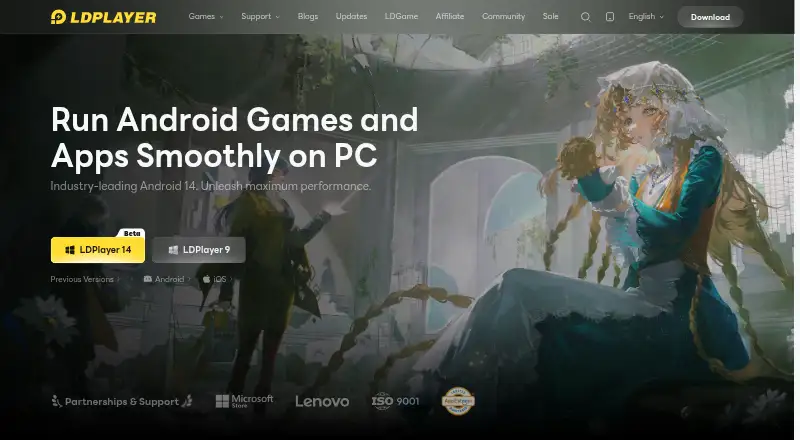
What LDPlayer is
LDPlayer is a Windows Android emulator for running Android games and applications on a PC. It supports Google Play, keyboard mapping, gamepads, root access, and multiple emulator instances. Its highlighted core is Android 14, and LDPlayer 14 Beta is also listed. Tools for automation include one-click macros, script recording, and auto click. The listed performance features include AOT, I/O passthrough, asynchronous rendering, and hardware passthrough. The free plan costs 0.00 USD and includes keyboard and mouse controls and multi-instance support. The site labels cloud game downloads and cloud game services as free. LD Premium removes emulator desktop ads and sponsored-app pop-ups; monthly and yearly subscription options are offered, but no prices are printed. Premium subscriptions are non-refundable except where applicable law requires otherwise. Support channels listed include email, Facebook, Discord, and LDGame customer service. The maker's headquarters are listed as Hong Kong.
Good
- Runs Android games and applications on Windows.
- Supports Google Play and gamepads.
- Includes multi-instance mode and root access.
- Offers macros, script recording, and auto click.
- Free plan costs 0.00 USD.
Watch out
- Available platform is Windows.
- Premium prices are not printed.
- Premium subscriptions are non-refundable except where law requires otherwise.
Who it suits
LDPlayer suits Windows users who want to run Android games or apps on a PC and use keyboard, gamepad, or automation controls. Its multi-instance support may suit users who need multiple emulator instances.
Verdict
LDPlayer combines Android emulation with game controls, multi-instance use, and automation features. The free plan has listed controls and multi-instance support, while Premium pricing is not provided and subscriptions have a restrictive refund policy.
Plans and prices
From LDPlayer's own pricing page, checked 19 Sep 2026.
| Plan | Price | What it gives you |
|---|---|---|
| Free | Free | Windows Android emulator · Keyboard and mouse controls · Multi-instance support |
| LD Premium | — | Ad-free emulator desktop · Monthly or yearly subscription options |
| LD Premium Monthly | — | Premium subscription; non-refundable except as required by applicable law. · billed monthly |
| LD Premium Yearly | — | Premium subscription; non-refundable except as required by applicable law. · billed yearly |
The facts
Each one read from LDPlayer's own pages, with the date it was checked.
Where it runs
- Android Version
- The latest highlighted core is Android 14, with LDPlayer 14 Beta listed.checked 28 Sep 2026
- Desktop platforms
- Windowschecked 19 Sep 2026
- Keyboard mapping
- Yeschecked 19 Sep 2026
- Keyboard Mapping
- Provides built-in keymapping presets for keyboard and mouse control.checked 28 Sep 2026
What it does
- Automation Features
- Includes one-click macros, script recording, and auto click.checked 28 Sep 2026
- Controller Support
- Supports direct game-controller connections and universal controller support.checked 28 Sep 2026
- Gamepad support
- Yeschecked 19 Sep 2026
- Google Play support
- Yeschecked 19 Sep 2026
- Multi-instance
- Yeschecked 19 Sep 2026
- Multi-Instance
- Supports unlimited multi-instance operation with synchronized windows.checked 28 Sep 2026
- Performance Features
- Uses AOT, I/O passthrough, asynchronous rendering, and hardware passthrough for performance.checked 28 Sep 2026
- Premium Ad Benefits
- Premium removes emulator desktop ads and sponsored-app pop-ups.checked 28 Sep 2026
- Premium Pricing
- Premium offers monthly and yearly subscription options, but no prices are printed.checked 28 Sep 2026
- Privacy Compliance
- The site links to a Privacy Policy and GDPR Privacy Notice.checked 28 Sep 2026
- Product Type
- Android emulator for PC users.checked 28 Sep 2026
- Publisher Partnerships
- Claims partnerships with hundreds of game publishers worldwide.checked 28 Sep 2026
- Refund Policy
- LDPlayer Premium subscriptions are non-refundable except where applicable law requires otherwise.checked 28 Sep 2026
- Related Products
- Related products include LDCloud, OSLink, EasyFun, and LDShop.checked 28 Sep 2026
- Root access
- Yeschecked 19 Sep 2026
- Support Channels
- Provides support email, Facebook, Discord, and LDGame customer service.checked 28 Sep 2026
The company
- Company Entities
- The site lists JUST OKAY LIMITED and XUANZHI INTERNATIONAL CO., LIMITED.checked 28 Sep 2026
- Headquarters
- Hong Kongchecked 28 Sep 2026
Money
- Free Access
- The page labels cloud game downloads and cloud game services as free.checked 28 Sep 2026
- Free plan
- Yeschecked 19 Sep 2026
The full review of LDPlayer
Overview
LDPlayer is a Windows Android emulator for running games and apps on a PC. It best suits players who want flexible controls, multiple emulator instances, or tools for automating repeat actions. Its appeal is gaming-oriented flexibility, but it is not an option for Mac or Linux users.
Key features
Google Play support gives users access to Android games and applications, while keyboard mapping and gamepad support let players choose PC-style input. Direct and universal controller support broaden those options. Root access is useful for users who need deeper configuration, though it will not matter to everyone.
Multi-instance mode lets users run separate emulator sessions, which is valuable for players managing more than one game or account at a time. One-click macros, script recording, and auto click can reduce repetitive input. These tools make LDPlayer a stronger fit for routine, repeated actions than for users who only need a basic way to open an Android app on a PC.
The highlighted core is Android 14, with LDPlayer 14 Beta also identified. AOT, I/O passthrough, asynchronous rendering, and hardware passthrough are performance-focused features. They add options aimed at smoother operation, but do not guarantee a particular result on every game or PC. LDPlayer also claims partnerships with hundreds of game publishers worldwide.
Cloud game downloads and cloud game services are free. Premium removes emulator desktop ads and sponsored-app pop-ups, so it is an optional upgrade for users who want a cleaner interface rather than a prerequisite for using the emulator.
Pricing
| Plan | Price | What it includes |
|---|---|---|
| Free | free | Windows Android emulator, keyboard and mouse controls, and multi-instance support. |
| LD Premium | Custom pricing | Ad-free emulator desktop; monthly or yearly subscription options. |
| LD Premium Monthly | Custom pricing | Premium subscription billed monthly. |
| LD Premium Yearly | Custom pricing | Premium subscription billed yearly. |
The free plan already includes the core controls and multi-instance support, making it the sensible starting point for most players. Premium mainly buys relief from desktop ads and sponsored-app pop-ups; it does not add a stated control or instance advantage. Premium subscriptions are non-refundable except where applicable law requires otherwise, so the recurring commitment deserves consideration before upgrading.
Platforms
LDPlayer runs on Windows. Its Android 14 core and Google Play support serve PC users seeking Android apps and games, but users who need macOS or Linux support should choose another emulator.
Who it's for
LDPlayer is a good match for Windows players who want to map keyboard controls, connect a gamepad, keep multiple Android sessions, or automate repetitive actions. It is less compelling for someone who needs only occasional app access, since its most distinctive features are gaming and session-management tools. Users who require a different desktop operating system should look elsewhere.
Pros and cons
- Pros: Free access includes keyboard and mouse controls and multi-instance support, so users do not need Premium for these key capabilities.
- Pros: Gamepad support, root access, macros, script recording, and auto click offer substantial flexibility for players with specialized control or repetition needs.
- Pros: Google Play support and an Android 14 core provide a direct route to Android games and apps on Windows.
- Cons: Windows-only support excludes users looking for a macOS or Linux emulator.
- Cons: Premium's main stated benefit is an ad-free desktop, and subscriptions cannot be refunded except where law requires.
- Cons: Premium uses monthly or yearly subscriptions with custom pricing, which makes the cost harder to weigh before subscribing.
Alternatives
- Android Emulators for PC is a useful category comparison for users who want to weigh PC-focused choices.
- Android emulators suits readers comparing emulators more broadly.
- Genymotion Desktop is worth considering for users who need Linux or macOS support, or who want a free personal-use edition and a separately priced educational plan at $49 a year.
- BlueStacks App Player is another freemium Windows and macOS option; its core experience is free, with BlueStacks Prime at $7.99 a month.
- GameLoop is a free Windows emulator for mobile games and apps, with Android also among its supported platforms.
- Android-x86 is a free, open-source option for users comfortable with a project licensed under Apache Public License 2.0 and some components under GNU GPL 2.0 or later.
- MEmu Play is a free Windows alternative, though its free software may contain advertisements.
- Google Play Games on PC is free to use; games or in-game items may cost extra.
- NovaPlay is a free Windows option requiring Windows 10/11 (64-bit) and hardware virtualization.
- MuMu Player supports Android, iOS, macOS, and Windows, with an auto-renewing monthly Premium membership whose price is shown before purchase.
Verdict
Choose LDPlayer if you use Windows and want a free Android emulator with configurable game controls, multi-instance support, and built-in automation. Its strongest reason to choose it is that these useful gaming features are available without Premium; look elsewhere if you need a non-Windows platform or want to avoid a Premium subscription with restrictive refund terms.
Alternatives to LDPlayer
- 1

Genymotion Desktop
Free planLinuxmacOSWindows7.4From $49 a year - 2

BlueStacks App Player
Free planmacOSWindows7.3From $7.99 a month - 3

MuMu Player
AndroidiOSmacOSWindows6.6 - 4
GameLoop
Free planAndroidWindows6.5Free plan - 5
Google Play Games on PC
Free planAndroidWindows6.3Free plan - 6

MEmu Play
Free planWindows6.3Free plan