MeetingSidekick
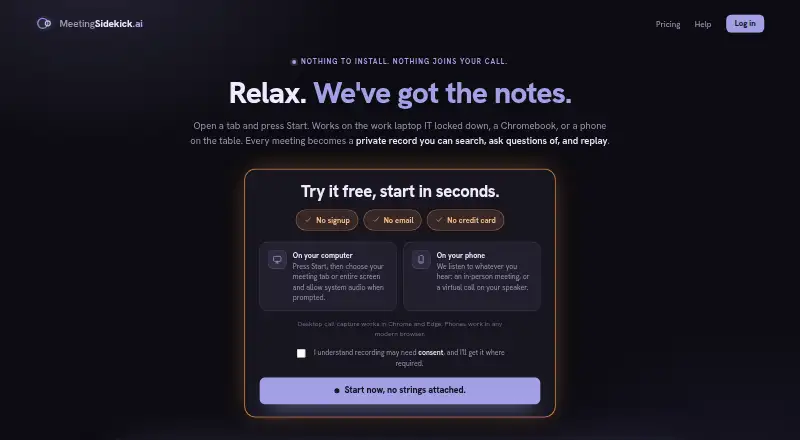
The facts below are what the maker publishes about MeetingSidekick, checked and dated. Our editors have not written about it yet.
Plans and prices
From MeetingSidekick's own pricing page, checked 11 Oct 2026.
| Plan | Price | What it gives you |
|---|---|---|
| Free | Free | 2 hours of recording |
| Pro | $15 a month | 30 hours of recording / month · speaker names on every transcript · search across all your meetings · meeting audio saved & replayable · or $120 / year · save 33% |
| Max | $50 a month | Unlimited recording / month · everything in Pro · paste screenshots into the meeting chat · or $400 / year |
| Hours pack | $9, paid once | 5 hours of recording · hours never expire · used after plan hours run out · paid once |
The facts
Each one read from MeetingSidekick's own pages, with the date it was checked.
Where it runs
- Browser requirements
- Desktop system-audio capture requires Chrome or Edge; phones work in modern browsers and record through the microphone.checked 11 Oct 2026
- Meeting platforms
- Zoom,Microsoft Teams,Google Meet,Webexchecked 20 Sep 2026
What it does
- Calendar integrations
- Nochecked 20 Sep 2026
- Data handling
- Meeting audio is stored encrypted at rest; transcription and AI processing involve listed providers including Deepgram, Groq and/or AssemblyAI, and Anthropic Claude.checked 11 Oct 2026
- Email recap
- Users can email themselves a recap containing the meeting transcript and summary, decisions, and action items.checked 11 Oct 2026
- Integrations
- The product has no CRM or team-workspace integrations and offers an email recap and share link.checked 11 Oct 2026
- Intended users
- The maker describes use on locked-down work laptops, Chromebooks, phones, and for in-person meetings such as lectures and interviews.checked 11 Oct 2026
- Meeting capture
- desktopchecked 20 Sep 2026
- Meeting types
- It works for in-person meetings and calls on Zoom, Teams, Webex, and Google Meet by capturing audio on the user's device.checked 11 Oct 2026
- No bot or install
- The product runs in a browser without a desktop app, browser extension, or bot joining the call.checked 11 Oct 2026
- Privacy
- The privacy policy says meeting content is not sold or used to train its own AI models, and users can delete meetings and their stored audio.checked 11 Oct 2026
- Product
- MeetingSidekick provides live meeting transcripts, one-click AI summaries with decisions and action items, and a chatbot for meeting questions.checked 11 Oct 2026
- Recording responsibility
- Users are responsible for obtaining any recording consent or giving disclosures required by applicable laws and workplace policies.checked 11 Oct 2026
- Search and replay
- Pro and Max include searching across meetings and replaying saved audio, while Free recordings are kept but locked from playback until upgrading.checked 11 Oct 2026
- Security
- The privacy policy states that passwords are hashed, production traffic uses HTTPS, and data access is limited.checked 11 Oct 2026
- Summaries and action items
- Yeschecked 20 Sep 2026
- Support
- The Help page directs users with unresolved microphone problems or questions to [email protected].checked 11 Oct 2026
- Transcription
- Yeschecked 20 Sep 2026
Money
- Free plan
- Yeschecked 20 Sep 2026
Alternatives to MeetingSidekick
- 1

Fellow
Free planAndroidiOSWebAPI9.1From $7 a month - 2

Avoma
Free planAndroidiOSWebAPI9.1From $19 a month - 3
tl;dv
Free planAndroidiOSWebAPI9.1From $18 a month - 4

Notta
Free planAndroidiOSWebExtension9.0From $8.17 a month - 5

Laxis
Free planAndroidiOSWebAPI9.0From $9.99 a month - 6

Fathom
Free planiOSWebAPIExtension9.0From $15 a month