
Materialize
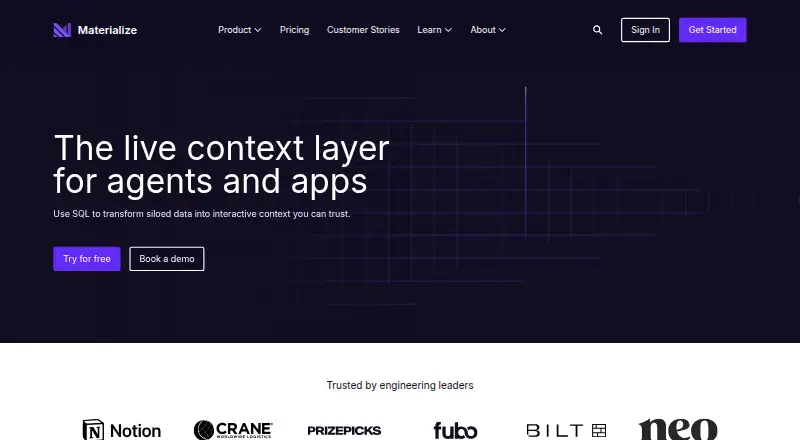
Materialize is a SQL-based live data layer for apps and AI agents.
What Materialize is
Materialize is a SQL-based live data layer for apps and AI agents. It incrementally updates query results as data arrives instead of recalculating them from scratch; connected sources appear as continually updating tables with sub-second freshness. SQL features include multi-way, lateral and outer joins, recursive SQL, and SUBSCRIBE for receiving query-result changes over a standard Postgres connection. Materialize is wire-compatible with PostgreSQL and supports compatible SQL clients and tools. Listed integrations include PostgreSQL, MySQL, SQL Server, CockroachDB, Kafka, Model Context Protocol, dbt and webhooks such as EventBridge and Segment. Transformed updates can be sent to downstream systems including Kafka and Apache Iceberg. Deployment options are managed Cloud, self-managed Kubernetes software and a Docker-based local development Emulator. The free self-managed Community Edition is limited to 24 GiB memory and 48 GiB disk. Cloud On-Demand is $1.50 per month, with compute, storage and networking usage-based; Cloud Capacity is $1.50 per year, with storage and networking billed separately.
Good
- Incrementally updates results as data arrives
- Sub-second freshness for connected sources
- PostgreSQL wire compatibility
- Managed and self-managed deployment options
Watch out
- Community Edition limited to 24 GiB memory and 48 GiB disk
- Cloud plans bill storage and networking separately
Who it suits
Materialize suits developers and data teams that need SQL-based, continually updated views for applications or AI agents. Its deployment options accommodate managed cloud, Kubernetes self-management and local Docker development.
Verdict
Materialize focuses on keeping SQL query results current as data changes, with PostgreSQL compatibility and several deployment choices. Review the Community Edition limits and cloud usage charges when choosing an option.
Plans and prices
From Materialize's own pricing page, checked 29 Sep 2026.
| Plan | Price | What it gives you |
|---|---|---|
| Community License | Free | Self-managed · up to 24GiB memory and 48GiB disk · chatbot and Community Slack support |
| Cloud Capacity | $1.50 a year | AWS regions: us-east-1, us-west-2, eu-west-1 · all cluster sizes · dedicated account team · guided onboarding · Annual plan; prepaid spend with volume discounts; storage and networking billed separately |
| Cloud On-Demand | $1.50 a month | AWS regions: us-east-1, us-west-2, eu-west-1 · all cluster sizes · chatbot and helpdesk support · Monthly billing, cancel anytime; compute, storage and networking usage-based |
| Enterprise License | — | Self-managed · unlimited scale · dedicated account team · guided onboarding and setup · Annual license; price based on memory and disk needs |
The facts
Each one read from Materialize's own pages, with the date it was checked.
What it does
- Cloud availability
- Materialize Cloud says it deploys across multiple availability zones with automatic failover.checked 29 Sep 2026
- Cloud security
- Materialize Cloud states it is SOC 2 Type II certified and encrypts data at rest and in transit, with isolated environments, network controls, audit logs and SQL-based RBAC.checked 29 Sep 2026
- Data freshness
- The product page says connected sources appear as continually updating tables with sub-second freshness.checked 29 Sep 2026
- Deployment
- Materialize is offered as a fully managed Cloud service, self-managed software for Kubernetes environments, and a Docker-based local development Emulator.checked 29 Sep 2026
- Destinations
- The product page says transformed updates can be sent to downstream systems including Kafka and Apache Iceberg.checked 29 Sep 2026
- Incremental updates
- Materialize incrementally updates results as it ingests data instead of recalculating results from scratch.checked 29 Sep 2026
- Integrations
- The integrations page lists PostgreSQL, MySQL, SQL Server, CockroachDB, Kafka, Model Context Protocol, dbt and webhooks, including EventBridge and Segment.checked 29 Sep 2026
- Product
- Materialize describes itself as a live data layer for apps and AI agents that creates up-to-the-second views using SQL.checked 29 Sep 2026
- SQL compatibility
- Materialize is wire-compatible with PostgreSQL and supports SQL clients and tools that support PostgreSQL.checked 29 Sep 2026
- SQL features
- Its product page lists multi-way, lateral and outer joins, recursive SQL, and SUBSCRIBE for receiving query-result changes over a standard Postgres connection.checked 29 Sep 2026
- Support
- Cloud On-Demand includes chatbot and helpdesk ticket support, while Cloud Capacity includes a dedicated account team and guided onboarding.checked 29 Sep 2026
- Usage limit
- The free self-managed Community Edition is limited to 24 GiB memory and 48 GiB disk.checked 29 Sep 2026
The company
- Founded
- 2019checked 28 Sep 2026
- Headquarters
- New York City, United Stateschecked 28 Sep 2026
The full review of Materialize
Overview
Materialize keeps SQL query results current as incoming data changes, making it a strong candidate for applications and AI agents that depend on fresh data. PostgreSQL compatibility and options for managed cloud, Kubernetes and local development give teams room to choose how they run it. Its appeal is clearest for continuously updated workloads; resource caps or usage-based cloud billing may make it a poor fit for teams seeking unrestricted self-management or a fixed monthly bill.
Key features
Materialize updates query results incrementally as data arrives rather than recalculating them from scratch. Connected sources appear as continually updating tables, with sub-second freshness. This is useful when applications need current results without repeatedly rebuilding them; for workloads that only need occasional refreshes, the emphasis on live updates may not justify choosing it.
SQL support includes multi-way, lateral and outer joins, recursive SQL, event-time windows and SUBSCRIBE, which delivers query-result changes through a standard PostgreSQL connection. PostgreSQL wire compatibility lets teams use compatible SQL clients and tools. Connectors cover PostgreSQL, MySQL, SQL Server, CockroachDB, Kafka, Model Context Protocol, dbt and webhooks, including EventBridge and Segment. Transformed updates can also go to downstream systems such as Kafka and Apache Iceberg.
Teams can use the fully managed Cloud service, self-managed software in Kubernetes environments, or a Docker-based Emulator for local development. Cloud has encryption at rest and in transit, isolated environments, network controls, audit logs and SQL-based role-based access control. Deployment across multiple availability zones with automatic failover strengthens its case for production workloads. Support differs by plan: On-Demand includes chatbot and helpdesk tickets, while Capacity adds a dedicated account team and guided onboarding.
Pricing
Materialize uses a freemium model, with a free plan, paid plans from $1.50 and a 7-day trial. The plans have distinct billing terms, so the entry price alone does not describe the likely cost of a cloud workload.
- Community License: free. This self-managed option includes chatbot and Community Slack support, but is capped at 24 GiB of memory and 48 GiB of disk. It suits evaluation and workloads within those limits; the caps constrain larger deployments.
- Cloud On-Demand: $1.50 a month, billed monthly and cancellable anytime. Compute, storage and networking are billed by usage, so it avoids an annual commitment but offers less cost predictability. It covers all cluster sizes in AWS regions us-east-1, us-west-2 and eu-west-1, with chatbot and helpdesk support.
- Cloud Capacity: $1.50 a year on an annual plan, as prepaid spend with volume discounts; storage and networking are billed separately. It covers all cluster sizes in the same three AWS regions and includes a dedicated account team and guided onboarding. This suits teams ready to commit annual spend, but separate storage and networking charges remain relevant.
- Enterprise License: custom pricing on an annual license based on memory and disk needs. Self-managed deployments have unlimited scale and include a dedicated account team, guided onboarding and setup. This is the option for organizations that need scale beyond Community Edition’s caps and can work with an annual license.
Platforms
Materialize supports API, Linux, self-hosted and web environments. Its hybrid deployment model spans managed cloud and self-managed Kubernetes, with the Docker-based Emulator for local development. That range helps teams choose between managed operations and running the software themselves, though the free self-managed edition remains resource-limited.
Who it's for
Materialize best suits teams building data-driven applications or AI agents that need continuously refreshed SQL results and already use PostgreSQL-compatible tools. It is less suitable when periodic batch updates are enough, when Community Edition’s memory and disk limits are too restrictive, or when usage-based cloud charges would undermine budget predictability.
Pros and cons
- Pro: Incremental updates and sub-second freshness keep query results current without rebuilding them from scratch.
- Pro: PostgreSQL wire compatibility, broad SQL features and integrations let teams work with familiar clients and a range of sources.
- Pro: Managed, Kubernetes and local Emulator options accommodate different deployment needs.
- Con: Community Edition is limited to 24 GiB memory and 48 GiB disk, restricting self-managed use at larger scale.
- Con: On-Demand compute, storage and networking charges are usage-based, and Capacity bills storage and networking separately.
- Con: Cloud availability is limited to three AWS regions: us-east-1, us-west-2 and eu-west-1.
Alternatives
Apache Flink is a free, open-source option under Apache License v2 for teams that want a Linux, API or self-hosted platform rather than Materialize’s managed cloud choices.
Feldera may suit teams looking for a free open-source edition with full SQL support, all connectors and datasets larger than memory; its open-source edition is limited to a single node and container.
Ververica Platform is another option to consider; its free Community Edition may require a license, and its license terms may restrict use.
Apache Beam suits teams seeking an open-source programming model, with execution costs depending on the runner and infrastructure they choose.
RisingWave is worth considering if a self-managed Apache 2.0 open-source system with no feature gates, license fees or usage restrictions is the priority.
Amazon Managed Service for Apache Flink is an alternative for teams considering usage-based managed stream processing; charges depend on duration, KPU count, running storage and optional durable backups.
Confluent Cloud offers a free Basic plan with serverless, fully managed clusters, autoscaling Kafka resources and more than 80 managed connectors.
Timeplus is another option for teams seeking an open-source streaming SQL engine in a lightweight single binary.
Browse Streaming Analytics Software and Stream Processing Software for more options in these categories.
Verdict
Choose Materialize when applications or AI agents need continuously updated SQL results and PostgreSQL compatibility, particularly if the managed cloud or Kubernetes deployment model fits your operations. Incremental processing is the clearest reason to choose it. Look elsewhere if the Community Edition’s fixed resource ceiling is too low or cloud usage charges do not suit your budget.
Alternatives to Materialize
- 1

Apache Beam
Free planOpen sourceWebAPILinuxmacOS7.7Free plan - 2
Apache Druid
Free planWebAPILinuxmacOS7.2Free plan - 3

Confluent Cloud
Free planWebAPILinux7.1From $385 a month - 4
Timeplus
Free planWebAPILinuxmacOS7.1From $199 a month - 5

RisingWave
WebAPILinuxmacOS6.7$0.23 usage-based - 6

Tinybird Cloud
Free planWebAPI6.7From $49 a month