Matcha
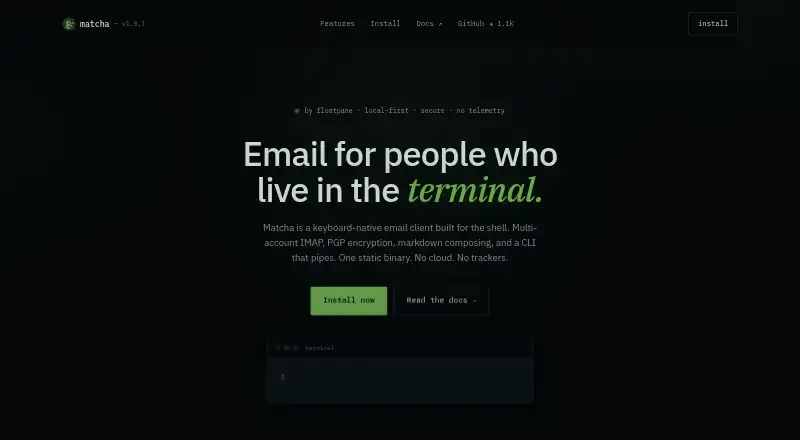
The facts below are what the maker publishes about Matcha, checked and dated. Our editors have not written about it yet.
The facts
Each one read from Matcha's own pages, with the date it was checked.
What it does
- Accounts and contacts
- Matcha supports multiple accounts and includes contact management.checked 12 Oct 2026
- AI and plugins
- The documentation lists AI draft rewriting, AI agent email sending, and Lua plugins.checked 12 Oct 2026
- Calendar tools
- Yeschecked 20 Sep 2026
- CLI and AI
- Matcha includes command-line email tools, AI agent support for sending email, and draft rewriting with users’ preferred AI models.checked 12 Oct 2026
- Composition
- Users can write emails in Markdown with rich formatting support.checked 12 Oct 2026
- Drafts
- Users can save unfinished emails and return to them later.checked 12 Oct 2026
- Email features
- The documentation lists reading, replying to, deleting, and archiving emails, plus Markdown composition with rich formatting.checked 12 Oct 2026
- Email management
- It supports reading, replying to, deleting, and archiving emails.checked 12 Oct 2026
- Email providers
- The documentation links setup guides for Gmail, iCloud, and Outlook.checked 12 Oct 2026
- Email provider setup
- The documentation provides setup guides for Gmail, iCloud, and Outlook.checked 12 Oct 2026
- Extensions
- Matcha can be extended with Lua plugins.checked 12 Oct 2026
- Intended use
- The maker describes Matcha as a way to check an inbox or send email from the command line.checked 12 Oct 2026
- Interface
- The interface is responsive and tabbed, with color-coding and focus management.checked 12 Oct 2026
- License
- The project is released under the MIT License.checked 12 Oct 2026
- Multiple accounts
- Matcha supports managing multiple email accounts.checked 12 Oct 2026
- Offline access
- Yeschecked 20 Sep 2026
- Plugin marketplace
- The repository says Matcha has a built-in plugin system with 35+ community plugins and an online marketplace.checked 12 Oct 2026
- Pricing
- The opened maker pages did not state a price, paid plan, or trial.checked 12 Oct 2026
- Product
- Matcha is an email client for the terminal, built with Go and the Bubble Tea TUI library.checked 12 Oct 2026
- Security features
- The documentation lists PGP, encryption, and S/MIME among its features.checked 12 Oct 2026
- Security reporting
- The security policy asks users to report vulnerabilities privately by email and says reports will be acknowledged within 48 hours, with a fix or mitigation plan targeted within 7 days depending on severity.checked 12 Oct 2026
- Security support window
- The security policy says only the latest Matcha release receives security updates.checked 12 Oct 2026
Where it runs
- App coverage
- desktopchecked 20 Sep 2026
- macOS helper
- The repository describes an optional macOS menu bar helper that shows unread counts and posts native notifications for new mail.checked 12 Oct 2026
Alternatives to Matcha
- 1

Zoho Mail
Free planAndroidiOSWebAPI9.0Free plan - 2

Mailbutler Smart Assistant
Free planAndroidiOSWebExtension8.9Free plan - 3

Front
AndroidiOSWebAPI8.6From $25 a month - 4

Spike
Free planAndroidiOSWebmacOS8.5From $4 a month - 5

eM Client
Free planAndroidiOSmacOSWindows8.4From $39.95 a year - 6

Newton Mail
Free planAndroidiOSmacOSWindows8.4From $5 a month