ManageEngine Endpoint DLP Plus
ManageEngine Endpoint DLP Plus helps IT administrators and security leaders find, monitor, and protect sensitive endpoint data.
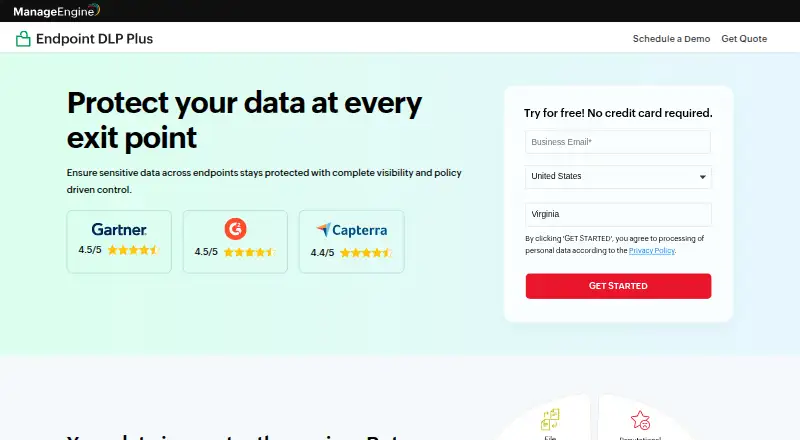
What ManageEngine Endpoint DLP Plus is
ManageEngine Endpoint DLP Plus helps IT administrators and security leaders find, monitor, and protect sensitive endpoint data. It scans endpoints for personal and financial records and classifies information by sensitivity. Administrators can define policies by user, role, device, or location and deploy them across endpoints. The product monitors data movement through USB devices, browsers, cloud apps, and email, and can block unauthorized transfers. It inspects file contents and can continue tracking sensitive data when files are renamed, compressed, or moved; OCR detects sensitive information in images and scans. Listed capabilities include insider threat controls, cloud protection, email security, device control, false-positive remediation, data containerization, and reports. Email policies apply to Microsoft Outlook desktop, including Outlook 2013, 2019, 2021, and Microsoft 365, but not web-based email clients. Active Directory integration supports domain-based computers and directory resources. The on-premises version keeps customer data in the customer's environment, and deployment includes an on-site server, endpoint agents, a web console, and Active Directory. Free Edition covers up to 25 devices. Professional Edition is listed at $795 a year for 100 workstations and one technician.
Good
- Policies can target users, roles, devices, or locations.
- Monitors USB, browser, cloud app, and email movement.
- OCR detects data in images and scans.
- On-premises customer data stays in the customer's environment.
Watch out
- Free Edition covers up to 25 devices.
- Web-based email clients are not supported.
- No per-file encryption for cloud-app shares.
- No transfer controls for mapped or UNC network drives.
Who it suits
Endpoint DLP Plus suits IT administrators and security leaders who need to monitor and control sensitive data movement on Windows endpoints. Its email controls are for Outlook desktop rather than web-based email clients.
Verdict
Endpoint DLP Plus provides endpoint discovery, classification, and transfer controls across several data channels. Check the Outlook and network-drive limitations, and note that Professional Edition is listed at $795 a year for 100 workstations and one technician.
Plans and prices
From ManageEngine Endpoint DLP Plus's own pricing page, checked 7 Oct 2026.
| Plan | Price | What it gives you |
|---|---|---|
| Free Edition | Free | Up to 25 devices · LAN and WAN · Windows |
| Professional Edition | $795 a year | 100 workstations · 1 technician · Annual subscription; the page shows US$795 for 100 workstations. |
The facts
Each one read from ManageEngine Endpoint DLP Plus's own pages, with the date it was checked.
What it does
- Access security
- The product supports secure login over HTTPS and offers a Secure Gateway Server for roaming users and remote offices.checked 7 Oct 2026
- Content inspection
- It inspects file contents and can track sensitive data when files are renamed, compressed, or moved.checked 7 Oct 2026
- Data channels
- It monitors data movement across USB devices, browsers, cloud apps, and email, and can block unauthorized transfers.checked 7 Oct 2026
- Data discovery
- It scans endpoints to locate sensitive data, identify PII and financial records, and classify data by sensitivity.checked 7 Oct 2026
- Deployment
- The architecture guide describes an on-site server, endpoint agents, a web console, and Active Directory as components.checked 7 Oct 2026
- Directory integration
- Endpoint DLP Plus supports Active Directory integration for managing domain-based computers and directory resources.checked 7 Oct 2026
- Email integration
- Email DLP policies apply to Microsoft Outlook desktop, including Outlook 2013, 2019, 2021, and Microsoft 365; web-based email clients are not supported.checked 7 Oct 2026
- Features
- Listed capabilities include insider threat controls, cloud protection, email security, device control, false-positive remediation, data containerization, and reports.checked 7 Oct 2026
- Notable limits
- The FAQ says it does not provide per-file encryption for cloud-app shares or controls for transfers to mapped or UNC network drives.checked 7 Oct 2026
- OCR
- The product page says OCR support detects sensitive data in images and scans.checked 7 Oct 2026
- Policy controls
- Policies can be defined by users, roles, devices, or locations and automatically deployed across endpoints.checked 7 Oct 2026
- Purpose
- Endpoint DLP Plus helps IT administrators and security leaders discover, monitor, and protect sensitive data on endpoints.checked 7 Oct 2026
- Security
- The security policy says customer data for the on-premises version resides in the customer's own environment.checked 7 Oct 2026
- Support
- ManageEngine lists technical support by web request and email, and offers personalized product demos.checked 7 Oct 2026
- Supported systems
- The server and agents are supported on specified Windows versions; the console is accessed using Edge, Firefox, Chrome, or Zoho Ulaa.checked 7 Oct 2026
The company
- Founded
- 1996checked 28 Sep 2026
- Headquarters
- Pleasanton, California, USAchecked 28 Sep 2026
The full review of ManageEngine Endpoint DLP Plus
Overview
ManageEngine Endpoint DLP Plus is data-loss prevention software for finding sensitive information on endpoints and controlling how it moves. It suits IT and security teams managing Windows devices that need centrally applied policies. Its endpoint discovery and transfer controls are useful, but its email and network-drive limits make it a poor fit for broader, channel-agnostic DLP needs.
Key features
Discovery and inspection
Endpoint scans locate and classify sensitive data, including personal and financial records. Content inspection can keep track of files after they are renamed, compressed, or moved, and OCR detects sensitive content in images and scans. That combination helps teams apply policy based on what a file contains, rather than only where it is stored or what it is called.
Policy and transfer controls
Administrators can define policies by user, role, device, or location and deploy them across endpoints. The product monitors movement through USB devices, browsers, cloud apps, and email, with controls to block unauthorized transfers. Device control, cloud protection, insider-threat controls, incident workflows, and reports round out the endpoint-focused toolset. These controls are most relevant when the goal is to govern data leaving managed devices.
Channel gaps
Email DLP applies to Microsoft Outlook desktop, including Outlook 2013, 2019, 2021, and Microsoft 365; web-based email clients are unsupported. It also lacks controls for transfers to mapped or UNC network drives and does not provide per-file encryption for cloud-app shares. Organizations relying on webmail, network shares, or file-level cloud encryption should look elsewhere or verify that those gaps fit their policies.
Pricing
The Free Edition costs nothing and supports up to 25 devices over LAN and WAN on Windows. It is a practical starting point for small environments, but the device ceiling limits its use as an organization grows.
Professional Edition costs $795 a year, billed as an annual subscription, for 100 workstations and one technician. That gives a defined footprint for a team that needs more than the free tier; organizations with different seat or technician requirements should confirm fit before committing. A 30-day trial provides a way to evaluate the product before purchase.
Platforms
The product is self-hosted and web-accessible, with Windows server and endpoint agents. Its architecture uses an on-site server, endpoint agents, a web console, and Active Directory integration for domain-based computers and directory resources. The console supports Edge, Firefox, Chrome, and Zoho Ulaa. Customer data for the on-premises version remains in the customer's own environment. Secure HTTPS login and a Secure Gateway Server support access for roaming users and remote offices.
Who it's for
Endpoint DLP Plus is best suited to Windows-centered IT teams that want to discover sensitive data and apply transfer rules from a centrally managed, on-premises deployment. Its 25-device free tier suits limited deployments; Professional Edition has a stated 100-workstation, one-technician scope. It is not a strong match when web-based email, mapped or UNC drive transfers, or per-file encryption for cloud shares are essential requirements.
Pros and cons
Pros
- Scans, classification, content inspection, and OCR help identify sensitive information beyond filenames alone.
- Policies can be tailored by user, role, device, or location, with controls spanning USB, browsers, cloud apps, and email.
- The on-premises deployment keeps customer data in the customer's environment and integrates with Active Directory.
- A free edition supports up to 25 Windows devices over LAN and WAN.
Cons
- Web-based email clients are unsupported, limiting email controls to Outlook desktop.
- Transfers to mapped or UNC network drives are not controlled, and cloud-app shares lack per-file encryption.
- Professional Edition's stated scope is 100 workstations and one technician, which may not fit larger or differently staffed deployments.
Alternatives
For a wider comparison, browse Data Loss Prevention Software.
- Cloudflare Data Loss Prevention is worth considering when a free tier for up to 50 users or a no-user-limit Pay-as-you-go plan at $7 a month better matches the team; it also supports a broader set of platforms.
- Zscaler Private Access is a paid option for teams considering private-access plans, including an Essentials tier described as limited private access for 5% of users.
- Netskope One Private Access is an enterprise private-access product with a free trial and broad platform support.
- Netwrix Password Secure may suit buyers seeking self-service pricing, which starts at $60 a year with a one-year minimum purchase commitment.
- Proofpoint Email DLP and Encryption is another paid email DLP option.
- Trellix Data Loss Prevention offers enterprise DLP products spanning endpoints, email, web, networks, and data storage, with on-premises or SaaS management.
- Cisco Secure Access is a paid subscription with tiered pricing based on covered-user count and subscription term.
- InfoWatch Traffic Monitor is a paid option with pricing provided through a commercial offer.
Verdict
Choose Endpoint DLP Plus if your priority is discovering sensitive data on Windows endpoints and enforcing centrally managed transfer rules while keeping on-premises customer data in your own environment. Its main advantage is the combination of classification, inspection, and controls across several endpoint channels. Look elsewhere if your policies depend on webmail, mapped or UNC network drives, or per-file encryption for cloud shares.
Getting started
- Visit the ManageEngine Endpoint DLP Plus website.
- Choose the Free Edition for up to 25 devices or Professional Edition, listed at US$795 per year for 100 workstations and one technician.
- Use the 30-day trial if you want to evaluate the product before choosing a plan.
- Deploy the on-site server and endpoint agents, then access the web console.
- Connect Active Directory if you need to manage domain-based computers and directory resources.
Limits worth knowing
The Free Edition covers up to 25 devices. The listed Professional Edition is US$795 per year for 100 workstations and one technician; the product does not provide per-file encryption for cloud-app shares or controls for transfers to mapped or UNC network drives.
Questions
Is there a free plan?
Yes. The Free Edition is listed as free and supports up to 25 devices.
How much does the paid edition cost?
Professional Edition is listed at $795 a year, for 100 workstations and one technician.
Is a trial available?
Yes. A 30-day trial is listed.
Which email clients does email DLP cover?
Policies apply to Outlook desktop, including Outlook 2013, 2019, 2021, and Microsoft 365. Web-based email clients are not supported.
What deployment components does it use?
The described deployment has an on-site server, endpoint agents, a web console, and Active Directory.
Where does the on-premises version keep customer data?
Customer data for the on-premises version resides in the customer's own environment.
Alternatives to ManageEngine Endpoint DLP Plus
- 1

Cloudflare Data Loss Prevention
Free planAndroidiOSWebAPI8.1$7 usage-based - 2
Microsoft Defender for Business
AndroidiOSAPImacOS7.5 - 3

Symantec IT Management Suite
WebAPILinuxmacOS6.8 - 4
CurrentWare Data Loss Prevention
WebLinuxmacOSSelf-hosted6.7From $12 a month - 5
Google Cloud Secret Manager
Free planWeb6.5From $0.02 a month - 6
Teramind Data Loss Prevention
WebAPILinuxmacOS6.5