
Cloudflare Data Loss Prevention
Cloudflare Data Loss Prevention is a cloud service for finding and controlling sensitive data across network and cloud app activity.
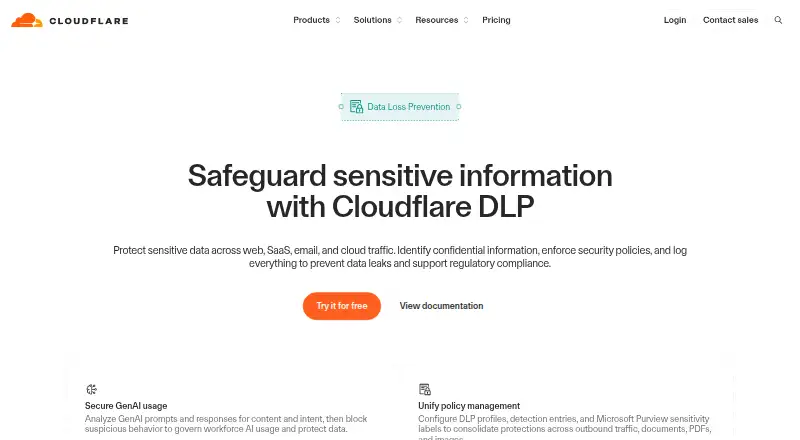
What Cloudflare Data Loss Prevention is
Cloudflare Data Loss Prevention is a cloud service for finding and controlling sensitive data across network and cloud app activity. Its listed capabilities include data discovery, network controls, cloud app controls, and incident workflows. It is available on Android, iOS, Linux, macOS, web, and Windows. Cloudflare was founded in 2009 and is headquartered in San Francisco, California. The service has a free plan for up to 50 users, billed at no cost, with billing listed as forever. The Pay-as-you-go plan costs $7 a month, billed monthly, with no user limit; its pricing note gives the rate as $7 per user per month. A Contract plan is also listed, with annual pricing per user, no user limit, and no price specified. Deployment is cloud-based. Organizations comparing data loss prevention software can weigh the discovery and control functions against the plan limits and pricing details.
Good
- Includes data discovery.
- Provides network controls.
- Includes cloud app controls.
- Supports incident workflows.
- Available across six listed platforms.
Watch out
- Free plan limited to 50 users.
- Contract plan price is not listed.
- Pay-as-you-go costs $7 a month.
Who it suits
It suits organizations seeking cloud-based data discovery and controls across networks and cloud apps. The free plan is limited to 50 users, while Pay-as-you-go has no user limit.
Verdict
Cloudflare Data Loss Prevention combines data discovery with network and cloud app controls and incident workflows. Its free plan has a 50-user limit; the listed Pay-as-you-go plan has no user limit and costs $7 a month.
Plans and prices
From Cloudflare Data Loss Prevention's own pricing page, checked 20 Sep 2026.
| Plan | Price | What it gives you |
|---|---|---|
| Free | Free | 50 users · forever |
| Contract | Priced on request | No user limit · Annual price per user |
| Free Plan | Free | up to 50 users · limited predefined DLP profiles · up to 2 read-only CASB API integrations · logs up to 24 hours · $0 forever |
| Pay-as-you-go | $7 a month | no user limit · limited predefined DLP profiles · up to 2 read-only CASB API integrations · logs up to 30 days · $7/user/month |
| Contract Plan | — | no user limit · full-featured DLP add-on · unlimited out-of-band CASB integrations · logs up to 6 months · Annual custom price per user |
The facts
Each one read from Cloudflare Data Loss Prevention's own pages, with the date it was checked.
What it does
- AI protection
- DLP can inspect AI Gateway prompts and model responses without Gateway HTTP filtering or TLS decryption.checked 14 Oct 2026
- API authentication
- DLP API endpoints accept Cloudflare API tokens with Zero Trust Read or Write permissions.checked 14 Oct 2026
- Client requirements
- The current Windows client requires Windows 10 LTSC or Windows 11, at least 3 vCPUs, 4 GB RAM and 250 MiB disk.checked 14 Oct 2026
- Custom detection
- Administrators can create custom entries with regular expressions and other configurable values.checked 14 Oct 2026
- Detection building blocks
- Profiles combine detection entries, data classes and sensitivity labels.checked 14 Oct 2026
- Detection profiles
- Profiles can be predefined, custom-built or populated from third-party classifications.checked 14 Oct 2026
- Documentation depth
- The documentation covers prerequisites, profile creation, policy testing, logging, integrations, downloads and lifecycle support.checked 14 Oct 2026
- Email integration
- Outbound DLP scans Microsoft 365 email through a client-side Outlook add-in.checked 14 Oct 2026
- False-positive feedback
- Users can report false positives, and AI context analysis uses feedback to adjust future detection confidence.checked 14 Oct 2026
- Limit: complexity
- Reviewers report a steep learning curve and complexity in firewall and policy configuration.checked 14 Oct 2026
- Limit: support
- Reviewers repeatedly describe customer support as slow or limited, especially outside enterprise tiers.checked 14 Oct 2026
- Logging options
- Payload logging stores a redacted match plus 75 bytes of surrounding context, while Enterprise Logpush can export complete matching HTTP requests.checked 14 Oct 2026
- Microsoft Purview integration
- Integration profiles import Microsoft Purview top-level sensitivity labels through Cloudflare CASB.checked 14 Oct 2026
- Mobile client
- Cloudflare One Agent on Android creates an encrypted VPN tunnel where Gateway, DLP, Access, Browser Isolation and antivirus policies apply.checked 14 Oct 2026
- Notable news: Human Native acquisition
- Cloudflare announced its acquisition of Human Native on January 15, 2026.checked 14 Oct 2026
The company
- Company founded
- Cloudflare was founded in 2009 by Matthew Prince, Michelle Zatlyn and Lee Holloway.checked 14 Oct 2026
- Company headquarters
- Cloudflare is headquartered in San Francisco, California.checked 14 Oct 2026
- Company legal name
- The legal entity is Cloudflare, Inc.checked 14 Oct 2026
- Company ownership
- Cloudflare is a public company traded on the NYSE under ticker NET.checked 14 Oct 2026
- Company size
- LinkedIn lists 1,001–5,000 employees, while Crunchbase lists 5,001–10,000 employees.checked 14 Oct 2026
- Founded
- 2009checked 23 Sep 2026
- Headquarters
- San Francisco, CAchecked 23 Sep 2026
Money
- Limit: billing complaints
- Trustpilot reviewers frequently report unexpected billing, account access problems and difficulty reaching support.checked 14 Oct 2026
Where it runs
- Linux support
- The client supports RHEL 9/10, Debian 12/13, Fedora 43/44 and Ubuntu 22.04/24.04/26.04 on x86-64 or ARM64.checked 14 Oct 2026
The full review of Cloudflare Data Loss Prevention
Cloudflare Data Loss Prevention combines data discovery with controls for network traffic and cloud apps, plus incident workflows. It suits teams that need those controls across a broad mix of devices, especially those able to start with a 50-user free plan. The main trade-off is that the paid options are priced per month or per user annually, so buyers should match the contract to their seat needs.
Overview
Cloud deployment brings data discovery, network controls, cloud app controls and incident workflows into one DLP offering. That breadth is useful for organizations looking to connect discovery with controls and incident handling, rather than buy around discovery alone. The free tier gives smaller teams a way to start, while the paid monthly plan removes the user cap.
Key features
- Data discovery: Helps identify data that needs protection, making it a useful foundation for teams building DLP coverage.
- Network controls: Adds a network-level control point, valuable when teams want DLP to apply beyond individual cloud apps.
- Cloud app controls: Extends controls into cloud apps, complementing network coverage.
- Incident workflows: Provides workflows for handling incidents, rounding out the path from discovery and control to response.
Together, these capabilities make the product a more complete fit for teams seeking multiple DLP layers. Organizations needing only one narrow control may find the broader bundle more than they require.
Pricing
The Free plan costs nothing, is billed forever and covers up to 50 users. That cap makes it a practical starting point for smaller teams, but larger deployments will need a paid plan.
Pay-as-you-go costs $7 a month, billed monthly, with no user limit. It suits organizations that want monthly billing and room to grow without a stated seat ceiling. The Contract plan has custom pricing, bills annually per user and has no user limit; it is the option to consider for buyers who prefer an annual per-user arrangement, though the price must be obtained directly.
The free plan gives up unlimited users, while the monthly plan avoids an annual per-user commitment. Contract pricing may fit annual purchasing, but its cost cannot be compared from the stated terms alone.
Platforms
Cloudflare Data Loss Prevention lists Android, iOS, Linux, macOS, web and Windows support. This range suits mixed-device environments rather than teams restricted to one desktop platform.
Who it's for
Choose it if your organization wants data discovery alongside both network and cloud app controls, with incident workflows and a free starting point for up to 50 users. It is less compelling for a buyer seeking a single-purpose DLP component or one who needs a known annual contract price before engaging.
Pros and cons
Pros
- Broad control mix: Data discovery, network controls, cloud app controls and incident workflows support several stages of DLP in one offering.
- Free entry tier: The 50-user cap lets smaller teams begin without a subscription charge.
- No user limit on paid plans: Both paid options avoid a stated seat ceiling, including the monthly-billed plan.
- Wide platform coverage: Support spans mobile, desktop, Linux and web environments.
Cons
- Free tier is capped: Teams above 50 users must move to a paid plan.
- Contract price is custom: Annual per-user billing offers no upfront price comparison.
Alternatives
For a wider comparison, browse Data Loss Prevention Software.
- Zscaler Private Access may suit teams focused on private access; its Standard (Essentials Platform) plan is limited private access for 5% of users, while pricing is custom.
- Netskope One Private Access is an alternative for enterprise private access, with a free trial and custom pricing.
- Netwrix Password Secure is another paid alternative, with self-service pricing at $60 a year and a one-year minimum purchase commitment.
- Proofpoint Email DLP and Encryption is an alternative for readers considering a paid product in this category.
- Cisco Secure Access offers a free trial and tiered pricing based on covered-user count and subscription term; choose it if those terms are a better fit.
- Trellix Data Loss Prevention covers endpoints, email, web, networks and data storage, with on-premises or SaaS management; consider it for that broader stated coverage.
- FortiDLP is a paid alternative with plans requiring a 100-endpoint minimum.
- CurrentWare Data Loss Prevention offers a free trial and an AccessPatrol standalone plan at $12 a month, billed annually; its stated features include USB/device control and DLP.
Verdict
Cloudflare Data Loss Prevention is a strong fit for teams that want discovery, network and cloud app controls, and incident workflows across varied platforms. Its free tier is a useful entry point for up to 50 users, and the monthly paid option removes the user limit. Look elsewhere if you need a narrow tool, a specific alternative's stated coverage, or a published annual contract price.
Getting started
- Visit https://www.cloudflare.com/products/dlp/.
- Choose the Free plan for up to 50 users or Pay-as-you-go with no user limit.
- Use the cloud deployment on Android, iOS, Linux, macOS, web, or Windows.
Limits worth knowing
The Free plan covers 50 users. Pay-as-you-go and Contract have no user limit; Pay-as-you-go is listed at $7 a month, billed monthly.
Questions
Is there a free plan?
Yes. The Free plan is listed as free, billed forever, for 50 users.
What does Pay-as-you-go cost?
It is listed at $7 a month, billed monthly, with no user limit. The pricing note gives the rate as $7/user/mo.
Is a Contract plan available?
Yes. It is described as annual price per user with no user limit, but no price is listed.
Which platforms are supported?
The listed platforms are Android, iOS, Linux, macOS, web, and Windows.
How is the service deployed?
It is deployed in the cloud.
Who makes Cloudflare Data Loss Prevention?
Cloudflare was founded in 2009 and is headquartered in San Francisco, California.
Alternatives to Cloudflare Data Loss Prevention
- 1
Microsoft Defender for Business
AndroidiOSAPImacOS7.5 - 2
ManageEngine Endpoint DLP Plus
Free planWebSelf-hostedWindows6.9From $795 a year - 3

Symantec IT Management Suite
WebAPILinuxmacOS6.8 - 4
CurrentWare Data Loss Prevention
WebLinuxmacOSSelf-hosted6.7From $12 a month - 5
Google Cloud Secret Manager
Free planWeb6.5From $0.02 a month - 6
Teramind Data Loss Prevention
WebAPILinuxmacOS6.5