
Magic Eraser by Magic Studio
Magic Eraser by Magic Studio removes unwanted objects, people and text from photos.
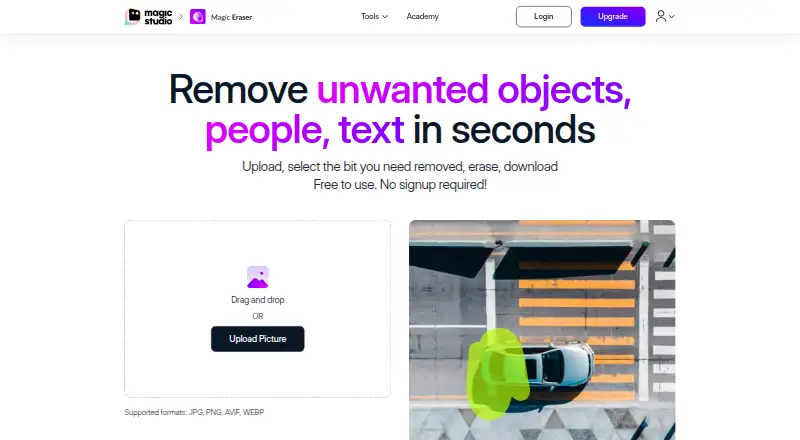
What Magic Eraser by Magic Studio is
Magic Eraser by Magic Studio removes unwanted objects, people and text from photos. Its workflow is to upload an image, select the area, erase it and download the result. Users can adjust brush size with a slider and zoom to make selections. Listed upload formats are JPG, JPEG, PNG, HEIC, WEBP and TIFF, and the page states that uploads have no resolution limit. The tool can edit up to 50 pictures at once, although the free plan allows one image at a time. It is available on the web, Android and iOS, and can be used without signup. The FREE plan costs nothing and includes 40 AI generations, limited-resolution downloads, a watermark and ads. The PRO plan has no listed price and includes unlimited AI generations, high-resolution downloads, no watermark and bulk editing for select tools. Listed applications include real estate, photography, fashion, auto listings, e-commerce, social media and comics. Uploaded images and generated output are temporarily stored for processing; inputs and outputs may also be used separately to improve machine models.
Good
- Supports six listed image formats
- Brush size and zoom help select areas
- Available on web, Android and iOS
- Free plan costs nothing
Watch out
- Free plan allows one image at a time
- Free downloads have limited resolution
- Free results include a watermark and ads
- Inputs and outputs may improve machine models
Who it suits
Magic Eraser suits people who want to remove objects, people or text from photos without signing up. Its listed use cases include real estate, e-commerce, photography and social media.
Verdict
Magic Eraser offers a straightforward photo cleanup workflow and supports several upload formats. The free plan has generation and download limits, while inputs and outputs may be used separately for model improvement.
Plans and prices
From Magic Eraser by Magic Studio's own pricing page, checked 2 Oct 2026.
| Plan | Price | What it gives you |
|---|---|---|
| FREE | Free | 40 AI generations · Limited-resolution downloads · Watermark · One image at a time · Ads |
| PRO | — | Unlimited AI generations · High-resolution downloads · No watermark · Bulk editing for select tools |
The facts
Each one read from Magic Eraser by Magic Studio's own pages, with the date it was checked.
What it does
- Age restriction
- The terms state that the service is intended only for people at least 18 years old.checked 2 Oct 2026
- Bulk editing
- Magic Eraser can edit 50 pictures at once and remove unwanted things from multiple pictures.checked 2 Oct 2026
- Core function
- Magic Eraser removes unwanted objects, people and text from photos in seconds.checked 2 Oct 2026
- Deletion requests
- Users can request deletion of personal data and uploaded graphical input by email, with a stated effort to act within seven business days and possible remnants for up to 90 days.checked 2 Oct 2026
- File formats
- The instructions list JPG, JPEG, PNG, HEIC, WEBP and TIFF as supported upload formats.checked 2 Oct 2026
- Image handling
- The privacy policy says uploaded images and generated output are temporarily stored for processing and are not stored, shared or otherwise accessible except as reasonably required to provide the service.checked 2 Oct 2026
- Model improvement
- The privacy policy says user inputs and outputs may be used to improve machine models and processed separately for that purpose.checked 2 Oct 2026
- Payment security
- The privacy policy says payment card details are handled directly by third-party processors that adhere to PCI-DSS standards.checked 2 Oct 2026
- Selection controls
- Users can adjust brush size with a slider and zoom to select areas more easily.checked 2 Oct 2026
- Support
- The page directs users to contact [email protected] for feedback or assistance.checked 2 Oct 2026
- Upload resolution
- The page says there is no resolution limit on uploaded images.checked 2 Oct 2026
- Use cases
- The listed applications include real estate, photography, fashion, auto listings, e-commerce, social media and comics.checked 2 Oct 2026
- Workflow
- The workflow is upload, select the area, erase it and download the result.checked 2 Oct 2026
Money
- Free access
- Magic Eraser is free to use without signup.checked 2 Oct 2026
Where it runs
- Mobile apps
- The site provides download links for Magic Studio apps on the Apple App Store and Google Play Store.checked 2 Oct 2026
The full review of Magic Eraser by Magic Studio
Overview
Magic Eraser by Magic Studio is a focused photo-cleanup service for removing unwanted objects, people and text. It suits occasional editors and businesses that need a quick browser or phone workflow, particularly when source files arrive in varied formats. The free tier is useful for trying the tool, but its watermark, capped downloads and single-image workflow make paid access the practical choice for finished commercial work.
Key features
The process is deliberately narrow: upload an image, select the unwanted area, erase it and download the result. A brush-size slider and zoom make small or awkward selections more manageable. Generative reconstruction, people removal and text removal cover the main cleanup jobs without requiring a separate specialist tool.
Uploads accept JPG, JPEG, PNG, HEIC, WEBP and TIFF, and the service places no resolution limit on uploaded images. That combination is valuable for photographers, listing managers and anyone working with high-resolution originals or less-common formats. The output caveat matters, however: free downloads are limited in resolution.
Bulk editing can handle 50 pictures at once and remove unwanted elements across multiple images. This is a meaningful productivity feature for property galleries, catalogues and vehicle listings, but it is not part of the free workflow, which is restricted to one image at a time. The listed applications span real estate, photography, fashion, auto listings, e-commerce, social media and comics, so the tool fits both personal cleanup and repeatable content production.
Magic Eraser is free to use without signup, with Android and iOS apps alongside the primary web experience. Support is available at [email protected]. Uploaded images and generated outputs are temporarily stored for processing and are not stored, shared or otherwise accessible except as reasonably required to provide the service. Inputs and outputs may be processed separately to improve machine models. Users can request deletion of personal data and uploaded graphical input by email; the service says it aims to act within seven business days, although remnants may remain for up to 90 days. The service is intended for people aged 18 and over.
Pricing
FREE — free
The free plan includes 40 AI generations, limited-resolution downloads, a watermark, one image at a time and ads. It is a sensible no-commitment option for occasional personal edits or evaluating the reconstruction quality. The generation quota, watermark and output cap make it a poor fit for client-ready assets or batches.
PRO — custom pricing
PRO provides unlimited AI generations, high-resolution downloads, no watermark and bulk editing for select tools. It is the appropriate tier for agencies, sellers and listing teams producing repeated, publishable imagery. The price is not published, so prospective subscribers must obtain a quote before comparing the plan with fixed-price competitors.
Payment card details are handled directly by third-party processors adhering to PCI-DSS standards. No trial term or renewal schedule is stated.
Platforms
Magic Eraser runs on the web and has apps for Android and iOS. API access is also available, making it a candidate for integrating object cleanup into a larger workflow rather than relying solely on manual uploads.
Who it's for
Choose it for fast removal of distractions from property photos, product shots, fashion images, vehicle listings, social posts or comics, especially when files come in mixed formats. The free tier suits light, non-final use; professionals who need watermark-free, high-resolution results or 50-image batches should plan around PRO. Look elsewhere if you need a clearly published professional price or a broader editing suite rather than a dedicated eraser.
Pros and cons
- Pro: JPG, JPEG, PNG, HEIC, WEBP and TIFF uploads with no stated input-resolution ceiling accommodate varied source libraries.
- Pro: Zoom and adjustable brush sizing give users more control over precise selections.
- Pro: Bulk processing of up to 50 pictures supports repeated listing and catalogue work on the appropriate tier.
- Con: The free plan combines 40 generations with one-image-at-a-time processing, ads, a watermark and limited-resolution downloads.
- Con: PRO has custom pricing, so budgeting requires contacting Magic Studio rather than checking a fixed monthly rate.
- Con: Model-improvement processing and the possibility of residual data for up to 90 days after a deletion request may concern users handling sensitive imagery.
Alternatives
Browse AI Object Removal Tools for a wider category comparison. Cutout.Pro is a better fit when you need Android, iOS, desktop, web and API coverage with a published 80-credit subscription at $5 a month. YouCam AI Object Remover suits users who want broad device support and free online use, accepting that high-resolution downloads and unlimited professional features require premium options; Plus monthly is 9.99 USD. PicWish AI Object Remover is worth considering for free previews and a yearly plan listed at 59, while its free tier limits non-HD downloads per day. Clipdrop is the alternative for a broader collection that includes text-to-image, uncrop, cleanup, relight, background removal and upscaling, with free daily limits. insMind AI Image Enlarger is preferable when enlargement is central and you want a 6.99 USD monthly PRO plan with premium-quality, watermark-free downloads. Pixelcut combines object-related tools with background removal and upscaling across Android, iOS, web and API. SnapEdit Remove Object is a stronger choice for a fixed 6.00 USD monthly Standard plan with batch processing, no watermark and exports up to 5600px. Vmake AI Object Remover offers 20 daily credits on its free tier for users who prefer a recurring daily allowance.
Verdict
Magic Eraser is a good choice for straightforward object, person and text removal across web and mobile, especially when varied upload formats and occasional no-signup access matter. Its main advantage is a focused workflow that scales to 50-image batches on PRO; its main reason to look elsewhere is the free tier’s restrictive output and volume limits, compounded by unpublished PRO pricing.
Alternatives to Magic Eraser by Magic Studio
- 1

Pixelcut
Free planAndroidiOSWebAPI8.3From $8 a month - 2
Cutout.Pro
Free planAndroidiOSWebAPI8.2From $5 a month - 3
ObjectRemover.com
Free planiOSWebmacOSWindows7.9From $19.99 a year - 4
YouCam AI Object Remover
Free planAndroidiOSWebLinux7.8From $39.99 a year - 5

BOARD AI Editor
Free planiOSWebmacOS7.7Free plan - 6
Media.io AI Object Remover
Free planAndroidiOSWebAPI7.4Free plan