MacKiosk
MacKiosk turns a macOS computer into a standalone kiosk with a full-screen web browser.
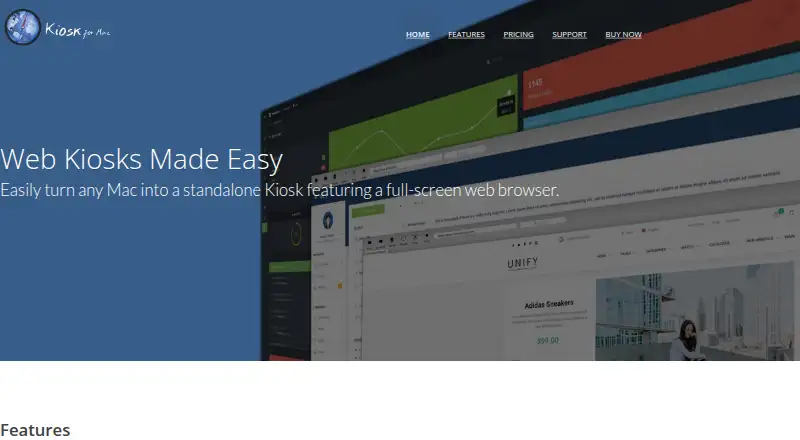
What MacKiosk is
MacKiosk turns a macOS computer into a standalone kiosk with a full-screen web browser. It is designed for controlled, non-interactive displays such as unattended marketing screens. Website access can be limited with a whitelist or blacklist, and the app can prevent visitors from switching applications or exiting the kiosk. Presentation Mode hides browser controls and the mouse cursor. Pages can reload automatically, tabs can cycle, and configured pages can open at startup. Kiosk can display on the main screen, mirror across all displays, or use a selected display. It can show local files, although local file access is disabled by default for security. The default close shortcut is Command + Shift + B and can be changed. MacKiosk documents launch-at-login setup and desktop restrictions, and warns that login hooks run scripts as root. The Mac App Store plan costs $4.99, paid once; there is no free plan.
Good
- Full-screen browser for standalone kiosk displays
- Whitelist or blacklist controls website access
- Blocks app switching and kiosk exit
- Automatic reloads, tab cycling, and startup pages
- Supports main, mirrored, or selected displays
Watch out
- macOS only
- No free plan
- Local file access is disabled by default
- App Store price is $4.99, paid once
Who it suits
MacKiosk suits macOS users creating unattended marketing displays, digital signage, or other controlled kiosk screens. It is also relevant when website allowlisting and multi-display output are needed.
Verdict
MacKiosk provides focused controls for turning a Mac into a managed web display. Its automation and display options suit unattended signage, while macOS-only support and the paid one-time listing limit its fit.
Plans and prices
From MacKiosk's own pricing page, checked 8 Oct 2026.
| Plan | Price | What it gives you |
|---|---|---|
| App Store | $4.99, paid once | Available on the Mac App Store · free upgrade for existing customers |
The facts
Each one read from MacKiosk's own pages, with the date it was checked.
Where it runs
- App restrictions
- Kiosk can prevent users from switching applications or exiting the kiosk.checked 8 Oct 2026
What it does
- Automatic updates to display
- Kiosk can automatically reload pages, cycle through tabs, and open configured pages at startup.checked 8 Oct 2026
- Deployment
- The maker documents configuring Kiosk to launch at login and prevent access to the desktop environment.checked 8 Oct 2026
- Display options
- Users can show Kiosk on the main display, mirror it on all displays, or choose a specific display.checked 8 Oct 2026
- Intended use
- The maker describes Kiosk as suitable for non-interactive settings such as an unattended marketing display.checked 8 Oct 2026
- Keyboard shortcut
- The default shortcut to close the browser window is Command + Shift + B, and it can be changed.checked 8 Oct 2026
- Local files
- Kiosk can display content from local files, with local file access disabled by default for security reasons.checked 8 Oct 2026
- Presentation mode
- Presentation Mode hides browser controls and the mouse cursor for unattended displays.checked 8 Oct 2026
- Purpose
- Kiosk turns a Mac into a standalone kiosk with a full-screen web browser.checked 8 Oct 2026
- Security guidance
- The maker warns that macOS login hooks run scripts as root and recommends considering regular login items or a dedicated user instead.checked 8 Oct 2026
- Site controls
- Users can restrict sites with a whitelist or blacklist.checked 8 Oct 2026
- Support
- The maker offers a support center with FAQs, product information, and a way to ask questions.checked 8 Oct 2026
The company
- Headquarters
- Salt Lake City, Utah, United Stateschecked 28 Sep 2026
Alternatives to MacKiosk
- 1
Kiosk
Free planOpen sourceAndroidiOSWebExtension8.0Free plan - 2
Kiosk Browser
AndroidWebAPI7.2From $1.60 a month - 3
FreeKiosk
Free planAndroidWebAPI7.1From €0.80 a month - 4
SiteKiosk
AndroidWebSelf-hostedWindows6.9From $239 a year - 5

Hexnode Kiosk Browser
AndroidiOSWindows6.8From $2.20 a month - 6

Kiosker
AndroidiOS6.7From $24.99 a year