Lockbin
Lockbin is a web application for sending private email messages and files.
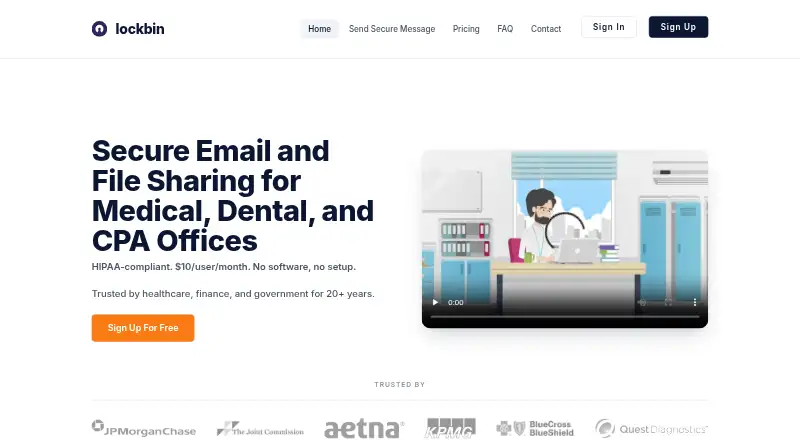
What Lockbin is
Lockbin is a web application for sending private email messages and files. A recipient can open a message through a unique URL and password; passwordless secure links are also available for known recipients. Messages are protected with TLS in transit and FIPS 140-2 verified AES-256 encryption at rest, while decryption keys are not stored in plaintext on Lockbin servers. It runs in Chrome, Firefox, Safari, or Edge on Mac, Windows, or other operating systems without a download or installation. Lockbin works alongside Google Workspace and Microsoft 365 without requiring a plugin or extension. Premium users can create hosted file-drop links or secure forms for incoming files. The free plan is listed for one user, 25 MB attachments, and six months of inbox storage, and the site advertises 10 free messages without a credit card. Premium costs $10 per user per month and lists up to 20 attachments per message and uploads up to 100 MB. Uncollected messages are removed after six months; read files not marked for deletion are removed within 24 hours.
Good
- Messages use TLS in transit and AES-256 encryption at rest.
- Recipients can use a unique URL and password.
- Works in major listed browsers without installation.
- Premium includes hosted file-drop links or secure forms.
- Free plan includes one user and 25 MB attachments.
Watch out
- Free plan is limited to one user.
- Free plan lists 25 MB attachments.
- Premium costs $10 per user per month.
- Outlook and Gmail integrations are listed as unavailable.
Who it suits
Lockbin may suit medical, dental, CPA, finance, and government organizations handling sensitive information. It is also an option for users who want browser-based message and file delivery alongside Google Workspace or Microsoft 365.
Verdict
Lockbin provides browser-based private message and file delivery with defined recipient access and message cleanup behavior. Consider the one-user free plan limits and paid-plan terms before choosing it.
Plans and prices
From Lockbin's own pricing page, checked 28 Sep 2026.
| Plan | Price | What it gives you |
|---|---|---|
| Premium | $10 a month | 1 user · up to 20 attachments per message · up to 100MB per upload · no pre-set storage limits · BAA by request · monthly |
| Multi-User Enterprise | $10 a month | Unlimited users · shared address book · admin compliance copies · bulk user import · up to 1GB per upload · monthly |
| Free | — | 1 user · one file attachment up to 25MB · inbox storage up to 6 months · email support · monthly |
The facts
Each one read from Lockbin's own pages, with the date it was checked.
What it does
- Admin access controls
- Yeschecked 20 Sep 2026
- Attachment limit
- 100checked 20 Sep 2026
- Auto deletion
- Uncollected messages are automatically destroyed after six months, and read files not marked for deletion are removed within 24 hours.checked 28 Sep 2026
- Encryption
- Messages are protected in transit with TLS and at rest with FIPS 140-2 verified AES-256 encryption.checked 28 Sep 2026
- File drop
- Premium users can create a hosted Lockbin file-drop link or embed a custom secure form so people can send files without an account or password.checked 28 Sep 2026
- Gmail integration
- Nochecked 20 Sep 2026
- HIPAA and BAA
- Lockbin offers a signed Business Associate Agreement on Premium and Enterprise plans by request and commits to breach notification within 60 days.checked 28 Sep 2026
- Hosting
- Lockbin states that all data is stored within the United States and its servers use a fully redundant cloud facility with physical security and access controls.checked 28 Sep 2026
- Integrations
- Lockbin works alongside Google Workspace and Microsoft 365, with no plugin or extension required.checked 28 Sep 2026
- Key management
- Decryption keys are not stored on Lockbin servers in plaintext, and the sender and recipient hold the decryption keys.checked 28 Sep 2026
- Message expiry
- Yeschecked 20 Sep 2026
- Outlook integration
- Nochecked 20 Sep 2026
- Paid from
- 10checked 20 Sep 2026
- Primary users
- Lockbin targets medical, dental, CPA, finance, and government organizations handling sensitive information.checked 28 Sep 2026
- Product
- Lockbin is a web application for sending private email messages and files.checked 28 Sep 2026
- Recipient access
- Recipients can open messages from a unique URL plus password, with passwordless secure links also available for known recipients.checked 28 Sep 2026
- Recipient verification
- passwordchecked 20 Sep 2026
- Secure delivery
- linkchecked 20 Sep 2026
- Support
- Current users can email [email protected] for immediate assistance, and professional-tier users can reach support by phone through their account.checked 28 Sep 2026
Where it runs
- Browser access
- Lockbin runs in Chrome, Firefox, Safari, or Edge with nothing to download or install, and works on Mac, Windows, or any operating system.checked 28 Sep 2026
Money
- Free offer
- The site advertises 10 messages free with no credit card required.checked 28 Sep 2026
- Free plan
- Yeschecked 20 Sep 2026
The full review of Lockbin
Overview
Lockbin is a browser-based service for sending private messages and files, aimed at organizations that handle sensitive information, including medical practices, finance teams and government agencies. Its combination of password-protected recipient access, message cleanup and file delivery makes it a focused option for sending sensitive material without installing software.
Messages use TLS in transit and AES-256 encryption at rest, with FIPS 140-2 verification. Lockbin says decryption keys are not kept on its servers in plaintext, and that data is stored in the United States. These safeguards may suit organizations with privacy obligations, but a BAA is available by request only on Premium and Enterprise plans.
Recipients can open a message through a unique URL and password; passwordless secure links are also available for known recipients. Messages work in common browsers without a plugin or extension. Lockbin works alongside Google Workspace and Microsoft 365, but does not offer direct Gmail or Outlook integration, so teams seeking a native mail workflow should look elsewhere.
Key features
- Recipient access: A URL plus password puts a defined step between delivery and access. Passwordless links for known recipients reduce friction where the recipient is already recognized.
- Expiry and cleanup: Uncollected messages are destroyed after six months. Read files not marked for deletion are removed within 24 hours, a useful default for reducing lingering sensitive material, though senders must account for the difference between read and uncollected items.
- File delivery: Premium users can make a hosted file-drop link or embed a secure form so people can send files without an account or password. This is useful for collecting documents from outside an organization, but the feature is not part of the free plan.
- Administrative controls: Admin access controls are supported. Enterprise adds shared address books, compliance copies for administrators and bulk user import, which make it more suitable for coordinated team use than a single-user account.
- Support: Current users can email support for assistance; professional-tier users can also reach support by phone through their account.
Pricing
Lockbin is freemium, with a free plan and paid plans billed monthly. The site advertises 10 free messages with no credit card required, while the Free plan specifies one user, 25 MB attachments and six months of inbox storage. That is enough to try occasional small transfers, but the one-user and attachment caps make it a poor fit for sustained team use.
Premium costs $10 a month, billed monthly, for one user. It allows up to 20 attachments per message, uploads up to 100MB and has no preset storage limits; a BAA is available by request. This is the practical step up for an individual who needs larger file transfers or a BAA, but it remains a one-seat plan.
Multi-User Enterprise costs $10 a month, billed monthly, and includes unlimited users, a shared address book, admin compliance copies, bulk user import and uploads up to 1GB. Its listed monthly price matches Premium while removing the one-user ceiling and adding team administration, making it the stronger fit for organizations that need those capabilities. The plan descriptions do not clarify how the two monthly prices apply in practice, so buyers should confirm the commercial terms before committing.
Platforms
Lockbin runs in Chrome, Firefox, Safari or Edge and supports web access on Linux, macOS and Windows. Because it requires no download or installation, it suits teams working across those operating systems. There is no direct Gmail or Outlook integration, though it works alongside Google Workspace and Microsoft 365.
Who it's for
Lockbin is best suited to a single professional or an organization that needs to send sensitive messages and files through browser access, with recipient passwords and predictable cleanup. Premium suits an individual who needs larger uploads or a BAA; Enterprise is the more relevant option for a team needing unlimited users and administrative features. It is less suitable for users who need native email integration, or a free multi-user service with larger attachment allowances.
Pros and cons
- Pro: Password-protected message access and defined deletion behavior offer practical controls for sensitive delivery.
- Pro: Enterprise includes unlimited users, compliance copies and bulk import, addressing several needs of managed team deployments.
- Pro: Browser access across major operating systems avoids installation and plugin requirements.
- Con: Free is limited to one user and 25 MB attachments, constraining teams and larger transfers.
- Con: Direct Gmail and Outlook integrations are absent, which may interrupt workflows built around those inboxes.
- Con: The BAA requires a request and a Premium or Enterprise subscription, so it is not an automatic free-plan benefit.
Alternatives
For a broader comparison, browse Email Encryption Software or File encryption tools.
- DataMotion Secure Email Exchange is worth considering for organizations seeking an enterprise offering with Android, iOS, API and web platforms; its paid pricing is contact-sales.
- Encryptomatic OpenPGP may suit Windows users looking for a license-based option, with a one-license plan at $29.99 a year.
- gpg4o is an alternative for Windows users who specifically need OpenPGP functionality in Microsoft Outlook.
- Mailvelope is an option for readers who prefer a browser extension and web platform; its Business plan is €3 a month per user for 1–49 users.
- FlowCrypt may fit users seeking an extension-based option with a free tier for fewer than 100 users and a 5 MB attachment threshold.
- Gpg4win is an alternative for Windows users seeking free software.
- PDF Postman is another Windows option for readers who prefer a license-based product.
- SecureMyEmail is an alternative for people who need support across Windows, macOS, iOS and Android.
Verdict
Choose Lockbin if you need browser-based private message and file delivery with recipient access controls, automatic cleanup and a path to team administration. Its strongest case is the combination of defined access and Enterprise team features; look elsewhere if direct Gmail or Outlook integration is essential, or if the free one-user, 25 MB limit is too restrictive.
Getting started
- Open the Lockbin website in a supported browser.
- Choose the free plan or a paid plan.
- Create an account; the site advertises 10 free messages without a credit card.
- Send a private message or file and provide the recipient access details.
- On Premium, create a file-drop link or secure form if you need incoming files.
Limits worth knowing
The free plan includes one user, 25 MB attachments, and six months of inbox storage. Premium allows up to 20 attachments per message and up to 100 MB per upload; Enterprise allows uploads up to 1 GB.
Questions
Is Lockbin free?
Yes. Its Free plan is listed as free for one user, and the site advertises 10 free messages without a credit card.
How much does a paid plan cost?
Premium is listed at $10 a month, billed monthly, for one user. The pricing note gives a starting price of $10/user/mo.
Which platforms and browsers does Lockbin support?
The listed platforms are Linux, macOS, web, and Windows. Browser access is available through Chrome, Firefox, Safari, or Edge without installation.
Does Lockbin integrate with Gmail or Outlook?
Gmail and Outlook integrations are listed as unavailable. Lockbin works alongside Google Workspace and Microsoft 365 without a plugin or extension.
Does Lockbin offer a HIPAA Business Associate Agreement?
A signed BAA is available by request on Premium and Enterprise plans.
What happens to messages and files after delivery?
Uncollected messages are destroyed after six months. Read files not marked for deletion are removed within 24 hours.
Alternatives to Lockbin
- 1
SecureMyEmail
Free planAndroidiOSWebmacOS8.2From $29.99 a year - 2

Virtru Email Encryption
AndroidiOSWebAPI7.7From $119 a month - 3
Send It Secure
Free planiOSWebAPIExtension7.5From $15 a month - 4
Virtru Data Security Platform
AndroidiOSWebAPI7.5From $119 a month - 5
gpg4o
Free planWindows7.0From €5,195 a year - 6
MailHippo
WebAPIWindows6.9From $4.95 a month