LiquidText
LiquidText is a document review and annotation application for organizing information across pages and files.
What LiquidText is
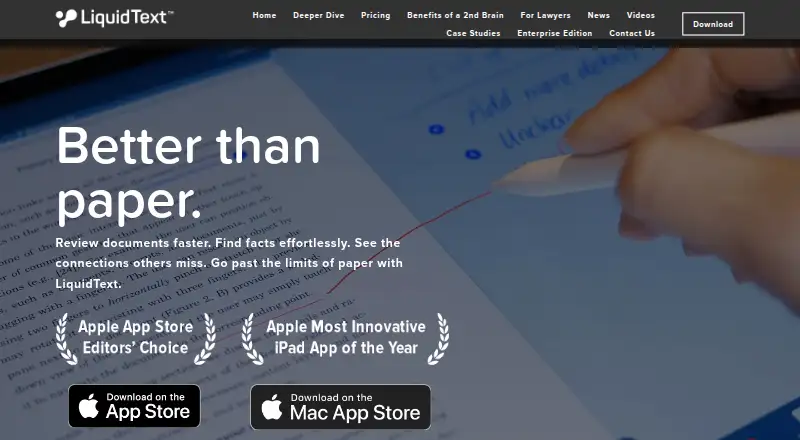
LiquidText is a document review and annotation application for organizing information across pages and files. It helps readers move through documents efficiently, locate facts, and keep notes, ideas, and observations linked to their source context. Cross-document links connect relevant material from separate pages or documents, while contextual search places results and highlights beside surrounding content. Users can annotate documents, work offline, and export organized notes or excerpts as PDF and DOCx files for sharing and collaboration. LiquidText runs on iPadOS, Windows 10, and macOS, supporting tablets, hybrids, laptops, desktops, touch, pen and ink, mouse, trackpad, and multi-monitor setups. LiquidText LIVE adds real-time synchronization, continuous cloud backup, and multi-device display. The product has a free plan and is made by LiquidText Inc., founded in 2015.
Good
- Free plan available
- Offline access and annotation tools
- Links notes to source context
- Exports PDF and DOCx
- Supports Windows, macOS, and iPadOS
Watch out
- Real-time sync requires LiquidText LIVE
- No Android platform listed
Who it suits
LiquidText suits readers who review documents, connect evidence across files, and organize source-linked notes. It also fits users needing offline access or exports for collaboration.
Verdict
LiquidText combines document reading, annotation, contextual search, and cross-document connections in one workspace. Its free plan covers core use, while LiquidText LIVE adds synchronization and cloud backup.
Plans and prices
From LiquidText's own pricing page, checked 28 Sep 2026.
| Plan | Price | What it gives you |
|---|---|---|
| LiquidText LIVE | Priced on request | Cloud-based subscription service with real-time synchronization and continuous cloud backup. |
The facts
Each one read from LiquidText's own pages, with the date it was checked.
What it does
- Annotation tools
- Yeschecked 24 Sep 2026
- Cloud Backup
- LiquidText LIVE continuously backs up projects to the cloud.checked 28 Sep 2026
- Contact Available
- The page includes a Contact Us option.checked 28 Sep 2026
- Contextual Search
- Search results and highlights can be viewed together with their surrounding context.checked 28 Sep 2026
- Cross-Document Links
- Users can connect important information across pages and documents.checked 28 Sep 2026
- Document Review
- LiquidText helps users review documents faster and find facts more efficiently.checked 28 Sep 2026
- Export Formats
- Organized notes and excerpts can be exported as PDF and DOCx files.checked 28 Sep 2026
- Input Methods
- The app supports touch, pen and ink, mouse, trackpad, and multi-monitor use.checked 28 Sep 2026
- Note Connections
- Notes, ideas, and observations can be connected to each other and their source context.checked 28 Sep 2026
- Offline access
- Yeschecked 24 Sep 2026
- Paper Alternative
- LiquidText is positioned as extending beyond traditional paper-based note taking and document analysis.checked 28 Sep 2026
- Reading Efficiency
- The product is designed to support faster, more efficient reading.checked 28 Sep 2026
- Real-Time Sync
- LiquidText LIVE synchronizes work across devices automatically in real time.checked 28 Sep 2026
- Sharing Collaboration
- Exported notes and excerpts can be shared with others for communication and collaboration.checked 28 Sep 2026
The company
- Company Name
- The company is LiquidText Inc.checked 28 Sep 2026
- Founded
- 2015checked 28 Sep 2026
Where it runs
- Device Types
- It supports tablets, hybrids, laptops, and desktops.checked 28 Sep 2026
- Multi-Device Display
- LiquidText LIVE is presented as offering real-time sync, backup, and multi-device display.checked 28 Sep 2026
- Platform support
- cross-platformchecked 24 Sep 2026
- Supported Platforms
- LiquidText runs on iPadOS, Windows 10, and MacOS devices.checked 28 Sep 2026
Money
- Free plan
- Yeschecked 24 Sep 2026
Alternatives to LiquidText
- 1
Kiosk
Free planOpen sourceAndroidiOSWebExtension8.0Free plan - 2

KDAN PDF
Free planAndroidiOSmacOSWindows7.8From $59.99 a year - 3

MuPDF
Free planAndroidiOSWebLinux7.7From $299 a month - 4

Foxit PDF Reader
Free planAndroidiOSWebmacOS7.3Free plan - 5

Launchpad
Free planWebAPILinuxSelf-hosted7.0Free plan - 6
StarForce Reader
Free planAndroidiOSLinuxmacOS7.0Free plan