
MuPDF
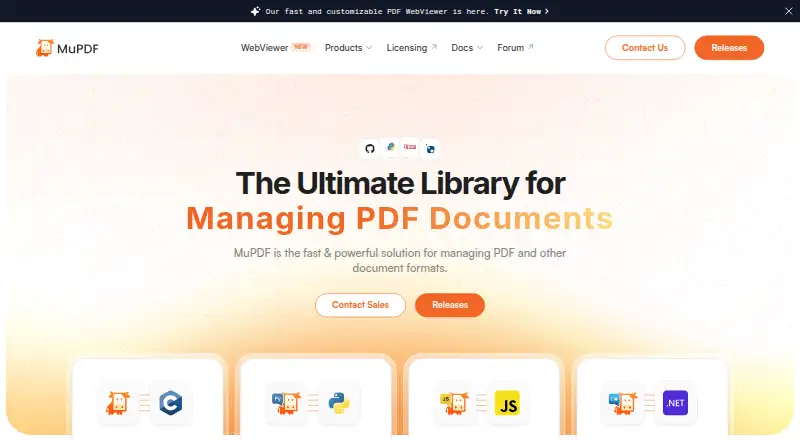
MuPDF is an embeddable SDK for developers managing PDFs and other document formats in desktop, cloud/server, or embedded projects.
What MuPDF is
MuPDF is an embeddable SDK for developers managing PDFs and other document formats in desktop, cloud/server, or embedded projects. It supports viewing, editing, extracting, signing, rendering, redacting, annotating, splitting, merging, compressing, and converting documents. Inputs include PDF, ePUB, image formats, SVG, CBZ, and XPS; outputs include PDF, text, HTML, PostScript, print formats, PNG, SVG, and PNM/PAM. Developer options include MuPDF Core, PyMuPDF, MuPDF.js, and MuPDF.NET. The open-source release is licensed under AGPL. Its terms require source disclosure for server-based use to users interacting with the software, and embedding MuPDF in a product may require a commercial license. Commercial licenses offer use without AGPL code disclosure and include technical support and free upgrades. The Commercial plan is listed at $299 a month and includes one licensed domain plus a preview domain for testing; a 14-day trial is also listed. Open-source users can seek community help through Discord and the bug tracker.
Good
- Supports a broad set of document operations.
- Includes bindings for Python, JavaScript, TypeScript, and C#.
- Works across Android, iOS, Linux, macOS, web, and Windows.
- Commercial licenses include technical support and free upgrades.
- Offline access is supported.
Watch out
- Server-based AGPL use requires source disclosure to users.
- Embedding MuPDF in a product may require a commercial license.
- Commercial plan is $299 a month.
- OCR support is not available.
Who it suits
MuPDF is for developers who need document handling in desktop, cloud/server, or embedded software. It may suit teams evaluating an open-source option, provided they can meet AGPL terms or arrange commercial licensing.
Verdict
MuPDF offers extensive document handling and developer integration options. Licensing is an important consideration, particularly for server use or embedding it in a product.
Plans and prices
From MuPDF's own pricing page, checked 24 Sep 2026.
| Plan | Price | What it gives you |
|---|---|---|
| Commercial | $299 a month | One domain per license · One preview domain for testing · The page also says “Save 30% with Annual” but does not show the annual amount. |
| Enterprise | — | One preview domain for testing |
| AGPL License | Free | Unlimited distribution with requirements · Full source code disclosure · No support · AGPL-compliant use |
| OEM Distribution License | Priced on request | Unlimited distribution · No code disclosure · Annual distribution reporting · Support available · Per-copy cost with quarterly minimum fee |
| Subscription License | Priced on request | Unlimited distribution · No code disclosure · Annual distribution reporting (not required for internal use) · Support available · Per-copy cost with quarterly minimum fee |
The facts
Each one read from MuPDF's own pages, with the date it was checked.
What it does
- AGPL restriction
- The licensing page says server-based use of the open-source software requires disclosing the application source code to users interacting with it.checked 29 Sep 2026
- Annotation tools
- Yeschecked 24 Sep 2026
- Commercial licensing
- Commercial licenses offer ownership and control of products without AGPL code disclosure and include technical support and free upgrades.checked 29 Sep 2026
- Deployment
- Artifex describes MuPDF as suitable for desktop, cloud/server, or embedded projects through its core API.checked 29 Sep 2026
- Developer bindings
- The site lists MuPDF Core, PyMuPDF, MuPDF.js for Node.js, JavaScript and TypeScript, and MuPDF.NET for C#.checked 29 Sep 2026
- Document operations
- MuPDF supports viewing, editing, extracting, signing, rendering, redacting, annotating, splitting, merging, compressing, and converting documents.checked 29 Sep 2026
- Input formats
- Listed input formats include PDF, ePUB, PNG, JPG, BMP, TIFF, GIF, SVG, PNM/PAM, CBZ, and XPS.checked 29 Sep 2026
- Licensing
- The open-source release is AGPL-licensed, and embedding MuPDF in a product may require a commercial license.checked 29 Sep 2026
- Output formats
- Listed output formats include PDF, text, HTML, PostScript, PCL5/PCLM, PWG/CUPS, proofing, PNG, SVG, and PNM/PAM.checked 29 Sep 2026
- Purpose
- MuPDF is a fast, embeddable SDK for managing PDF and other document formats.checked 29 Sep 2026
- Security reporting
- Artifex asks researchers to report MuPDF vulnerabilities confidentially through its secure reporting system and requests 90 days of confidentiality while it works to resolve them.checked 29 Sep 2026
- Security standard
- Artifex states that it adheres to ISO/IEC 29147:2018 for vulnerability disclosure.checked 29 Sep 2026
- Support
- Open-source users can seek community help through Discord and the bug tracker, while commercial license holders can contact technical support by replying to their introductory email.checked 29 Sep 2026
The company
- Company history
- Artifex says MuPDF emerged in 2011 as a fast PDF management library with multi-language support and a lightweight footprint.checked 29 Sep 2026
- Company identity
- The MuPDF site identifies Artifex Software Inc. as the copyright holder.checked 29 Sep 2026
Money
- Free plan
- Yeschecked 24 Sep 2026
Where it runs
- Platform support
- cross-platformchecked 24 Sep 2026
The full review of MuPDF
Overview
MuPDF is a document SDK for people who need to handle PDFs and other formats, and for developers integrating document tools into software. Its wide-ranging operations and format support stand out; its licensing terms deserve close attention, especially for server use or product embedding.
It can view, edit, annotate, sign, redact, extract, split, merge, compress, render and convert documents. It also supports form filling and offline access, but has no OCR support.
Key features
Document operations
MuPDF covers much more than viewing: editing, signing, redaction and form filling make it useful for working on documents, while extraction, conversion and rendering support document-processing workflows. Annotation tools are included. The absence of OCR is a meaningful gap for anyone who needs to turn scanned pages into searchable or editable text.
Formats and developer options
Inputs include PDF, ePUB, common image formats, SVG, CBZ and XPS. Outputs include PDF, text, HTML, PostScript, print-oriented formats, PNG, SVG and PNM/PAM. This range suits applications that need to accept varied source material or produce formats beyond PDF.
Developer options include MuPDF Core, PyMuPDF, MuPDF.js for Node.js, JavaScript and TypeScript, and MuPDF.NET for C#. Artifex describes the core API as suitable for desktop, cloud or server, and embedded projects. That flexibility is valuable to software teams, but embedding can trigger commercial licensing requirements.
Licensing and support
The open-source release uses the AGPL. For server-based use of the open-source software, the licensing page requires disclosing the application source code to users interacting with it. Embedding MuPDF in a product may also require a commercial license. Commercial licenses avoid AGPL code disclosure and include technical support and free upgrades; open-source users can seek community help through Discord and the bug tracker.
Artifex asks vulnerability researchers to report issues confidentially through its secure reporting system and requests 90 days of confidentiality while it works on a fix. It says it follows ISO/IEC 29147:2018 for vulnerability disclosure.
Pricing
MuPDF is freemium, with a free AGPL option and commercial licensing. The listed Commercial plan costs $299 a month. It covers one domain per license and one preview domain for testing. The pricing page also says “Save 30% with Annual” without giving an annual amount, so the monthly figure is the clear reference point.
The free AGPL License costs free and permits unlimited distribution, subject to AGPL compliance and full source code disclosure. It includes no support. This is the fit for users who can meet those requirements and do not need commercial support or closed-source distribution.
Enterprise has custom pricing and includes one preview domain for testing. The OEM Distribution License and Subscription License also use custom pricing: both provide unlimited distribution without code disclosure, support availability, annual distribution reporting and a per-copy cost with a quarterly minimum fee. Annual reporting is not required for internal use under the Subscription License. These options are aimed at organizations distributing products or using MuPDF internally under commercial terms; their per-copy costs and minimums make them a different proposition from a simple individual reader subscription.
A 14-day trial is offered. The stated Commercial terms distinguish a licensed domain from a preview domain, an important constraint for testing and deployment.
Platforms
MuPDF supports Android, iOS, Linux, macOS, Windows, web and self-hosted deployments. Offline access is supported, making it usable without a continuous connection where the chosen platform permits it.
Who it's for
MuPDF is strongest for developers and organizations building document handling into desktop, cloud, server or embedded products, particularly when broad input and output format support matters. It can also suit users who need editing, annotation, signing or form filling alongside viewing. It is a poor fit for OCR-dependent work, and teams unwilling to disclose application source under AGPL should examine commercial licensing before adopting it.
Pros and cons
- Pros: Broad document operations, from viewing and annotation to redaction, conversion and merging, support workflows beyond basic reading.
- Pros: A wide range of input and output formats plus bindings for several programming environments gives developers flexibility in integrating document support.
- Pros: Desktop, cloud/server and embedded deployment options cover multiple software delivery models.
- Cons: The AGPL requires source disclosure for server-based use of the open-source software, and product embedding may require a commercial license.
- Cons: OCR is absent, ruling it out for workflows that depend on recognizing text in scans.
- Cons: Commercial distribution terms include per-copy costs and quarterly minimum fees, while Enterprise and other commercial license prices are custom.
Alternatives
Browse PDF Readers for more options. Choose Foxit PDF Reader instead if a free PDF reader with viewing, printing, annotation, collaboration, form filling and signing is the priority. StarForce Reader is another free option for readers who want support across Android, iOS, Linux, macOS and Windows.
KDAN PDF may suit users looking for a freemium PDF app with basic viewing and editing, annotation, handwriting and signatures. Okular is a free alternative for Linux, macOS and Windows users. Javelin PDF Reader is a free end-user reader for Windows, macOS, iOS and Android.
Adobe Scan is a free-to-download Android and iOS option with a free trial available. LiquidText is worth considering for macOS or Windows users seeking a cloud-based subscription with real-time synchronization and continuous cloud backup. Adobe Acrobat Reader offers freemium PDF viewing, printing, sharing and commenting across desktop, mobile and web.
Verdict
Choose MuPDF if you need a capable document engine for an application or a versatile tool for working across document formats. Its breadth and deployment flexibility are compelling, but the AGPL obligations and commercial licensing costs are central to the decision. Look elsewhere if you need OCR or want to avoid licensing terms that affect server use and product distribution.
Getting started
- Visit the MuPDF website.
- Choose a developer option such as MuPDF Core, PyMuPDF, MuPDF.js, or MuPDF.NET.
- Select AGPL-compliant use or review the commercial licensing options for your project.
- Use the listed 14-day trial for the Commercial plan if you want to evaluate it.
Limits worth knowing
The free AGPL License is limited to AGPL-compliant use and requires full source code disclosure; it includes no support. The listed Commercial plan costs $299 a month and covers one domain plus one preview domain for testing.
Questions
Is MuPDF free?
Yes. The AGPL License plan is listed at $0.00 per free, with full source code disclosure, no support, and AGPL-compliant use requirements.
What does the Commercial plan cost?
It is listed at $299 a month, with one domain per license and one preview domain for testing. A 14-day trial is listed.
Which platforms does MuPDF support?
The listed platforms are Android, iOS, Linux, macOS, self-hosted, web, and Windows.
Is MuPDF open source?
An open-source release is available under the AGPL license. Server-based use requires disclosing the application source code to users interacting with it.
What developer bindings are available?
The site lists MuPDF Core, PyMuPDF, MuPDF.js for Node.js, JavaScript and TypeScript, and MuPDF.NET for C#.
Who holds the copyright for MuPDF?
The MuPDF site identifies Artifex Software Inc. as the copyright holder.
Alternatives to MuPDF
- 1
ComPDFKit PDF SDK
Free planAndroidiOSWebAPI7.4From $240 a year - 2
Spire.PDF
Free planAndroidiOSWebAPI7.3$999 one-time - 3

Aspose.PDF
AndroidWebAPILinux6.9$1,199 one-time - 4
WeasyPrint
Free planAPILinuxmacOSSelf-hosted6.9From €150 a year - 5
PDFsharp
Free planLinuxmacOSSelf-hostedWindows6.8$499 one-time - 6
Syncfusion PDF Library
AndroidiOSWebAPI6.8From $1,199 a year