Liferay DXP
Liferay DXP is a digital experience platform for enterprise organizations serving business customers, consumers, and employees.
What Liferay DXP is
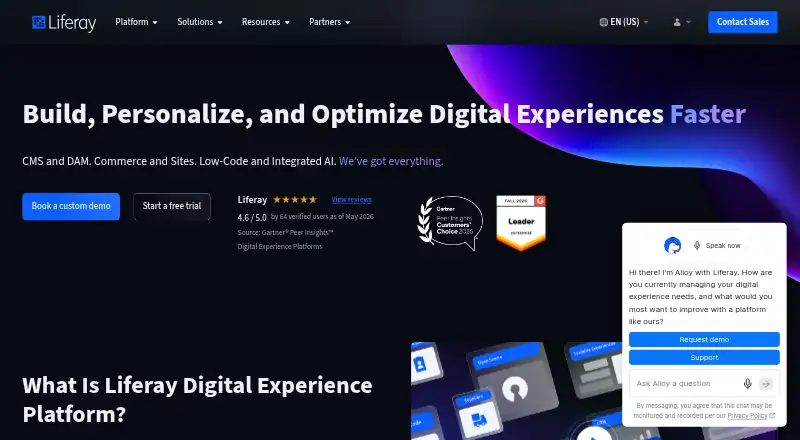
Liferay DXP is a digital experience platform for enterprise organizations serving business customers, consumers, and employees. Its modules bring together content management, digital asset management, commerce, sites, low-code tools, personalization, headless delivery, experimentation, and experience analytics. The platform connects through SOAP, REST, GraphQL, RSS, and proprietary APIs. Identity options include SAML 2.0 providers, OpenID, Kerberos, CAS, and OpenIM, while security controls cover multi-factor authentication, LDAP validation, roles, fine-grained permissions, and restrictions on personal-information access. Liferay lists ISO/IEC 27001, ISO/IEC 27017, and ISO/IEC 27018 certifications. Deployment can be SaaS, PaaS, or self-hosted on-premise or in a customer cloud. Liferay says its SaaS service handles patching, upgrades, 24/7 monitoring, and ongoing security management; SaaS and PaaS use Google Cloud infrastructure with self-healing, high availability, and automated disaster recovery. A free Free Tier, a seven-day SaaS trial, and a 30-day sandbox trial are available. Liferay DXP was founded in 2004 and is headquartered in Diamond Bar, California.
Good
- Supports content, commerce, assets, sites, low-code, and personalization
- Offers SaaS, PaaS, and self-hosted deployment models
- Includes headless delivery, experimentation, and experience analytics
- Provides broad API and identity-protocol integration options
- Lists multiple security controls and ISO/IEC certifications
Watch out
- OSGi customization is excluded from Liferay SaaS
- Enterprise subscription pricing is available only on request
- Free Tier requires a download or Docker, account, EULA, and activation key
Who it suits
Liferay DXP suits enterprise businesses with complex digital-experience requirements across B2B, B2C, and B2E operations. It is also aimed at regulated organizations such as financial services, insurance, healthcare, and public-sector institutions needing controlled access and multiple deployment choices.
Verdict
Choose Liferay DXP when an enterprise needs broad content, commerce, personalization, integration, and deployment capabilities in one platform. Consider another option if SaaS OSGi customization is essential or if you need published enterprise pricing.
Plans and prices
From Liferay DXP's own pricing page, checked 4 Oct 2026.
| Plan | Price | What it gives you |
|---|---|---|
| Liferay DXP Free Tier | Free | Free Tier download · requires a free activation key and acceptance of the EULA |
| Liferay PaaS | Priced on request | Enterprise subscription · pricing not listed |
| Liferay SaaS | Priced on request | Enterprise subscription · pricing not listed |
| Liferay Self-Hosted | Priced on request | Enterprise subscription · pricing not listed |
The facts
Each one read from Liferay DXP's own pages, with the date it was checked.
What it does
- Access controls
- Security features include multi-factor authentication, LDAP validation, roles, fine-grained permissions, and controls for restricting access to personal information.checked 4 Oct 2026
- Cloud infrastructure
- Liferay says its SaaS and PaaS offerings are backed by Google Cloud and provide self-healing, high availability, and automated disaster recovery.checked 4 Oct 2026
- Content and commerce
- The platform’s listed modules include content management, digital asset management, commerce, sites, low-code, and personalization.checked 4 Oct 2026
- Deployment choices
- Liferay offers SaaS, PaaS, and self-hosted deployment, with self-hosted deployments on-premise or in a customer’s cloud.checked 4 Oct 2026
- Identity integrations
- Liferay DXP supports SAML 2.0 identity providers and also lists OpenID, Kerberos, CAS, and OpenIM authentication protocols.checked 4 Oct 2026
- Integration protocols
- Its integration framework supports SOAP, REST, GraphQL, RSS, and proprietary APIs.checked 4 Oct 2026
- Purpose
- Liferay DXP combines capabilities for enterprise digital experiences and supports B2B, B2C, and B2E use cases.checked 4 Oct 2026
- SaaS security
- The Trust Center says Liferay SaaS includes patching, upgrades, 24/7 monitoring, and ongoing security management.checked 4 Oct 2026
- Security certifications
- Liferay says it is certified in ISO/IEC 27001, ISO/IEC 27017, and ISO/IEC 27018.checked 4 Oct 2026
- Subscription limitation
- OSGi customization is not included in Liferay SaaS, while it is included in PaaS and Self-Hosted subscriptions.checked 4 Oct 2026
- Who it is for
- Liferay describes DXP as suited to enterprise businesses with complex requirements, including organizations in regulated industries such as financial services, insurance, healthcare, and the public sector.checked 4 Oct 2026
The company
- Founded
- 2004checked 28 Sep 2026
- Headquarters
- Diamond Bar, California, USAchecked 28 Sep 2026
Money
- Free Tier setup
- The Free Tier requires downloading the software or using Docker, creating a Liferay account, accepting the Marketplace EULA, and obtaining an activation key.checked 4 Oct 2026
- Trial options
- Liferay describes a free 7-day SaaS prebuilt trial and a free 30-day sandbox trial that can run self-hosted or locally.checked 4 Oct 2026
The full review of Liferay DXP
Liferay DXP is a broad digital experience platform for organizations that need to connect content, commerce, personalization, identity, and multiple deployment models. It is aimed at complex enterprise environments, including regulated sectors, rather than teams seeking a small publishing tool. The central trade-off is flexibility: SaaS reduces operational work but excludes OSGi customization, while the free option requires a technical setup.
Overview
DXP brings content management, digital asset management, commerce, sites, low-code capabilities, and personalization into one platform. Headless delivery, experimentation, and experience analytics extend it beyond a conventional content management system. That breadth is valuable when one program must support B2B, B2C, and employee-facing experiences, but it can be excessive for an organization with only a narrow website or document-management requirement.
Integration support covers SOAP, REST, GraphQL, RSS, and proprietary APIs. Identity integrations include SAML 2.0 providers, OpenID, Kerberos, CAS, and OpenIM. Administrators get multi-factor authentication, LDAP validation, roles, fine-grained permissions, and controls for restricting access to personal information. Liferay is certified to ISO/IEC 27001, ISO/IEC 27017, and ISO/IEC 27018, which is relevant to organizations with formal security and compliance requirements.
Key features
Experience and content stack
Content and digital asset management sit alongside commerce, site management, low-code tooling, and personalization. The combination can reduce the need to assemble separate systems for campaigns, customer portals, and employee experiences. Experimentation and experience analytics add measurement and optimization, while headless delivery supports distributing content beyond a traditional web front end.
Deployment and security operations
Customers can choose SaaS, PaaS, or self-hosted deployment. Self-hosted installations may run on-premise or in a customer’s cloud, giving infrastructure teams control over hosting and customization. Liferay says its SaaS and PaaS services use Google Cloud with self-healing, high availability, and automated disaster recovery. SaaS also includes patching, upgrades, 24/7 monitoring, and continuing security management, reducing routine operational responsibility.
The important limitation is subscription-specific: OSGi customization is unavailable in Liferay SaaS but included with PaaS and Self-Hosted subscriptions. Organizations that depend on deep platform-level extensions should therefore avoid choosing SaaS solely for convenience.
Pricing
Free Tier
Liferay DXP Free Tier costs free. It is a downloadable tier that requires a free activation key and acceptance of the Marketplace EULA. Setup involves downloading the software or using Docker, creating a Liferay account, accepting the license terms, and obtaining the key. This is a useful way to evaluate the platform or run a constrained deployment, but it is not the frictionless start of a typical hosted free plan.
Enterprise subscriptions
Liferay SaaS, Liferay PaaS, and Liferay Self-Hosted use custom pricing. SaaS suits organizations that want managed operations and Liferay’s monitoring and maintenance. PaaS is the better fit when managed cloud infrastructure is desired alongside OSGi customization. Self-Hosted is aimed at teams that need on-premise or customer-cloud control and the same customization capability. No published seat, usage, renewal, or quota terms are provided, so enterprise buyers should request a quote that spells out those commercial limits.
Liferay offers a free seven-day prebuilt SaaS trial and a free 30-day sandbox trial that can run self-hosted or locally. The short SaaS window is appropriate for a focused first look; the longer sandbox is more practical for evaluating deployment and customization requirements.
Platforms
DXP supports web, API, Linux, and self-hosted environments. Its hybrid deployment model lets organizations combine managed and customer-controlled infrastructure, depending on workload and governance needs.
Who it's for
Liferay DXP is a strong match for enterprise businesses with complex digital-experience requirements, especially financial services, insurance, healthcare, and public-sector organizations. It makes the most sense when content, commerce, personalization, analytics, identity, and integration must work within one governed platform. Smaller teams with a single site, limited integration needs, or little appetite for platform administration should consider a narrower product.
Pros and cons
- Pro: Content, assets, commerce, sites, low-code tools, personalization, experimentation, and analytics are combined, supporting varied B2B, B2C, and B2E programs.
- Pro: SOAP, REST, GraphQL, RSS, and proprietary APIs provide several integration routes, while broad identity support and fine-grained permissions suit governed environments.
- Pro: SaaS, PaaS, and self-hosted choices cover managed, customized, and infrastructure-controlled deployments.
- Con: SaaS excludes OSGi customization, making PaaS or self-hosted the necessary choices for organizations that require it.
- Con: The Free Tier requires account, EULA, Docker or download, and activation-key steps rather than an immediate hosted workspace.
- Con: Enterprise prices are custom, so budget comparisons cannot be made from published rates.
Alternatives
For a broader category comparison, see Enterprise Content Management Systems and Digital Experience Platforms.
- agorum core is worth considering when an open-source document-management system with a no-fee, non-expiring plan is the priority; its integrated workflow editor is reserved for Pro.
- Masa CMS fits teams seeking free open-source CMS software, with a separate paid cloud support option.
- Doxis is an alternative for content automation with custom-fit licensing and cloud, on-premises, or hybrid deployment.
- d.velop content platform suits organizations wanting a paid content platform with broad device support and a free trial.
- Epicor Kinetic is an alternative centered on selecting a platform core, cloud package, concurrent-user licensing, and industry bundles.
- Intalio ECM is another paid content-services option sold through a demo-led process.
- Box is a freemium file and content option with individual plans and desktop and mobile platforms.
- ELO Digital Office provides an ECM suite purchased through certified business partners, with cloud, managed-service, or in-house deployment.
Verdict
Choose Liferay DXP when an enterprise needs broad content, commerce, personalization, integration, and deployment capabilities in one platform. Its strongest case is a complex or regulated organization that values governance and can select the deployment model matching its customization needs. Look elsewhere if SaaS OSGi customization is essential, if a simple content system would cover the job, or if you require transparent enterprise pricing before engaging sales.
Getting started
- Open the Liferay DXP product website
- Choose SaaS, PaaS, or self-hosted deployment
- For the Free Tier, download the software or use Docker
- Create a Liferay account and accept the Marketplace EULA
- Obtain the required activation key
- Use the seven-day SaaS trial or 30-day sandbox trial
Limits worth knowing
OSGi customization is not included in Liferay SaaS subscriptions, although it is included with PaaS and Self-Hosted subscriptions. The SaaS prebuilt trial lasts seven days, while the sandbox trial lasts 30 days.
Questions
Is Liferay DXP free?
A Free Tier costs nothing and requires a free activation key plus acceptance of the EULA. SaaS, PaaS, and Self-Hosted enterprise subscription pricing is on request.
Which deployment options are available?
Liferay offers SaaS, PaaS, and self-hosted deployment. Self-hosted installations can run on-premise or in a customer’s cloud.
What trial options are offered?
There is a free seven-day prebuilt SaaS trial and a free 30-day sandbox trial that can run self-hosted or locally.
Does it support identity integrations?
Yes. Listed options include SAML 2.0 identity providers, OpenID, Kerberos, CAS, and OpenIM.
Which platforms are supported?
Liferay DXP is listed for API, Linux, self-hosted, and web use.
Alternatives to Liferay DXP
- 1

Contentstack
Free planAndroidiOSWebAPI8.1From $29 a month - 2

Jahia DXP
Free planOpen sourceWebAPILinuxmacOS7.7Free plan - 3
Liferay Digital Experience Platform
Free planOpen sourceWebAPILinuxSelf-hosted7.6Free plan - 4
Salesforce Experience Cloud
AndroidiOSWebAPI7.5 - 5

dotCMS
Free planWebAPILinuxSelf-hosted6.8Free plan - 6

Bloomreach Engagement
WebAPI6.6