LaTeX Beamer and Prosper
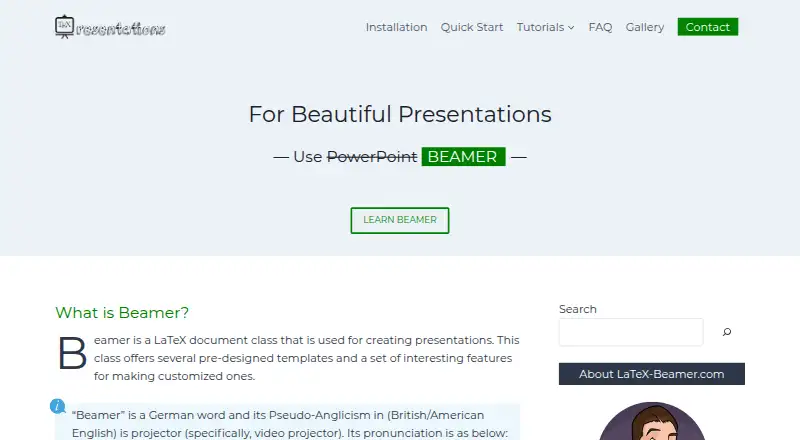
The facts below are what the maker publishes about LaTeX Beamer and Prosper, checked and dated. Our editors have not written about it yet.
The facts
Each one read from LaTeX Beamer and Prosper's own pages, with the date it was checked.
What it does
- Analytics and advertising
- The privacy policy says the site uses Google Analytics and works with Mediavine to manage third-party interest-based advertising.checked 5 Oct 2026
- Compilation
- Beamer is compatible with pdflatex, dvips, lualatex, and xelatex.checked 12 Oct 2026
- Customization
- Beamer themes let users change presentation layouts, colors, fonts, and bullet styles.checked 12 Oct 2026
- Engines
- Beamer is compatible with pdflatex, dvips, lualatex, and xelatex.checked 5 Oct 2026
- Features
- Beamer supports overlays and dynamic effects, slides and handouts, customizable themes, structured theorems and proofs, hypertext, and cross-referencing.checked 5 Oct 2026
- Installation
- The installation guide covers Windows, Linux, and Mac, and says a full LaTeX installation includes Beamer.checked 5 Oct 2026
- Integration
- The quick-start guide says users can create Beamer presentations with the Overleaf online LaTeX editor.checked 12 Oct 2026
- Intended audience
- The site recommends Beamer to scholars who regularly use mathematical or scientific typesetting.checked 12 Oct 2026
- Learning material
- The site describes itself as a personal website with step-by-step lessons about creating LaTeX presentations.checked 5 Oct 2026
- Learning resources
- The site offers step-by-step tutorials with code examples and an interactive quick-start guide.checked 12 Oct 2026
- Limitations
- The site notes that Beamer can have a steep learning curve, difficult-to-remember syntax, complex object positioning, and difficulty sharing with WYSIWYG content.checked 12 Oct 2026
- Output
- Beamer presentations produce PDF files.checked 12 Oct 2026
- Overlays and effects
- Beamer lets users create overlays and add dynamic effects.checked 12 Oct 2026
- Packages
- The installation guide says users need Beamer, PGF, and xcolor packages to create presentations.checked 5 Oct 2026
- PowerPoint export
- Nochecked 20 Sep 2026
- Privacy
- The site privacy policy says it uses Google Analytics and Mediavine advertising, including cookies and data collection for personalized ads.checked 12 Oct 2026
- Prosper transitions
- The slide environment can use Prosper transitions as slide transition effects.checked 12 Oct 2026
- Purpose
- Beamer is a LaTeX document class for creating presentations with pre-designed templates and customizable features.checked 5 Oct 2026
- Quick start
- The quick-start guide covers title pages, logos, tables of contents, lists, figures, tables, columns, blocks, hyperlinks, and buttons.checked 5 Oct 2026
- Slides and handouts
- Beamer supports creating both slides and handouts.checked 12 Oct 2026
- Support
- The FAQ invites questions and suggestions by email at [email protected].checked 5 Oct 2026
- Typesetting
- Beamer supports mathematical and scientific typesetting, along with theorems, proofs, definitions, and itemization.checked 12 Oct 2026
- What it is
- Beamer is a LaTeX document class for creating presentations, with pre-designed templates and features for customization.checked 12 Oct 2026
Where it runs
- Installation platforms
- The installation guide covers Windows, Linux, and Mac.checked 12 Oct 2026
Alternatives to LaTeX Beamer and Prosper
- 1
LibreOffice Impress
Free planOpen sourceAndroidiOSWebAPI9.4$8.99 one-time - 2
Microsoft PowerPoint
Free planAndroidiOSWebmacOS9.1Free plan - 3

Pitch
Free planAndroidiOSWebAPI9.0From €10 a month - 4

Zoho Show
Free planAndroidiOSWebAPI8.9From $2.50 a month - 5

WPS Office
Free planAndroidiOSWebAPI8.9From $41.99 a year - 6
Google Slides
Free planAndroidiOSWeb8.6From $7 a month