Krkn
Krkn is a free tool for injecting deliberate failures into Kubernetes clusters to evaluate how they handle disruption.
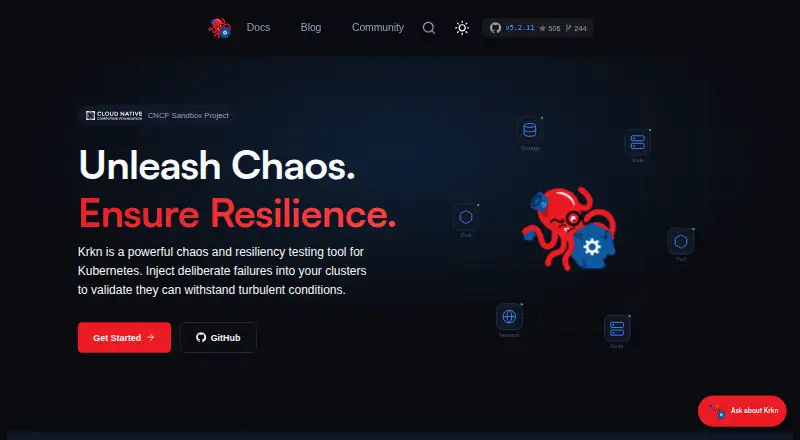
What Krkn is
Krkn is a free tool for injecting deliberate failures into Kubernetes clusters to evaluate how they handle disruption. It provides more than 20 scenarios covering pods, containers, nodes, networks, applications, resources, storage, and time. The recommended way to discover, run, and coordinate scenarios is its krknctl command-line tool; deployment options also include pre-built containers, a browser dashboard, and a standalone Python program. Krkn can check Prometheus metrics against SLO pass/fail criteria and review metrics during and after a run. The dashboard supports Elasticsearch and Grafana, while telemetry can be sent to S3 or Elasticsearch. Cerberus monitors cluster health and provides a go/no-go signal, reports, and a metrics API, with Slack reporting for failures. Krkn-AI uses evolutionary algorithms to seek impactful experiments based on user-defined objectives. Krkn saves recovery state and can restore a cluster automatically, but some disruptive scenarios may leave a target unrecoverable. It is intended for resilience measurement, not security provision, and does not currently adhere to compliance standards.
Good
- More than 20 chaos scenarios across cluster components.
- Checks Prometheus metrics against SLO criteria.
- Offers CLI, container, dashboard, and Python deployment options.
- Free, with no usage limits stated.
Watch out
- Some disruptive scenarios may leave systems unrecoverable.
- krkn-hub runs one scenario type per execution.
- Standalone Python setup requires manual dependency management.
- Does not adhere to compliance standards.
Who it suits
Krkn suits chaos engineers and teams building resilience testing workflows for Kubernetes or OpenShift. Users need cluster-admin kubeconfig access and Docker 20.10+ or Podman 4.0+; standalone Python use requires Python 3.9 and manual dependency management.
Verdict
Krkn offers broad Kubernetes disruption scenarios and ways to assess runs against SLOs. Account for its setup requirements and the risk that some scenarios may not be reversible.
Plans and prices
From Krkn's own pricing page, checked 7 Oct 2026.
| Plan | Price | What it gives you |
|---|---|---|
| Krkn | Free | No pricing or usage limits stated on the opened pages |
The facts
Each one read from Krkn's own pages, with the date it was checked.
What it does
- CLI
- krknctl discovers, runs, and orchestrates chaos scenarios, and is the recommended way to run Krkn.checked 5 Oct 2026
- Deployment options
- Krkn offers a CLI, pre-built container images, a browser-based dashboard, and a standalone Python program.checked 5 Oct 2026
- Install options
- Installation options include a CLI, pre-built containers, a browser-based dashboard, and a standalone Python program.checked 7 Oct 2026
- Integrations
- The documentation describes integrations with Prometheus, Elasticsearch, Grafana, Slack, S3, and CI/CD systems such as Jenkins and GitHub Actions.checked 7 Oct 2026
- Krkn AI
- Krkn-AI uses evolutionary algorithms and user-defined objectives such as SLOs and application health checks to identify impactful chaos experiments.checked 5 Oct 2026
- Monitoring
- Cerberus monitors Kubernetes and OpenShift health and exposes a go/no-go signal, reports, and a metrics API.checked 7 Oct 2026
- Notable limits
- krkn-hub runs one scenario type per execution; running multiple scenario types in one execution requires the standalone Krkn installation.checked 5 Oct 2026
- Operating guidance
- The installation guide recommends running Krkn outside the cluster against the Kubernetes or OpenShift API.checked 7 Oct 2026
- Project status
- The site identifies Krkn as a Cloud Native Computing Foundation Sandbox project.checked 7 Oct 2026
- Purpose
- Krkn injects deliberate failures into Kubernetes clusters to test their resilience.checked 7 Oct 2026
- Requirements
- The getting-started guide lists Kubernetes or OpenShift 1.21+, cluster-admin kubeconfig access, and Docker 20.10+ or Podman 4.0+ as requirements.checked 7 Oct 2026
- Rollback
- Krkn’s rollback system persists changes to the filesystem before a scenario so it can restore targeted Kubernetes objects or subsystems.checked 7 Oct 2026
- Rollback limitation
- The security self-assessment says some disruptive scenarios may leave the target system in a non-recoverable condition.checked 7 Oct 2026
- Runtime requirement
- The standalone Python installation requires a Python 3.9 environment and manual dependency management.checked 5 Oct 2026
- Scenario coverage
- The site lists 20+ chaos scenarios spanning pods, nodes, networks, applications, storage, and time.checked 7 Oct 2026
- Security documentation
- The security self-assessment lists a software bill of materials for Krkn, krkn-lib, and krknctl, and says a security-insights.yml should be added to the roadmap.checked 5 Oct 2026
- Security posture
- Krkn says it is not a security provider and does not currently adhere to compliance standards.checked 7 Oct 2026
- Security reporting
- The project accepts vulnerability reports through GitHub’s vulnerability reporting tool.checked 7 Oct 2026
- Security scope
- Krkn's security self-assessment says Krkn is not a security provider; it is designed to measure application or cluster resilience through controlled disruptions.checked 5 Oct 2026
- Slack integration
- Cerberus supports reporting failures in Slack.checked 5 Oct 2026
- SLO validation
- Krkn can evaluate Prometheus metrics to automatically pass or fail a chaos run.checked 7 Oct 2026
- Who it is for
- The docs describe krknctl as suitable for users from first-time chaos engineers to teams building resilience testing workflows.checked 7 Oct 2026
Where it runs
- Metrics and SLOs
- Krkn can validate SLO pass/fail criteria with Prometheus PromQL queries and review metrics during and after chaos scenarios.checked 5 Oct 2026
- Scenarios
- The site lists more than 20 chaos scenarios covering pods, containers, nodes, networks, applications, resources, storage, and time.checked 5 Oct 2026
The full review of Krkn
Krkn is a free, self-hosted chaos-engineering toolkit for deliberately disrupting Kubernetes and OpenShift environments. It suits platform teams and chaos engineers who need cluster-level experiments tied to measurable reliability objectives. Its broad scenario catalogue and multiple execution methods make it adaptable, while the operational prerequisites and recovery risks demand disciplined use.
Overview
Krkn is designed to measure application or cluster resilience through controlled failures, not to provide security protection or compliance coverage. It is a Cloud Native Computing Foundation Sandbox project and supports Kubernetes, OpenShift, cloud fault injection, network fault injection, and blast-radius controls. The recommended operating model is to run it outside the cluster against the Kubernetes or OpenShift API.
Getting started requires Kubernetes or OpenShift 1.21 or newer, cluster-admin kubeconfig access, and Docker 20.10+ or Podman 4.0+. Those requirements make Krkn a better fit for teams that already control cluster administration than for developers seeking a lightweight local testing utility.
Key features
More than 20 scenarios cover pods, containers, nodes, networks, applications, resources, storage, and time. That range supports failure testing across infrastructure and workloads instead of constraining experiments to one class of outage.
krknctl discovers, runs, and orchestrates scenarios and is the preferred interface. Pre-built container images reduce packaging work, while a browser dashboard offers a graphical route and a standalone Python program provides another deployment path. The Python installation requires a Python 3.9 environment and manual dependency management, so it is the least convenient option for teams that want a tightly managed runtime.
Krkn can evaluate Prometheus PromQL queries against defined SLO pass/fail criteria and inspect metrics during and after a run. Dashboard integrations with Elasticsearch and Grafana, plus telemetry delivery to S3 or Elasticsearch, help teams retain and review experiment results.
Cerberus monitors Kubernetes and OpenShift health, exposes a go/no-go signal, and provides reports and a metrics API. Slack failure reporting is useful for operational workflows. Krkn-AI applies evolutionary algorithms to objectives such as SLOs and application health checks to seek impactful experiments, giving experienced teams a way to explore beyond manually selected scenarios.
Krkn saves recovery state before making changes and can automatically restore a cluster when chaos goes wrong. That safeguard is valuable, but the project also acknowledges that some disruptive scenarios can leave a target system non-recoverable; rollback should therefore be treated as protection, not a guarantee.
Pricing
| Plan | Price | Best for |
|---|---|---|
| Krkn | free | Any team needing the complete free, self-hosted toolkit |
The free plan has no stated seat, usage, or scenario quota on the opened plan information. There is no paid tier described, so organizations should plan to operate and maintain the software themselves rather than expect a hosted service or commercial support entitlement.
Platforms
Krkn is available through an API, Linux, self-hosted deployment, and a web dashboard. The CLI, containers, dashboard, and Python program let teams choose between automation, packaging convenience, browser management, and direct scripting.
Who it's for
Krkn is aimed at users ranging from first-time chaos engineers to teams building repeatable resilience-testing workflows. It is strongest for Kubernetes or OpenShift operators with cluster-admin access, Prometheus-based objectives, and the operational maturity to isolate blast radius and handle failed recovery. It is a poor match for teams that need a security product, formal compliance adherence, or a managed experiment service.
Pros and cons
Pros
- Broad failure coverage: More than 20 scenarios span compute, networking, applications, storage, resources, and time.
- Objective-based evaluation: PromQL-backed SLO pass/fail checks turn experiments into measurable reliability tests.
- Flexible operation: krknctl, containers, a dashboard, and Python support different deployment and automation preferences.
- Operational observability: Elasticsearch, Grafana, S3, Cerberus, metrics APIs, and Slack reporting support review and incident workflows.
- No software charge: The listed plan costs nothing.
Cons
- High privileges and setup: Kubernetes or OpenShift 1.21+, cluster-admin access, and container tooling raise the entry bar.
- Recovery is not assured: Some scenarios may leave systems non-recoverable despite saved state and automatic restoration.
- Execution constraint: krkn-hub runs one scenario type per execution; combining types requires standalone Krkn.
- Manual Python maintenance: The standalone route requires Python 3.9 and dependency management.
- No security or compliance role: Krkn says it is not a security provider and does not currently adhere to compliance standards.
Alternatives
Choose Reliably instead if you want an open-source approach that emphasizes avoiding lock-in across Linux, macOS, Windows, self-hosted, and web environments.
Chaos Toolkit is a free-forever, Apache-licensed open-source CLI for teams wanting a simpler general chaos-engineering tool.
ChaosBlade suits teams seeking an open-source tool with support for three system platforms, four programming-language application types, and more than 200 experiment scenarios.
Toxiproxy is the narrower choice for injecting TCP-network conditions through an open-source MIT-licensed proxy.
Chaos Mesh fits teams wanting an open-source, cloud-native platform that runs on Kubernetes.
Krkn-AI is the focused alternative for its open-source AI-driven chaos experimentation.
LitmusChaos offers either a free hosted SaaS option or an open-source platform installed on your own cluster.
Pumba is a free, Apache-licensed container chaos-testing tool for Linux and macOS.
Browse the Chaos Engineering Platforms list for more options.
Verdict
Choose Krkn if you operate Kubernetes or OpenShift and want a no-cost, self-hosted way to run diverse disruption experiments, connect them to Prometheus SLOs, and monitor outcomes through operational tooling. Look elsewhere if you need guaranteed reversibility, lower-privilege setup, built-in compliance coverage, or a managed service.
Alternatives to Krkn
- 1

Chaos Toolkit
Free planOpen sourceWebAPILinuxmacOS7.4Free plan - 2

FaultMesh
Free planWebAPISelf-hosted7.2From $49 a month - 3

Gremlin
WebAPILinuxSelf-hosted7.2From $45,000 a year - 4

Reliably
Free planWebLinuxmacOSSelf-hosted7.1From £40 a month - 5

Chaos Mesh
Free planWebAPISelf-hosted6.5Free plan - 6
Toxiproxy
Free planAPILinuxmacOSSelf-hosted6.5Free plan