Kiln
Kiln is an AI workbench for teams developing and refining AI systems.
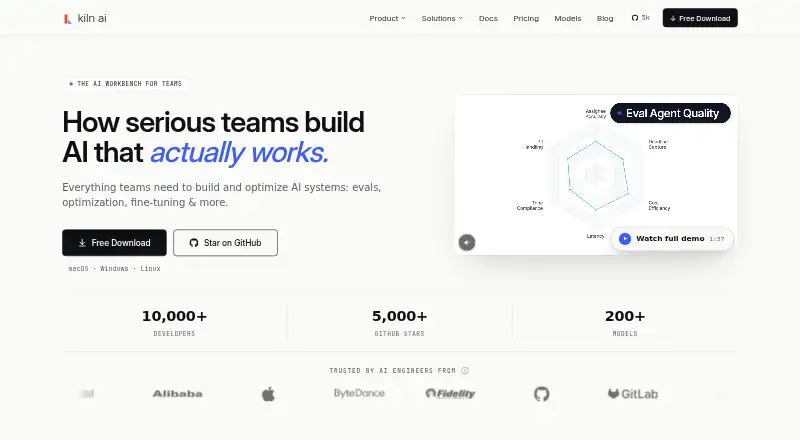
What Kiln is
Kiln is an AI workbench for teams developing and refining AI systems. It brings evaluations, fine-tuning, and optimization into a workflow for engineers, data scientists, product managers, QA specialists, and subject-matter experts. You can describe an evaluation goal and have Kiln create prompts and synthetic datasets, then compare judge results with human ratings. Agent builders can combine agents and subagents, inspect tool calls, and assess every level of an agent hierarchy. Kiln works with MCP servers and providers such as AWS Bedrock, Azure OpenAI, Vertex AI, OpenAI, Anthropic, Fireworks, Gemini, Ollama, and OpenAI-compatible endpoints. Datasets, traces, and evaluations synchronize to Git, with enterprise support named for GitHub Enterprise, GitLab, Bitbucket, and Azure DevOps. Prompts, outputs, ratings, and fine-tuning jobs are stored as JSON files on your filesystem, while provider calls go directly from your machine. Offline operation is supported with Ollama, vLLM, Llama.cpp, or another compatible local server. The free Individual plan includes the MIT-licensed Python library, source-available desktop app, local Git-synced datasets, rate-limited standard models, and community support.
Good
- Generates evaluation prompts and synthetic datasets from a goal description
- Benchmarks automated judges against human ratings
- Composes agents and subagents with tool-call inspection
- Supports MCP servers and many model providers
- Runs offline with supported local model servers
- Free Individual plan includes library and desktop app
Watch out
- Individual standard models are rate limited
- Desktop app collects UI analytics through PostHog
- Team and Enterprise pricing requires access or custom billing
Who it suits
Kiln suits teams building AI applications that need repeatable evaluation, agent inspection, fine-tuning, and optimization. It also fits organizations wanting local JSON data, Git synchronization, provider choice, or offline operation.
Verdict
Choose Kiln if your team needs one workspace for AI evaluation, agent hierarchies, and optimization with local data control. Look elsewhere if you require unrestricted standard-model usage on the free plan or do not want desktop UI analytics.
Plans and prices
From Kiln's own pricing page, checked 7 Oct 2026.
| Plan | Price | What it gives you |
|---|---|---|
| Individual | Free | Open Source Python Library · Desktop App (source-available) · Local datasets with git sync · Kiln Pro standard models, rate limited · Community support |
| Enterprise | Priced on request | Everything in Team · SSO / SAML · Annual contracts & procurement support · SLA & priority support · Dedicated solutions engineer · Custom onboarding & training · Custom |
| Team | Priced on request | Everything in Individual · Kiln Pro enhanced models, higher limits · Automatic agent optimization · Priority access to new features · Email support · Request access |
The facts
Each one read from Kiln's own pages, with the date it was checked.
What it does
- Agents
- Kiln supports composing agents and subagents, inspecting tool calls, and evaluating each level of an agent hierarchy.checked 7 Oct 2026
- Collaboration
- Kiln automatically syncs datasets, traces, and evals to Git, and its enterprise page names GitHub Enterprise, GitLab, Bitbucket, and Azure DevOps.checked 7 Oct 2026
- Enterprise controls
- Enterprise services can include SSO, VPC deployment, and telemetry controls.checked 7 Oct 2026
- Evaluation
- Kiln can generate evaluation prompts and synthetic datasets from a description of the goal, then benchmark judges against human ratings.checked 7 Oct 2026
- Integrations
- Kiln supports MCP servers and lists providers including AWS Bedrock, Azure OpenAI, Vertex AI, OpenAI, Anthropic, Fireworks, Gemini, Ollama, and OpenAI-compatible endpoints.checked 7 Oct 2026
- Intended users
- Kiln describes its audience as engineers, data scientists, product managers, QA, and subject matter experts working on AI systems.checked 7 Oct 2026
- Local data
- Kiln stores prompts, outputs, ratings, and fine-tuning jobs as JSON files on the user's filesystem, while provider API calls go directly from the user's machine to the chosen provider.checked 7 Oct 2026
- Offline use
- Kiln says it can run fully offline with Ollama, vLLM, Llama.cpp, or another OpenAI-compatible local server.checked 7 Oct 2026
- Product
- Kiln describes itself as an AI workbench for teams to build and optimize AI systems, including evals, fine-tuning, and optimization.checked 7 Oct 2026
- Security
- Kiln says its Python library is MIT-licensed and its source-available desktop app has public CI builds and checksums for every release.checked 7 Oct 2026
- Support
- The Individual plan includes community support, Team includes email support, and Enterprise includes SLA and priority support.checked 7 Oct 2026
- Telemetry
- The desktop app collects UI analytics through PostHog, while the Python library sends no analytics; the company says telemetry can be disabled for enterprise contracts.checked 7 Oct 2026
The company
- Company
- The website footer identifies Kiln AI as Chesterfield Laboratories Inc.checked 7 Oct 2026
The full review of Kiln
Kiln is an AI workbench for teams developing, evaluating, and optimizing AI systems. It fits engineers, data scientists, product managers, QA specialists, and subject-matter experts who need visibility into agent behavior and reproducible evaluation work. The free Individual plan is a practical entry point, while model limits, collaboration support, and enterprise controls determine whether a paid tier is necessary.
Overview
Kiln combines evaluation, synthetic-data generation, agent development, fine-tuning, and optimization in one workspace. Describe an evaluation goal and it can generate prompts and synthetic datasets, then benchmark automated judges against human ratings. That emphasis suits teams building a repeatable assessment process more than users seeking a broad spreadsheet or dashboard tool.
Prompts, outputs, ratings, and fine-tuning jobs are kept as JSON files on the user's filesystem. Calls to providers go directly from the user's machine to the selected service, and Kiln says the application can run fully offline with Ollama, vLLM, Llama.cpp, or another OpenAI-compatible local server. This local-first design is valuable for controlled environments, although desktop UI analytics through PostHog is a consideration for organizations with strict telemetry policies.
Key features
Evaluation and agent hierarchies
Goal-based generation gives teams a starting set of evaluation prompts and synthetic examples without hand-authoring every case. Comparing judge results with human ratings helps reveal whether automated scoring reflects real review. Kiln also lets teams compose agents and subagents, inspect tool calls, and evaluate each level of the hierarchy. That granularity is particularly useful when a final answer looks acceptable but an intermediate tool call or subagent is unreliable.
Providers, MCP, and optimization
MCP server support and connections for AWS Bedrock, Azure OpenAI, Vertex AI, OpenAI, Anthropic, Fireworks, Gemini, Ollama, and OpenAI-compatible endpoints reduce the need to redesign workflows around one vendor. Automatic agent optimization is reserved for Team, so Individual users can build and evaluate but do not receive that paid optimization capability.
Git collaboration and data control
Datasets, traces, and evals sync automatically to Git, making experiment history easier to review and share. Enterprise services name GitHub Enterprise, GitLab, Bitbucket, and Azure DevOps. CSV import, natural-language queries, and team collaboration broaden the workflow, while filesystem JSON storage keeps core artifacts inspectable and portable.
Pricing
Individual — free. This tier includes the open-source MIT-licensed Python library, source-available desktop app, local datasets with Git sync, Kiln Pro standard models with rate limits, and community support. It suits solo practitioners and teams proving a workflow, but rate-limited standard models may constrain frequent evaluation or larger experiments.
Team — custom pricing, billed “Request access.” It adds enhanced models with higher limits, automatic agent optimization, priority access to new features, and email support, while retaining everything in Individual. Teams with active iteration and a need for faster model access are the natural audience; the lack of a published price means budgeting requires a sales conversation.
Enterprise — custom pricing, billed “Custom.” Everything in Team is joined by SSO/SAML, annual contracts and procurement support, SLA and priority support, a dedicated solutions engineer, and custom onboarding and training. SSO, VPC deployment, and telemetry controls can also be included in enterprise services, making this the appropriate tier for governed organizational rollouts.
Platforms
Kiln supports API, Linux, macOS, Windows, and self-hosted deployments. Offline operation with local OpenAI-compatible servers gives self-hosting a substantive role rather than merely a packaging option.
Who it's for
Choose Kiln when an AI project needs structured evals, inspectable agent hierarchies, Git-based collaboration, or local data handling. It is less suitable as a general data-analysis front end, and organizations unwilling to use desktop UI analytics should account for the PostHog collection policy; the Python library itself sends no analytics.
Pros and cons
Pros
- Local-first storage: prompts, outputs, ratings, and fine-tuning jobs remain JSON files on the user's filesystem.
- Deep agent inspection: tool calls and each hierarchy level can be evaluated, not just the final response.
- Broad provider support: major hosted services, Ollama, MCP servers, and compatible endpoints can share one workflow.
- Free starting point: the Individual plan includes the Python library, desktop app, and Git-synced datasets without a subscription fee.
Cons
- Free model limits: Individual uses rate-limited standard models, which can slow intensive evaluation work.
- Paid collaboration upgrades: enhanced limits, automatic optimization, and email support begin on Team at custom pricing.
- Desktop telemetry: the desktop app collects UI analytics through PostHog, requiring enterprise controls if that is unacceptable.
Alternatives
For spreadsheet-oriented and general AI data analysis, consider the AI Data Analysis Tools directory. Quadratic is a better fit for users who want a freemium spreadsheet-style workspace across web, desktop, mobile, and self-hosted platforms, with limited AI usage on its Personal plan. Julius AI suits people seeking web and mobile data analysis with free daily credits and a Google Drive connector. Byaan is worth choosing for a free macOS app or a self-hosted, MIT/AGPL-oriented team deployment. Chartt fits lightweight web analysis with a 100-credit free tier and file and export caps. ExcelGPT is aimed at AI-assisted formulas, charts, and data analysis through web or API access. MySheetAI is a simpler web option with a free plan, five monthly questions, and small uploads. Loam is designed for grounded questions over uploaded files and connected AI tools. PerSight targets desktop users querying databases with capped question and connection allowances.
Verdict
Kiln is a strong choice for teams that need one, Git-synchronized workspace for evaluation, agent hierarchies, and optimization while keeping core data on local machines. Its free Individual plan lowers the barrier to adoption, and its provider breadth and offline options support varied deployments. Look elsewhere if rate-limited standard models are insufficient, if you need transparent published Team pricing, or if desktop UI analytics conflict with your governance requirements.
Getting started
- Open https://kiln.tech/
- Choose the Individual, Team, or Enterprise plan
- Use the Python library or source-available desktop app
- Connect an MCP server or supported model provider
- Import CSV files or create local datasets
- Sync datasets, traces, and evaluations with Git
Limits worth knowing
The free Individual plan provides rate-limited Kiln Pro standard models and community support. Team and Enterprise add higher limits or enhanced services, but their prices are request-access or custom.
Questions
Is Kiln free?
Yes. The Individual plan costs nothing and includes the Open Source Python Library, source-available desktop app, local datasets with Git sync, rate-limited standard models, and community support.
Which platforms does Kiln support?
Kiln supports API, Linux, macOS, self-hosted deployments, and Windows.
Can Kiln work offline?
Yes. Kiln says it can run fully offline with Ollama, vLLM, Llama.cpp, or another OpenAI-compatible local server.
Does Kiln support team collaboration?
Yes. It syncs datasets, traces, and evaluations to Git, and enterprise listings include GitHub Enterprise, GitLab, Bitbucket, and Azure DevOps.
What do paid plans add?
Team adds enhanced models, higher limits, automatic agent optimization, priority feature access, and email support. Enterprise adds SSO/SAML, procurement support, SLA and priority support, a dedicated solutions engineer, and custom onboarding and training.