Keypable
Keypable is a Windows control center for controller emulation, remapping, calibration, and per-game settings.
What Keypable is
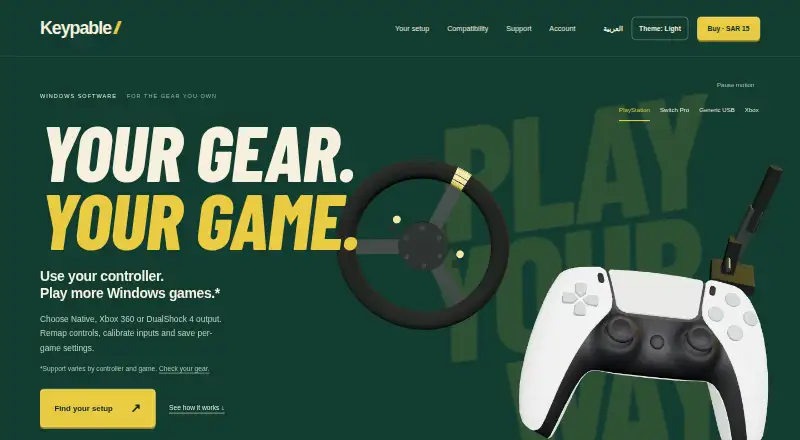
Keypable is a Windows control center for controller emulation, remapping, calibration, and per-game settings. Supported PlayStation controllers can appear as virtual Xbox 360 or DualShock 4 devices, or use Native mode where supported. Users can remap buttons, sticks, and triggers, assign hold or toggle actions, calibrate stick centers and deadzones, and inspect inputs in Live View. DualSense support includes motion aiming, touchpad mouse controls, lighting effects, and trigger resistance through Riggy. Supported wheels, pedals, handbrakes, and button boxes can map to gamepad inputs. Profiles switch when a game reaches the foreground, remain stored locally, and can move between PCs. Keypable supports up to four game controllers alongside supported sim gear. Compatibility lists Windows 10/11, DualSense, DualSense Edge, DualShock 4, and original Joy-Con; Switch Pro support is beta. The Standalone licence costs SAR 15 (USD $4) per once, covers two PCs, and includes updates while maintained.
Good
- Virtual Xbox 360 and DualShock 4 output
- Per-game profiles switch automatically
- Detailed remapping and calibration controls
- DualSense motion and touchpad features
- Licences continue working offline
Watch out
- Windows only
- Wheel support is beta
- Force feedback is unavailable
- Virtual-controller compatibility is not guaranteed
Who it suits
Keypable suits Windows players who need per-game controller mappings, virtual-controller output, calibration, or DualSense controls. It also serves users combining gamepads with supported sim gear.
Verdict
Keypable combines remapping, emulation, calibration, and local game profiles in a Windows utility. Check individual game and anti-cheat policies before relying on virtual-controller output.
Plans and prices
From Keypable's own pricing page, checked 7 Oct 2026.
| Plan | Price | What it gives you |
|---|---|---|
| Standalone licence | $4, paid once | One licence for up to two PCs · updates included while Keypable is maintained and distributed · SAR 15 (USD $4) · one purchase, updates included |
The facts
Each one read from Keypable's own pages, with the date it was checked.
What it does
- Anti-cheat
- The maker does not guarantee that every game or anti-cheat system permits virtual controllers and advises checking the game's policy.checked 7 Oct 2026
- Compatibility
- The site lists Windows 10/11, DualSense, DualSense Edge, DualShock 4 and original Joy-Con, while Switch Pro support is beta and some Switch 2 adapter support is experimental.checked 7 Oct 2026
- Controller limit
- Keypable supports up to four game controllers alongside supported sim gear.checked 7 Oct 2026
- Controller output
- It can present supported PlayStation controllers as virtual Xbox 360 or DualShock 4 controllers, or use Native mode where supported.checked 7 Oct 2026
- Data security
- The privacy policy says data travels over HTTPS, passwords and machine identifiers are hashed, and licence files and update metadata use digital signatures.checked 7 Oct 2026
- DualSense features
- DualSense features include motion aiming, touchpad mouse controls, lighting effects and trigger resistance through Riggy.checked 7 Oct 2026
- Offline use
- Website licences activate online once and continue working offline, with a best-effort licence status check when online.checked 7 Oct 2026
- Privacy
- The privacy policy says controller input, profiles, calibration and gameplay settings stay on the PC, and these are not automatically uploaded.checked 7 Oct 2026
- Profiles
- Per-game profiles can switch when a game comes to the foreground, remain saved locally, and be imported or exported between PCs.checked 7 Oct 2026
- Purpose
- Keypable is a Windows control center for controller emulation, remapping, calibration and per-game settings.checked 7 Oct 2026
- Sim gear
- Supported USB wheels, pedals, handbrakes and button boxes can map to gamepad inputs; wheel support is beta and force feedback is unavailable.checked 7 Oct 2026
- Support
- Support is available by email, and users can attach diagnostic log files when reporting a problem.checked 7 Oct 2026
The company
- Headquarters
- Alkhobar, Saudi Arabiachecked 28 Sep 2026
Where it runs
- Remapping
- Users can remap buttons, sticks and triggers, set hold or toggle actions, calibrate stick centers and deadzones, and check inputs in Live View.checked 7 Oct 2026
Alternatives to Keypable
- 1
Monect PC Remote Play
Free planAndroidiOSWebmacOS7.6Free plan - 2
GameFlow
Free planOpen sourceWebLinuxmacOSSelf-hosted7.4Free plan - 3

OmniControl
Free planWindows7.3From $59.99 a year - 4
ControllerBuddy
Free planOpen sourceLinuxmacOSWindows7.2Free plan - 5
JoyShockMapper
Free planOpen sourceLinuxSelf-hostedWindows7.2Free plan - 6
reWASD
AndroidiOSWindows7.1$14.99 one-time