Kanvaz
Kanvaz is a free, offline infinite-canvas reference board for VFX and 3D artists and others who collect and connect visual material.
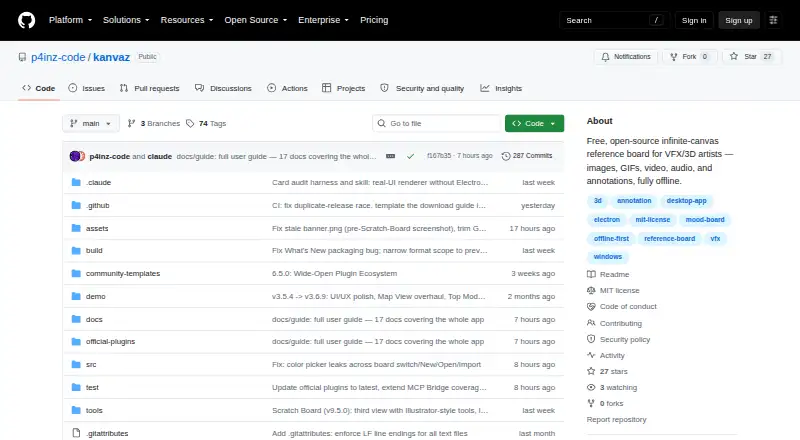
What Kanvaz is
Kanvaz is a free, offline infinite-canvas reference board for VFX and 3D artists and others who collect and connect visual material. Boards can contain 3D models, images, GIFs, video, audio, notes, colors, URLs, and file pointers. Supported models can be orbited live, viewed with multiple shading modes, and played with animations; previewing .blend files requires Blender. Users can connect references with seven typed relationships and explore them as a graph in Map View. A reference card can appear on multiple boards, with edits reflected wherever it is used. An optional MCP Bridge lets Claude Desktop or Claude Code access and change the active board over local IPC, and those changes enter undo history. Kanvaz supports plugins for card types, commands, themes, and features; its maker says creators can sell plugins without a marketplace cut. Boards are stored locally, with no accounts, telemetry, or cloud storage, and network requests are user initiated. It runs on Linux, macOS, and Windows, and is MIT licensed with no feature paywall.
Good
- Works offline and stores boards locally.
- Handles images, 3D models, video, audio, and more.
- Connects references through seven typed relationships.
- Supports plugins without a feature paywall.
- Available for Linux, macOS, and Windows.
Watch out
- Previewing .blend files requires Blender.
- Only the latest release receives security updates.
- Custom properties are text-only.
- The macOS build is unsigned.
Who it suits
Kanvaz suits VFX and 3D artists, as well as others who need to collect, connect, and revisit visual references. It is a fit for people who want offline boards and are comfortable with its listed limitations.
Verdict
Kanvaz combines a broad range of reference media with local boards, graph connections, and plugin support. Keep its file and playback limitations in mind, including the Blender requirement for .blend previews.
Plans and prices
From Kanvaz's own pricing page, checked 4 Oct 2026.
| Plan | Price | What it gives you |
|---|---|---|
| Free | Free | Free forever · MIT licensed · no feature paywall |
The facts
Each one read from Kanvaz's own pages, with the date it was checked.
What it does
- 3D preview
- Supported 3D models can be orbited live with multiple shading modes and animation playback; Blender must be installed to preview .blend files.checked 4 Oct 2026
- Audience
- The maker describes Kanvaz as built for VFX artists, 3D artists, and people whose work involves collecting, connecting, and revisiting references.checked 4 Oct 2026
- Connections
- Users can connect references through seven typed relationships and view them as a graph in Map View.checked 4 Oct 2026
- File format
- A .kanvaz board is a ZIP container with board data and embedded assets, each checked with a SHA-256 integrity hash.checked 4 Oct 2026
- Integrations
- The optional MCP Bridge lets Claude Desktop or Claude Code read and modify the active board over local IPC, with changes recorded in undo history.checked 4 Oct 2026
- Limitations
- The maker lists text-only custom properties, possible MKV/AVI playback issues, no PDF text search, and an unsigned macOS build among known limitations.checked 4 Oct 2026
- Media
- Boards support 3D models, images, GIFs, video, audio, notes, colors, URLs, and file pointers.checked 4 Oct 2026
- Plugins
- Kanvaz supports plugins for card types, commands, themes, and features, and says creators can sell plugins without a marketplace cut.checked 4 Oct 2026
- Privacy
- The maker says Kanvaz has no accounts, telemetry, or cloud storage, and that network requests are user initiated; boards are stored locally.checked 4 Oct 2026
- Purpose
- Kanvaz is an offline infinite-canvas reference board for VFX and 3D artists and others who collect and connect visual references.checked 4 Oct 2026
- Security
- The security policy says only the latest release receives security updates and asks vulnerability reporters to email the maker rather than open a public issue.checked 4 Oct 2026
- Shared cards
- The same reference card can appear on multiple boards, with edits reflected wherever it is used.checked 4 Oct 2026
- Support
- The maker invites bug reports and feature requests through GitHub issues or email and says updates ship most weeks.checked 4 Oct 2026
The company
- Headquarters
- Navi Mumbai, Indiachecked 28 Sep 2026
The full review of Kanvaz
Overview
Kanvaz is a free, offline infinite-canvas workspace for VFX and 3D artists who collect, organize and connect reference material. It is a strong fit for people who want one local board for mixed media and explicit relationships, while users dependent on broad document search or flawless video playback should look carefully at its limits.
Its local-first design avoids accounts, telemetry and cloud storage, and boards remain on the user’s device. That privacy posture suits confidential creative work, although an unsigned macOS build is among the maker’s known limitations.
Key features
Boards accept 3D models, images, GIFs, video, audio, notes, colors, URLs and file pointers. This combination is more useful than an image-only mood board when a project’s references include sound, written annotations or links to external material. Supported 3D models can be orbited live, viewed through multiple shading modes and played with animation. Previewing .blend files requires Blender installed, so Blender users get the most complete experience.
Kanvaz’s seven typed relationships let you describe how references relate, and Map View turns those links into a graph. That is valuable when tracing influences, variations or production connections is part of the work, rather than merely arranging images spatially. A single reference card can be placed on several boards; edits remain synchronized across each placement, helping maintain a shared source of truth.
The optional MCP Bridge allows Claude Desktop or Claude Code to read and modify the active board through local inter-process communication. Those edits are included in Kanvaz’s undo history, giving AI-assisted changes a recoverable path. A plugin system can add card types, commands, themes and other features. Creators may sell plugins without a marketplace cut, which gives the software an extensible route beyond its built-in tools.
Boards use a .kanvaz ZIP container holding board data and embedded assets, with SHA-256 integrity hashes for each asset. The maker identifies no accounts, telemetry or cloud storage, and says network requests are user initiated. Known constraints include text-only custom properties, possible MKV and AVI playback problems, and no PDF text search.
Pricing
Kanvaz has one plan: Free at free, free forever, MIT licensed and without a feature paywall. There is no free trial because the product is already permanently free. The plan includes presentation mode and exports in .kanvaztemplate format. With no collaboration level provided, it is best understood as a personal, local workspace rather than a service built around shared seats.
Platforms
Kanvaz supports Windows, macOS and Linux. The unsigned macOS build is a practical qualification for Mac users, who may need to account for that installation caveat. The application’s offline model and local board storage also suit desktop workflows where projects should remain on the workstation.
Who it's for
Choose Kanvaz if you are a VFX or 3D artist, or anyone whose work depends on collecting, revisiting and connecting varied references. It is particularly compelling for Blender-oriented users, graph-based research and projects that reuse the same cards across several boards. It is less suitable if you need PDF text search, dependable MKV or AVI playback, cloud collaboration, or a polished signed macOS package.
Pros and cons
Pros
- Broad reference support: 3D models, images, animation, sound, notes, colors, URLs and file pointers can coexist on one canvas.
- Relationship mapping: Seven typed links and Map View expose the structure behind a collection of references.
- Reusable cards: Shared cards update on every board where they appear.
- Local privacy: No accounts, telemetry or cloud storage are part of the maker’s stated design.
- Extensible and free: Plugins can expand the software, and creators can sell them without a marketplace cut; the core plan costs nothing forever.
Cons
- Format caveats: .blend previews need Blender, while MKV and AVI playback may fail.
- Weak document discovery: PDFs cannot be searched for text.
- Limited custom data: Custom properties are text-only.
- Mac installation warning: The macOS build is unsigned.
- No built-in collaboration plan: The listed collaboration level is none, so teams seeking hosted multi-user workspaces may need another product.
Alternatives
For a broader mood-board directory, browse Mood Board Software. Pick Adobe Firefly instead when generative media is the priority; its Firefly Free plan costs nothing with limited daily generations, and it runs on Android, iOS and the web as well as through an API.
Milanote is the better choice for hosted boards and sharing: its free plan allows 100 notes, images or links, 10 file uploads and unlimited shared boards across desktop, mobile and web. Choose PureRef for a focused reference-board alternative with Linux, macOS and Windows support and a free Personal plan.
Rayon suits users who need browser-based design editing, while Moodis offers local mood boards with unlimited boards for personal, non-commercial use on its free plan. ShopLook is aimed at creative canvas work across mobile and web, and Soleil Clusters provides a free demo with 50 cards, unlimited clusters and unlimited collaborators. For a web-only board with AI-assisted materials, consider Mattoboard.
Verdict
Kanvaz is an excellent choice for independent VFX and 3D artists who want a private, free desktop board that treats references as connected, reusable objects rather than a flat collage. Its strongest reasons to choose it are mixed-media support, graph relationships and local control. Look elsewhere if your workflow depends on cloud collaboration, PDF text search, trouble-free MKV or AVI playback, or a signed macOS release.
Alternatives to Kanvaz
- 1

Milanote
Free planAndroidiOSWebExtension8.2From $9.99 a month - 2

Adobe Firefly
Free planAndroidiOSWebAPI7.8Free plan - 3

Mattoboard
Free planWebExtension7.3From $98 a month - 4
ShopLook
Free planAndroidiOSWebExtension7.2From $3.99 a month - 5

Soleil Clusters
Free planAndroidiOSWebAPI7.2From $25 a month - 6

Rayon
Free planWebmacOSWindows7.0From $21 a month