
Adobe Firefly
Adobe Firefly is a generative tool for creating and editing images, with text-to-image generation, reference images, and text-based editing.
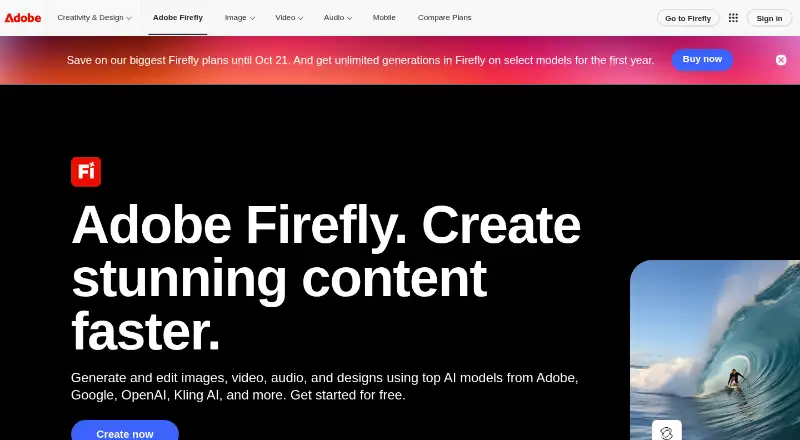
What Adobe Firefly is
Adobe Firefly is a generative tool for creating and editing images, with text-to-image generation, reference images, and text-based editing. Its web app works on desktop and mobile, and mobile apps are available for iOS and Android. Images export as PNG or JPG, while videos export as MP4. Prompts can be written in over 100 languages and may be up to 750 characters long. Firefly works with Photoshop, Illustrator, Premiere, Lightroom, Adobe Express, and other Adobe products; partner models include Google, OpenAI, ElevenLabs, Luma AI, and Runway. Adobe says Firefly models are commercially safe and trained on licensed or public-domain content, and that it does not train models on subscribers' personal content. Outputs include Content Credentials describing creation or editing and contributors. The free plan has limited daily generations. Paid subscriptions add generation access, credits, and perks, with credits resetting each billing cycle. Prices for the listed paid plans are not provided.
Good
- Supports text-to-image generation and reference images.
- Accepts prompts in over 100 languages.
- Exports images as PNG or JPG and videos as MP4.
- Outputs include Content Credentials.
- Adobe says personal subscriber content is not used for model training.
Watch out
- Free plan has limited daily generations.
- Prompts are limited to 750 characters.
- Prices for paid plans are not listed.
Who it suits
Firefly may suit people who want to generate or edit images with text prompts or reference images. Its mobile apps and Adobe product integrations may also suit users working across those platforms.
Verdict
Firefly combines image generation and editing with mobile access and Adobe integrations. The free plan is limited to daily generations, and paid-plan prices are not listed.
Plans and prices
From Adobe Firefly's own pricing page, checked 20 Sep 2026.
| Plan | Price | What it gives you |
|---|---|---|
| Firefly Free | Free | Limited daily generations |
| Firefly Standard | Priced on request | 2,000 credits per month · Up to 20 five-second videos · Up to 6 minutes of audio or video translation · Monthly |
| Firefly Standard | — | 2,000 credits per month · Up to 20 five-second videos · Up to 6 minutes of audio or video translation |
| Firefly Pro | Priced on request | 4,000 credits per month · Up to 40 five-second videos · Up to 13 minutes of audio or video translation · Monthly |
| Firefly Pro | — | 4,000 credits per month · Up to 40 five-second videos · Up to 13 minutes of audio or video translation |
| Firefly Pro Plus | — | 10,000 credits per month · Up to 100 five-second videos · Up to 33 minutes of audio or video translation |
| Firefly Pro Plus | Priced on request | 10,000 credits per month · Up to 100 five-second videos · Up to 33 minutes of audio or video translation · Monthly |
| Firefly Premium | Priced on request | 50,000 credits per month · Unlimited Firefly Video Model access · Up to 166 minutes of audio or video translation · Monthly |
| Firefly Premium | — | 50,000 credits per month · Unlimited Firefly Video Model access · Up to 166 minutes of audio or video translation |
| Firefly Pro for teams | — | 4,000 credits per month · Up to 40 five-second videos · Up to 13 minutes of audio or video translation |
| Firefly Pro for teams | Priced on request | 4,000 credits per month · Up to 40 five-second videos · Up to 13 minutes of audio or video translation · Annual, billed monthly |
| Firefly Pro Plus for teams | Priced on request | 10,000 credits per month · Up to 100 five-second videos · Up to 33 minutes of audio or video translation · Annual, billed monthly |
| Firefly Pro Plus for teams | — | 10,000 credits per month · Up to 100 five-second videos · Up to 33 minutes of audio or video translation |
| Firefly Premium for teams | — | 50,000 credits per month · Unlimited Firefly Video Model access · Up to 166 minutes of audio or video translation |
| Firefly Premium for teams | Priced on request | 50,000 credits per month · Unlimited Firefly Video Model access · Up to 166 minutes of audio or video translation · Annual, billed monthly |
| Free plan | Free | Includes free daily generations; paid subscription required for additional generation access. |
The facts
Each one read from Adobe Firefly's own pages, with the date it was checked.
What it does
- Adobe integrations
- Firefly works with Photoshop, Illustrator, Premiere, Lightroom, Adobe Express, and more.checked 27 Sep 2026
- API access
- Yeschecked 20 Sep 2026
- Assets generated
- Firefly has generated over 18 billion assets globally.checked 27 Sep 2026
- CAI membership
- Adobe co-founded the Content Authenticity Initiative in 2019.checked 27 Sep 2026
- Commercial safety
- Adobe Firefly models are commercially safe and trained on licensed or public-domain content.checked 27 Sep 2026
- Commercial use
- includedchecked 20 Sep 2026
- Content Credentials
- Outputs include Content Credentials describing creation or editing and contributors.checked 27 Sep 2026
- Credit reset
- Paid-plan generative credits reset each billing cycle.checked 27 Sep 2026
- Desktop and mobile
- The web application is available on desktop and mobile.checked 27 Sep 2026
- Export formats
- Images export as PNG and JPG; videos export as MP4.checked 27 Sep 2026
- Image editing
- Yeschecked 20 Sep 2026
- Monthly credits
- 2000checked 20 Sep 2026
- Output formats
- JPG,PNGchecked 20 Sep 2026
- Paid access
- Paid subscriptions provide additional generation access, generative credits, and perks.checked 27 Sep 2026
- Partner models
- Partner models include Google, OpenAI, ElevenLabs, Luma AI, Runway, and others.checked 27 Sep 2026
- Personal content training
- Adobe does not train models on subscribers’ personal content.checked 27 Sep 2026
- Prompt languages
- Firefly accepts prompts in over 100 languages.checked 27 Sep 2026
- Prompt limit
- Prompts can be up to 750 characters.checked 27 Sep 2026
- Questions support
- The page provides a questions-and-answers section.checked 27 Sep 2026
The company
- Founded
- 1982checked 23 Sep 2026
- Headquarters
- San Jose, California, USAchecked 23 Sep 2026
Money
- Free daily generations
- The free plan includes free daily generations.checked 27 Sep 2026
- Free plan
- Yeschecked 20 Sep 2026
Where it runs
- Mobile apps
- The Firefly mobile app is available on iOS and Android.checked 27 Sep 2026
The full review of Adobe Firefly
Overview
Adobe Firefly brings generative tools for creating and editing visual content into Adobe’s creative ecosystem. It supports text-to-image generation, reference images, image editing, and text-based editing. Prompts can be up to 750 characters and may be written in more than 100 languages. Image exports are PNG or JPG; video exports are MP4.
Firefly connects with Photoshop, Illustrator, Premiere, Lightroom, Adobe Express, and other Adobe products. It also makes partner models available, including models from Google, OpenAI, ElevenLabs, Luma AI, and Runway. Teams can use Firefly Boards to brainstorm, arrange ideas, and iterate together on an infinite canvas.
Adobe says Firefly models are commercially safe and trained on licensed or public-domain content, and that it does not train models on subscribers’ personal content. Outputs include Content Credentials describing how they were created or edited and identifying contributors. Adobe also says it internally tests models to mitigate harmful biases and stereotypes; the company co-founded the Content Authenticity Initiative in 2019.
Adobe reports that Firefly has generated over 18 billion assets globally. The product page also includes a questions-and-answers section.
Key features
- Image generation: Create images from text prompts or use reference images to guide generation.
- Editing: Edit images with text-based controls, alongside Firefly’s other image-editing capabilities.
- Video and translation: Paid plans list allowances for generating five-second videos and translating audio or video. Translation supports over 20 languages.
- Prompt and export support: Firefly accepts prompts in over 100 languages, up to 750 characters long. Images export as PNG or JPG, while video exports as MP4.
- Creative workflow integrations: Firefly works with Photoshop, Illustrator, Premiere, Lightroom, Adobe Express, and more, and offers access to partner models from several providers.
- Team ideation: Firefly Boards gives teammates a shared, infinite canvas for brainstorming, organizing, and iterating.
- Content transparency: Content Credentials accompany outputs with details about creation or editing and contributors.
Pricing
Firefly uses a freemium model. The free plan includes limited daily generations. Paid subscriptions provide additional generation access, generative credits, and perks; paid-plan credits reset each billing cycle.
| Plan | Listed price | Included allowance or detail |
|---|---|---|
| Firefly Free | free | Limited daily generations |
| Firefly Standard | Price not listed | 2,000 credits per month; up to 20 five-second videos; up to 6 minutes of audio or video translation |
| Firefly Pro | Price not listed | 4,000 credits per month; up to 40 five-second videos; up to 13 minutes of audio or video translation |
| Firefly Pro Plus | Price not listed | 10,000 credits per month; up to 100 five-second videos; up to 33 minutes of audio or video translation |
| Firefly Premium | Price not listed | 50,000 credits per month; unlimited Firefly Video Model access; up to 166 minutes of audio or video translation |
| Firefly Pro for teams | Price not listed | 4,000 credits per month; up to 40 five-second videos; up to 13 minutes of audio or video translation |
| Firefly Pro Plus for teams | Price not listed | 10,000 credits per month; up to 100 five-second videos; up to 33 minutes of audio or video translation |
| Firefly Premium for teams | Price not listed | 50,000 credits per month; unlimited Firefly Video Model access; up to 166 minutes of audio or video translation |
| Free plan | Price not listed | Includes free daily generations; paid subscription required for additional generation access. |
The listed plan details do not provide paid subscription prices, so compare the allowances without assuming a monthly or annual cost.
Platforms
Firefly is available on the web, with the web application usable on desktop and mobile. Dedicated mobile apps are available for iOS and Android. API access is also listed. Firefly’s integrations include Photoshop, Illustrator, Premiere, Lightroom, and Adobe Express.
Who it's for
Firefly may suit people who want image generation and editing alongside other Adobe creative tools, or who value access to reference-image workflows, text-based editing, and multiple partner models. The free plan offers a way to start with limited daily generations, while the tiered paid allowances are relevant to users who need more generation access, video creation, or audio and video translation.
Its team plans and shared Boards canvas may fit collaborative creative work. Those considering a paid plan should check current pricing separately, since the listed plan details specify credits and allowances but not subscription prices.
Pros and cons
Pros
- Supports text-to-image, reference images, image editing, and text-based editing.
- Works across web and mobile, with iOS and Android apps and API access.
- Integrates with several Adobe creative products and offers partner models.
- Includes a free plan with daily generations and paid plans with stated credit allowances.
- Adobe describes its model-training approach and includes Content Credentials with outputs.
Cons
- Paid plan prices are not listed in the supplied plan details.
- The free plan has limited daily generations; additional generation access requires a paid subscription.
- Plan allowances distinguish video and translation use, so users focused on those features need to compare the tier limits.
Alternatives
For other options in this category, browse AI image generators. Alternatives listed here include FLUX, Leonardo.Ai, Recraft, ImagineArt, Ideogram, Shedevrum, ComfyUI, and NightCafe.
Verdict
Adobe Firefly combines image creation and editing with Adobe integrations, partner models, mobile access, and tools for teams. Its free plan makes limited daily generations available, and paid tiers spell out monthly credits plus video and translation allowances. The main limitation in the available plan information is that paid prices are not stated. Firefly is worth considering for users whose creative workflows align with its features and Adobe connections, provided they verify subscription costs before choosing a tier.
Getting started
- Open the Adobe Firefly website in a desktop or mobile browser.
- Alternatively, install the Firefly app on iOS or Android.
- Start with the Firefly Free plan, which includes limited daily generations.
- Choose a paid subscription for additional generation access, credits, and perks.
- Use the web app, mobile app, or API to access Firefly.
Limits worth knowing
Firefly Free includes limited daily generations. Paid plans specify monthly credit allowances, which reset each billing cycle; Firefly Premium includes unlimited Firefly Video Model access.
Questions
Is Adobe Firefly free?
Yes. Firefly Free costs nothing and includes limited daily generations.
What platforms does Firefly support?
Firefly is available on web, Android, iOS, and through an API. The web application works on desktop and mobile.
Can Firefly content be used commercially?
Commercial use is included. Adobe says its models are commercially safe and trained on licensed or public-domain content.
What file formats can Firefly export?
Images export as PNG or JPG, and videos export as MP4.
What paid plans are listed?
Plans include Firefly Standard, Pro, Pro Plus, Premium, and Pro for teams. Their listed monthly credit allowances range from 2,000 to 50,000; Premium also includes unlimited Firefly Video Model access.
Does Firefly connect with other creative tools?
It works with Photoshop, Illustrator, Premiere, Lightroom, Adobe Express, and more. Partner models include Google, OpenAI, ElevenLabs, Luma AI, Runway, and others.
Alternatives to Adobe Firefly
- 1

FLUX
Free planOpen sourceWebAPILinuxmacOS9.1$0.01 one-time - 2

Recraft
Free planAndroidiOSWebAPI9.0Free plan - 3

Tensor.Art
Free planAndroidiOSWebAPI8.8Free plan - 4
Sogni
Free planAndroidiOSWebAPI8.8From $20 a month - 5

Dream by WOMBO
Free planAndroidiOSWebAPI8.6Free plan - 6
Ideogram
Free planiOSWebAPISelf-hosted8.5From $20 a month