JumpCloud Protect
JumpCloud Protect is a mobile authentication app for iOS and Android.
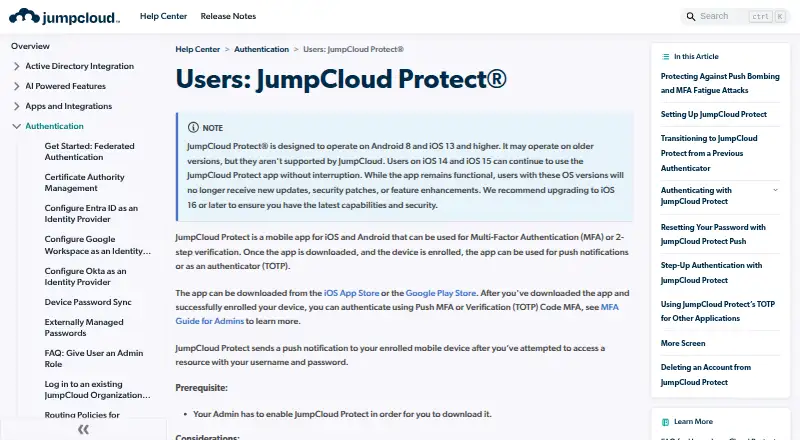
What JumpCloud Protect is
JumpCloud Protect is a mobile authentication app for iOS and Android. It supports push approvals and time-based one-time password codes, with users enrolling those methods separately. Push MFA can protect the User Portal, SAML SSO applications, device logins, and password resets; administrators can also enable Protect for the Admin Portal and Windows, Mac, and Linux logins. TOTP authentication remains available for local accounts without an internet connection. Each user may enroll the app on only one device. Administrators can choose whether biometric verification is never required, required when enabled on a device, or always required. JumpCloud blocks more than one push for the same resource within 60 seconds, except for RADIUS and LDAP attempts. The app supports iOS 13 or later and Android 8.0 or later, but is not optimized for tablets. JumpCloud lists MFA at $3 a year billed annually or $4 a month billed monthly, and offers a 30-day platform trial with 24×7 Premium Support.
Good
- Supports push MFA and TOTP codes
- Protects portals, SSO apps, devices, and resets
- Offline TOTP works for local accounts
- Configurable biometric verification
- Diagnostic sharing can be turned off
Watch out
- Each user can enroll only one device
- Not optimized for tablets
- Android push may fail where Google messaging is blocked
- MFA pricing is separate from the free app
Who it suits
It suits organizations using JumpCloud who need push MFA or TOTP on supported iOS and Android phones. Teams should account for one-device enrollment and the tablet limitation.
Verdict
JumpCloud Protect covers push and offline TOTP authentication across JumpCloud-protected resources. Its one-device enrollment rule, platform requirements, and listed MFA pricing should guide deployment planning.
Plans and prices
From JumpCloud Protect's own pricing page, checked 4 Oct 2026.
| Plan | Price | What it gives you |
|---|---|---|
| Multi-Factor Authentication (MFA) — annual | $3 | MFA feature pricing shown on JumpCloud pricing page · Price per user per month, billed annually |
| Multi-Factor Authentication (MFA) — monthly | $4 a month | MFA feature pricing shown on JumpCloud pricing page · Price per user per month, billed monthly |
The facts
Each one read from JumpCloud Protect's own pages, with the date it was checked.
What it does
- Authentication methods
- The app supports push MFA and time-based one-time password (TOTP) codes, which users enroll in separately.checked 4 Oct 2026
- Biometric verification
- Admins can configure mobile biometric verification as never required, required if enabled on the device, or always required.checked 4 Oct 2026
- China availability limit
- The admin guide says users in China cannot download Protect from Google Play and Android push notifications may not work where Google Cloud Messaging is blocked.checked 4 Oct 2026
- Code type
- totpchecked 21 Sep 2026
- Data collection
- The app collects diagnostic data for troubleshooting and improvement, states that it does not collect user information, and lets users turn data sharing off.checked 4 Oct 2026
- Enrollment limit
- A user can enroll JumpCloud Protect on only one device.checked 4 Oct 2026
- Offline TOTP
- Users can authenticate to their local account without internet access while TOTP MFA remains enforced.checked 4 Oct 2026
- Protected access
- Mobile push is supported for the User Portal, SAML SSO apps, device logins, and password reset.checked 4 Oct 2026
- Purpose
- JumpCloud Protect is a mobile app for iOS and Android used for multi-factor authentication or two-step verification.checked 4 Oct 2026
- Push security
- JumpCloud blocks more than one push notification per resource within a 60-second period, with exceptions for RADIUS and LDAP attempts.checked 4 Oct 2026
- Security assurance
- JumpCloud states that its open directory platform completed a SOC 2 Type 2 examination and achieved ISO 27001 certification.checked 4 Oct 2026
- Security controls
- JumpCloud says it uses TLS 1.2 and above for data in transit and encrypts databases and applications containing sensitive data at rest.checked 4 Oct 2026
Where it runs
- Device login
- Admins can enable Protect for login to the Admin Portal, User Portal, and Windows, Mac, and Linux devices.checked 4 Oct 2026
- Multi-device sync
- Nochecked 21 Sep 2026
- Platform requirements
- The admin guide lists support for iOS 13 and later and Android 8.0 and later, and says the app is not optimized for tablets.checked 4 Oct 2026
- Push approvals
- Yeschecked 21 Sep 2026
- Supported platforms
- iOS,Androidchecked 21 Sep 2026
Money
- Free plan
- Yeschecked 21 Sep 2026
- Trial and support
- JumpCloud offers a 30-day free trial of its platform and includes 24×7 Premium Support during the trial.checked 4 Oct 2026
The company
- Team administration
- Yeschecked 21 Sep 2026
Alternatives to JumpCloud Protect
- 1

Bitwarden
Free planOpen sourceAndroidiOSWebAPI9.3From $1.65 a month - 2

Duo Mobile
Free planAndroidiOS8.5From $3 a month - 3
SAASPASS Authenticator
Free planAndroidiOSWebExtension8.4From $1 a year - 4

LastPass
Free planAndroidiOSWebExtension8.4Free plan - 5
Yubico Authenticator
Free planAndroidiOSLinuxmacOS8.1Free plan - 6
HYPR Authenticate
AndroidiOSWebAPI8.1From $3 a month