Jorora Freight Audit
Jorora Freight Audit helps freight brokers and 3PLs check carrier invoices against rate confirmations and supporting documents before payment.
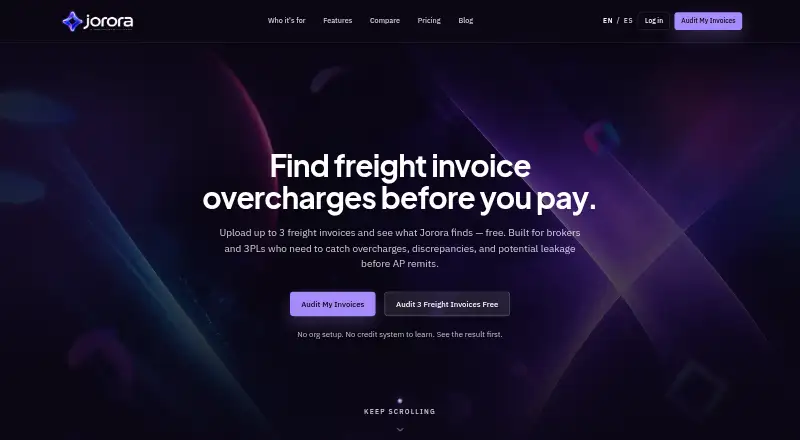
What Jorora Freight Audit is
Jorora Freight Audit helps freight brokers and 3PLs check carrier invoices against rate confirmations and supporting documents before payment. Users can upload invoice PDFs and rate confirmations, or send documents through the site’s email-forward intake option. The audit checks whether rates match, accessorial charges were authorized, detention is supported by evidence, required documents are present, and an invoice is a duplicate. Each review returns Approve, Needs Review, or Reject and keeps an audit trail. Duplicate controls use the invoice number, PRO, and exact file hash to catch reruns of unpaid invoices. An approved invoice can be handed off by copying pay-ready fields or exporting to QuickBooks beta or CSV. Optional beta integrations include Gmail inbox sync and QuickBooks Online Bill export for selected customers. A TMS connection is not required for audits based on uploaded PDFs. Jorora does not make carrier payments; users review the decisions and authorize payment themselves. The web service has a free plan, followed by credit-based paid options. Jorora says documents are used to perform audits and are not sold, used for advertising, or used to train public models. Its privacy policy describes access controls, TLS encryption in transit, tenant isolation, and least-privilege practices.
Good
- Checks rates, accessorial authorization, detention evidence, and supporting documents.
- Flags duplicate invoices using invoice number, PRO, and file hash.
- Returns Approve, Needs Review, or Reject with an audit trail.
- PDF audits do not require a TMS integration.
- Approved invoices can be handed off through QuickBooks beta or CSV.
Watch out
- Jorora does not pay carriers; users authorize payments themselves.
- No EDI support is listed.
- Gmail and QuickBooks Online integrations are optional beta features for selected customers.
Who it suits
It suits freight brokers, 3PLs, AP managers, controllers, and CFOs reviewing carrier invoices, especially workflows built around FTL PDFs and email. It can fit teams that want to audit uploaded documents without a TMS integration and make their own payment decisions.
Verdict
Choose Jorora if you need to review freight invoices against confirmations and evidence, with duplicate checks and a recorded decision. Look elsewhere if you need the software to pay carriers or require EDI support.
Plans and prices
From Jorora Freight Audit's own pricing page, checked 5 Oct 2026.
| Plan | Price | What it gives you |
|---|---|---|
| Free | Free | 3 freight invoice audits free · then 3 credits on signup |
| Single | $1.29, paid once | 1 credit |
| Starter | $12.90, paid once | 10 credits · $1.29 each |
| Growth | $54.90, paid once | 50 credits · ~$1.10 each |
The facts
Each one read from Jorora Freight Audit's own pages, with the date it was checked.
What it does
- Audit decisions
- Freight Audit returns Approve, Needs Review, or Reject decisions with an audit trail.checked 5 Oct 2026
- Checks
- The audit checks rate matches, accessorial authorization, detention evidence, supporting documents, and duplicate invoices.checked 5 Oct 2026
- Document intake
- Users can upload invoice PDFs and rate confirmations, and the site also describes email-forward intake as an option.checked 5 Oct 2026
- Document privacy
- Jorora says freight documents are used only to run the audit, are not sold or used for ads, and are not used to train public models.checked 5 Oct 2026
- Duplicate prevention
- Duplicate gates use invoice number, PRO, and exact file hash to stop unpaid invoice reruns.checked 5 Oct 2026
- Human review
- Jorora does not pay carriers; users remain responsible for reviewing results and authorizing payments.checked 5 Oct 2026
- Integrations
- Optional beta integrations include Gmail inbox sync and QuickBooks Online Bill export for selected customers.checked 5 Oct 2026
- Intended users
- The product is aimed at freight brokers, 3PLs, AP managers, controllers, and CFOs handling carrier invoices, especially FTL PDF and email workflows.checked 5 Oct 2026
- No TMS required
- The freight invoice audit can be used by uploading PDFs and does not require a TMS integration.checked 5 Oct 2026
- Purpose
- Jorora helps freight brokers and 3PLs compare carrier invoices against rate confirmations and supporting evidence before payment.checked 5 Oct 2026
- QuickBooks handoff
- On approval, users can copy pay-ready fields or export to QuickBooks beta or CSV for accounting handoff.checked 5 Oct 2026
- Security
- The privacy policy says Jorora uses access controls, TLS encrypted transport, organization tenant isolation, encrypted OAuth tokens at rest where applicable, and least-privilege practices.checked 5 Oct 2026
- Support
- The site lists [email protected] as its support contact.checked 5 Oct 2026
The full review of Jorora Freight Audit
Jorora Freight Audit checks carrier invoices against rate confirmations and supporting documents before payment. It is best suited to freight brokers, 3PLs, and finance teams handling FTL invoices through PDFs and email. Its focused audit and one-time credit packs make it a practical review step without a TMS, but users still have to approve and pay carriers themselves.
Overview
Each audit returns an Approve, Needs Review, or Reject decision and an audit trail. That gives accounts payable teams a consistent way to route clean invoices and investigate exceptions, while keeping the final review and payment authorization with the business.
Jorora can be used by uploading invoice PDFs and rate confirmations, and email-forward intake is also an option. A TMS integration is not required, which suits teams whose freight process still runs on documents. The tradeoff is a narrow remit: Jorora checks invoices but does not pay carriers, and it has no EDI support.
Key features
- Evidence-based audit: Checks cover rate matches, authorized accessorials, detention evidence, and supporting documents. These target common reasons an invoice needs scrutiny, but the result still needs a human reviewer.
- Duplicate controls: Gates compare invoice number, PRO, and exact file hash to stop unpaid invoice reruns. This gives teams several checks against duplicate processing, including identical files.
- Accounting handoff: After approval, users can copy pay-ready fields or export to QuickBooks Online beta or CSV. QuickBooks integration is optional and beta for selected customers, so the handoff is useful but not a universal automated accounting connection.
- Optional intake integration: Gmail inbox sync is an optional beta integration for selected customers. The core PDF upload workflow does not depend on it.
- Document safeguards: Jorora describes access controls, TLS-encrypted transport, tenant isolation, encrypted OAuth tokens at rest where applicable, and least-privilege practices. It says freight documents are used only to run the audit, are not sold or used for advertising, and are not used to train public models.
Pricing
Jorora uses a freemium, credit-based model, with one-time purchases rather than recurring terms in the listed plans. The Free plan costs nothing and includes three freight invoice audits free, then three credits on signup. That gives a small team a way to try a few audits, but the initial allowance is limited.
- Single: $1.29, paid once for one credit. It fits an occasional audit, though repeated use quickly makes a larger pack more practical.
- Starter: $12.90, paid once for 10 credits, or $1.29 each. This suits a small batch of invoices without committing to a subscription.
- Growth: $54.90, paid once for 50 credits, about $1.10 each. It is the better fit for teams with regular audit volume, with a lower per-credit cost than the smaller packs.
There is no free trial. The credit packs keep the spend tied to usage, but the listed plans do not establish a recurring allowance for a team with steady monthly volume.
Platforms
Jorora is web-based, so it suits teams reviewing invoices from a browser. PDF upload and email-forward intake support document-led work without requiring a TMS; EDI workflows are not supported.
Who it's for
Freight brokers, 3PLs, AP managers, controllers, and CFOs handling carrier invoices are the natural audience, particularly those working with FTL PDFs and email. It is a good fit when the priority is to compare invoices with confirmations and evidence, record a decision, and pass approved fields to accounting. Teams that need carrier payment execution, EDI, or a broader freight-system workflow should look elsewhere.
Pros and cons
- Pro: Multiple invoice checks and a recorded decision make review more structured than relying on an untracked manual check.
- Pro: Invoice number, PRO, and file-hash duplicate gates address reruns through multiple identifiers.
- Pro: PDF intake works without a TMS, and one-time credit packs avoid a listed subscription commitment.
- Con: Users remain responsible for reviewing results and authorizing payment; Jorora does not pay carriers.
- Con: No EDI support limits fit for teams whose invoice flow depends on electronic interchange.
- Con: Gmail and QuickBooks Online connections are beta options for selected customers, so they may not suit teams that need a dependable integrated workflow.
Alternatives
Lojistic +PAY is the closer fit when carrier invoice payments matter: its free +PAY plan includes audit and recovery features and carrier payments, with fees waived when Lojistic pays by credit card, subject to qualification and terms.
OpenEnvoy offers a free 800-token plan and an Essentials option described for small teams with no annual minimum; it is worth comparing if token-based invoice processing and a small-team plan are priorities.
Shipware Audit and Pay is the relevant alternative for businesses spending over $100,000 annually on small-parcel shipping, for which its Parcel Audit and Pay plan is free.
AFS Freight Audit and Payment offers custom business rules, detailed freight reports, real-time documents, and automatic notifications, which may suit teams seeking those capabilities.
TranzAct Freight Audit and Payment is another paid web-based freight audit and payment option to compare.
Trimble Freight Marketplace is a paid web-based option with a free plan.
Conlio Freight Audit and Payment uses an individually specified custom offer, which may fit buyers who want scope and terms set in an offer.
nShift TMS is a better comparison for teams shopping for a broader TMS: it is priced per shipment, with a modular Core base and optional Cost, Collaborate, Emissions, and Report modules, quoted to shipment volume.
See the Freight Audit and Payment Software directory for more options.
Verdict
Choose Jorora Freight Audit if your team needs a focused way to check FTL carrier invoices against confirmations and evidence, catch duplicates, and keep a decision trail without requiring a TMS. The credit packs make occasional or variable volume manageable, but the product stops at the audit and accounting handoff. Look elsewhere if you need carrier payments, EDI, or a fuller freight platform.
Getting started
- Open the Jorora website.
- Create an account to receive 3 credits on signup.
- Upload invoice PDFs and rate confirmations, or use email-forward intake.
- Review the audit decision and its trail.
- For approved invoices, copy pay-ready fields or export to QuickBooks beta or CSV.
Limits worth knowing
The free plan includes 3 freight invoice audits free, then 3 credits on signup. Paid options are $1.29, paid once for 1 credit, $12.90, paid once for 10 credits, and $54.90, paid once for 50 credits.
Questions
Is there a free plan?
Yes. The free plan includes 3 freight invoice audits free, then 3 credits on signup.
How much do paid credits cost?
Single costs $1.29, paid once for 1 credit. Starter costs $12.90, paid once for 10 credits, and Growth costs $54.90, paid once for 50 credits.
Which platforms does Jorora support?
Jorora is available on the web.
Does it integrate with QuickBooks Online?
QuickBooks Online Bill export is an optional beta integration for selected customers. Approved invoices can also be exported to QuickBooks beta or CSV.
Does Jorora pay carriers?
No. Users remain responsible for reviewing audit results and authorizing carrier payments.
Can I audit invoices without a TMS?
Yes. Audits can be run by uploading PDFs without a TMS integration.
Alternatives to Jorora Freight Audit
- 1

OpenEnvoy
Free planWeb6.8Free plan - 2

Intelligent Audit
WebAPI6.3 - 3
Lojistic +PAY
Free planWebAPI6.2Free plan - 4
ShipEnd
WebAPI6.1From $25 a month - 5
Shipware Audit and Pay
Free planWeb5.9Free plan - 65.9