JD-GUI
JD-GUI is a free graphical tool for viewing reconstructed Java source from compiled CLASS files.
What JD-GUI is
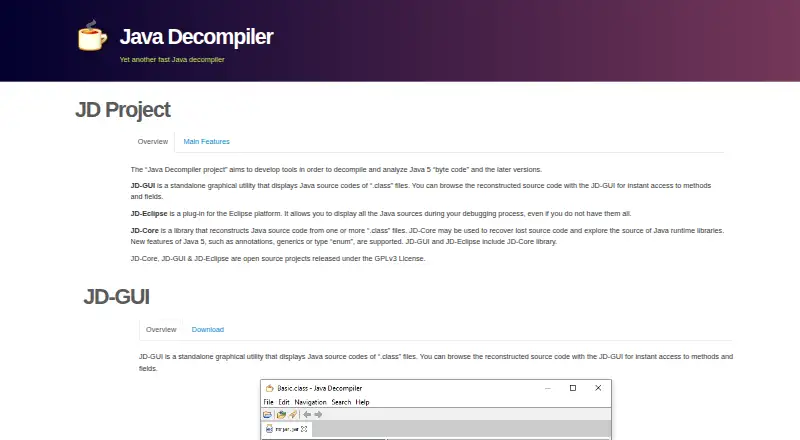
JD-GUI is a free graphical tool for viewing reconstructed Java source from compiled CLASS files. Its color-coded display lets you browse methods and fields, inspect CLASS files, and navigate Java module hierarchies. It also handles JAR, WAR, EAR, AAR, KAR, JMOD, and ZIP files. For stack-trace investigation, you can drop in a LOG file; JD-GUI decompiles the referenced CLASS files and displays the code line associated with the trace. The project describes its tools as intended for decompiling and analyzing Java 5 bytecode and later. JD-GUI is written in Java, released under the GPLv3 License, and supports bytecode decompilation rather than native-code decompilation. It is available for Linux, macOS, and Windows, with releases listed as a JAR, RPM, DEB, macOS TAR, or Windows ZIP. The related JD-Eclipse plug-in displays Java sources during debugging in Eclipse.
Good
- Color-coded reconstructed Java source
- Supports CLASS files and several archive formats
- Displays source lines associated with Java stack traces
- Free and released under GPLv3
Watch out
- Does not decompile native code
- JD-Eclipse plug-in is not signed
Who it suits
JD-GUI suits Java developers who need to inspect compiled code, explore classes, or investigate stack traces. It is available across Linux, macOS, and Windows.
Verdict
JD-GUI focuses on browsing reconstructed Java source and tracing errors back to code. Its bytecode-only scope and unsigned related Eclipse plug-in are worth noting.
Plans and prices
From JD-GUI's own pricing page, checked 7 Oct 2026.
| Plan | Price | What it gives you |
|---|---|---|
| JD-GUI | Free | Standalone graphical utility · GPLv3 |
The facts
Each one read from JD-GUI's own pages, with the date it was checked.
What it does
- Downloads
- The site lists JD-GUI releases as a JAR, RPM, DEB, macOS TAR, and Windows ZIP.checked 7 Oct 2026
- Integrations
- The related JD-Eclipse product is an Eclipse plug-in for displaying Java sources during debugging.checked 7 Oct 2026
- Intended use
- The site describes the Java Decompiler project as tools for decompiling and analyzing Java 5 bytecode and later versions.checked 7 Oct 2026
- Language
- JD-GUI is written in Java.checked 7 Oct 2026
- License
- JD-GUI is an open-source project released under the GPLv3 License.checked 7 Oct 2026
- Navigation
- Users can browse CLASS files and Java module hierarchies.checked 7 Oct 2026
- Purpose
- JD-GUI displays reconstructed Java source code from .class files and lets users browse methods and fields.checked 7 Oct 2026
- Security
- The site says the JD-Eclipse plug-in is not signed and instructs users to choose “Install anyway” during installation.checked 7 Oct 2026
- Source display
- JD-GUI displays color-coded Java source code.checked 7 Oct 2026
- Stack traces
- JD-GUI can accept dropped LOG files, decompile CLASS files, and display the line of code that appears in Java stack traces.checked 7 Oct 2026
- Support
- The site links to GitHub issues for JD-GUI.checked 7 Oct 2026
- Supported files
- JD-GUI supports CLASS, JAR, WAR, EAR, AAR, KAR, JMOD, and ZIP files.checked 7 Oct 2026
Alternatives to JD-GUI
- 1

Binary Ninja
Free planWebAPILinuxmacOS7.8$199 one-time - 2

rev.ng
Free planOpen sourceWebAPILinuxmacOS7.7Free plan - 3

JEB
Free planAPILinuxmacOSSelf-hosted7.6From $1,200 a year - 4
Ghidra
Free planOpen sourceAPIExtensionLinuxmacOS7.3Free plan - 5

IDA Pro
Free planLinuxmacOSWindows7.0From $1,099 a year - 6
Boomerang
Free planLinuxmacOSWindows6.7Free plan