
Inkscape
Inkscape is a free, open-source vector graphics editor for artistic and technical work such as logos, typography, diagrams, and flowcharts.
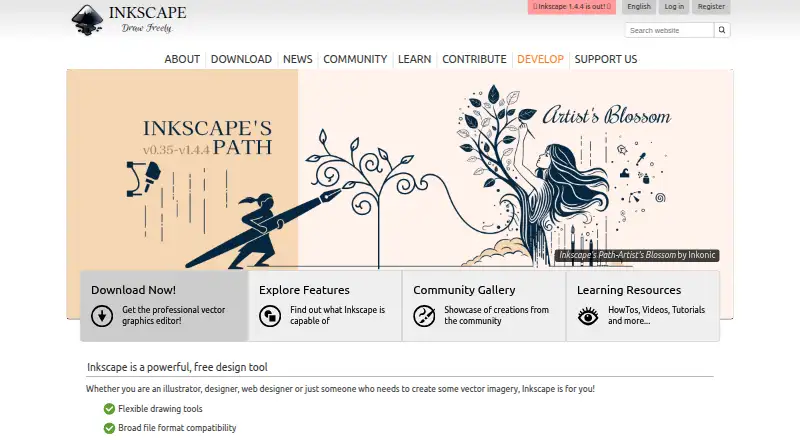
What Inkscape is
Inkscape is a free, open-source vector graphics editor for artistic and technical work such as logos, typography, diagrams, and flowcharts. Its vector approach supports resolution-independent rendering and sharp printouts, while SVG is its primary format. It can import and export SVG, AI, EPS, PDF, PS, and PNG files. The desktop application is available for Linux, macOS, and Windows; no mobile app is listed. Drawing tools include Bézier and spiro curves, and add-ons let users customize the program. The project also publishes community-made extensions, including some for automating the creation or modification of drawing objects. Inkscape is intended for illustrators, designers, web designers, and others who need vector imagery. Help is provided by the community through project channels such as RocketChat and the Inkscape Forum. The program is GPL-licensed and comes without warranty to the extent allowed by law. Artwork files belong to their creators, subject to rights in any derivative works.
Good
- Free and open source.
- Imports and exports several common file formats.
- Available for Linux, macOS, and Windows.
- Customizable with add-ons and extensions.
Watch out
- No mobile app is listed.
- The program is provided without warranty, subject to applicable law.
Who it suits
Inkscape suits illustrators, designers, and web designers who need to create vector imagery. It is also relevant for people making technical illustrations, diagrams, or flowcharts.
Verdict
Inkscape offers a free desktop option for vector illustration, with SVG as its main format and a range of import and export choices. Its desktop-only availability and community-based help are worth considering.
Plans and prices
From Inkscape's own pricing page, checked 15 Oct 2026.
| Plan | Price | What it gives you |
|---|---|---|
| Free | Free | desktop vector editor · GPL software · no subscription |
| Inkscape | Free | Free and open source vector graphics editor · GPL-licensed |
The facts
Each one read from Inkscape's own pages, with the date it was checked.
The company
- Artwork ownership
- The licensing page says files saved or exported from Inkscape belong to their creators or, where derivative works are used, the original authors.checked 3 Oct 2026
- Founded
- The project began as a fork of Sodipodi in late 2003.checked 15 Oct 2026
- Funding and ownership
- Inkscape operates as a community project fiscally sponsored by the Software Freedom Conservancy, a New York nonprofit public-benefit corporation.checked 15 Oct 2026
- Maker identity
- LinkedIn lists The Inkscape Project as a nonprofit software-development organization headquartered in Boston, Massachusetts, with 51–200 employees.checked 15 Oct 2026
What it does
- Chrome extension privacy
- The Chrome extension states that it scans browsed URLs on its servers to detect image and vector files, with an option to disable scanning.checked 15 Oct 2026
- Command-line API
- The command-line interface supports geometry queries, PNG/PDF and other exports, chained actions, stdin/stdout pipes, batch processing and shell mode.checked 15 Oct 2026
- Documentation
- Official learning resources include interactive basic, shapes, advanced, bitmap tracing, calligraphy, interpolate and design tutorials plus videos, books and keyboard references.checked 15 Oct 2026
- Drawing tools
- The editor provides pencil, Bézier pen, calligraphy, rectangle, ellipse, star, polygon and spiral tools.checked 15 Oct 2026
- Extensibility
- The project says users can customize Inkscape with add-ons.checked 3 Oct 2026
- Extensions
- Inkscape supports script extensions, including Python and Perl, and maintains an inkex API for extension authors.checked 15 Oct 2026
- File compatibility
- Documented import and export formats include SVG, PDF, DXF, EPS, PNG, JPEG, AI, CDR, EMF, WMF, HPGL and HTML5 Canvas.checked 15 Oct 2026
- Illustration tools
- Yeschecked 20 Sep 2026
- inkex API
- The inkex extension API includes style and units APIs, multipage-document support and GTK-based extension user interfaces.checked 15 Oct 2026
- Installation
- Stable installers are provided as macOS DMGs, Linux packages or AppImages, and Windows archives or installers; development builds are available from GitLab.checked 15 Oct 2026
- Integration mention
- GetApp user analysis identifies GIMP as a commonly mentioned Inkscape integration, rated 4.6 from 12 mentions.checked 15 Oct 2026
- Intended users
- The site describes Inkscape as a tool for illustrators, designers, web designers, and anyone who needs to create vector imagery.checked 3 Oct 2026
- Latest release listed
- The release history lists version 1.4.4 dated May 6, 2026, with crash fixes, performance improvements, a new palette, upright star and polygon rotation and Windows-on-Arm installation support.checked 15 Oct 2026
- License
- The application, packages, extensions and source code are released under the GNU General Public License version 2 or later.checked 15 Oct 2026
- Limit: export crashes
- A Trustpilot reviewer reported repeated crashes and slowdowns when exporting SVG files to PNG or JPEG.checked 15 Oct 2026
- Limit: learning curve
- Reviewers describe the interface and tutorials as unintuitive for beginners and say advanced tools take time to master.checked 15 Oct 2026
- Limit: performance
- Reviewers report slowdowns or occasional lockups with complex or high-resolution files.checked 15 Oct 2026
- Limit: professional features
- Reviewers cite missing advanced vector controls, gradient mesh, refined navigation and professional print features such as CMYK workflows.checked 15 Oct 2026
Where it runs
- Desktop app
- Yeschecked 20 Sep 2026
Money
- Free plan
- Yeschecked 20 Sep 2026
The full review of Inkscape
Inkscape is a free, open-source desktop editor for vector illustrations, from logos and typography to diagrams and flowcharts. It suits illustrators and designers who want flexible drawing tools and SVG-centered file handling. Its breadth of import and export formats is useful, but it is not a mobile app and help comes from the community.
Overview
Because Inkscape draws with vectors, artwork can be rendered at different sizes without losing sharpness, a practical advantage for work that may be used both on screen and in print. SVG is its primary format, while support for importing and exporting AI, EPS, PDF, PS, and PNG gives users options for moving artwork between formats and workflows.
The project describes Inkscape as suitable for both artistic and technical illustration. That range makes it relevant beyond freehand drawing: the same editor can serve logo and typography work as well as diagrams and flowcharts. Its open-source GPL license also means the program is provided without warranty to the extent permitted by law. Artwork saved or exported from the program belongs to its creator, subject to the rights of authors of any derivative work used.
Key features
Inkscape highlights flexible drawing tools, including Bézier and spiro curves. Those tools are useful for shaping paths and illustration work, while a template library offers a starting point for supported projects. The editor can also be customized with add-ons, and community-created extensions include tools for automating the creation or modification of drawing objects. That extensibility can help users tailor workflows, though it also makes the project’s community support channels important when questions arise.
SVG is the central format, but the ability to import and export formats such as AI, EPS, PDF, PS, and PNG makes the application less isolated than an SVG-only workflow would be. It is still a desktop editor, not a mobile drawing option.
Pricing
Inkscape has one plan: Inkscape costs nothing. It is a free and open-source vector graphics editor under the GPL. There is no paid tier or free-trial decision to weigh, so it is a straightforward option for individuals and teams who need vector tools without a software fee. The trade-off is not a reduced feature tier but the desktop-only format and community-based support.
Platforms
Inkscape is available for Linux, macOS, and Windows as a desktop app. It has no mobile app, so people who need to create or edit vector artwork on a phone or tablet should consider another tool.
Who it's for
Illustrators, designers, web designers, and others creating vector imagery are the clearest fit. Inkscape is particularly compelling when SVG is an appropriate working format, sharp output at multiple sizes matters, and the project benefits from drawing tools or extensions. It is less suited to users who need a mobile workflow or expect direct, dedicated support rather than community-maintained help through channels such as RocketChat and the Inkscape Forum.
Pros and cons
- Pro: Free and open source, with no paid plan to unlock the editor.
- Pro: Vector artwork remains sharp across output sizes, and SVG is complemented by import and export support for AI, EPS, PDF, PS, and PNG.
- Pro: Bézier and spiro curves, add-ons, and community extensions give users ways to shape and extend their workflow.
- Con: No mobile app; work is confined to Linux, macOS, or Windows desktops.
- Con: User help is community-provided, which may not suit someone who wants a dedicated support channel.
- Con: The GPL license provides the program without warranty to the extent allowed by law.
Alternatives
For another free desktop vector option, Affinity offers vector design alongside pixel photo editing, page layout, export tools, and Canva integration, on macOS and Windows. Choose it when that broader set of creative tools is more useful than Inkscape’s SVG-centered, open-source approach.
Linearity Curve is a freemium choice for users working on iOS or macOS who are comfortable with a free plan built around 250 lifetime credits, one basic brand kit, and 5GB of cloud storage. Drawtify is worth considering for a web-based workflow or access across web, Windows, and macOS; its free plan includes a vector editor, limited templates and elements, 40 MB image uploads, SD image exports, and PDF exports.
Amadine suits iPhone and iPad users seeking a vector-design option, though exporting, printing, and image tracing require a purchase. For a cross-device option on Windows, iOS, and Android, Concepts offers a Basic plan limited to five layers.
Vecta is another option for readers considering a web-based vector tool. SVGSketch may fit those who want a browser-based SVG editor with local editing without an account and SVG or PNG export; its free plan has limited cloud storage. CorelDRAW is a Windows alternative for readers considering a paid graphic-design suite.
Browse more options in Vector Graphics Software and Graphic Design Software.
Verdict
Inkscape is a strong choice for illustrators and designers who want capable, customizable vector tools at no cost and are comfortable working on a desktop. Its SVG focus, broad file compatibility, and community extensions make it useful across artistic and technical illustration. Look elsewhere if mobile access or dedicated support is a priority.