Vecta
Vecta is a browser-based SVG editor and diagramming tool for creating drawings collaboratively.
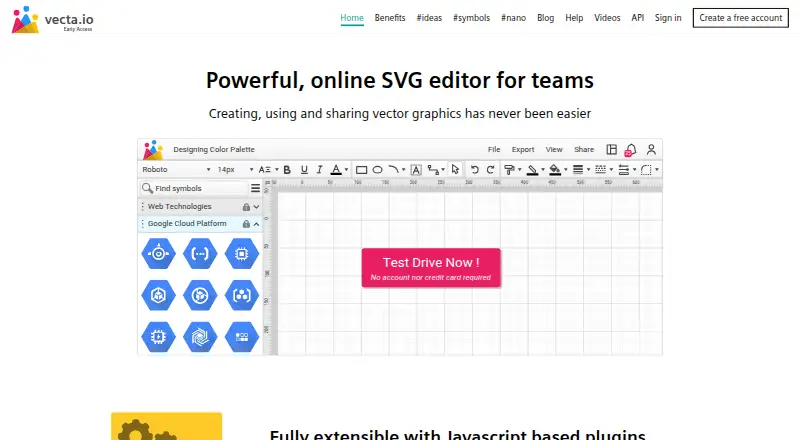
What Vecta is
Vecta is a browser-based SVG editor and diagramming tool for creating drawings collaboratively. Its precision controls use pixels, millimeters, centimeters, and inches, with zoom reaching 6400%. Shape editing includes fragment, union, difference, intersect, join, and trim operations. Vecta imports JPG, PNG, GIF, SVG, DWG, VSD, and VSS files. Drawings can be exported at 96, 180, or 300 dpi, with SVG and PDF export available. Teams can edit together in real time, control access at team, folder, and drawing levels, and share drawings by email or generated link. JavaScript plugins can automate drawing tasks, and the published API documents editor functions, plugins, and drawing objects. Slack and Google Drive integrations are listed. The Beta plan costs nothing and includes all features during beta. Vecta’s pricing page says it intends to move to freemium subscriptions after beta, without listing paid prices. Users retain copyright to their drawings.
Good
- Browser-based SVG editing and diagramming
- Real-time team collaboration
- Imports common image and CAD formats
- SVG and PDF export
- JavaScript plugins and documented API
Watch out
- Paid subscription plans are planned after beta
- No paid prices are listed
- Current Beta availability may change
Who it suits
Vecta fits people creating SVG graphics or diagrams in a browser, especially teams needing real-time collaboration, file imports, precision controls, or automation through plugins and an API.
Verdict
Vecta combines detailed SVG editing, broad imports and exports, collaboration, and automation in a web app. Its free Beta terms are clear, while future subscription pricing is not yet stated.
Plans and prices
From Vecta's own pricing page, checked 4 Oct 2026.
| Plan | Price | What it gives you |
|---|---|---|
| Beta | Free | All features and functionalities free during beta |
The facts
Each one read from Vecta's own pages, with the date it was checked.
What it does
- API
- Vecta publishes developer API documentation for editor functions, plugins, and drawing objects.checked 4 Oct 2026
- CAD imports
- The home page says Vecta supports importing DWG, VSD, and VSS files.checked 4 Oct 2026
- File formats
- Vecta imports JPG, PNG, GIF, and SVG images and exports drawings with resolution options of 96, 180, or 300 dpi.checked 4 Oct 2026
- Integrations
- Vecta lists Slack integration and Google Drive integration in its help center.checked 4 Oct 2026
- Plugins
- Vecta supports JavaScript-based plugins, including custom plugins for automating drawing tasks.checked 4 Oct 2026
- Precision tools
- The editor supports measurement units including pixels, millimeters, centimeters, and inches, and zoom up to 6400%.checked 4 Oct 2026
- Pricing caveat
- The pricing page says Vecta intends to move to a freemium model with paid subscriptions after beta, but lists no paid prices.checked 4 Oct 2026
- Product
- Vecta is a browser-based online SVG editor and diagramming tool for creating diagrams collaboratively.checked 4 Oct 2026
- Security and privacy
- Vecta's privacy notice says it uses physical, technical, and organizational security measures to protect personal data.checked 4 Oct 2026
- Shape editing
- Shape operations include fragment, union, difference, intersect, join, and trim.checked 4 Oct 2026
- Support
- Vecta provides a help center, release notes, videos, and a Siemens community forum.checked 4 Oct 2026
- User content
- Vecta's terms say users retain copyright to drawings and graphic materials they create.checked 4 Oct 2026
The company
- Maker
- Vecta's terms list a contact address in Ipoh, Malaysia, and the site footer identifies Siemens.checked 4 Oct 2026
- Team collaboration
- Teams can collaborate in real time, manage access at team, folder, and drawing levels, and share drawings by email or generated link.checked 4 Oct 2026