Infortrend EonCloud Gateway
Infortrend EonCloud Gateway connects local storage with cloud services for migration, caching, backup, synchronization, archiving, and tiering.
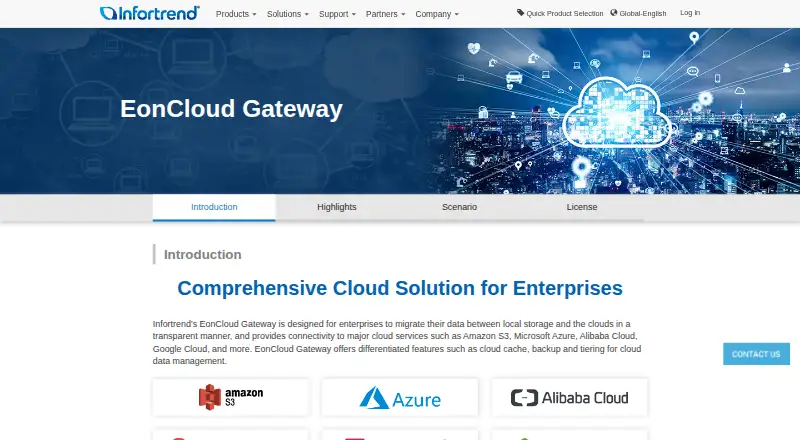
What Infortrend EonCloud Gateway is
Infortrend EonCloud Gateway connects local storage with cloud services for migration, caching, backup, synchronization, archiving, and tiering. It supports file-level and block-level data movement through protocols including NFS, CIFS, iSCSI, and Fibre Channel, along with FTP and Rsync. Cloud targets include Amazon S3, Microsoft Azure, Alibaba Cloud, Google Cloud, OpenStack, Baidu Cloud, Tencent Cloud, Wasabi, Yandex Object Storage, hiCloud, HCP, and Backblaze. Five workflow options are cloud file cache, cloud file sync, cloud volume replication, cloud archiving storage, and cloud tiering. Infortrend says data uses a unique encryption key and transmissions to and from cloud services use SSL. Compression and deduplication reduce data size for storage and transmission. File sync supports one-way or two-way operation, while block-level cloud backup can provide a remote backup site. Reports cover connection status, transmission, local access, and cache use. The hybrid, self-hosted gateway is intended for enterprises and requires at least 8GB of system memory. Pricing is available on request; there is no free plan, but a 90-day trial is listed.
Good
- Supports a range of cloud storage targets.
- Offers five cloud workflow modes.
- Supports file-level and block-level data movement.
- Includes compression and deduplication.
Watch out
- Requires at least 8GB of system memory.
- Pricing is available on request.
- No free plan is listed.
- License upgrades depend on the purchased storage model.
Who it suits
EonCloud Gateway is intended for enterprises integrating local storage with cloud services. It may suit organizations planning cloud caching, synchronization, backup, or tiering workflows.
Verdict
EonCloud Gateway combines local caching with multiple cloud data workflows and protocol options. Request pricing and check hardware and license requirements before considering deployment.
Plans and prices
From Infortrend EonCloud Gateway's own pricing page, checked 8 Oct 2026.
| Plan | Price | What it gives you |
|---|---|---|
| EonCloud Gateway | Free | 90-day trial; cache/sync modes; up to 5 connected folders and 5 connected volumes; up to 1 TB cache and cloud volume capacity |
| Enterprise | Priced on request | Up to 10 cache settings; up to 32 connected folders and volumes; up to 2 PB folder cache and cloud volume capacity |
| Standard | Priced on request | File cache/sync; up to 5 connected folders and volumes; up to 2 PB folder cache and cloud volume capacity |
| Ultimate | Priced on request | All cache policies and function parameters |
The facts
Each one read from Infortrend EonCloud Gateway's own pages, with the date it was checked.
What it does
- Cache policies
- Cache policies include Default, High Priority, Local Only, Low Priority, Not Applicable, Uncacheable for Read and Uncacheable for Write.checked 8 Oct 2026
- Cloud integrations
- The page lists Amazon S3, Microsoft Azure, Alibaba Cloud, Google Cloud, OpenStack, Baidu Cloud, Tencent Cloud, Wasabi, Yandex Object Storage, hicloud, HCP and Backblaze.checked 8 Oct 2026
- Cloud services
- The page lists Amazon S3, Microsoft Azure, Alibaba Cloud, Google Cloud, OpenStack, Baidu Cloud, Tencent Cloud, Wasabi, Yandex Object Storage, hicloud, HCP and Backblaze.checked 8 Oct 2026
- Data workflows
- Five setup methods are listed: cloud file cache, cloud file sync, cloud volume replication, cloud archiving storage and cloud tiering.checked 8 Oct 2026
- Disaster recovery
- File-level cloud sync supports one-way and two-way synchronization, while block-level cloud backup stores data in cloud storage as a remote backup site.checked 8 Oct 2026
- Encryption
- Infortrend says data is encrypted with a unique key and transmissions to and from the cloud use SSL encryption.checked 8 Oct 2026
- Hardware requirement
- EonCloud Gateway requires at least 8GB of system memory, and available license upgrades depend on the purchased storage model.checked 8 Oct 2026
- Intended users
- Infortrend describes the gateway as designed for enterprises integrating local storage with cloud services.checked 8 Oct 2026
- Monitoring
- Its reports and tools monitor cloud connection status, network transmission, local access and cache hit rate or usage.checked 8 Oct 2026
- Permissions
- The gateway can sync file access control lists across storage devices and retain read-write permissions.checked 8 Oct 2026
- Protocols
- It supports file-level and block-level data transmission and migration through protocols including NFS, CIFS, iSCSI and Fibre Optic.checked 8 Oct 2026
- Purpose
- EonCloud Gateway connects local storage with cloud services to migrate data and manage cloud caching, backup and tiering.checked 8 Oct 2026
- Security
- Infortrend says the gateway uses a unique encryption key for data and SSL-encrypted transmissions to and from the cloud.checked 8 Oct 2026
- Setup modes
- The five setup methods are Cloud File Cache, Cloud File Sync, Cloud Volume Replication, Cloud Archiving Storage and Cloud Tiering.checked 8 Oct 2026
- Storage efficiency
- Built-in compression and deduplication reduce data size for cloud storage and transmission, according to Infortrend.checked 8 Oct 2026
- Support
- Infortrend says its worldwide support network assists with installation, configuration, diagnosis and troubleshooting.checked 8 Oct 2026
Money
- Cost reduction
- Built-in compression and deduplication reduce data size for cloud storage and transmission.checked 8 Oct 2026
The company
- Founded
- 1993checked 28 Sep 2026
- Headquarters
- Taipei, Taiwanchecked 28 Sep 2026
The full review of Infortrend EonCloud Gateway
Overview
Infortrend EonCloud Gateway is hybrid storage software that links local storage with cloud services for caching, backup, synchronization and tiering. It is aimed at enterprises with local storage to integrate into cloud workflows, especially teams needing both file- and block-level options. Its breadth is useful, but the hardware requirement and custom pricing make it an infrastructure decision rather than a lightweight cloud-storage add-on.
Key features
Five workflows cover distinct needs: file caching keeps cloud-backed data accessible locally, file sync supports one-way or two-way synchronization, volume replication handles block-level workflows, archiving provides a cloud destination, and tiering moves data between storage tiers. Block-level cloud backup can also provide a remote backup site. This range suits organizations with mixed storage requirements, although selecting the right mode depends on how their existing storage is organized.
Cloud targets include Amazon S3, Microsoft Azure, Alibaba Cloud, Google Cloud, OpenStack, Baidu Cloud, Tencent Cloud, Wasabi, Yandex Object Storage, hiCloud, HCP and Backblaze. Supported protocols include NFS, CIFS, FTP, Rsync, Fibre Channel and iSCSI. That gives storage teams several integration routes, but they should confirm the specific cloud target and protocol combination against their deployment.
Cache policies range from prioritizing local access to marking data uncacheable for reads or writes. Reports cover cloud connection status, network transmission, local access and cache hit rate or usage, giving administrators useful visibility into how the gateway is behaving. File access-control lists can be synchronized across storage devices while retaining read-write permissions.
Infortrend says data uses a unique encryption key and cloud transmissions use SSL encryption. Built-in compression and deduplication reduce data size for storage and transmission, which can help limit cloud data movement. The gateway requires at least 8GB of system memory, and available license upgrades depend on the purchased storage model. Those requirements make compatibility and licensing worth settling before deployment.
Pricing
The EonCloud Gateway plan is free for a 90-day trial. It includes cache and sync modes, up to 5 connected folders and 5 connected volumes, and up to 1 TB of cache and cloud volume capacity. It is a bounded evaluation, not an ongoing free tier.
Standard has custom pricing and supports file cache and sync, up to 5 connected folders and volumes, and up to 2 PB of folder cache and cloud volume capacity. It raises the capacity ceiling substantially over the trial, but retains the five-folder-and-volume connection limit.
Enterprise also has custom pricing. It allows up to 10 cache settings and 32 connected folders and volumes, with up to 2 PB of folder cache and cloud volume capacity, making it the stronger fit for deployments with more connections and cache configurations.
Ultimate has custom pricing and includes all cache policies and function parameters. It is for teams that need the full set of controls; the plan description does not give connection or capacity limits, so those should be confirmed as part of a quote.
Platforms
EonCloud Gateway is self-hosted and uses a hybrid deployment model, pairing local storage with cloud services. It is not a consumer cloud-drive app for desktop or mobile devices; its fit is in managed storage environments with suitable hardware.
Who it's for
Enterprises that need to connect existing local storage to cloud targets are the clearest fit, particularly those combining file caching or synchronization with block-level replication and backup. Infortrend says its worldwide support network assists with installation, configuration, diagnosis and troubleshooting, a useful complement for infrastructure teams planning a deployment. Organizations seeking a low-cost standalone cloud drive, or unable to meet the memory and storage-model requirements, should look elsewhere.
Pros and cons
- Pros: Five setup modes cover caching, synchronization, replication, archiving and tiering, so one gateway can address several storage workflows.
- Pros: A broad set of cloud targets and file and block protocols gives storage teams multiple integration paths.
- Pros: Encryption, ACL synchronization, compression, deduplication and operational reporting address security, permissions, data movement and administration needs.
- Cons: The minimum 8GB system-memory requirement and model-dependent license upgrades constrain hardware and licensing choices.
- Cons: The free evaluation is limited to 90 days, five connected folders and volumes, and 1 TB capacity; paid plans have custom pricing.
- Cons: Standard remains capped at five connected folders and volumes, so larger connection counts require Enterprise or another arrangement.
Alternatives
For a broader comparison, start with Cloud Storage Gateway Software. LucidLink is worth considering when cross-platform access across Android, iOS, Linux, macOS, web and Windows matters more, with a Starter plan at $7 a month billed per member monthly and annual billing saving 15%.
Triofox is another paid option with a free trial and support for Android, iOS, macOS, self-hosted, web and Windows platforms. Morro Data CloudNAS may suit buyers comparing a priced Business plan: from $129 (priced on request), with up to two CacheDrives, unlimited maximum storage, and default 1 TB storage and 1 TB/month download.
NetApp Global File Cache offers a one-year subscription plan at $250 a year and supports Linux, self-hosted and Windows deployments. For Synology NAS owners who need backup for Microsoft 365 and Google Workspace rather than a general storage gateway, Synology Active Backup for SaaS is a free add-on with no software license required.
CloudMounter is a freemium choice for macOS or Windows, with personal plans listed at $29 a year for Mac and $29.99, paid once for Windows. Quantum StorNext is another paid self-hosted option for Linux, macOS, web and Windows; its plan requires a StorNext subscription for Xcellis Workflow Director. Alibaba Cloud Storage Gateway is a paid alternative for teams considering Alibaba Cloud, with gateway charges based on specification, cache and other factors.
Verdict
Choose Infortrend EonCloud Gateway if your enterprise needs to connect local storage to several cloud services while managing both file- and block-level workflows. Its range of modes, protocols and administration controls is the main reason to choose it. Look elsewhere if you need straightforward consumer storage, a published predictable price, or deployment independent of Infortrend storage hardware and licensing.
Getting started
- Visit the Infortrend EonCloud website.
- Contact Infortrend for pricing and license details.
- Check that the system has at least 8GB of memory.
- Choose a deployment and workflow, such as file cache, file sync, volume replication, archiving, or tiering.
- Select a plan and use the 90-day trial if appropriate.
Limits worth knowing
The 90-day trial supports cache and sync modes, up to five connected folders and five connected volumes, and up to 1 TB of cache and cloud volume capacity. Standard allows up to five connected folders and volumes and up to 2 PB of folder cache and cloud volume capacity; Enterprise allows up to 32 connected folders and volumes and up to 2 PB of folder cache and cloud volume capacity. Ultimate includes all cache policies and function parameters.
Questions
Is there a free plan?
No. A 90-day trial is available.
How much does EonCloud Gateway cost?
Pricing is available on request. The listed trial plan is free for 90 days.
Where can it be deployed?
It is a self-hosted product with a hybrid deployment model.
Which cloud services does it support?
Listed targets include Amazon S3, Microsoft Azure, Alibaba Cloud, Google Cloud, OpenStack, Baidu Cloud, Tencent Cloud, Wasabi, Yandex Object Storage, hiCloud, HCP, and Backblaze Cloud.
Which protocols does it support?
Supported protocols include NFS, CIFS, FTP, Rsync, Fibre Channel, and iSCSI.
What are the plan differences?
The trial covers cache and sync with limits of five folders, five volumes, and 1 TB capacity. Standard and Enterprise raise capacity to 2 PB, with Enterprise supporting up to 32 connected folders and volumes; Ultimate includes all cache policies and function parameters.
Alternatives to Infortrend EonCloud Gateway
- 1

Oracle Cloud Infrastructure Object Storage
Free planAndroidiOSWebAPI8.0Free plan - 2
Morro Data CloudNAS
AndroidiOSWebLinux7.6From $129 a month - 3

CloudMounter
macOSWindows7.1 - 4

LucidLink
AndroidiOSWebExtension7.1From $7 a month - 5
Triofox
AndroidiOSWebmacOS6.9From $11 a month - 6

Synology Active Backup for SaaS
Free planSelf-hosted6.7Free plan