
ImprovMX
ImprovMX provides email forwarding for custom domains, with options to send and receive domain email.
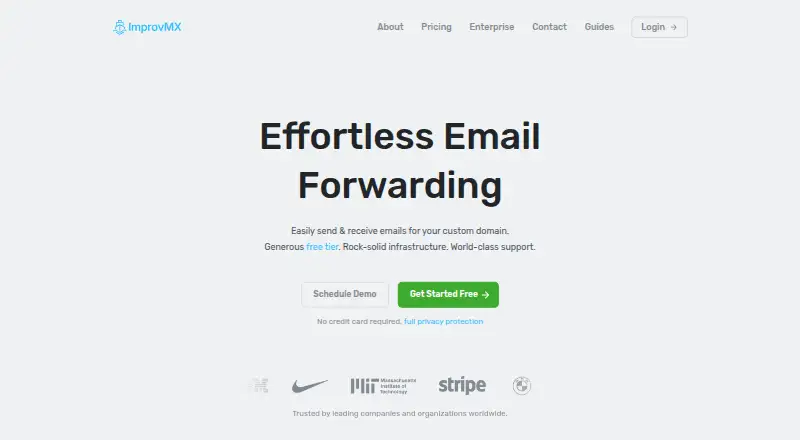
What ImprovMX is
ImprovMX provides email forwarding for custom domains, with options to send and receive domain email. It supports catch-all and regex aliases, customizable routing rules, and sending one alias to multiple destinations. Users can send from a custom domain through SMTP or the JSON Send API, though SMTP sending requires a paid plan. Its REST API lets customers manage domains and aliases programmatically. The free plan includes one domain, 25 aliases, 500 forwarded emails per day, and seven-day email-log retention. Paid options listed include $9 a month for Premium, $24 a month for Pro, and $50 a year for Light. Logs show delivery details such as sender, destination, and status, but not the email content. The service says it encrypts stored data, uses TLS in transit for SMTP connections that support it, and does not sell data or log forwarded email content. When an account reaches its forwarding quota, mail processing pauses until 00:00 UTC; mail received during that period is bounced to senders.
Good
- Supports catch-all and regex aliases.
- One alias can route to multiple destinations.
- REST API manages domains and aliases.
- Free plan includes one domain and 25 aliases.
Watch out
- SMTP sending is a paid-plan feature.
- Free email-log retention is seven days.
- Mail is bounced after the forwarding quota is reached.
Who it suits
ImprovMX suits people who want custom-domain forwarding, routing rules, or programmatic domain and alias management. It can also fit users who need to send from a custom domain, provided they choose a plan with SMTP sending.
Verdict
ImprovMX combines custom-domain forwarding with routing controls and an API. Check the plan limits and quota behavior if uninterrupted forwarding or outbound SMTP matters to your setup.
Plans and prices
From ImprovMX's own pricing page, checked 30 Sep 2026.
| Plan | Price | What it gives you |
|---|---|---|
| Free | Free | 1 domain · 25 aliases · 500 forwarded emails/day · 7-day email log retention · 99% uptime guarantee · API access · standard email and chat support |
| Premium | $9 a month | Up to 30 domains · 100 aliases/domain · 10 rules/domain · 5,000 forwarded emails/day · 12,000 SMTP sends/month · email logs up to 180 days · webhooks · priority email and chat support · Monthly |
| Pro | $24 a month | Up to 100 domains · 200 aliases/domain · 50 rules/domain · 15,000 forwarded emails/day · 60,000 SMTP sends/month · Monthly |
| Light | $50 a year | Up to 5 domains · 25 aliases/domain · 5,000 forwarded emails/day · 750 SMTP sends/month · 5 rules/domain · Yearly |
| Enterprise | Priced on request | Unlimited domains, aliases, forwarding, and SMTP sends · dedicated account manager · support SLAs · Custom |
The facts
Each one read from ImprovMX's own pages, with the date it was checked.
What it does
- API
- The REST API lets customers programmatically manage domains and aliases for email forwarding.checked 30 Sep 2026
- Certifications
- ImprovMX says it does not pursue SOC 2 or ISO 27001 certifications and describes other security measures it uses instead.checked 30 Sep 2026
- DNS setup
- The maker says premium users can use one-click DNS setup with supported DNS providers, and its June 2026 update says the feature now works with most providers.checked 30 Sep 2026
- Email logs
- Email logs include delivery-event details such as subject, sender, destination, event type, server response, and status code; the maker says logs do not include email content.checked 30 Sep 2026
- Email sending
- Users can send from a custom domain through SMTP or the JSON Send API; SMTP sending is a paid-plan feature.checked 30 Sep 2026
- Integrations
- The maker provides SMTP setup guides for Gmail, Apple Mail, and Thunderbird, and DNS configuration guides for providers including Cloudflare, Namecheap, DigitalOcean, Vercel, and Netlify.checked 30 Sep 2026
- Intended users
- ImprovMX says more than 200,000 users and organizations use it for business, internal tools, and side projects.checked 30 Sep 2026
- Privacy and compliance
- The maker says it is GDPR compliant, does not sell data, and does not log the content of forwarded emails.checked 30 Sep 2026
- Product
- ImprovMX provides email forwarding for custom domains, with options to send and receive domain email.checked 30 Sep 2026
- Retention
- The transparency page says delivery logs are stored for seven days and setup-change records for 365 days, while paid plans list longer email-log retention, up to 180 days or unlimited depending on plan.checked 30 Sep 2026
- Routing features
- It supports catch-all and regex aliases, customizable routing rules, and forwarding one alias to multiple destinations.checked 30 Sep 2026
- Security
- ImprovMX says it conducts annual independent penetration tests, uses TLS in transit for SMTP connections that support it, and encrypts stored data at rest.checked 30 Sep 2026
- Support
- Free includes standard email and chat support; Premium and Pro include priority email and chat support, while Enterprise lists support SLAs and a dedicated account manager.checked 30 Sep 2026
- Usage limit
- When an account reaches its forwarding quota, ImprovMX says it stops processing mail for that domain until the quota resets at 00:00 UTC, and subsequently received mail is bounced to senders.checked 30 Sep 2026
The company
- Company
- ImprovMX says it was founded in 2013 and is a self-funded company in the United States.checked 30 Sep 2026
- Founded
- 2013checked 28 Sep 2026
- Headquarters
- United Stateschecked 28 Sep 2026
The full review of ImprovMX
ImprovMX is a custom-domain email forwarding service with API controls and an option to send mail from your domain. It suits individuals and organizations that want flexible routing without running their own mail infrastructure. Its strongest case is domain forwarding with room to grow; its clearest drawback is that messages bounce after a domain exhausts its daily quota.
Overview
ImprovMX routes mail sent to custom-domain addresses to existing inboxes, and paid plans add SMTP sending alongside the JSON Send API. Catch-all and regex aliases, configurable rules, and multiple destinations per alias make it more adaptable than a basic forwarder. The free tier includes API access, but SMTP is reserved for paid plans.
Delivery logs show operational details such as sender, destination, event, server response, and status code, but not message content. Standard log retention is seven days; paid plans offer longer retention, up to 180 days or unlimited depending on the plan. ImprovMX says it encrypts stored data, uses TLS for SMTP connections that support it, conducts annual independent penetration tests, complies with GDPR, and does not sell data. It does not pursue SOC 2 or ISO 27001 certifications, so organizations requiring either should look elsewhere.
Key features
Routing and sending
Catch-all forwarding handles addresses across a domain, while regex aliases and rules allow more specific routing. Sending one alias to several destinations is useful when separate inboxes need the same incoming mail. The plan caps on aliases and rules become important for domains with many addresses or complex routing. SMTP and the JSON Send API enable outbound mail from a custom domain, but only paid plans include SMTP.
Administration and setup
The REST API can manage domains and aliases programmatically, making it a practical option for projects that automate address administration. Premium users can use one-click DNS setup with supported providers; ImprovMX says the feature now works with most providers. Setup guides cover services including Cloudflare, Namecheap, DigitalOcean, Vercel, and Netlify, while SMTP guides cover Gmail, Apple Mail, and Thunderbird.
Quota behavior
Daily forwarding limits are a meaningful reliability constraint, not merely an account-management detail. When a domain reaches its quota, ImprovMX stops processing its mail until 00:00 UTC; mail received in the meantime is bounced to senders. That behavior may be acceptable for low-volume projects, but it is a poor fit for an address where uninterrupted receipt is essential unless the plan's capacity is comfortably above expected traffic.
Pricing
The Free plan costs nothing and covers one domain, 25 aliases, 500 forwarded emails per day, seven-day email logs, API access, standard email and chat support, and a 99% uptime guarantee. It is a useful starting point for a low-volume domain, but the modest daily cap and lack of SMTP make it limiting for active business mail.
Light costs $50 a year, billed yearly. It allows up to five domains, 25 aliases per domain, five rules per domain, 5,000 forwarded emails per day, and 750 SMTP sends per month. This is the lowest-cost paid choice for a small setup needing SMTP, though the send allowance and rule cap constrain heavier use.
Premium costs $9 a month, billed monthly. It raises capacity to 30 domains, 100 aliases and 10 rules per domain, 5,000 forwarded emails per day, and 12,000 SMTP sends per month. It also adds webhooks, email logs up to 180 days, and priority email and chat support. This suits users who need substantially more aliases, automation hooks, or support priority than Light provides.
Pro costs $24 a month, billed monthly. It supports up to 100 domains, 200 aliases and 50 rules per domain, 15,000 forwarded emails per day, and 60,000 SMTP sends per month. The larger routing and sending allowances make it the better fit for multi-domain operations with higher traffic.
Enterprise has custom pricing and offers unlimited domains, aliases, forwarding, and SMTP sends, plus a dedicated account manager and support SLAs. It is aimed at organizations that need those terms rather than a fixed self-serve allowance. Across paid tiers, choose by both forwarding and SMTP volume: ample capacity in one does not remove the other plan limits.
Platforms
ImprovMX is available on the web and through an API. It is a service for routing domain email rather than a device-specific mail client; the SMTP guides support sending through Gmail, Apple Mail, and Thunderbird.
Who it's for
ImprovMX is a good fit for domain owners, small businesses, and side projects that want aliases, routing rules, multi-destination forwarding, and programmatic control in one service. The free plan can cover modest forwarding needs, while Light is a low-cost step up for small volumes that need SMTP. Choose Premium or Pro when domain, alias, rule, or sending capacity justifies the higher monthly price. It is less suitable when bounced messages at a quota boundary are unacceptable or a procurement process requires SOC 2 or ISO 27001.
Pros and cons
- Flexible routing: Catch-all and regex aliases, rules, and multiple destinations handle more cases than simple one-to-one forwarding.
- API access on Free: Automation is possible without first moving to a paid tier.
- Paid outbound sending: SMTP and the JSON Send API let users send from a custom domain, with plan-specific monthly SMTP allowances.
- Operationally useful logs: Delivery events expose routing and server outcomes without logging email content; retention ranges from seven days to longer paid-plan periods.
- Hard quota stop: Once a domain reaches its daily forwarding limit, later mail is bounced until the UTC reset, which risks missed messages.
- Limited Free capacity: One domain and 500 forwards per day can be restrictive for busier use, and SMTP is not included.
- No SOC 2 or ISO 27001: Organizations that require either certification cannot treat ImprovMX's other security measures as a substitute.
Alternatives
Email Forwarding Services is a useful starting point for comparing the category. Consider Forward Email if you want a service built with open-source software and broader platform coverage, including self-hosting. Choose Haltman mail-forwarding-core if you need unlimited forwarding rules, users, addresses, domains, and emails at no cost and forwarding alone is enough.
Forward has a Free tier with the same one-domain, 25-alias, 500-forward-per-day, and seven-day-log allowances, so it is worth comparing if those caps suit you. MailerZ may suit a user who prefers a message store and a free tier with three aliases, but its free plan disables send-as, SMTP, and API access. DNSExit Email Forwarding is an alternative if you want a web-based forwarding service, including a free plan for domains registered through DNSExit.
EForw is worth considering if unlimited catch-all aliases and SPF, DKIM, and DMARC passing on a free plan are priorities. InboxMail offers a different mix of email and AI features, with a free plan that includes one custom domain and unlimited aliases. KaiMail is another freemium option for custom-domain email, with a free plan limited to one mailbox and 300 emails per month.
Verdict
Choose ImprovMX if you want flexible custom-domain forwarding, API-managed aliases, and a path to paid SMTP sending without operating your own mail system. Its routing controls and tiered capacity are compelling for domains with moderate, predictable traffic. Look elsewhere if quota-triggered bounces pose too much risk or formal SOC 2 or ISO 27001 certification is a requirement.
Getting started
- Open the ImprovMX website
- Choose the Free, Light, Premium, Pro, or Enterprise plan
- Add a custom domain
- Configure DNS using the provider-specific guide
- Create aliases and routing rules
- Connect mail software through SMTP or the JSON Send API
Limits worth knowing
Free includes one domain, 25 aliases, 500 forwarded emails per day, and seven-day email-log retention. When a forwarding quota is reached, processing stops until 00:00 UTC and subsequently received mail is bounced.
Questions
Is there a free plan?
Yes. Free costs nothing and includes one domain, 25 aliases, 500 forwarded emails per day, API access, and standard email and chat support.
What are the paid prices?
Light costs $50 a year, Premium costs $9 a month, and Pro costs $24 a month. Enterprise uses custom pricing.
Can I send mail from my custom domain?
Yes. ImprovMX supports SMTP and the JSON Send API; SMTP sending is a paid-plan feature.
What do email logs contain?
Logs include delivery details such as subject, sender, destination, event type, server response, and status code, but not email content.
Which platforms are supported?
ImprovMX is available through web and API.
Does it support catch-all forwarding and multiple recipients?
Yes. It supports catch-all forwarding and forwarding one alias to multiple destinations.
Alternatives to ImprovMX
- 1
DNSExit Email Forwarding
Free planWebAPI7.3From $6.99 a year - 2

Forward Email
Free planAndroidiOSWebAPI7.3From $3 a month - 3

Cloudflare Stream
AndroidiOSWebAPI6.9 - 4

SMTP Zen Email Forwarding
AndroidiOSWeb6.8From $1.20 a month - 5
Gomailify
AndroidiOSWeb6.7From $12 a year - 6
KaiMail
Free planWebAPI6.7From ¥550 a month